Inquire: Call 0086-755-23203480, or reach out via the form below/your sales contact to discuss our design, manufacturing, and assembly capabilities.
Quote: Email your PCB files to Sales@pcbsync.com (Preferred for large files) or submit online. We will contact you promptly. Please ensure your email is correct.
Notes: For PCB fabrication, we require PCB design file in Gerber RS-274X format (most preferred), *.PCB/DDB (Protel, inform your program version) format or *.BRD (Eagle) format. For PCB assembly, we require PCB design file in above mentioned format, drilling file and BOM. Click to download BOM template To avoid file missing, please include all files into one folder and compress it into .zip or .rar format.
After 15 years of designing printed circuit boards across industries ranging from consumer electronics to aerospace systems, I’ve learned that understanding PCB layers is fundamental to every successful design. Whether you’re routing your first two-layer board or planning a complex 16-layer HDI stackup, getting the layer count and arrangement right determines everything from signal integrity to manufacturing cost.
This guide breaks down PCB layers from an engineer’s practical perspective. We’ll cover not just the theory, but the real-world decisions you’ll face when specifying layer counts, choosing materials, and designing stackups that actually work in production. I’ve seen too many designs fail because engineers underestimated layer requirements or misunderstood stackup basics. Let’s make sure that doesn’t happen to you.
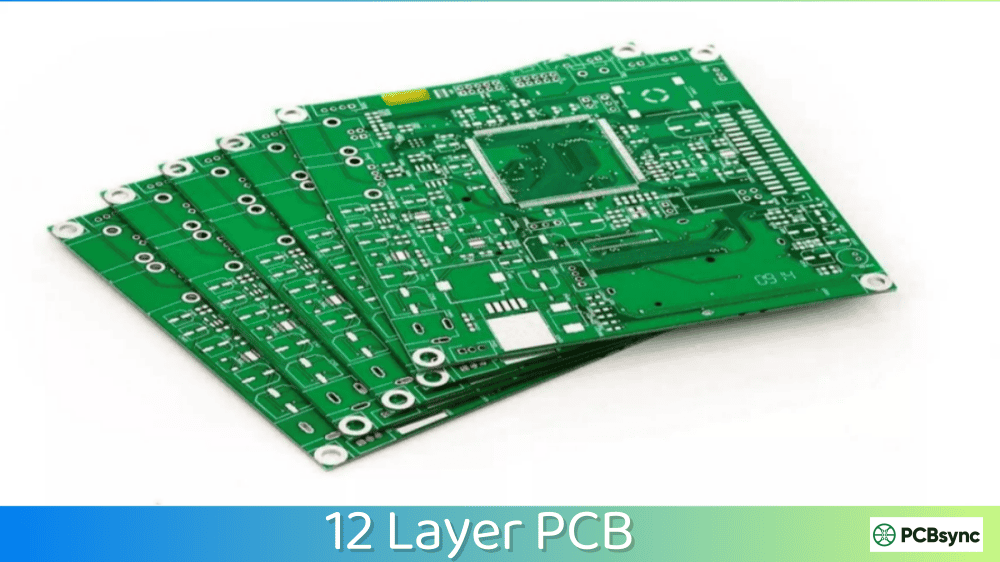
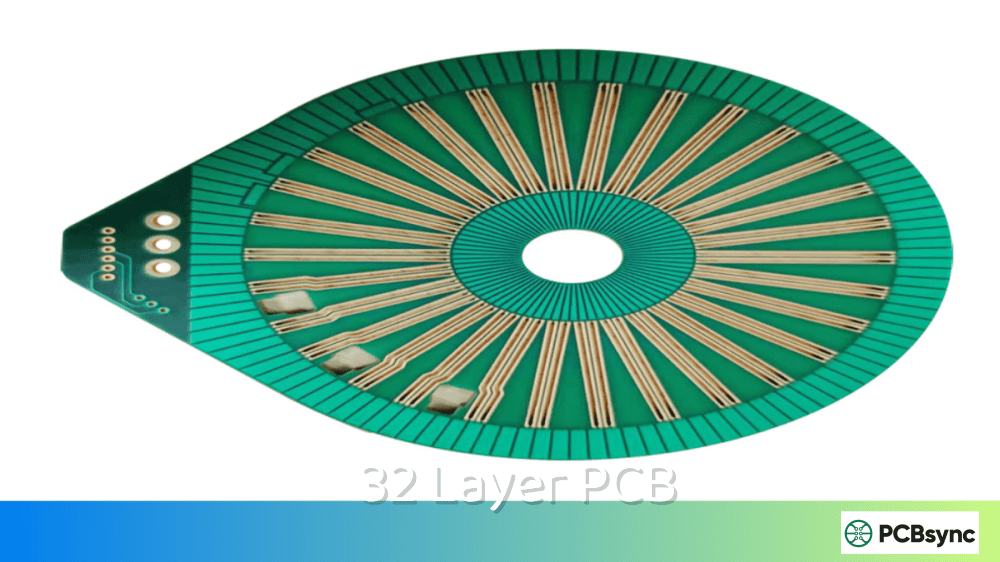
PCB layers are the individual conductive copper planes separated by insulating dielectric material that make up a printed circuit board. Think of them as floors in a building—each layer provides additional routing space, power distribution capability, and shielding options. The simplest boards have one or two layers, while complex designs can exceed 30 layers.
Each layer serves specific purposes in your design. Signal layers carry the actual data traces connecting components. Power planes distribute voltage across the board. Ground planes provide return paths and EMI shielding. The way you arrange these layers—your stackup—directly impacts signal quality, power delivery, and electromagnetic compatibility.
Understanding PCB layers isn’t optional knowledge for modern electronics design. Even a “simple” USB device or LED driver benefits from proper layer planning. Get it wrong, and you’re looking at noise problems, power integrity issues, or boards that simply won’t pass compliance testing.
How PCB Layers Work Together
The magic of multi-layer PCBs happens in the interaction between layers. Signals on one layer couple capacitively and inductively with adjacent layers. This coupling can be beneficial—controlled impedance relies on it—or harmful if it causes crosstalk between signals.
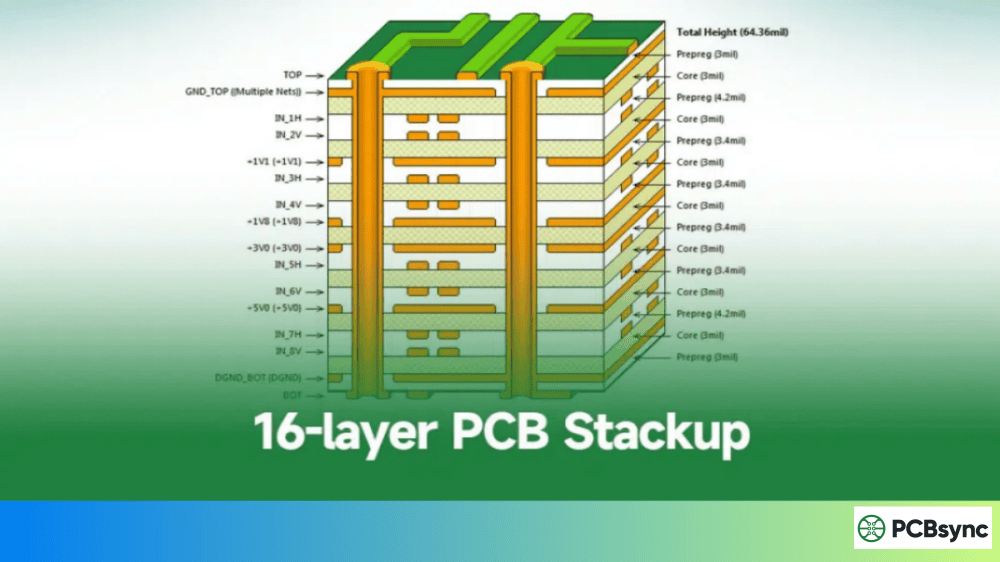
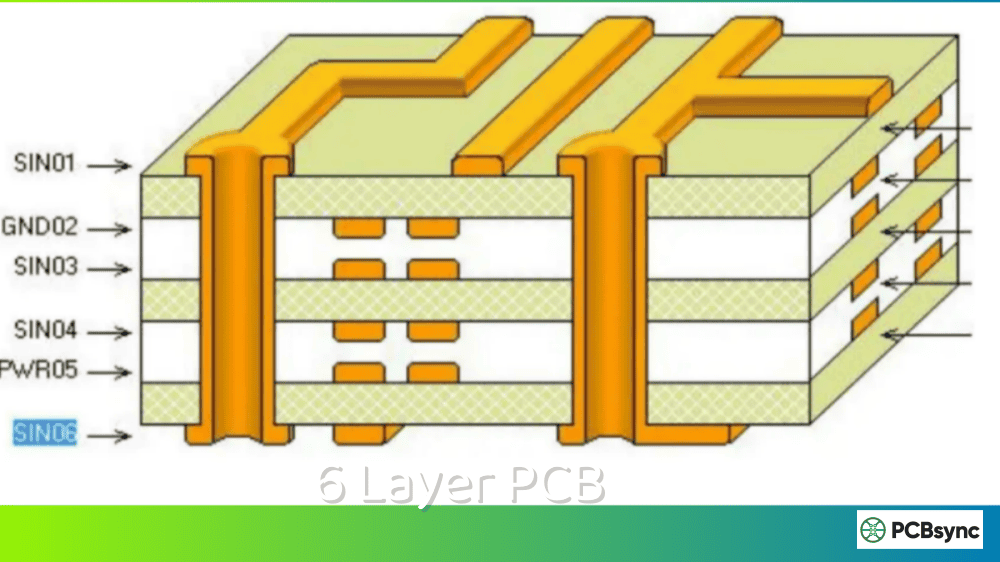
Copper layers bond to prepreg (pre-impregnated fiberglass) and core materials under heat and pressure during lamination. The resulting structure behaves as a unified electrical system. Vias—plated holes connecting layers—allow signals and power to travel vertically through the stackup. Through-hole vias span the entire board, while blind and buried vias connect specific layer combinations.
PCB Layer Types: Signal, Power, and Ground Planes
Every PCB layer falls into one of three functional categories. Understanding when and how to use each type is crucial for effective stackup design.
Signal Layers for Routing
Signal layers carry the actual traces connecting your components. These can be on outer layers (microstrip configuration) or inner layers (stripline configuration). Outer layer routing is easier to manufacture and debug, but inner signal layers offer better noise immunity due to shielding from adjacent planes.
When routing signals, adjacent reference planes determine your trace impedance. A 50-ohm trace on Layer 1 referenced to a ground plane on Layer 2 requires specific width and spacing calculations. Change the dielectric thickness, and your impedance changes. This relationship between signal and reference layers is why stackup design matters so much for high-speed signals.
Power Planes for Voltage Distribution
Power planes are solid or near-solid copper pours dedicated to distributing supply voltages. Unlike routed power traces, planes offer extremely low impedance paths that handle high currents without significant voltage drop. They also provide distributed capacitance when placed adjacent to ground planes.
Most designs benefit from at least one dedicated power plane. Complex boards with multiple voltage rails might need several power layers, sometimes split into regions for different supplies. The key is maintaining unbroken current return paths—splits in power planes can create EMI problems if signals must cross them.
Ground Planes for Return Paths and Shielding
Ground planes are arguably the most important layers in any PCB. They provide low-impedance return paths for signals, shield sensitive traces from interference, and establish the reference potential for your entire design. A solid, unbroken ground plane is the foundation of good signal integrity.
High-frequency return currents follow the path directly beneath their signal traces—not the shortest path to the source. This means ground plane continuity under signal routes is critical. Slots, cuts, or via antipad clearances that interrupt this return path create inductance and radiate EMI. Experienced engineers obsess over ground plane integrity for good reason.
PCB Layer Count Options Compared
Choosing the right layer count involves balancing design requirements against cost and manufacturing complexity. Here’s a practical comparison of common options:
Layer Count
Best Applications
Typical Use Cases
Relative Cost
Lead Time
1-Layer
Simple LED circuits, power supplies
Calculator, basic toys
1x (Baseline)
1-3 days
2-Layer
Most general electronics
Arduino shields, IoT devices
1.2-1.5x
2-5 days
4-Layer
Microcontroller systems, USB
Raspberry Pi, embedded systems
2-3x
5-7 days
6-Layer
High-speed digital, DDR memory
Industrial controllers, networking
3-4x
7-10 days
8-Layer
Complex processors, FPGA
Server boards, graphics cards
4-6x
10-14 days
10+ Layer
High-density BGA, RF systems
Smartphones, medical imaging
8-15x
14-21+ days
Single Layer vs Double Layer PCB: When to Use Each
Single-Layer PCB Characteristics
Single-layer PCBs have copper on only one side of the substrate. They’re the simplest and cheapest option, but routing complexity is severely limited. All traces must fit on one side without crossing, which often requires jumper wires or zero-ohm resistors for anything beyond the most basic circuits.
Single-layer boards work well for simple power supplies, LED drivers, and basic analog circuits. Consumer products like calculators and TV remotes often use single-layer boards to minimize cost. If your schematic has few crossings and no high-speed signals, a single layer might be all you need.
Double-Layer PCB Advantages
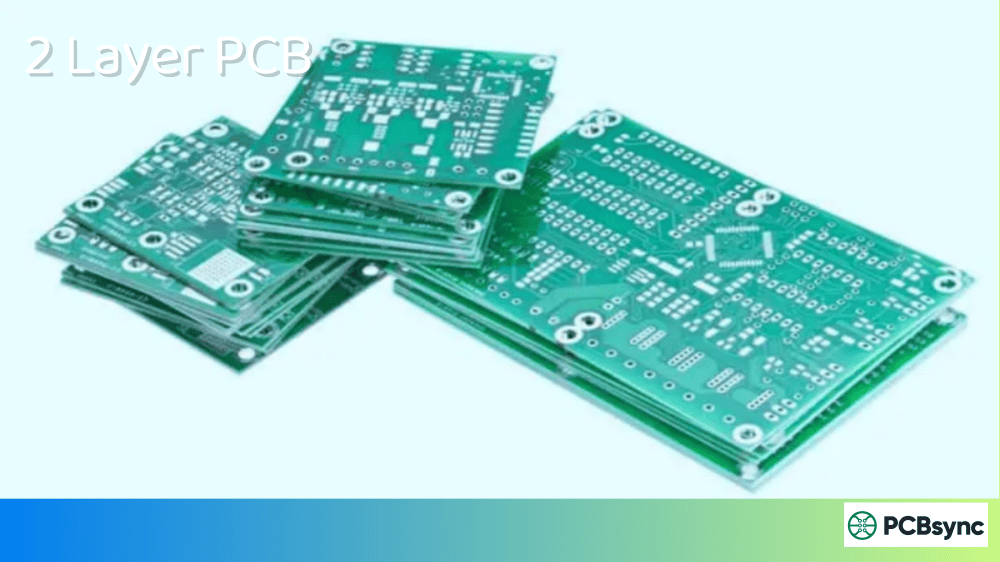
Double-layer PCBs add copper to both sides, dramatically increasing routing options. You can run traces on the top, jump to the bottom through vias, and back again. This flexibility handles the majority of electronic designs without the cost jump to four layers.
For most hobbyist and low-to-medium complexity commercial projects, two layers represent the sweet spot. You get enough routing freedom for microcontroller circuits, sensor interfaces, and communication buses without multilayer costs. The key limitation is noise management—without dedicated ground planes, high-speed signals can suffer from EMI problems.
Moving beyond two layers opens up entirely new design possibilities. A Multilayer PCB provides dedicated power and ground planes, better signal integrity, and the routing density needed for modern ICs with hundreds of pins.
Signal Integrity Improvements
Dedicated ground planes adjacent to signal layers create controlled impedance environments. High-speed signals like USB, HDMI, PCIe, and DDR memory require specific impedances—typically 50 ohms single-ended or 90-100 ohms differential. Achieving these impedances reliably demands inner signal layers sandwiched between reference planes.
The physics is straightforward: a trace’s impedance depends on its geometry and the dielectric properties of surrounding materials. With a ground plane at a known distance, you can calculate and control trace impedance precisely. Without that reference plane, impedance varies unpredictably based on whatever happens to be nearby.
Power Delivery Network Enhancement
Modern ICs demand clean, stable power with fast transient response. When a processor core switches millions of transistors simultaneously, it draws current spikes that traces simply can’t supply. Solid power planes, combined with properly placed decoupling capacitors, form a power delivery network (PDN) that maintains voltage stability under dynamic loads.
The capacitance between adjacent power and ground planes also helps. This “interplane capacitance” provides high-frequency decoupling that even ceramic capacitors can’t match. Boards with tightly-spaced power-ground plane pairs exhibit better power integrity, especially above 100 MHz.
EMI and EMC Performance
Electromagnetic interference haunts designs without proper plane structures. Every trace is an antenna—the question is whether it’s radiating noise or receiving interference. Ground planes provide shielding that dramatically reduces both emission and susceptibility.
For products requiring regulatory compliance (FCC, CE, etc.), multilayer boards often make the difference between passing and failing. I’ve seen two-layer prototypes work fine on the bench, then fail EMC testing spectacularly. Adding proper planes and restructuring the stackup fixed the radiation issues without changing the actual circuit.
PCB Stackup Design: Arranging Your Layers
The stackup defines how your layers are ordered and what materials separate them. A good stackup balances electrical performance, manufacturability, and cost. Poor stackup choices create signal integrity nightmares that no amount of clever routing can fix.
Standard 4-Layer PCB Stackup
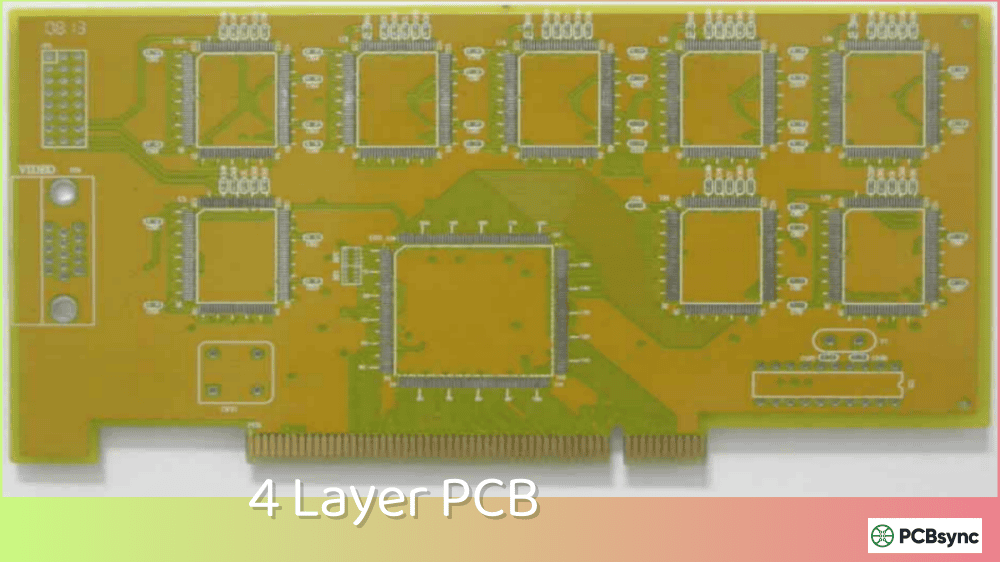
The classic four-layer stackup uses signals on the outer layers with ground and power planes inside. This arrangement—Signal/Ground/Power/Signal—provides decent performance for most designs running under 100 MHz. Each signal layer has an adjacent reference plane for return currents.
For better signal integrity, consider Signal/Ground/Ground/Signal. Yes, you lose a dedicated power plane, but signals on both outer layers reference unbroken ground. Route power as wide traces on the signal layers or use a split ground plane (carefully) for different voltage domains. This stackup works better for high-speed signals when you’re constrained to four layers.
Common 4-Layer PCB Stackup Configurations
Layer
Standard Config
High-Speed Config
Notes
L1 (Top)
Signal + Components
Signal + Components
Critical high-speed traces route here
L2
Ground Plane
Ground Plane
Keep solid—no splits if possible
L3
Power Plane
Ground Plane
High-speed: dual ground preferred
L4 (Bottom)
Signal
Signal + Power Routes
Less critical signals on bottom
6-Layer and 8-Layer PCB Stackup Options
Six-layer boards add routing flexibility while maintaining signal integrity. A common arrangement puts signals on layers 1, 3, and 6, with ground on layers 2 and 5, and power on layer 4. Every signal layer has an adjacent reference plane, and the power-ground pair in the center provides interplane capacitance.
Eight-layer stackups offer even more options. For high-speed designs, consider grouping signal-ground pairs: Sig/Gnd/Sig/Gnd/Pwr/Sig/Gnd/Sig. This symmetrical arrangement balances copper distribution (important for preventing warpage) while giving each signal layer its own reference plane. The center power-ground pair handles multiple voltage rails if needed.
6-Layer and 8-Layer PCB Stackup Examples
Layer
6-Layer Stackup
8-Layer Stackup
L1
Signal (High-Speed)
Signal (Components + Critical Routes)
L2
Ground Plane
Ground Plane
L3
Signal (Inner Routes)
Signal (Inner Layer)
L4
Power Plane
Ground Plane
L5
Ground Plane
Power Plane
L6
Signal (Bottom)
Signal (Inner Layer)
L7
—
Ground Plane
L8
—
Signal (Bottom Layer)
Stackup Symmetry and Copper Balance
Asymmetrical stackups warp during manufacturing. As the board cools from lamination temperatures, different copper distributions contract unevenly, bowing the board. This warpage causes assembly problems—BGA components won’t mount flat, and the board may not fit in enclosures.
Aim for copper balance between the top and bottom halves of your stackup. If layer 1 has 60% copper fill, layer N should have similar coverage. Fabricators can work with some asymmetry, but excessive imbalance requires special handling that adds cost. Your CAD tool can calculate copper percentages per layer—check them before ordering boards.
How to Choose the Right PCB Layer Count
Selecting layer count involves evaluating multiple factors. The goal is finding the minimum layers that meet your design requirements without unnecessary cost. Here’s how experienced engineers approach this decision.
Evaluate Component Density and Pin Count
Start by counting your component pins and estimating routing density. A microcontroller with 48 pins connects differently than a BGA processor with 400+ balls. High pin-count devices, especially BGAs with small pitch, often mandate multilayer boards simply to escape routes from the package.
Rule of thumb: if you’re using BGA packages with 0.8mm pitch or finer, plan for at least four layers. BGAs with 0.5mm pitch typically need six or more layers plus microvias. The routing escape problem from these packages dominates layer count decisions.
Consider Signal Speed and Integrity Requirements
Signal frequency determines how much your stackup matters. Below 10 MHz, most signals tolerate imperfect environments. Above 100 MHz, controlled impedance and solid reference planes become essential. Gigabit interfaces like USB 3.0, HDMI, and Ethernet demand careful attention to signal integrity.
If your design includes DDR memory, plan for at least four layers. DDR3 and DDR4 with their tight timing requirements really benefit from six layers. The address and data buses need length matching and impedance control that’s hard to achieve without proper reference planes.
Factor in Power Requirements
Multiple voltage rails complicate layer planning. Each rail needs distribution across the board, and mixing rails on a single plane requires careful partitioning. Three or more supply voltages often push designs toward additional layers—not for routing, but for clean power delivery.
High-current applications add another dimension. Motor drives, LED arrays, or other loads drawing several amps need wide copper paths or dedicated planes. Two-ounce copper helps, but sometimes an extra layer with full pour makes more sense than trying to route massive bus bars through tight spaces.
Balance Cost Against Performance
Every additional layer pair adds roughly 30-40% to board cost. This premium reflects extra processing steps, materials, and yield risks. For production volumes, these costs multiply quickly. A four-layer board at $10 each costs $100,000 for 10,000 units. If six layers push that to $14, you’re looking at $40,000 additional cost.
Sometimes spending more on layers saves money elsewhere. Better signal integrity might eliminate expensive EMI filters. Proper power planes could remove decoupling capacitors. Better routing might allow smaller board size, fitting into cheaper enclosures. Consider the total system cost, not just the PCB.
PCB Layer Materials: FR-4 and Beyond
The dielectric materials between your copper layers significantly impact electrical performance. Standard FR-4 works for most applications, but high-speed and high-frequency designs may require specialized materials.
Standard FR-4 Characteristics
FR-4 is the workhorse of PCB materials—affordable, available, and sufficient for the majority of designs. Its dielectric constant (Dk) of approximately 4.3-4.5 and loss tangent (Df) around 0.02 work fine for signals up to several hundred megahertz. Glass transition temperature (Tg) versions range from standard 130°C to high-Tg 170°C+ for lead-free assembly.
Don’t overthink material selection for typical digital designs. Standard mid-Tg FR-4 handles most microcontroller and FPGA boards without issues. Save the exotic materials for designs that actually need them.
High-Speed and RF Material Options
When FR-4 falls short, several alternatives offer better high-frequency performance. Rogers materials like RO4350B (Dk=3.48) and RO4003C provide lower loss and tighter dielectric constant tolerance. These materials maintain consistent impedance at multi-gigahertz frequencies where FR-4’s properties become unpredictable.
Hybrid stackups combine FR-4 for bulk layers with high-performance materials only where needed. This approach puts Rogers or similar materials on signal layers while using standard FR-4 for inner power/ground planes. You get the RF performance without paying for exotic materials throughout the entire stackup.
PCB Material Properties Comparison
Material
Dk
Df (Loss)
Best For
Relative Cost
Standard FR-4
4.3-4.5
0.020
General digital
1x (Baseline)
High-Tg FR-4
4.2-4.4
0.018
Lead-free assembly
1.1-1.2x
Isola 370HR
4.0
0.014
Mid-speed digital
1.5-2x
Rogers RO4350B
3.48
0.004
RF/Microwave
4-6x
Megtron 6
3.4
0.002
High-speed serial
5-8x
Via Types in Multilayer PCBs
Vias connect signals between PCB layers. The type of via you use affects both routing density and manufacturing cost. Understanding your options helps optimize designs for both performance and cost.
Through-Hole Vias
Through-hole vias span the entire board thickness, from top to bottom layer. They’re the simplest and cheapest option, manufactured by drilling and plating in a single operation. Minimum sizes typically range from 0.2mm to 0.3mm drill with 0.5mm to 0.6mm pad diameter.
The drawback of through-hole vias is wasted space. A via connecting layers 1 and 2 still passes through all layers, creating obstacles for routing on intermediate layers. In high-density designs, this unused “via stub” also causes signal reflections at high frequencies.
Blind and Buried Vias
Blind vias connect an outer layer to one or more inner layers without passing through the entire board. Buried vias connect inner layers to each other without reaching either surface. Both types increase routing density by not blocking all layers.
These vias cost more because they require sequential lamination—building the board in stages rather than all at once. A board with buried vias between layers 3-4 must be drilled and plated before laminating the outer layers. Each sequential lamination cycle adds cost and lead time.
Microvias for HDI Designs
Microvias are laser-drilled vias with typical diameters of 0.1mm or less. They connect adjacent layer pairs only—you can’t laser-drill through multiple dielectric layers. Stacked microvias build up connections across several layers by placing vias directly on top of each other.
HDI (High-Density Interconnect) technology uses microvias extensively. Fine-pitch BGAs with 0.4mm or 0.5mm ball pitch often require microvias for escape routing. The small via size allows routing between BGA pads that would be impossible with conventional through-hole vias.
PCB Layer Manufacturing Considerations
Working with your fabricator early in the design process prevents surprises. Reputable PCB manufacturing partners provide stackup recommendations based on their actual materials and processes. Using their standard stackups often reduces cost and lead time compared to custom configurations.
Working with Standard Stackups
Most fabricators maintain a library of proven stackups for common layer counts. These stackups use materials they stock in quantity and processes they’ve optimized. Requesting a custom stackup means special material orders and process development—both add cost and time.
Ask your fabricator for their standard stackup options early in design. They’ll provide layer thicknesses, material specifications, and impedance calculations. Design to these parameters, and your boards become standard production items rather than custom jobs.
Impedance Control Requirements
Controlled impedance adds manufacturing complexity and cost. The fabricator must measure and adjust trace widths to achieve target impedances, then verify results with test coupons. Tighter tolerances (±5% vs ±10%) require more precise control and increase reject rates.
Specify impedance control only for traces that actually need it. USB, HDMI, and high-speed serial interfaces genuinely require controlled impedance. But not every trace on your board needs a tolerance specification—adding unnecessary requirements just raises your cost.
PCB Layer Design Best Practices
After designing hundreds of multilayer boards, certain practices consistently produce better results. These guidelines won’t solve every problem, but they’ll help you avoid common pitfalls.
Keep Reference Planes Solid
Ground and power planes work best when they’re solid copper with minimal interruptions. Every via, split, or cutout creates impedance discontinuities. Route signals so they don’t cross plane gaps—if a high-speed trace must cross a split, provide a nearby via to complete the return path on the other side.
Plan Via Placement Carefully
Vias directly under high-speed signal paths create stubs that cause reflections. Place signal vias away from critical traces, or use backdrilled/blind vias to eliminate stubs. For power vias, use multiple small vias rather than single large vias—this reduces inductance.
Match Trace Lengths for Differential Pairs
Differential signals require matched trace lengths and consistent spacing. Length mismatches convert differential signals to common-mode noise, increasing EMI. Your CAD tool should have differential pair routing features—use them rather than routing each trace independently.
Consider Thermal Management
Copper conducts heat as well as electricity. Thermal vias under hot components can transfer heat to inner planes for spreading. Larger plane areas provide better heat dissipation. For high-power designs, consider thicker copper weights—2oz or even 3oz—on power layers.
Useful Resources for PCB Layer Design
These resources have helped me and countless other engineers master PCB layer design. Bookmark them for reference as you work through your designs.
IPC Standards and Specifications
IPC-2221: Generic Standard on Printed Board Design—The foundation document for PCB design rules
IPC-2222: Sectional Design Standard for Rigid Organic Printed Boards—Detailed specifications for rigid board design
IPC-4101: Specification for Base Materials for Rigid and Multilayer Printed Boards—Material specifications and properties
IPC-6012: Qualification and Performance Specification for Rigid Printed Boards—Manufacturing quality standards
Online Calculators and Tools
Saturn PCB Design Toolkit—Free impedance calculator and design utilities
Sierra Circuits Impedance Calculator—Web-based controlled impedance calculator
JLCPCB Stackup Library—Standard stackups with material specifications
Altium Layer Stack Manager—Built into Altium Designer for stackup planning
Recommended Reading
“High-Speed Digital Design” by Howard Johnson—The bible of signal integrity
“PCB Design for Real-World EMI Control” by Bruce Archambeault—Practical EMC guidance
“Signal and Power Integrity—Simplified” by Eric Bogatin—Accessible introduction to SI/PI concepts
Frequently Asked Questions About PCB Layers
How many PCB layers do I need for my design?
The answer depends on your component density, signal speed requirements, and power distribution needs. Most simple circuits work fine with two layers. Microcontroller-based designs with USB or other high-speed interfaces typically need four layers. Complex processors with DDR memory, multiple power rails, or high-speed serial interfaces usually require six to eight layers. Fine-pitch BGAs with 0.5mm or smaller ball pitch often demand HDI construction with microvias and eight or more layers.
What’s the cost difference between 2-layer and 4-layer PCBs?
Four-layer boards typically cost 2-3 times more than equivalent two-layer boards at prototype quantities. This premium decreases somewhat at production volumes but remains significant. However, the cost comparison should include the total system impact. Four-layer boards often enable smaller board sizes, better EMC performance (potentially eliminating filter components), and more reliable power delivery. Sometimes the “cheaper” two-layer option actually costs more when you factor in additional components, larger enclosures, or EMC compliance failures.
Should signal layers be adjacent to ground or power planes?
Ground planes are generally preferred as signal references. They provide clean, stable return paths without the potential noise present on power planes. However, a solid power plane works as a reference too—what matters most is that the plane is continuous under your signal routes. If you must reference signals to power planes, ensure those planes are stable with adequate decoupling and don’t have splits that signals might cross. For highest performance, use ground planes as primary signal references.
When should I use blind or buried vias instead of through-hole vias?
Blind and buried vias make sense when routing density demands them or when signal integrity requires minimizing via stubs. Fine-pitch BGAs often need blind microvias for escape routing—through-hole vias simply won’t fit between the pads. High-frequency designs benefit from buried vias that eliminate the stub reflections caused by through-hole vias passing unused layers. The cost premium for blind/buried vias is substantial, so use them only when through-hole vias genuinely can’t meet your requirements.
How do I request a specific stackup from my PCB fabricator?
Start by asking your fabricator for their standard stackup options at your required layer count. They’ll provide documented stackups with exact materials, thicknesses, and impedance values. If these standard options work for your design, use them—you’ll get faster turnaround and lower cost. For custom stackups, provide a detailed specification including layer order, target thicknesses, material requirements (Dk, Df, Tg), copper weights, and impedance targets with tolerances. Request a manufacturability review before finalizing your design. Good fabricators will suggest modifications that improve yield without compromising your requirements.
Conclusion: Mastering PCB Layers for Better Designs
PCB layer design isn’t complicated once you understand the fundamentals. Start with your actual requirements—component density, signal speeds, power needs—and select the minimum layer count that addresses them. Design your stackup with signal integrity in mind, keeping reference planes solid and signals paired with their return paths.
Work with your fabricator early to align on materials and capabilities. Use their standard stackups when possible, and specify controlled impedance only where genuinely needed. These practices will produce reliable boards without unnecessary cost or complexity.
The best PCB engineers I know share one trait: they think about layers and stackup design before placing a single component. That upfront planning saves countless hours of rework and produces designs that work right the first time. Make layer planning part of your design process, and your boards will reflect that discipline.
Inquire: Call 0086-755-23203480, or reach out via the form below/your sales contact to discuss our design, manufacturing, and assembly capabilities.
Quote: Email your PCB files to Sales@pcbsync.com (Preferred for large files) or submit online. We will contact you promptly. Please ensure your email is correct.
Notes: For PCB fabrication, we require PCB design file in Gerber RS-274X format (most preferred), *.PCB/DDB (Protel, inform your program version) format or *.BRD (Eagle) format. For PCB assembly, we require PCB design file in above mentioned format, drilling file and BOM. Click to download BOM template To avoid file missing, please include all files into one folder and compress it into .zip or .rar format.