Inquire: Call 0086-755-23203480, or reach out via the form below/your sales contact to discuss our design, manufacturing, and assembly capabilities.
Quote: Email your PCB files to Sales@pcbsync.com (Preferred for large files) or submit online. We will contact you promptly. Please ensure your email is correct.
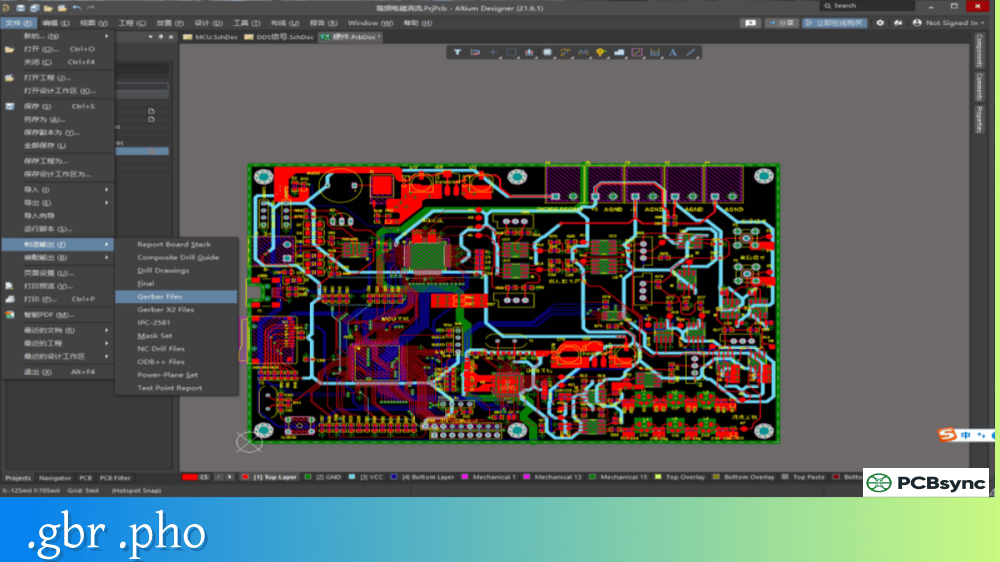
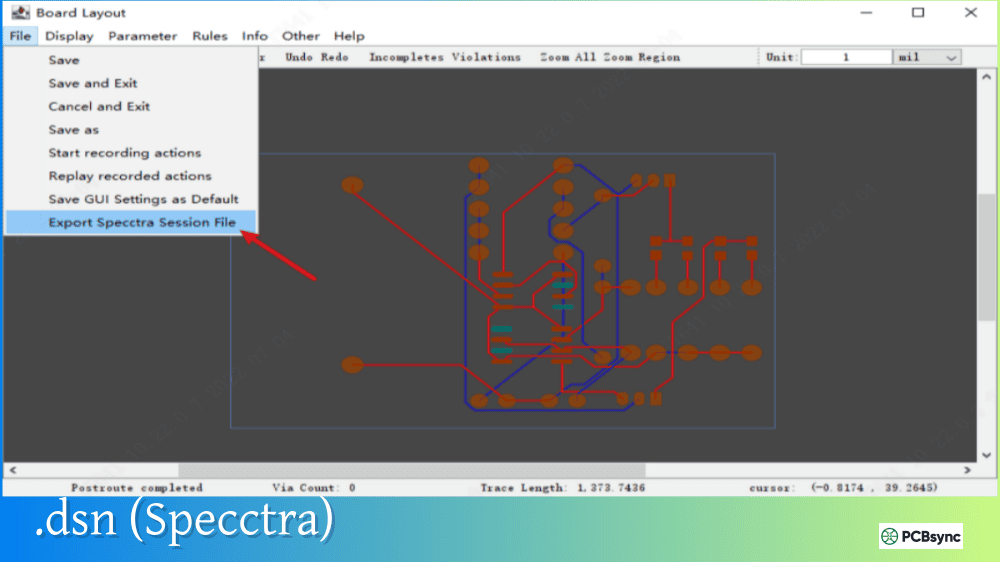
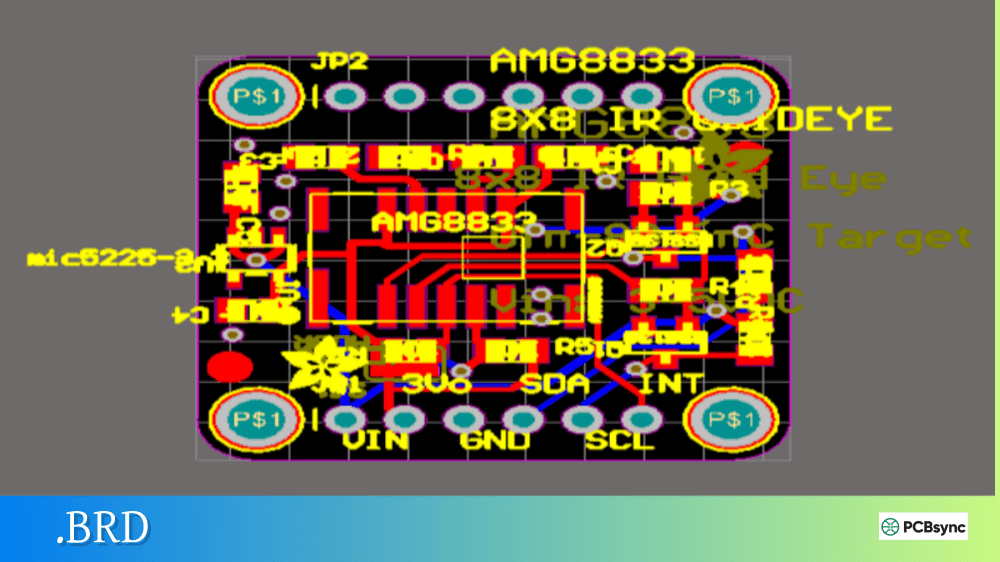
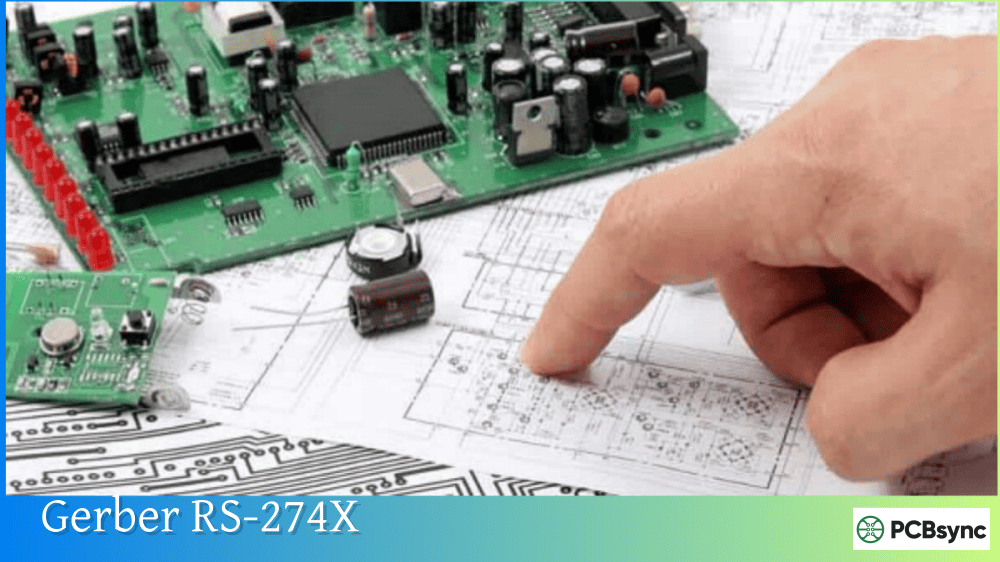
Notes: For PCB fabrication, we require PCB design file in Gerber RS-274X format (most preferred), *.PCB/DDB (Protel, inform your program version) format or *.BRD (Eagle) format. For PCB assembly, we require PCB design file in above mentioned format, drilling file and BOM. Click to download BOM template To avoid file missing, please include all files into one folder and compress it into .zip or .rar format.
What is a .PCB File? Complete Protel/Altium PCB Format Guide
If you’ve been working in electronics design for any length of time, you’ve probably encountered a .PCB file at some point. Maybe a colleague sent you legacy design files, or you inherited a project from someone who used older software. As someone who has spent years debugging these exact situations, I can tell you that understanding the .PCB file format is essential knowledge for any serious PCB engineer.
In this guide, I’ll walk you through everything you need to know about .PCB files, from their origins in Protel software to how they work in modern Altium Designer. We’ll cover file versions, structure, conversion methods, and the tools you’ll need to work with these files effectively.
The .PCB file extension represents a Printed Circuit Board Design File that stores comprehensive layout data for electronic circuit boards. This format originated with Protel, one of the earliest professional PCB design software packages, and has evolved significantly over the past three decades.
When you open a .PCB file, you’re essentially looking at a complete blueprint of a circuit board. The file contains critical design information including component placement coordinates, copper trace routing, drill hole locations, layer stackup definitions, and design rule parameters. Think of it as the DNA of your circuit board—everything needed to reproduce it physically is encoded within.
The .PCB format has been the workhorse of the electronics industry since the 1980s. While newer formats like .PcbDoc have emerged, millions of legacy .PCB files remain in circulation, making this knowledge invaluable for engineers working on maintenance, reverse engineering, or design migration projects.
What Data Does a .PCB File Contain?
A typical .PCB file stores multiple categories of design data:
Data Category
Description
Board Outline
Physical dimensions and shape of the PCB
Copper Layers
Signal traces, power planes, and ground planes
Component Footprints
Pad patterns for each component on the board
Drill Data
Hole locations, sizes, and types (plated/non-plated)
Solder Mask
Openings for exposed copper areas
Silkscreen
Component labels and reference designators
Design Rules
Clearance, width, and manufacturing constraints
Net Information
Electrical connectivity between components
History of the .PCB File Format: From Protel to Altium
Understanding the lineage of .PCB files helps you navigate compatibility issues more effectively. The format has undergone several major revisions since its introduction.
Evolution Timeline
Protel PCB first appeared in 1985 as a DOS-based design tool developed by Protel Technology in Australia. The software gained international distribution through ACCEL Technologies in the United States, where it was marketed as Tango PCB. These early versions established the .PCB extension that remains in use today.
The transition from DOS to Windows brought significant changes. Protel for Windows 2.8 introduced a 16-bit Windows interface, followed by Protel 98 and 99 which moved to 32-bit architecture. Protel 99 SE, released in 2000, became particularly influential—many engineers still encounter designs from this era.
In 2003, Protel DXP marked the beginning of the modern platform, followed by Protel 2004. Altium Designer 6.0 launched in 2005, officially rebranding the software while maintaining backward compatibility with legacy .PCB files. Since then, Altium Designer has become the industry standard, with versions continuing to support import of older Protel formats.
.PCB File Version Comparison
Version
Software
File Header Identifier
Key Features
2.8 ASCII
Protel for Windows 2.8
PCB FILE 6 VERSION 2.80
16-bit, basic layers
3.0 Binary
Protel 98/99
KIND=Protel_Advanced_PCB|VERSION=3.00
32-bit support, enhanced rules
4.0 Binary
Protel 99 SE
PCB 4.0 Binary File
More layers, improved DRC
5.0 Binary
Protel DXP/2004
PCB 5.0 Binary File
Modern architecture
.PcbDoc
Altium Designer 6+
Binary XML structure
Current standard format
The version identification becomes crucial when you need to determine which software can open a particular file. You can check a .PCB file’s version by opening it in a text editor—ASCII format files will display version information in the header lines.
.PCB File Structure and Internal Organization
As a PCB engineer, knowing what’s inside a .PCB file helps you troubleshoot problems and understand conversion limitations. The file structure varies between ASCII and binary formats, but both contain similar logical sections.
ASCII .PCB File Structure
The ASCII format (primarily versions 2.8 and earlier exports) uses human-readable text organized into records. Each record contains parameters and values for specific PCB objects. Here’s what the internal organization looks like:
Section
Content
Header
File version, software identification
Board Object
Grid settings, units, backup filename
Net Definitions
Netlist with electrical connectivity
Component Records
Footprint data, placement coordinates, rotation
Pad Primitives
Pad shapes, sizes, hole dimensions
Via Primitives
Via locations, layer spans, dimensions
Track Primitives
Trace routing data with coordinates
Arc Primitives
Curved trace segments
Fill Primitives
Solid copper regions
Text Primitives
Silkscreen labels and annotations
Design Rules
Manufacturing and electrical constraints
The coordinate system in .PCB files uses internal units where 10,000 units equal 1 mil (0.001 inch). This high resolution ensures precision during design operations while maintaining compatibility with manufacturing equipment.
Binary .PCB File Structure
Binary format files (versions 3.0 and later) pack the same information more efficiently but require specialized software to interpret. The binary structure offers faster loading times and smaller file sizes but sacrifices the ability to manually inspect or edit the data.
How to Open .PCB Files: Software Options
Opening legacy .PCB files can be challenging because the original Protel software is no longer sold or supported. Here are the practical options available to engineers today.
Primary Software for Opening .PCB Files
Software
Format Support
Cost
Best For
Altium Designer
All Protel versions, native .PcbDoc
Subscription ($500+/month)
Professional production work
Altium 365 Viewer
Most formats via browser
Free
Viewing and sharing designs
CircuitMaker
Limited legacy support
Free
Hobbyist projects
CAMtastic
Gerber conversion to PCB
Included with Altium
Reverse engineering
Step-by-Step: Opening Legacy .PCB Files in Altium Designer
When you attempt to open a legacy .PCB file in Altium Designer, the software automatically detects the older format and launches the Import Wizard. The process works as follows:
Select File > Open and navigate to your .PCB file
The Import Wizard launches automatically for pre-DXP formats
Select the destination folder for converted files
Choose whether to extract embedded library components
Confirm conversion options and proceed
Save the converted .PcbDoc file
During conversion, Altium preserves most design data but some features unique to newer versions may require manual adjustment. Objects like region fills, modern polygon pours, and advanced pad shapes might need recreation.
Identifying Unknown .PCB File Sources
When you receive a .PCB file without context, determining its origin becomes the first troubleshooting step. Multiple CAD programs use the .PCB extension:
Software
Identification Method
Protel/Altium
Header contains “Protel” or version markers
PADS/PowerPCB
Contains {2FE18320-6448-11d1-A412-000000000000}
P-CAD
Header shows “P-CAD” followed by version year
CADSTAR
Different XML structure
ExpressPCB
Proprietary binary format
Opening the file in a text editor (for ASCII formats) or hex editor (for binary formats) reveals identifying strings in the first few hundred bytes.
Converting .PCB Files to Modern Formats
Converting legacy .PCB files ensures long-term accessibility and enables use of modern design tools. The conversion strategy depends on your target format and intended use.
.PCB to .PcbDoc Conversion (Altium Native)
For engineers working within the Altium ecosystem, converting to .PcbDoc provides full access to modern features:
Open the .PCB file in Altium Designer
Complete the Import Wizard process
Use File > Save As and select *.PcbDoc format
Run Design Rule Check (DRC) to identify conversion issues
Manually correct any flagged problems
.PCB to Gerber Conversion for Manufacturing
When you need to manufacture a board from legacy .PCB files without full design modification capabilities, Gerber export provides a universal solution:
Output File
Purpose
.GTL (Top Layer)
Top copper pattern
.GBL (Bottom Layer)
Bottom copper pattern
.GTS (Top Solder Mask)
Solder mask openings – top
.GBS (Bottom Solder Mask)
Solder mask openings – bottom
.GTO (Top Silkscreen)
Component markings – top
.GBO (Bottom Silkscreen)
Component markings – bottom
.DRL or .XLN
NC drill data
.GKO (Board Outline)
Mechanical boundary
The Gerber format (RS-274X extended) serves as the manufacturing industry standard and virtually all PCB fabricators accept these files directly.
Sometimes you need to move designs between different Protel versions. Altium Designer supports saving to legacy formats through File > Save Copy As:
Export Format
Compatible With
Protel PCB 2.8 ASCII
Protel for Windows 2.8, some converters
PCB 3.0 Binary
Protel 98, 99
PCB 4.0 Binary
Protel 99 SE
PCB 5.0 Binary
Protel DXP, 2004
P-CAD ASCII
P-CAD 2000/2001/2002/2004
Note that saving to older formats inevitably loses features introduced in newer versions. Complex polygon fills, advanced design rules, and modern component definitions may not translate backward.
.PCB File Troubleshooting Guide
Common problems arise when working with .PCB files. Here’s how to diagnose and resolve the most frequent issues.
File Won’t Open
When a .PCB file refuses to open, check these factors:
Wrong Software Association: The .PCB extension is used by multiple programs. Verify you’re using appropriate software for that specific file’s origin.
Corrupted File: Download the file again if possible, or try opening in a hex editor to check for truncation or obvious corruption.
Version Incompatibility: Older files may require intermediate conversion. Try opening in older Altium versions first, then upgrading step-by-step.
Missing or Incorrect Data After Conversion
Conversion artifacts typically fall into predictable categories:
Problem
Cause
Solution
Missing footprints
Library links broken
Extract components during import
Shifted components
Origin point mismatch
Realign to board origin
Lost polygon fills
Older polygon format
Recreate using modern polygon tool
Broken design rules
Rule syntax changes
Manually recreate rules
Missing layers
Layer mapping issues
Remap during import wizard
Verifying Converted Files
After any conversion, verification ensures manufacturing success:
Run Design Rule Check in the new software
Generate Gerber files and review in a Gerber viewer
Compare critical dimensions with original if available
Check netlist integrity against schematic
Verify drill file hole counts and sizes
Useful Resources for .PCB File Work
Having the right resources available streamlines .PCB file work. Here are essential references for PCB engineers.
Official Documentation
Resource
URL
Description
Altium Documentation
docs.altium.com
Official import/export guides
Protel 99SE ASCII Format Spec
eurointech.ru/products/Altium
Complete format reference
Altium 365 Viewer
altium.com/viewer
Free online file viewer
Free Tools for .PCB Files
Tool
Purpose
Availability
Altium 365 Viewer
View .PcbDoc, Gerber, KiCad files online
Free web-based
GerbView
Gerber file verification
Free
ViewMate
Gerber/drill file viewer
Free version available
CAM350 Viewer
Manufacturing file inspection
Free viewer version
PCB Manufacturing Services with Online Viewers
Several fabrication services offer integrated viewers that accept various formats:
Service
Online Viewer
Accepted Formats
JLCPCB
Yes
Gerber, Altium, KiCad, Eagle
PCBWay
Yes
Gerber, ODB++, Altium
OSH Park
Yes
Gerber, KiCad, Eagle
Best Practices for .PCB File Management
Proper file management prevents the compatibility headaches that plague legacy designs.
Archive Strategy
Maintain multiple format versions of important designs:
Native format: Keep the original .PCB or .PcbDoc file
ASCII export: Save an ASCII version for text-based archiving
Gerber set: Generate complete manufacturing files
PDF documentation: Create visual records of each layer
BOM export: Preserve component information separately
Version Control Considerations
Modern version control systems work best with text-based files. The ASCII .PCB format enables diff comparison and merge operations, while binary formats require specialized tools or simple versioning by date.
Documentation Requirements
Include these items when archiving .PCB projects:
Document
Purpose
README file
Software version, conversion history
Layer stackup
Material and thickness specifications
Design rules summary
Critical manufacturing constraints
Change log
Modification history
Schematic PDF
Reference for netlist verification
Frequently Asked Questions About .PCB Files
What program opens .PCB files?
The primary software for opening .PCB files is Altium Designer, which supports all Protel legacy formats through its built-in Import Wizard. Free alternatives include the Altium 365 online viewer for basic viewing, though it may not support all legacy Protel versions. For files from other sources (PADS, P-CAD, CADSTAR), you’ll need software from those respective vendors or specialized converters.
Can I convert .PCB files to Gerber without Altium?
Yes, but options are limited. CAM350 can read some .PCB variants and export Gerber files. Some online conversion services claim to handle .PCB files, though results vary depending on the source format. For reliable conversion of legacy Protel files specifically, Altium Designer remains the most consistent option. If you only need to manufacture an existing design without modifications, consider contacting a PCB fabrication service—many have engineering support that can assist with file conversion.
Why can’t I open my .PCB file in Eagle or KiCad?
Eagle and KiCad use their own native file formats (.brd for Eagle, .kicad_pcb for KiCad) and don’t directly import Protel .PCB files. To move a design between these tools, you’ll need an intermediate format. The typical workflow involves opening the .PCB file in Altium, exporting to an interchange format like ASCII or IDF, then importing into your target software. Some community-developed scripts exist for specific conversions, but results require careful verification.
How do I identify which version of .PCB file I have?
Open the file in a text editor (Notepad, VS Code, or similar). For ASCII format files, the version information appears in the first few lines. Look for strings like “PCB FILE 6 VERSION 2.80” (Protel 2.8), “KIND=Protel_Advanced_PCB|VERSION=3.00” (Protel 98/99/99SE), or specific version markers. Binary files require hex editor inspection or attempting to open in Altium, which reports the detected format during import.
What’s the difference between .PCB and .PcbDoc files?
The .PCB extension represents older Protel formats (versions through Protel 2004), while .PcbDoc is the modern Altium Designer native format introduced with Altium Designer 6.0 in 2005. The .PcbDoc format uses a more sophisticated internal structure supporting advanced features like embedded 3D models, enhanced design rules, and improved multi-channel support. Altium Designer can open both formats, but .PcbDoc offers full access to current capabilities while .PCB files may lose features during conversion.
Conclusion
The .PCB file format represents decades of PCB design history, from the early DOS days of Protel through the modern Altium Designer platform. Understanding these files enables engineers to work with legacy designs, migrate projects to current tools, and maintain long-term design archives.
Whether you’re reverse engineering an old board, migrating a proven design to new software, or simply trying to view files from a colleague, the knowledge covered in this guide provides the foundation for successful .PCB file work. The format may be legacy, but its importance to the electronics industry continues.
For ongoing work with .PCB files, I recommend building a toolkit that includes current Altium Designer (even the viewer version), a good Gerber viewer, and text editing tools for ASCII file inspection. This combination handles the vast majority of situations you’ll encounter with these ubiquitous design files.
Inquire: Call 0086-755-23203480, or reach out via the form below/your sales contact to discuss our design, manufacturing, and assembly capabilities.
Quote: Email your PCB files to Sales@pcbsync.com (Preferred for large files) or submit online. We will contact you promptly. Please ensure your email is correct.
Notes: For PCB fabrication, we require PCB design file in Gerber RS-274X format (most preferred), *.PCB/DDB (Protel, inform your program version) format or *.BRD (Eagle) format. For PCB assembly, we require PCB design file in above mentioned format, drilling file and BOM. Click to download BOM template To avoid file missing, please include all files into one folder and compress it into .zip or .rar format.