Inquire: Call 0086-755-23203480, or reach out via the form below/your sales contact to discuss our design, manufacturing, and assembly capabilities.
Quote: Email your PCB files to Sales@pcbsync.com (Preferred for large files) or submit online. We will contact you promptly. Please ensure your email is correct.
Notes: For PCB fabrication, we require PCB design file in Gerber RS-274X format (most preferred), *.PCB/DDB (Protel, inform your program version) format or *.BRD (Eagle) format. For PCB assembly, we require PCB design file in above mentioned format, drilling file and BOM. Click to download BOM template To avoid file missing, please include all files into one folder and compress it into .zip or .rar format.
Matte Black PCB vs Glossy Black: Which Finish is Better?
Every time I spec out a black solder mask for a new design, the same question comes up: matte or glossy? It seems like a minor detail, but after seeing how finish choice affects everything from AOI yields to how boards look after six months of handling, I’ve learned this decision deserves more thought than most engineers give it.
If you’re choosing between matte black PCB and glossy black for your next project, this guide breaks down the real differences—not just aesthetics, but the practical manufacturing and inspection implications that actually matter when boards hit production.
Before diving into the comparison, let’s clarify what we’re actually talking about. Both matte and glossy finishes use the same base liquid photo-imageable (LPI) solder mask material. The difference comes from surface texture and how the mask is cured.
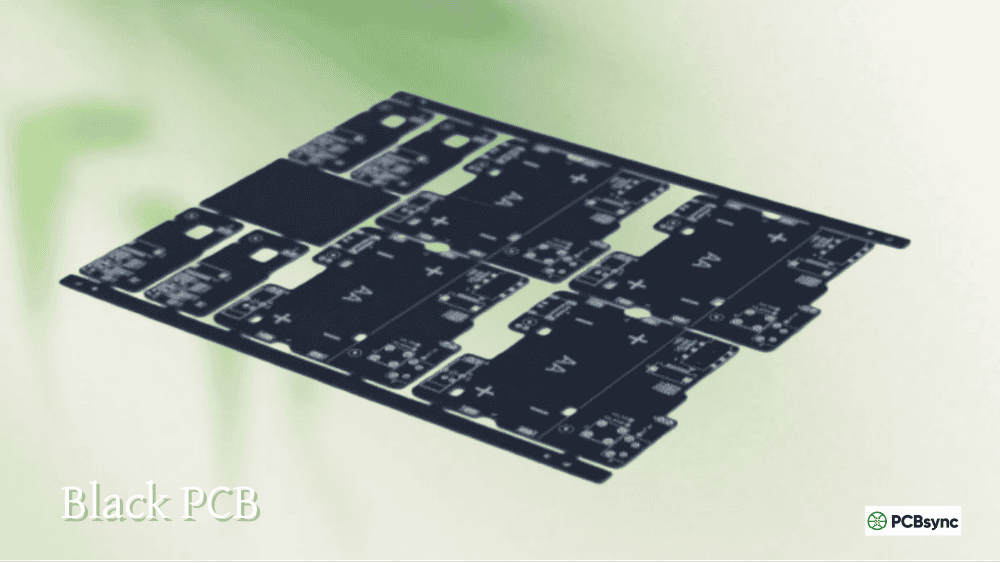
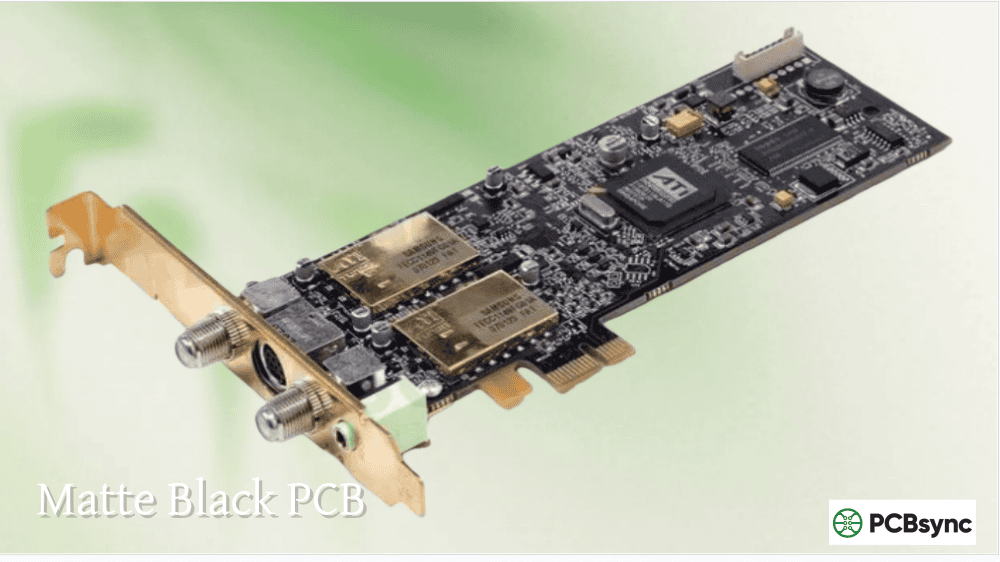
A matte black PCB has a textured, non-reflective surface that diffuses light rather than reflecting it. The finish appears darker and has a soft, slightly porous look. Glossy black, by contrast, creates a smooth, mirror-like surface that reflects light and appears lighter in color despite using similar pigmentation.
Both finishes meet identical IPC-SM-840C qualification standards. Your board’s electrical performance, protection against oxidation, and solder bridge prevention remain the same regardless of which finish you choose. The differences lie elsewhere—in manufacturing behavior, inspection characteristics, and long-term appearance.
Matte Black PCB: Advantages and Characteristics
Superior Inspection Visibility
This is the primary technical advantage of matte black PCB. The non-reflective surface eliminates glare under inspection lighting, making it significantly easier to see board details during quality control. When you’re trying to spot hairline cracks, cold solder joints, or contamination, matte finish doesn’t fight you with reflections.
For manual inspection stations, the difference is immediately noticeable. Inspectors can work longer without eye fatigue, and subtle defects that would hide in glossy reflections become visible. If your production relies on visual inspection checkpoints, matte black genuinely improves defect detection rates.
Better AOI and Vision System Compatibility
Automated optical inspection systems and pick-and-place vision systems can struggle with highly reflective surfaces. Glossy finishes create hotspots and specular reflections that confuse imaging algorithms, potentially causing false positives or missed defects.
Matte black PCB reduces these issues by scattering light uniformly across the surface. Many contract manufacturers specifically recommend matte finish for black boards because it simplifies their AOI calibration and reduces the need for specialized lighting setups. If you’re sending boards to a CM for assembly, matte finish often means smoother processing.
Reduced Solder Ball Formation
Research from solder mask manufacturers, including studies from Vantico (formerly Ciba Specialty Chemicals), shows that surface roughness affects solder ball adhesion during reflow. On rough (matte) surfaces, molten solder forms a convex meniscus that makes solder balls less likely to stick. On smooth (glossy) surfaces, solder forms a concave meniscus with better adhesion to the mask.
The practical result: matte finishes tend to produce fewer solder balls during wave soldering and reflow processes. If solder ball defects have been a problem in your production, switching to matte black PCB might reduce your defect rate without any other process changes.
Fingerprint and Glare Resistance
Matte surfaces don’t show fingerprints as prominently as glossy finishes. For boards that will be handled frequently during development, testing, or field service, matte black maintains a cleaner appearance over time. The non-reflective surface also eliminates the annoying glare that can make glossy black boards difficult to photograph or examine under bright lights.
Glossy Black PCB: Advantages and Characteristics
Premium Aesthetic Appeal
Let’s be honest—glossy black looks impressive. The mirror-like finish creates a sleek, high-end appearance that many product designers and marketing teams prefer. For consumer electronics where the PCB is visible through a transparent enclosure, or for display boards at trade shows, glossy black delivers visual impact that matte simply can’t match.
Major brands like Apple and NVIDIA have used glossy black PCBs specifically for their premium aesthetic. If board appearance influences customer perception of your product, glossy finish might be worth the trade-offs.
Higher Scratch Resistance
The harder surface of glossy solder mask resists scratches better than the softer matte finish. While matte black PCB is more prone to surface scratching during handling and assembly, glossy boards maintain their pristine appearance longer under normal conditions.
However, there’s a catch: when scratches do occur on glossy surfaces, they’re more visible because they disrupt the uniform reflective surface. Matte finishes hide minor scratches better due to their already-textured appearance. So glossy resists scratching but shows damage more clearly when it happens.
Easier Cleaning
The smooth, non-porous surface of glossy black solder mask cleans up more easily after assembly. Flux residue, handling oils, and other contaminants wipe off readily without getting trapped in surface texture. For applications requiring pristine cleanliness or conformal coating, glossy boards may require less aggressive cleaning processes.
Better Heat Resistance (Marginally)
Some manufacturers report that glossy finishes exhibit slightly better high-temperature resistance than matte formulations. The difference is minimal in most applications, but for boards that will experience repeated thermal cycling or extended high-temperature exposure, glossy may offer a slight edge in long-term durability.
Matte Black PCB vs Glossy Black: Direct Comparison
Characteristic
Matte Black PCB
Glossy Black PCB
Surface Appearance
Dark, non-reflective, textured
Shiny, mirror-like, smooth
Light Reflection
Diffused, minimal glare
High reflectivity, can cause glare
Inspection Visibility
Excellent
Challenging due to reflections
AOI Compatibility
Better
May require calibration
Solder Ball Risk
Lower
Higher
Scratch Resistance
Lower
Higher
Scratch Visibility
Less visible
More visible
Fingerprint Visibility
Less visible
More visible
Cleaning Ease
Moderate
Easier
Aesthetic Appeal
Subtle, professional
Premium, high-end
Cost
Same
Same
Manufacturing Process
Same
Same
Manufacturing Considerations for Black PCB Finishes
Heat Absorption During Reflow
Both matte and glossy black solder masks absorb more heat during reflow than lighter colors. This is a characteristic of black pigmentation, not finish type. Some fabricators add an extra day to lead times for black boards to account for adjusted thermal profiles.
The silkscreen on black PCBs can turn light brown during reflow if temperatures aren’t carefully controlled. This affects both finishes equally. Work with your fabricator to ensure their reflow profiles are optimized for black solder mask, and consider placing temperature sensors directly on black boards during process validation.
Inspection Challenges Specific to Black
Regardless of finish, black solder mask creates inspection challenges because contrast between traces, planes, and empty spaces is minimal. The dark color hides the copper features that inspectors and AOI systems need to see.
Matte black PCB partially mitigates this by eliminating reflective interference, but it doesn’t solve the fundamental contrast problem. For critical applications, ensure your manufacturer uses appropriate AOI settings and supplemental inspection methods like X-ray for hidden features.
Availability and Lead Times
Most PCB fabricators offer both matte and glossy black options. However, some manufacturers maintain inventory of only one finish, potentially adding lead time if you specify the other. JLCPCB, for example, uses a proprietary black that falls between pure matte and pure glossy—a compromise that works well for most applications.
Confirm finish availability with your fabricator before finalizing specifications, especially for time-sensitive projects.
Application-Specific Recommendations
When to Choose Matte Black PCB
Matte finish makes the most sense for:
Production boards with significant inspection requirements. If your boards go through multiple visual inspection checkpoints or rely heavily on AOI, matte reduces false calls and improves defect detection.
High-volume manufacturing. The solder ball reduction benefit compounds over large production runs, potentially reducing rework rates and improving yields.
Development and prototyping. Engineers handling prototype boards frequently will appreciate the reduced fingerprint visibility and glare-free surface during debugging.
Industrial and military applications. Where function matters more than aesthetics, matte provides practical advantages without the inspection complications of glossy finish.
Optical and sensor applications. Boards used near cameras, sensors, or other optical systems benefit from matte’s reduced light scatter.
When to Choose Glossy Black PCB
Glossy finish is preferable for:
Consumer electronics with visible PCBs. Products where customers see the board benefit from glossy’s premium appearance.
Marketing and display samples. Trade show boards, photography subjects, and sales samples look more impressive with glossy finish.
Applications requiring frequent cleaning. Medical devices, food service equipment, or other applications demanding pristine cleanliness clean more easily with glossy surfaces.
Low-handling environments. Boards that won’t be touched frequently after assembly maintain their appearance better with scratch-resistant glossy finish.
White silkscreen on black solder mask provides outstanding contrast regardless of finish type. This is one of black’s genuine advantages—component designators and markings stand out clearly, aiding assembly and troubleshooting. Both matte and glossy black work well with white silkscreen, though matte may offer slightly better readability by eliminating reflective interference with the text.
Cost Comparison: Matte vs Glossy Black
Here’s the good news: matte and glossy finishes cost the same at virtually all PCB fabricators. The manufacturing process is identical, and material costs are equivalent. Your choice between matte black PCB and glossy black shouldn’t be driven by budget considerations—focus on technical requirements and aesthetic preferences instead.
The only cost differential might be indirect. If glossy finish causes AOI issues at your assembly house, you could face higher inspection costs or rework rates. Similarly, if matte finish scratches during your specific handling processes, you might see higher cosmetic rejection rates. Consider your full production flow when evaluating true cost impact.
Common Myths About Black PCB Finishes
Myth: Glossy finish provides better electrical insulation. Reality: Both finishes provide identical electrical insulation properties. The solder mask material and thickness determine insulation performance, not surface texture.
Myth: Matte finish is less durable. Reality: Both finishes meet the same durability specifications. Matte may scratch more easily but hides scratches better. Overall durability is equivalent.
Myth: Black PCBs run hotter because of the color. Reality: While black does absorb more radiant heat, the thermal impact in typical applications is negligible. Board temperature is dominated by component power dissipation and thermal design, not solder mask color.
Myth: You can’t do fine-pitch work on matte black. Reality: Surface texture doesn’t affect solder mask resolution or fine-pitch capability. Both finishes support the same minimum feature sizes.
Frequently Asked Questions About Matte Black PCB
Does matte or glossy finish affect PCB electrical performance?
No. Electrical performance is identical between matte and glossy finishes. Both use the same base solder mask material with the same dielectric properties, insulation resistance, and breakdown voltage. The difference is purely in surface texture and appearance.
Why do some manufacturers recommend matte black for AOI?
Matte surfaces scatter light uniformly rather than creating specular reflections. This makes it easier for AOI cameras to capture consistent images without hotspots or shadows that could mask defects or trigger false positives. Many CM’s calibrate their AOI systems for matte finishes by default.
Can I get matte black PCB from any fabricator?
Most fabricators offer both matte and glossy black options, but availability varies. Some maintain stock of only one finish, which can affect lead times. Always confirm finish availability when quoting black boards, especially for quick-turn orders.
Is matte black PCB more expensive than glossy?
No. Manufacturing costs are identical for both finishes. Any price difference you encounter is likely due to fabricator-specific factors rather than inherent cost differences between matte and glossy solder mask.
Which finish is better for high-reliability applications?
For high-reliability applications, matte black PCB is generally preferred due to better inspection visibility and reduced solder ball formation. However, the finish choice should be part of a comprehensive reliability strategy that includes proper material selection, controlled processes, and thorough testing.
PCB Design Guidelines Database: Available through major EDA vendors
Making Your Final Decision
The choice between matte black PCB and glossy black ultimately depends on your priorities. If manufacturing efficiency, inspection accuracy, and practical functionality drive your decisions, matte finish offers tangible benefits that justify choosing it as your default. If premium aesthetics, customer-facing appearance, or brand perception matter more, glossy black delivers visual impact that matte can’t replicate.
For most engineering applications, I recommend matte black PCB as the safer choice. The inspection advantages and solder ball reduction provide real manufacturing benefits, while the aesthetic difference is subtle enough that most end users won’t notice. Reserve glossy black for applications where appearance genuinely matters—display products, consumer electronics, and marketing materials where that extra visual polish translates to perceived value.
Whatever you choose, specify your preference explicitly in your fabrication notes. Don’t leave finish selection to your fabricator’s default—make an intentional choice based on your specific requirements, and you’ll get boards that perform the way you expect.
Inquire: Call 0086-755-23203480, or reach out via the form below/your sales contact to discuss our design, manufacturing, and assembly capabilities.
Quote: Email your PCB files to Sales@pcbsync.com (Preferred for large files) or submit online. We will contact you promptly. Please ensure your email is correct.
Notes: For PCB fabrication, we require PCB design file in Gerber RS-274X format (most preferred), *.PCB/DDB (Protel, inform your program version) format or *.BRD (Eagle) format. For PCB assembly, we require PCB design file in above mentioned format, drilling file and BOM. Click to download BOM template To avoid file missing, please include all files into one folder and compress it into .zip or .rar format.