Inquire: Call 0086-755-23203480, or reach out via the form below/your sales contact to discuss our design, manufacturing, and assembly capabilities.
Quote: Email your PCB files to Sales@pcbsync.com (Preferred for large files) or submit online. We will contact you promptly. Please ensure your email is correct.
Notes: For PCB fabrication, we require PCB design file in Gerber RS-274X format (most preferred), *.PCB/DDB (Protel, inform your program version) format or *.BRD (Eagle) format. For PCB assembly, we require PCB design file in above mentioned format, drilling file and BOM. Click to download BOM template To avoid file missing, please include all files into one folder and compress it into .zip or .rar format.
How to Generate Gerber Files from PCBWeb Designer: Complete Manufacturing Guide
When Digi-Key and Aspen Labs launched PCBWeb Designer back in 2014, they created something unique in the EDA landscape: a completely free, full-featured PCB design tool with no limitations on board size, layer count, or component count. Having used this tool on several projects where the integrated Digi-Key component catalog proved invaluable, I can tell you that the Gerber export process is straightforward once you understand the workflow.
PCBWeb Designer generates standard Gerber output files that any PCB manufacturer will accept. The tool was designed specifically to streamline the path from design to fabrication, and exporting manufacturing files is integrated directly into the workflow alongside BOM management and component ordering.
Before diving into the Gerber generation process, it helps to understand what makes PCBWeb Designer different from other free PCB design tools. This context explains why the export workflow is designed the way it is and what features support the manufacturing process.
PCBWeb Designer was developed through a partnership between Aspen Labs (a joint-venture partner of Hearst Electronics Group) and Digi-Key Corporation. The software launched in October 2014 as a globally available, full-license application. Unlike many free EDA tools that impose restrictions, PCBWeb Designer has no artificial limitations on design complexity.
Key PCBWeb Designer Features
Feature
Description
Manufacturing Benefit
Multi-Sheet Schematics
Design complex circuits across multiple pages
Organized design documentation
Multi-Layer PCB Layout
Support for boards with multiple copper layers
Professional-grade board capability
Copper Pour
Automatic copper fill for ground planes
Improved signal integrity
Design Rule Check (DRC)
Validates layout against manufacturing rules
Prevents fabrication errors
Standard Gerber Output
RS-274X format export
Universal manufacturer compatibility
Integrated BOM Manager
Bill of materials with Digi-Key pricing
Streamlined procurement
Web Publishing
Share designs in browser format
Easy design collaboration
Built-in Board Ordering
Direct fabrication ordering
Simplified manufacturing workflow
PCBWeb Designer and Digi-Key Integration
One of PCBWeb Designer’s standout features is its exclusive link to Digi-Key’s component inventory. At launch, this included over four million searchable electronic components with approximately 300,000 ready-to-place parts with complete footprints.
Integration Feature
Capability
Component Search
Access Digi-Key’s full catalog
Ready-to-Place Parts
Pre-verified footprints and symbols
Real-Time Pricing
Current pricing information
BOM Export
Direct ordering from BOM
Availability Check
Stock status verification
What Gerber Files Does PCBWeb Designer Generate?
When you export manufacturing files from PCBWeb Designer, the software generates industry-standard RS-274X Extended Gerber files. This format is universally accepted by PCB manufacturers worldwide and includes embedded aperture definitions, making the files self-contained.
Complete Manufacturing File Package
File Type
Typical Extension
Purpose
Top Copper Layer
.GTL
Component side traces and pads
Bottom Copper Layer
.GBL
Solder side traces and pads
Inner Copper Layers
.G2, .G3, etc.
Internal signal and power layers
Top Solder Mask
.GTS
Mask openings on component side
Bottom Solder Mask
.GBS
Mask openings on solder side
Top Silkscreen
.GTO
Component reference designators
Bottom Silkscreen
.GBO
Bottom side markings
Board Outline
.GKO or .GML
Physical board dimensions
Drill File
.DRL or .XLN
Hole locations and sizes
Understanding the Gerber Format
PCBWeb Designer exports in RS-274X format, also known as Extended Gerber. This modern format includes several advantages over older Gerber formats:
RS-274X Feature
Benefit
Embedded Apertures
No separate aperture files needed
Self-Contained Files
Each file includes all definitions
Universal Support
Accepted by all modern manufacturers
Accurate Representation
Precise feature definitions
Preparing Your PCBWeb Designer Project for Export
Getting clean manufacturing output starts with proper design preparation. Before generating Gerber files, several steps ensure your design is ready for fabrication.
Running Design Rule Check (DRC)
PCBWeb Designer includes Design Rule Check functionality that validates your layout against manufacturing constraints. Always run DRC before exporting to catch potential issues.
The DRC checks for:
Rule Category
What It Validates
Trace Width
Minimum conductor dimensions
Trace Spacing
Clearance between copper objects
Drill Size
Minimum hole diameters
Annular Ring
Pad-to-hole relationships
Copper Clearance
Spacing to board edges
Short Circuits
Unintended connections
To run DRC in PCBWeb Designer, access the verification tools from the main menu. Review any errors or warnings and address them before proceeding with export. Unresolved DRC errors may result in manufacturing issues or rejected files.
Verifying Your Design Completeness
Before exporting, ensure your PCB design is complete:
All components from the schematic are placed on the board. All connections (ratsnest lines) have been routed as traces. Copper pours are properly defined and filled. The board outline is clearly defined on the appropriate layer. Silkscreen elements don’t overlap pads or vias. All design rule violations have been addressed.
Checking the Bill of Materials
PCBWeb Designer’s integrated BOM manager helps verify your component selections before manufacturing. Review the BOM to ensure all parts are available and correctly specified. This step prevents delays when ordering components for assembly.
Step-by-Step Guide to Generate Gerber Files from PCBWeb Designer
Now let’s walk through the actual process of generating Gerber files from PCBWeb Designer. The workflow is designed to be intuitive, with manufacturing outputs accessible from the main application menu.
Step 1: Complete Your PCB Layout
Ensure your design is finalized before generating manufacturing files. Switch to the PCB Layout view and verify that all traces are routed and no unconnected ratsnest lines remain. Check that your copper pours are properly filled and your board outline is clearly defined.
Step 2: Run Final Design Rule Check
Even if you’ve been running DRC throughout your design process, perform a final check before export. Access the DRC function from the Tools menu and run a complete check. Address any remaining errors before proceeding.
Step 3: Access the Export Function
To export Gerber files from PCBWeb Designer, navigate to the File menu. Look for the Export option, then select Gerber Files or Manufacturing Files depending on your software version. This opens the Gerber export configuration dialog.
Step 4: Configure Export Settings
In the export dialog, you’ll configure several important parameters:
Units Selection: Choose between inches or millimeters. Ensure this matches your design units and verify compatibility with your manufacturer’s requirements.
Format Settings: Select RS-274X (Extended Gerber) format for maximum compatibility. This format includes embedded aperture definitions.
Layer Selection: Choose which layers to include in the export. For a standard two-layer board, select top copper, bottom copper, top solder mask, bottom solder mask, top silkscreen, bottom silkscreen, and board outline.
Output Directory: Specify where the generated files should be saved. Creating a dedicated folder for manufacturing files helps keep your project organized.
Step 5: Configure Drill File Settings
Drill files require separate configuration. In the export dialog, locate the NC Drill or Excellon drill file settings. Configure the following:
Coordinate Format: Typically 2:4 or 2:5 format (integer:decimal digits). Match this to your Gerber settings for consistency.
Units: Same as your Gerber export units (inches or millimeters).
Zero Suppression: Select leading or trailing zero suppression based on manufacturer requirements.
Step 6: Generate the Files
After configuring all settings, click the Generate or Export button to create your manufacturing files. PCBWeb Designer will process your design and output all selected files to your specified directory.
Step 7: Verify Generated Files
After export, navigate to your output directory and verify all expected files are present. A complete manufacturing package for a two-layer board should include files for each copper layer, solder mask layers, silkscreen layers, board outline, and drill data.
PCBWeb Designer exports Gerber files following industry-standard naming conventions. Understanding these helps when uploading to manufacturers or troubleshooting issues.
Typical File Extensions
Extension
Layer Description
.GTL
Top Copper (Gerber Top Layer)
.GBL
Bottom Copper (Gerber Bottom Layer)
.GTS
Top Solder Mask
.GBS
Bottom Solder Mask
.GTO
Top Silkscreen (Overlay)
.GBO
Bottom Silkscreen (Overlay)
.GKO
Board Outline (Keep-Out)
.DRL
Drill File
.G2, .G3
Inner Layers (for multilayer boards)
Most manufacturers automatically recognize these standard extensions and assign layers correctly during their CAM process.
Exporting Additional Manufacturing Files
Beyond Gerber files, PCBWeb Designer supports exporting other files needed for complete manufacturing packages.
Bill of Materials (BOM) Export
The integrated BOM manager can export component lists for procurement. The export includes reference designators, component values, footprints, and Digi-Key part numbers when available.
To export the BOM, navigate to the BOM view and use the export function. Common export formats include CSV and Excel-compatible formats that can be uploaded to component distributors or assembly houses.
Pick and Place Files
For SMT assembly, you may need pick and place files (also called centroid or XY files). These contain the X/Y coordinates, rotation, and layer information for each component.
Check PCBWeb Designer’s export options for pick and place or centroid file export. The format typically includes columns for reference designator, X position, Y position, rotation angle, and layer (top or bottom).
Read more How to convert PCB Files in different Design software:
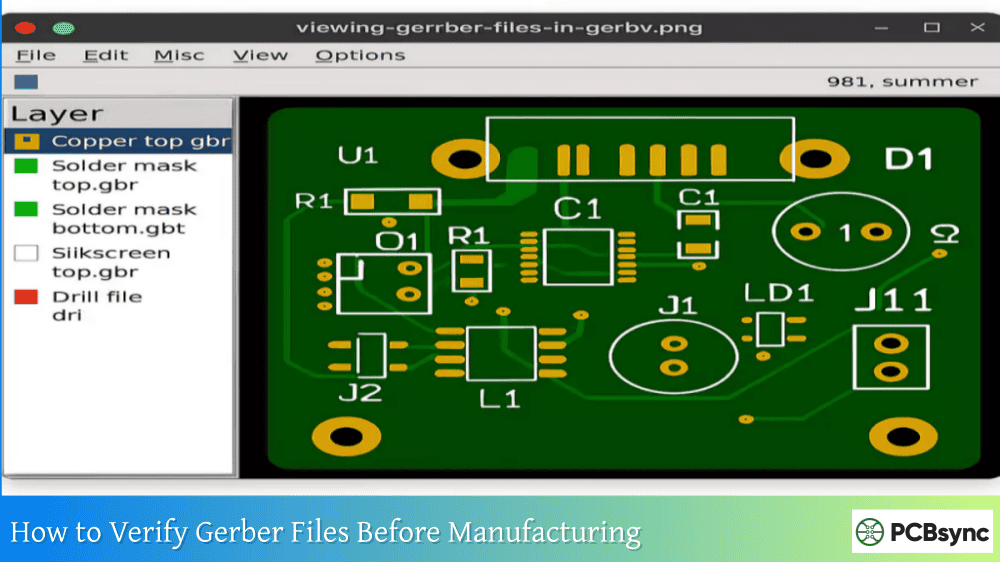
Never send Gerber files to a manufacturer without verification. PCBWeb Designer generates standard files that can be viewed in any Gerber viewer.
Recommended Gerber Viewers
Viewer
Platform
Cost
Features
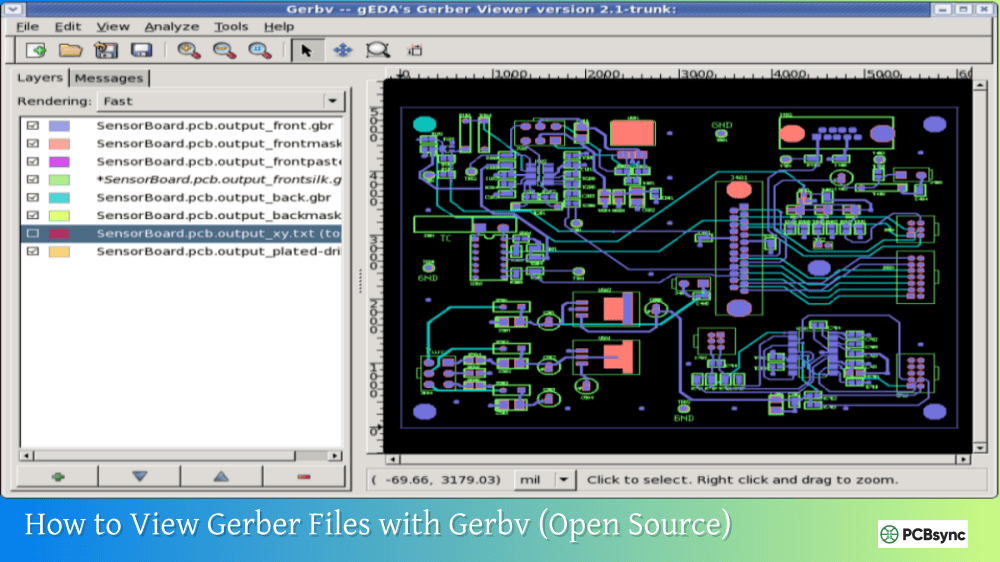
Gerbv
Windows, Linux
Free
Open source, reliable
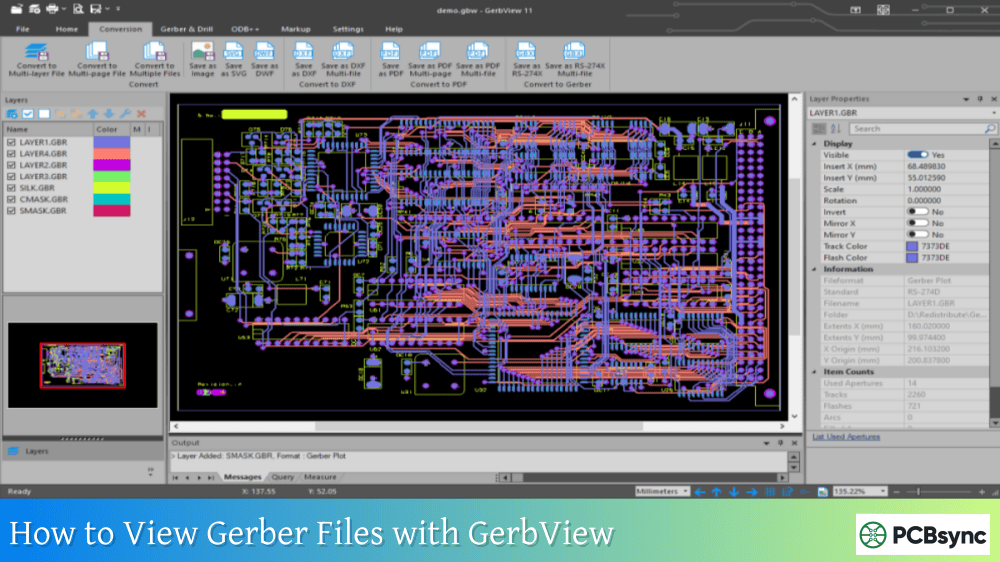
KiCad GerbView
Cross-platform
Free
Part of KiCad suite
Ucamco Reference Viewer
Online
Free
Official Gerber standard
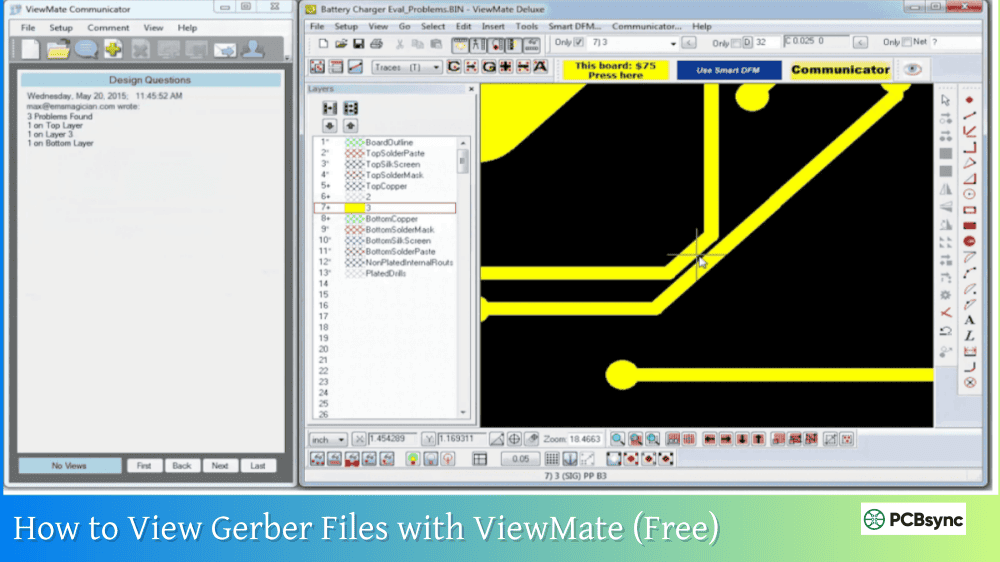
ViewMate
Windows
Free
Industry standard
FlatCAM
Cross-platform
Free
CAM preparation capable
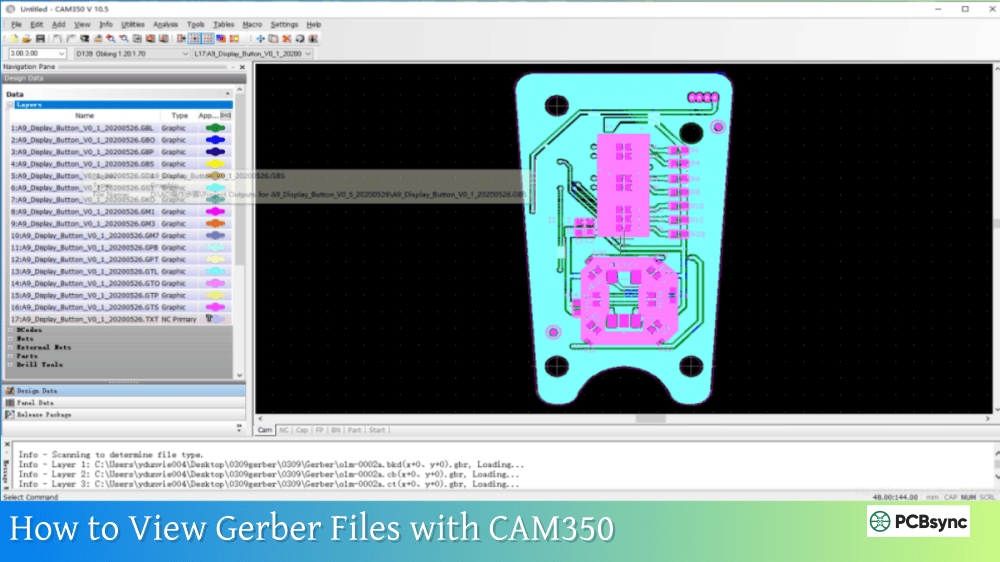
CAM350
Windows
Paid
Professional CAM tool
Verification Checklist
Check Item
What to Verify
Layer Count
All copper layers present
Board Outline
Closed shape, correct dimensions
Drill Alignment
Holes centered on pads
Solder Mask
Correct openings on all pads
Silkscreen
Readable, no pad overlap
Copper Pours
Properly filled areas
Trace Widths
Meet minimum specifications
Clearances
Proper spacing maintained
Common Issues to Check
When reviewing your PCBWeb Designer Gerber exports, pay particular attention to:
Drill-to-Pad Alignment: Verify drill holes are properly centered on pads. Misalignment can cause connection failures.
Solder Mask Openings: Ensure mask openings expose all pads that need soldering while covering traces and vias appropriately.
Board Outline Closure: The board outline must be a completely closed shape. Open outlines can cause manufacturing confusion.
Layer Registration: All layers should align properly. Use fiducial markers or alignment targets as reference points.
Working with PCB Manufacturers
Once you’ve verified your Gerber files, uploading to manufacturers is straightforward. PCBWeb Designer’s standard output format works with all major fabrication services.
Popular Manufacturers Accepting PCBWeb Gerber Files
Manufacturer
Upload Format
Notes
JLCPCB
ZIP archive
Auto-detects layers
PCBWay
ZIP archive
Gerber viewer included
OSH Park
ZIP archive
Drag-and-drop upload
Seeed Fusion
ZIP archive
Online preview
AllPCB
ZIP archive
DFM check available
Eurocircuits
ZIP archive
European fabrication
Preparing Files for Upload
Most manufacturers prefer receiving all Gerber and drill files in a single ZIP archive. To prepare your files:
Navigate to the folder containing your exported Gerber files. Select all manufacturing files (Gerber layers and drill file). Create a ZIP archive containing all selected files. Optionally include a readme file with any special instructions.
Using PCBWeb Designer’s Built-in Ordering
One of PCBWeb Designer’s unique features is built-in board ordering capability. This allows you to send your design directly to fabrication without manually downloading and uploading Gerber files.
Direct Fabrication Ordering
PCBWeb Designer includes integration with fabrication services that can accept designs directly from the software. This streamlines the ordering process by eliminating manual file handling.
To use this feature, look for the Order PCB or Send to Fabrication option in the application menu. Follow the prompts to configure board specifications (layers, thickness, surface finish) and submit your design.
Advantages of Integrated Ordering
Advantage
Benefit
Reduced Errors
Files transfer directly without manual handling
Faster Process
Skip download/upload steps
Integrated Pricing
See fabrication costs in the tool
Design Validation
Automatic DFM checks before ordering
Troubleshooting Common Export Issues
Based on user experiences and forum discussions, here are common issues encountered when exporting from PCBWeb Designer and their solutions.
Missing Layers in Export
If certain layers appear missing from your export, verify they contain actual content in your design. Empty layers may not generate output files. Also check that all required layers are selected in the export configuration.
DRC Errors Preventing Export
If design rule violations prevent export, run the DRC tool to identify and locate all errors. Common issues include trace spacing violations, copper clearance problems, or unconnected nets. Address each error before attempting export again.
Drill File Issues
Some users have reported drill file format issues with certain manufacturers. If your manufacturer reports problems with drill data, try adjusting the coordinate format settings (2:4 vs 2:5) or zero suppression options. Also verify that drill units match your Gerber units.
Copper Pour Problems
If copper pours don’t appear correctly in exported Gerbers, verify that pours are properly calculated in the PCB layout. Recalculate copper pours before exporting and verify they connect to the intended nets.
Useful Resources for PCBWeb Designer Users
Here are essential resources for working with PCBWeb Designer and generating manufacturing files:
Official Resources
Resource
Location
Description
PCBWeb Website
pcbweb.com
Main application site
Digi-Key Design Tools
digikey.com/resources/design-tools
EDA tool suite
EEWeb Community
eeweb.com
User community and support
PartSim
partsim.com
Related simulation tool
Scheme-It
digikey.com/schemeit
Related diagramming tool
Related Digi-Key Tools
PCBWeb Designer is part of a broader suite of EDA tools offered through Digi-Key:
Tool
Purpose
Integration
Scheme-It
Block diagrams and schematics
Concept design
PartSim
Circuit simulation
Design verification
Ultra Librarian
Component data
Symbols and footprints
BOM Manager
Parts list management
Procurement
Free Gerber Viewers
Viewer
Download Location
Gerbv
gerbv.geda-project.org
KiCad GerbView
kicad.org
Online Reference Viewer
gerber-viewer.ucamco.com
FlatCAM
flatcam.org
ViewMate
pentalogix.com/viewmate
PCB Manufacturers
Manufacturer
Website
JLCPCB
jlcpcb.com
PCBWay
pcbway.com
OSH Park
oshpark.com
Seeed Fusion
seeedstudio.com/fusion
AllPCB
allpcb.com
Frequently Asked Questions
What Gerber format does PCBWeb Designer export?
PCBWeb Designer exports RS-274X Extended Gerber format, which is the current industry standard accepted by virtually all PCB manufacturers worldwide. This format includes embedded aperture definitions, making the files self-contained and eliminating compatibility issues associated with older Gerber formats. Drill files are exported in Excellon format, which is also universally supported.
Is PCBWeb Designer really free with no limitations?
Yes, PCBWeb Designer was released as a full-license application with no limitations on number of parts, board size, or layer count. Unlike many free EDA tools that impose restrictions on design complexity, PCBWeb Designer provides professional-grade capabilities at no cost. The tool’s business model relies on integration with Digi-Key’s component sales rather than software licensing fees.
Can I use PCBWeb Gerber files with any manufacturer?
Yes, the Gerber files generated by PCBWeb Designer are industry-standard RS-274X format compatible with essentially any PCB manufacturer globally. Whether you’re ordering from budget prototype services like JLCPCB or premium fabricators, the standard Gerber format ensures compatibility. Some manufacturers also accept designs directly through PCBWeb’s integrated ordering feature.
How do I include inner layers for multilayer boards?
For multilayer PCB designs, PCBWeb Designer exports each inner copper layer as a separate Gerber file with sequential extensions (.G2, .G3, etc.). When configuring your export, ensure all inner layers are selected in the layer list. The files are automatically named according to layer position in the stack. Verify all inner layers are present in your export package before sending to manufacturing.
What should I do if my manufacturer reports file errors?
If your manufacturer reports issues with PCBWeb Gerber files, first verify the files in a third-party Gerber viewer like Gerbv or KiCad GerbView. Common issues include drill file format settings (try different coordinate formats), missing board outline, or layer naming conventions. Contact your manufacturer’s support for specific format requirements, and adjust your export settings accordingly. If problems persist, contact PCBWeb support or the EEWeb community for assistance.
Conclusion
Generating Gerber files from PCBWeb Designer is a straightforward process that produces industry-standard manufacturing outputs compatible with any PCB fabricator. The key steps involve completing your design with proper DRC validation, accessing the export function from the File menu, configuring Gerber and drill file settings appropriately, and verifying the generated files before sending to manufacturing.
What makes PCBWeb Designer particularly valuable is its integration with Digi-Key’s component ecosystem. You can design your board with verified component footprints, manage your BOM with real-time pricing, and generate manufacturing files all within the same environment. This integration eliminates the common disconnect between design tools and component procurement.
Remember to always verify your exported Gerber files in an independent viewer before sending them for fabrication. This simple verification step catches potential issues before they become expensive manufacturing mistakes. With PCBWeb Designer’s standard RS-274X format output and straightforward export process, you can move confidently from design to production knowing your files will be correctly interpreted by any PCB fabricator.
Whether you’re a hobbyist building your first custom board or an engineer working on production designs, PCBWeb Designer provides the manufacturing output capabilities you need without the licensing costs of traditional EDA software. The free access to professional-grade design and export tools, combined with seamless Digi-Key integration, makes it an excellent choice for projects where simplified component sourcing adds value to your workflow.
Inquire: Call 0086-755-23203480, or reach out via the form below/your sales contact to discuss our design, manufacturing, and assembly capabilities.
Quote: Email your PCB files to Sales@pcbsync.com (Preferred for large files) or submit online. We will contact you promptly. Please ensure your email is correct.
Notes: For PCB fabrication, we require PCB design file in Gerber RS-274X format (most preferred), *.PCB/DDB (Protel, inform your program version) format or *.BRD (Eagle) format. For PCB assembly, we require PCB design file in above mentioned format, drilling file and BOM. Click to download BOM template To avoid file missing, please include all files into one folder and compress it into .zip or .rar format.