Inquire: Call 0086-755-23203480, or reach out via the form below/your sales contact to discuss our design, manufacturing, and assembly capabilities.
Quote: Email your PCB files to Sales@pcbsync.com (Preferred for large files) or submit online. We will contact you promptly. Please ensure your email is correct.
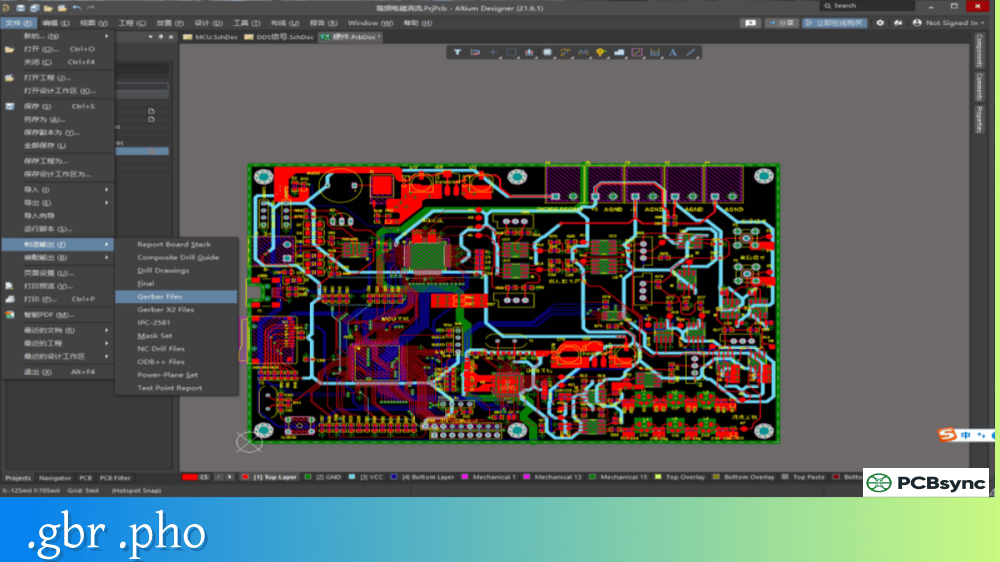
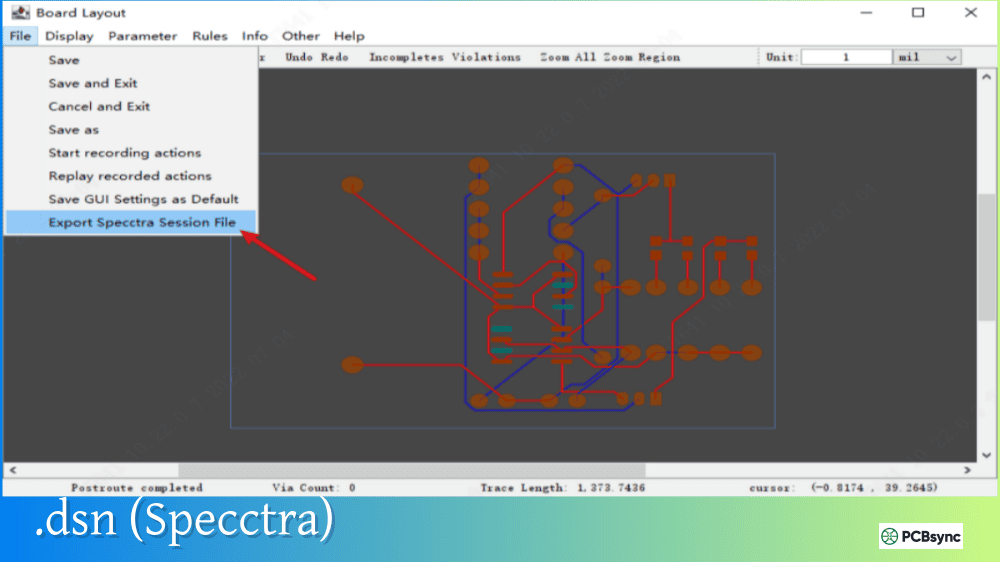
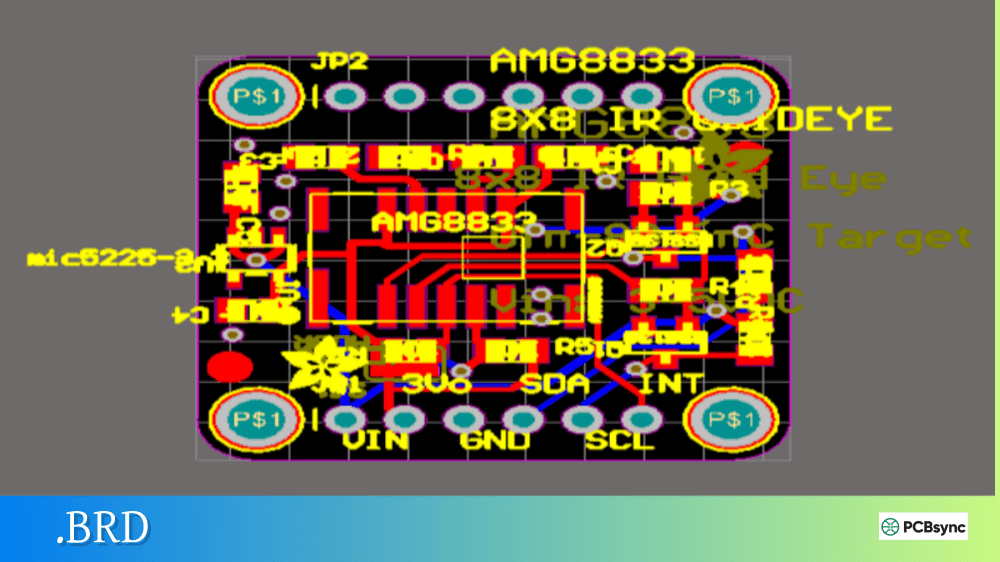
Notes: For PCB fabrication, we require PCB design file in Gerber RS-274X format (most preferred), *.PCB/DDB (Protel, inform your program version) format or *.BRD (Eagle) format. For PCB assembly, we require PCB design file in above mentioned format, drilling file and BOM. Click to download BOM template To avoid file missing, please include all files into one folder and compress it into .zip or .rar format.
What is Gerber RS-274X? The PCB Industry Standard Explained
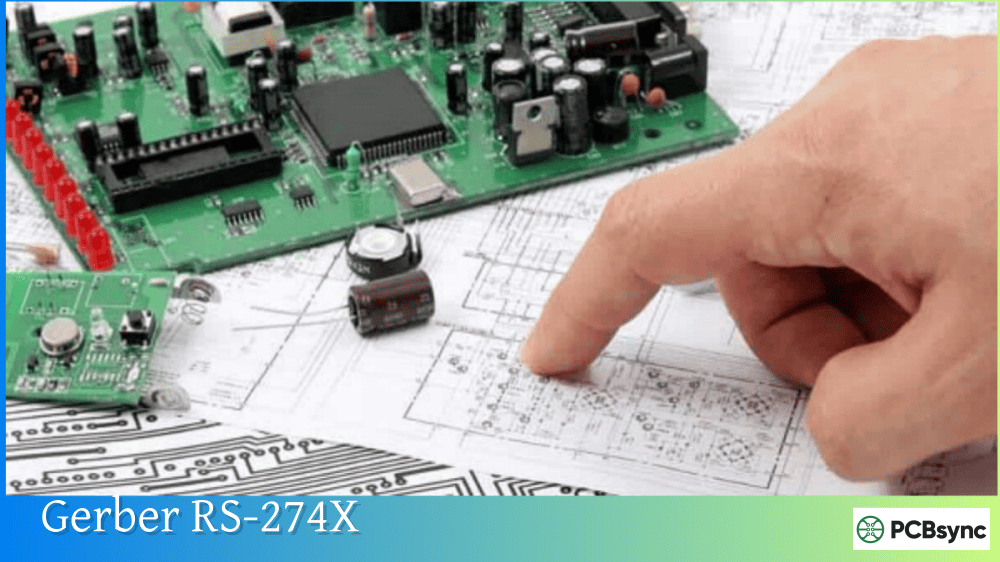
Every PCB that gets manufactured starts with a Gerber file. Whether you’re designing a simple two-layer prototype or a complex 16-layer HDI board, your fabricator needs Gerber data to produce it. And among all the formats available, Gerber RS-274X remains the undisputed standard that powers the electronics industry.
I’ve sent thousands of designs to fabrication over my career, and understanding Gerber RS-274X has saved me from countless manufacturing issues. This guide explains what the format is, how it works, and why it matters for your PCB projects.
The Gerber format traces its origins to the 1960s when Joseph Gerber and Gerber Scientific Instrument developed photoplotters for the PCB industry. These machines used a narrow light source to expose film, creating the artwork needed to manufacture circuit boards. The original format, based on the EIA RS-274-D specification, was essentially a numerical control (NC) format that drove these vector photoplotters.
The problem with the original RS-274-D format was significant: it separated aperture information into a separate file. Apertures define the shapes used to draw pads, traces, and other features on your board. When aperture data lived in a separate file, engineers had to manually type aperture definitions—a process prone to errors that could ruin entire production runs.
In September 1998, Ucamco (then Barco ETS, after acquiring Gerber Systems Corp.) published the RS-274X Format User’s Guide. This specification unified everything into a single, self-contained format. The format became known as Extended Gerber, X-Gerber, or simply Gerber RS-274X, and it quickly replaced the older standard as the de facto image format for PCB fabrication.
What Makes Gerber RS-274X the Industry Standard
Gerber RS-274X has earned its position as the backbone of PCB manufacturing for several compelling reasons.
Self-Contained File Structure
Unlike its predecessor, Gerber RS-274X embeds all aperture definitions directly within the file. Each layer file contains everything needed to recreate that image—no separate aperture tables, no external dependencies, no room for miscommunication between designer and fabricator.
Universal Software Support
Every PCB CAD tool exports Gerber RS-274X. Every fabrication house accepts it. Every CAM (Computer-Aided Manufacturing) system reads it. This universal compatibility means you can design in Altium, KiCad, Eagle, OrCAD, or any other tool and send your files to any manufacturer worldwide.
Human-Readable Format
Gerber files are plain ASCII text. You can open one in Notepad and actually read the commands. This might seem minor, but when troubleshooting manufacturing issues, being able to inspect the raw data has saved me many times.
Proven Reliability
The format has been refined over decades. In 2012, Ucamco conducted a comprehensive review analyzing 10,000 Gerber files from around the world. They deprecated rarely-used constructs and clarified ambiguous specifications. The result is a thoroughly debugged, reliable format that manufacturers trust.
Understanding Gerber RS-274X File Structure
A Gerber RS-274X file follows a logical structure that any PCB engineer should understand.
Header Section
The header contains format specifications and parameters:
Command
Meaning
Example
%FSLAX24Y24*%
Format specification
2.4 format, absolute coordinates
%MOIN*%
Units
Inches
%MOMM*%
Units
Millimeters
%IPPOS*%
Image polarity
Positive
%LPD*%
Layer polarity
Dark (additive)
%LPC*%
Layer polarity
Clear (subtractive)
The format specification (FS) command is critical. The “24Y24” portion means 2 integer digits and 4 decimal places for both X and Y coordinates. Higher precision (like 2.6) provides finer resolution for advanced designs.
Aperture Definitions
Apertures define the shapes used throughout the file:
Aperture Type
Code
Example
Description
Circle
C
%ADD10C,0.050*%
Circular aperture, 0.050″ diameter
Rectangle
R
%ADD11R,0.060X0.040*%
Rectangle, 0.060″ × 0.040″
Obround
O
%ADD12O,0.080X0.040*%
Oblong/oval shape
Polygon
P
%ADD13P,0.100X6*%
6-sided polygon, 0.100″ outer diameter
Custom aperture macros allow complex shapes like thermal reliefs, which are essential for power and ground planes.
D-Code Commands
D-codes control the imaging operations:
D-Code
Function
Description
D01
Draw
Move to coordinates while drawing
D02
Move
Move without drawing (light off)
D03
Flash
Flash the current aperture at coordinates
D10-D999
Select aperture
Switch to specified aperture
Coordinate Data
Coordinates specify positions for all operations:
X1000Y2000D02* Move to (1000, 2000) without drawingX3000Y2000D01* Draw line to (3000, 2000)X3000Y4000D03* Flash aperture at (3000, 4000)
End of File
Every Gerber RS-274X file ends with the M02* command, signaling the end of data.
Typical Gerber RS-274X Layer Files
A complete PCB fabrication package includes multiple Gerber files, each representing a different layer:
File Extension
Layer
Description
.GTL
Top copper
Component-side copper traces and pads
.GBL
Bottom copper
Solder-side copper
.GTS
Top solder mask
Solder mask openings on top
.GBS
Bottom solder mask
Solder mask openings on bottom
.GTO
Top silkscreen
Component markings on top
.GBO
Bottom silkscreen
Markings on bottom side
.GKO or .GML
Board outline
Mechanical boundary
.G2, .G3, etc.
Inner layers
Internal copper layers
Some CAD tools use different extensions (.TOP, .BOT, .SMT, .SMB), but the file format remains Gerber RS-274X regardless of the extension.
How to Export Gerber RS-274X Files
The export process varies by CAD tool, but follows similar principles across platforms.
General Export Settings
When generating Gerber RS-274X output, configure these settings:
Always generate a drill file (Excellon format) alongside your Gerber layers—the drill file specifies hole locations and sizes that Gerber files don’t contain.
Gerber RS-274X vs. Other Formats
Understanding how Gerber RS-274X compares to alternatives helps you make informed decisions about your fabrication data.
RS-274X vs. RS-274D (Standard Gerber)
Aspect
RS-274X
RS-274D
Aperture data
Embedded in file
Separate aperture file
Self-contained
Yes
No
Error risk
Low
High (manual input required)
Industry status
Current standard
Officially revoked (2014)
Support
Universal
Legacy systems only
RS-274D was officially revoked by Ucamco in September 2014. Never export RS-274D if RS-274X is available—modern CAD tools rarely even offer it as an option anymore.
RS-274X vs. Gerber X2
Aspect
RS-274X (X1)
Gerber X2
Image data
Complete
Same as X1
Metadata/attributes
None
Layer function, pad types, etc.
Layer identification
File naming convention
Embedded attributes
Backward compatibility
N/A
Fully compatible with X1 readers
Release date
1998
2014
Gerber X2 adds four new commands (TF, TA, TO, TD) for attaching attributes but doesn’t change the image format. An X1 reader ignores the attributes and renders the correct image. X2 files tell the fabricator whether a file is top copper, bottom solder mask, etc., without relying on file names.
RS-274X vs. ODB++ and IPC-2581
Aspect
RS-274X
ODB++
IPC-2581
Format type
Image layers
Database
Database
Complexity
Simple
Complex
Complex
Learning curve
Low
High
High
Netlist included
Optional
Yes
Yes
Component data
No
Yes
Yes
Industry adoption
~90%
Growing
Growing
ODB++ and IPC-2581 offer more comprehensive data transfer but require specialized CAM software. Gerber RS-274X’s simplicity and universal support keep it dominant for everyday PCB fabrication.
Even experienced engineers encounter issues with Gerber files. Here are common problems and how to fix them.
Missing Aperture Definitions
Symptom: Fabricator reports missing or undefined apertures.
Cause: Usually indicates RS-274D export instead of RS-274X.
Solution: Re-export using RS-274X format with embedded apertures.
Layer Misalignment
Symptom: Copper layers don’t align with drill holes or other layers.
Cause: Inconsistent origin points between files.
Solution: Use the same origin for all layer exports; verify in a Gerber viewer.
Incorrect Units
Symptom: Design appears scaled incorrectly.
Cause: Mismatch between export units and expected units.
Solution: Verify units setting (inches vs. millimeters) and re-export.
Missing Board Outline
Symptom: Fabricator requests board dimensions.
Cause: Board outline layer not exported or on wrong layer.
Solution: Export mechanical layer or board outline as separate Gerber file.
Useful Resources for Gerber RS-274X
Official Documentation
Resource
URL
Description
Gerber Format Specification
ucamco.com/gerber
Official spec from Ucamco
Reference Gerber Viewer
ucamco.com
Free viewer for validation
Gerber Test Files
ucamco.com
Sample files for testing
Free Viewer Downloads
Software
URL
Gerbv
gerbv.github.io
KiCad (includes GerbView)
kicad.org
ViewMate Free
pentalogix.com/viewmate
ZofzPCB
zofzpcb.com
CAD Tool Documentation
Tool
Gerber Export Guide
Altium Designer
altium.com/documentation
KiCad
docs.kicad.org
Eagle
autodesk.com/eagle
OrCAD
cadence.com
The Future of Gerber RS-274X
Gerber RS-274X isn’t going anywhere soon. Despite the introduction of Gerber X2 in 2014 and X3 in 2020, the core image format remains unchanged. X2 and X3 add metadata layers on top of the proven RS-274X foundation.
The industry continues developing alternatives like IPC-2581, which offers a more comprehensive database approach. However, the simplicity, reliability, and universal support of Gerber ensure it will remain the primary format for PCB image data for years to come.
For designers, the practical approach is straightforward: export Gerber X2 when your CAD tool supports it (you get the benefits of attributes with full backward compatibility), but understand that the underlying image format is the same RS-274X that has served the industry reliably for over 25 years.
Frequently Asked Questions
What is the difference between Gerber RS-274X and RS-274D?
Gerber RS-274X embeds aperture definitions within each file, making it self-contained and reliable. RS-274D requires a separate aperture file, which often leads to manual data entry and errors. RS-274D was officially revoked in 2014 and should never be used for new designs. If your CAD software offers both options, always choose RS-274X (Extended Gerber).
Can I open Gerber RS-274X files in a text editor?
Yes, Gerber RS-274X files are plain ASCII text. You can open them in Notepad, VS Code, or any text editor to inspect the commands and coordinates. This is useful for troubleshooting when something looks wrong in a Gerber viewer. The header shows format specifications and aperture definitions, followed by coordinate data and D-code commands that create the image.
Why do I need separate files for each PCB layer?
Gerber RS-274X is a 2D vector image format where each file represents one layer of your board. This separation allows fabricators to process each layer independently—exposing copper patterns, creating solder masks, printing silkscreen, and drilling holes all require different manufacturing steps. The separation also makes it easier to inspect and verify individual layers before production.
Should I use Gerber RS-274X or Gerber X2?
Use Gerber X2 whenever your CAD tool supports it. X2 is fully backward compatible with RS-274X, meaning any system that reads RS-274X can read X2 files (it simply ignores the additional attributes). The attributes in X2 help fabricators automatically identify layer functions, reducing manual interpretation and potential errors. There’s no downside to using X2.
How do I know if my Gerber files are correct before sending to fabrication?
Always verify your Gerber files using a Gerber viewer before sending to manufacturing. Free options include Gerbv, KiCad’s GerbView, and ViewMate Free. Load all layers plus your drill file and check: all layers are present, layers align correctly, board outline is closed, drill holes appear in correct locations, and solder mask openings match pads. Many PCB manufacturers also offer online Gerber viewers as part of their quoting process.
Making Gerber RS-274X Work for You
Gerber RS-274X has earned its position as the industry standard through decades of reliable service. Understanding how it works—from the header commands to aperture definitions to coordinate data—makes you a better PCB designer who can troubleshoot problems and communicate effectively with fabricators.
The format’s simplicity is its strength. Unlike complex database formats, Gerber files are straightforward image descriptions that any manufacturer can process. This universal compatibility means your designs can be fabricated anywhere in the world without format conversion issues.
For your next project, verify your CAD tool exports proper RS-274X (or X2) format, always inspect files in a viewer before ordering, and include all necessary layers plus drill data. These simple practices prevent manufacturing issues and ensure your boards come back exactly as designed.
The Gerber format may be decades old, but it remains the foundation of modern PCB manufacturing—and understanding Gerber RS-274X is essential knowledge for every electronics engineer.
Inquire: Call 0086-755-23203480, or reach out via the form below/your sales contact to discuss our design, manufacturing, and assembly capabilities.
Quote: Email your PCB files to Sales@pcbsync.com (Preferred for large files) or submit online. We will contact you promptly. Please ensure your email is correct.
Notes: For PCB fabrication, we require PCB design file in Gerber RS-274X format (most preferred), *.PCB/DDB (Protel, inform your program version) format or *.BRD (Eagle) format. For PCB assembly, we require PCB design file in above mentioned format, drilling file and BOM. Click to download BOM template To avoid file missing, please include all files into one folder and compress it into .zip or .rar format.