Inquire: Call 0086-755-23203480, or reach out via the form below/your sales contact to discuss our design, manufacturing, and assembly capabilities.
Quote: Email your PCB files to Sales@pcbsync.com (Preferred for large files) or submit online. We will contact you promptly. Please ensure your email is correct.
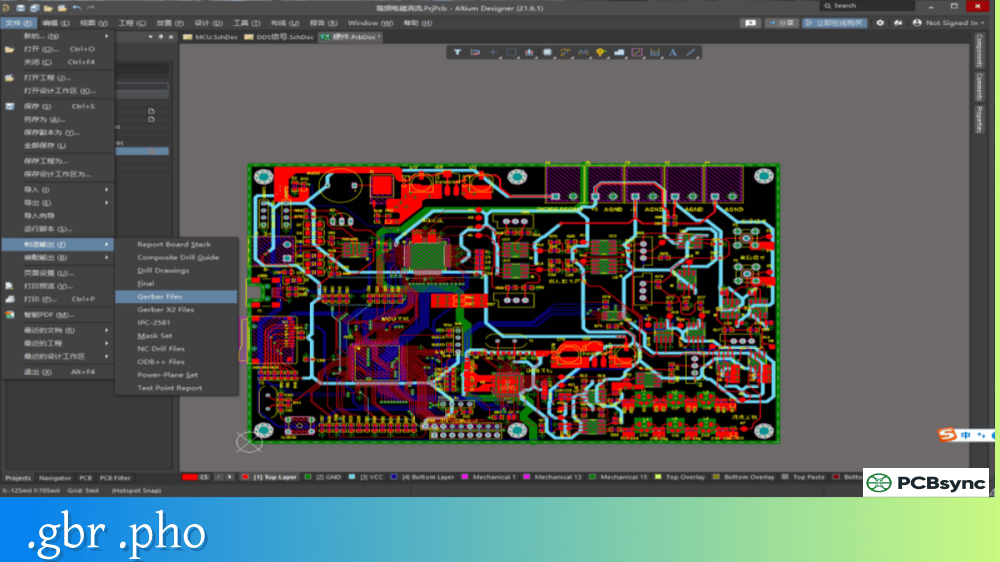
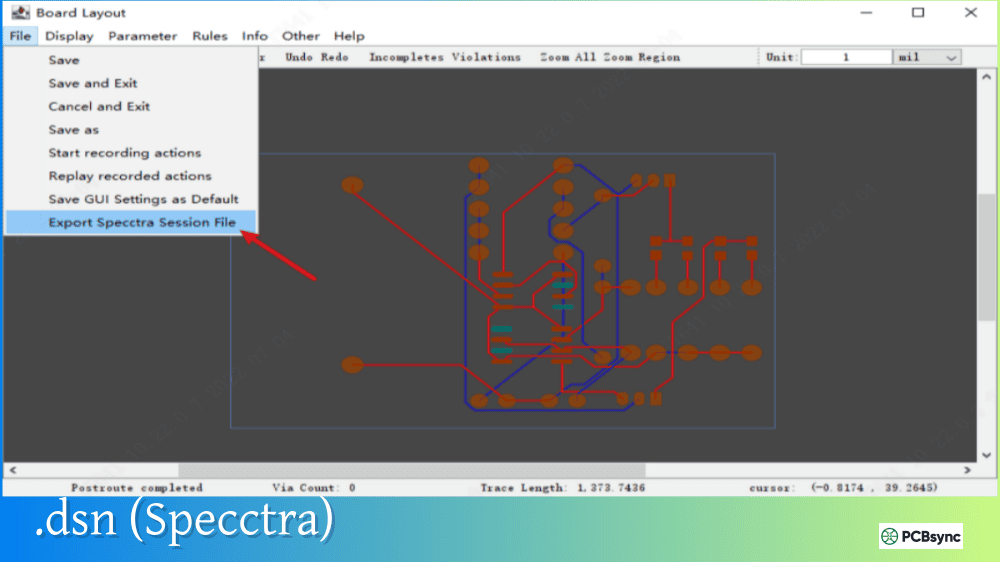
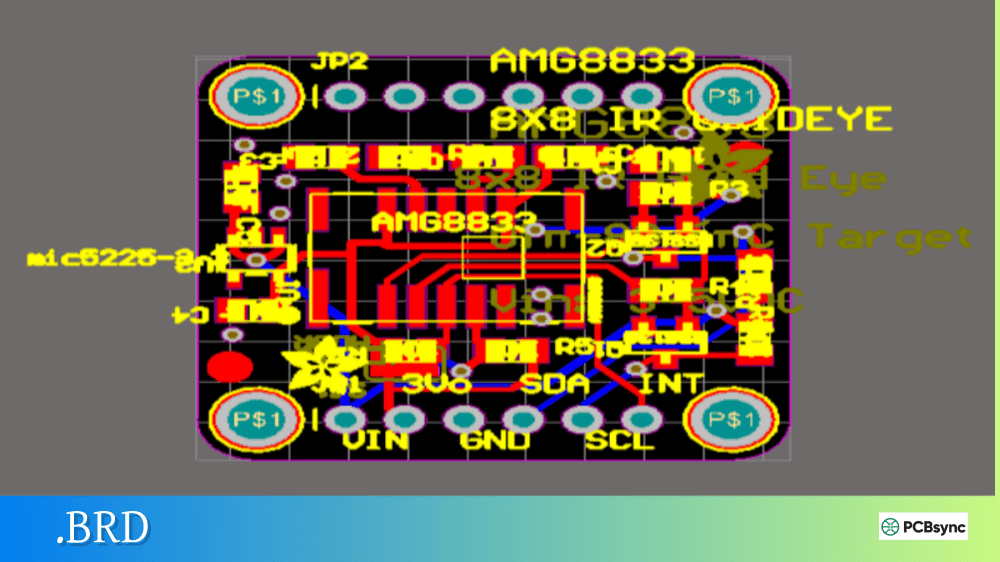
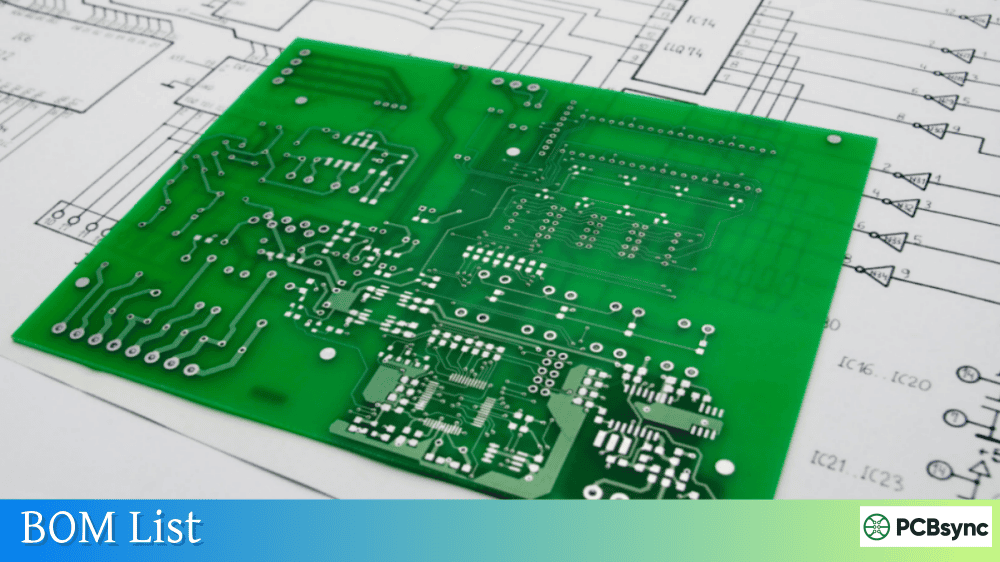
Notes: For PCB fabrication, we require PCB design file in Gerber RS-274X format (most preferred), *.PCB/DDB (Protel, inform your program version) format or *.BRD (Eagle) format. For PCB assembly, we require PCB design file in above mentioned format, drilling file and BOM. Click to download BOM template To avoid file missing, please include all files into one folder and compress it into .zip or .rar format.
What is GenCAD? Universal PCB Data Format Explained
When I first encountered GenCAD files years ago, I was working on a test fixture program for an automotive client. They insisted on GenCAD data rather than the usual Gerber package, and honestly, I didn’t understand why at the time. After opening that ASCII file and seeing the complete netlist, component positions, and routing data all in one place, I realized what I’d been missing. GenCAD was designed specifically for the downstream processes that Gerbers couldn’t properly support.
This guide explains what GenCAD is, how it works, and where it fits in the landscape of PCB data exchange file formats.
GenCAD is an ASCII-based electronic data interchange format designed specifically for printed circuit board fabrication, assembly, and testing. Originally developed by GenRad Inc. (a test equipment manufacturer), the format was donated to IPC in 1996 and became the foundation for the IPC-2510 series of standards.
The primary focus of GenCAD is capturing complete PCB data in a single file—not just the graphical artwork, but the intelligent design information that downstream manufacturing processes need. A GenCAD file contains net information, component data, route (trace) information, pad definitions, and complete layer setups. This comprehensive approach provides protection against data loss and eliminates the need to manage dozens of separate files.
The current widely-used version is GenCAD 1.4, though the format evolved through IPC into GenCAM (IPC-2511) and eventually contributed to the development of IPC-2581.
GenCAD File Structure and Contents
A GenCAD file is organized into distinct sections, each containing specific types of manufacturing data. Because it’s ASCII text, you can open it in any text editor to inspect or troubleshoot the contents.
Core GenCAD Sections
Section
Contents
Manufacturing Use
$HEADER
File version, units, origin, drawing name
Basic file identification
$BOARD
Board outline geometry
Define physical boundaries
$PADS
Pad shape definitions
Footprint creation
$PADSTACKS
Layer-specific pad configurations
Via and through-hole definitions
$SHAPES
Component outline definitions
Assembly verification
$COMPONENTS
Component placement data (X, Y, rotation)
Pick-and-place programming
$SIGNALS
Net connectivity (netlist)
Electrical testing
$TRACKS
Trace routing information
Signal integrity analysis
$LAYERS
Layer stackup definition
Fabrication reference
Sample GenCAD Header
A typical GenCAD file begins with a header section that looks like this:
The header establishes the file version, measurement units (typically thousandths of an inch or millimeters), and coordinate origin. This information is critical for ensuring proper scaling when the file is imported into manufacturing software.
Primary Applications for GenCAD Files
GenCAD was designed with downstream manufacturing processes in mind, particularly those that Gerber files couldn’t adequately support. Understanding these applications helps explain why certain customers and industries still request GenCAD data.
In-Circuit Test (ICT) Fixture Development
ICT test engineers need complete netlist information, test point locations, and component data to develop bed-of-nails fixtures and test programs. GenCAD provides all this information in a single file, allowing test fixture software to:
Extract node locations for probe placement
Generate fixture drill files
Create test programs for ATE equipment (Agilent/Keysight, Teradyne, GenRad)
Verify electrical connectivity
Automated Optical Inspection (AOI) Programming
AOI systems compare assembled boards against expected component positions. GenCAD files provide the component placement data, reference designators, and package information needed to program inspection equipment from vendors like Koh Young, Orbotech, and Omron.
Assembly Machine Programming
Pick-and-place machines require X-Y coordinates, rotation angles, and component identification for each placement. While many assemblers use centroid files for this purpose, GenCAD provides additional context including:
Package shape definitions
Pin locations and numbering
Component side (top/bottom) designation
SMD versus through-hole identification
Flying Probe Testing
Flying probe testers (Takaya, SPEA, Seica) use GenCAD data to program test sequences without requiring physical fixtures. The netlist and test point information enables efficient test coverage analysis and program generation.
GenCAD in the PCB Data Format Landscape
GenCAD doesn’t exist in isolation—it’s one of several intelligent data formats competing for adoption in PCB manufacturing. Understanding how these formats relate helps you choose the right one for your application.
Comparison of PCB Data Exchange Formats
Format
Type
Developer
Primary Strength
GenCAD
ASCII single file
GenRad/IPC
Testing and assembly
ODB++
Hierarchical database
Valor/Mentor/Siemens
Complete manufacturing data
IPC-2581
XML single file
IPC Consortium
Open standard, IP protection
Gerber X2/X3
Multiple files
Ucamco
Fabrication artwork
IPC-D-356
ASCII
IPC
Bare board testing
GenCAD vs. ODB++
ODB++ emerged as the de facto standard for intelligent PCB data exchange, largely because Valor’s tools dominated the DFM analysis market. ODB++ is a hierarchical database format (multiple files in a directory structure) rather than a single file like GenCAD. While ODB++ offers more comprehensive data coverage, it’s a proprietary format now owned by Siemens through their Mentor acquisition.
GenCAD remains relevant because:
It’s simpler to parse and troubleshoot
Some test equipment vendors prefer it
Certain legacy systems require it
The specification is freely available
GenCAD’s Role in IPC-2581 Development
The GenCAD format (as IPC-2510/GenCAM) contributed to the development of IPC-2581. In 2002, IPC and Valor agreed to merge their respective formats—GenCAM and ODB++(X)—into a single industry standard. The result, IPC-2581, is an open XML-based format that incorporates concepts from both predecessors.
Today, IPC-2581 is gaining adoption as an open alternative to proprietary formats, though ODB++ remains more widely supported by manufacturing equipment.
Generating GenCAD Files from PCB Design Software
Most professional PCB design tools can export GenCAD files, either natively or through add-on modules.
Software Export Capabilities
Design Tool
GenCAD Export
Method
Altium Designer
Native
File > Fabrication Outputs > GenCAD
Cadence Allegro
Native
Export > GenCAD
Mentor PADS
Native
File > Export > GenCAD
Mentor Expedition
Native
File > Export > General Interface
OrCAD PCB Editor
Via extracta command
Command line utility
Eagle
ULP script
User Language Program
KiCad
Plugin
Third-party exporters
Pulsonix
Add-on option
Output > GenCAD
Easy-PC
Add-on option
Output > Export GenCAD
Export Best Practices
When generating GenCAD files, consider these recommendations for optimal results:
Coordinate Origin: Establish a consistent origin point (typically lower-left corner) before export. Mismatched origins cause placement errors in manufacturing equipment.
Units Consistency: Verify that your export units match your manufacturer’s expectations. GenCAD supports both imperial (thousandths of an inch) and metric units.
Component Values: Include component values in the export to support BOM verification and test program generation.
Bottom Side Handling: Some software requires specific settings for bottom-side component representation. Use counter-clockwise rotation without flip for best compatibility.
Industries and Applications Using GenCAD
While ODB++ has become more prevalent in general PCB manufacturing, GenCAD maintains strong adoption in specific industries and applications.
Aerospace and Defense
Companies like Lockheed Martin have historically specified GenCAD data for their programs. The defense industry’s long product lifecycles mean that established formats remain in use for decades.
Automotive Electronics
Automotive suppliers often require GenCAD for ICT fixture development due to the high-volume testing requirements and established test infrastructure.
Contract Test Houses
Independent test service providers frequently work with GenCAD because it’s the common denominator that most CAD systems can export and most test equipment can import.
Legacy Manufacturing Systems
Older CAM systems and test equipment that predate ODB++ adoption continue to rely on GenCAD input. Replacing these systems is expensive, so the format persists.
IPC Standards Store: shop.ipc.org – Official IPC documentation
SMTnet Forums: smtnet.com – Industry discussion and file samples
Unisoft Importers Guide: unisoft-cim.com/importers.php – Comprehensive CAD format reference
PCB-Investigator Manual: manual.pcb-investigator.com – Format specifications
Frequently Asked Questions About GenCAD
What’s the difference between GenCAD and GenCAM?
GenCAD is the original format developed by GenRad and donated to IPC in 1996. GenCAM (IPC-2511) is the evolved IPC standard based on GenCAD, with additional sections and formal standardization. In practice, most people use “GenCAD” to refer to version 1.4 files, while “GenCAM” refers to the IPC-2510 series standards. The file structure and syntax are similar, but GenCAM includes more comprehensive sections for fabrication data.
Do I need GenCAD files if I’m already providing Gerber and ODB++?
It depends on your manufacturer’s requirements. Many assembly houses and test service providers have standardized on ODB++ and don’t need GenCAD. However, some customers—particularly in aerospace, defense, and automotive—may specifically require GenCAD for their test fixture development processes. Always confirm data requirements with your customer or manufacturing partner before finalizing your output package.
Can GenCAD replace Gerber files for PCB fabrication?
Not typically. GenCAD was designed primarily for assembly and test processes, not bare board fabrication. While GenCAD contains layer and routing information, fabricators generally prefer Gerber RS-274X (or ODB++/IPC-2581) for the photolithographic imaging process. GenCAD is best viewed as a complement to Gerber data, not a replacement.
Why do some test equipment vendors prefer GenCAD over ODB++?
GenCAD’s single-file ASCII format is simpler to parse than ODB++’s hierarchical directory structure. Test equipment software developed before ODB++ became dominant was often designed around GenCAD import. Additionally, GenCAD’s focus on test-relevant data (netlists, test points, component positions) aligned well with ICT and flying probe requirements. Some vendors never updated their software to support ODB++ because GenCAD met their needs.
Is GenCAD still relevant with IPC-2581 gaining adoption?
Yes, though its relevance is declining. GenCAD remains necessary for interfacing with legacy test equipment and satisfying customer specifications in certain industries. However, for new designs and manufacturing relationships, ODB++ and IPC-2581 provide more comprehensive data exchange capabilities. If your manufacturer accepts IPC-2581 or ODB++, those formats are generally preferable for new projects.
Conclusion
GenCAD earned its place in PCB manufacturing history by solving a real problem: getting intelligent design data to test and assembly equipment. While newer formats like ODB++ and IPC-2581 have largely superseded it for general use, GenCAD remains important for specific applications, legacy systems, and certain industry requirements.
Understanding GenCAD helps you communicate effectively with test service providers, support legacy manufacturing systems, and appreciate how PCB data exchange formats have evolved. When a customer asks for GenCAD files, you’ll know exactly what they need and why.
For new designs, check your manufacturer’s format preferences early in the project. Most modern CAD tools support multiple export formats, so you can deliver whatever works best for your manufacturing partner’s processes.
Inquire: Call 0086-755-23203480, or reach out via the form below/your sales contact to discuss our design, manufacturing, and assembly capabilities.
Quote: Email your PCB files to Sales@pcbsync.com (Preferred for large files) or submit online. We will contact you promptly. Please ensure your email is correct.
Notes: For PCB fabrication, we require PCB design file in Gerber RS-274X format (most preferred), *.PCB/DDB (Protel, inform your program version) format or *.BRD (Eagle) format. For PCB assembly, we require PCB design file in above mentioned format, drilling file and BOM. Click to download BOM template To avoid file missing, please include all files into one folder and compress it into .zip or .rar format.