Inquire: Call 0086-755-23203480, or reach out via the form below/your sales contact to discuss our design, manufacturing, and assembly capabilities.
Quote: Email your PCB files to Sales@pcbsync.com (Preferred for large files) or submit online. We will contact you promptly. Please ensure your email is correct.
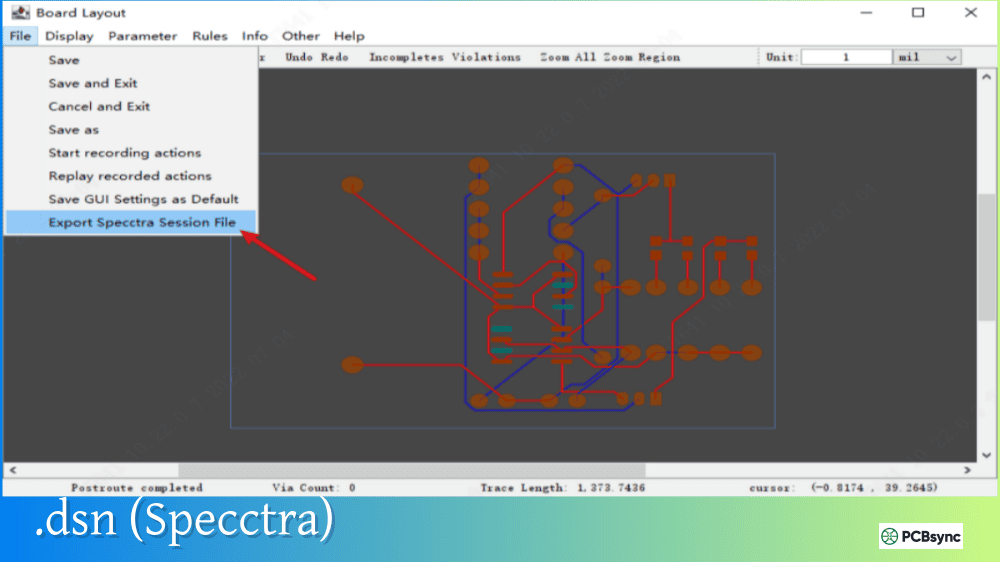
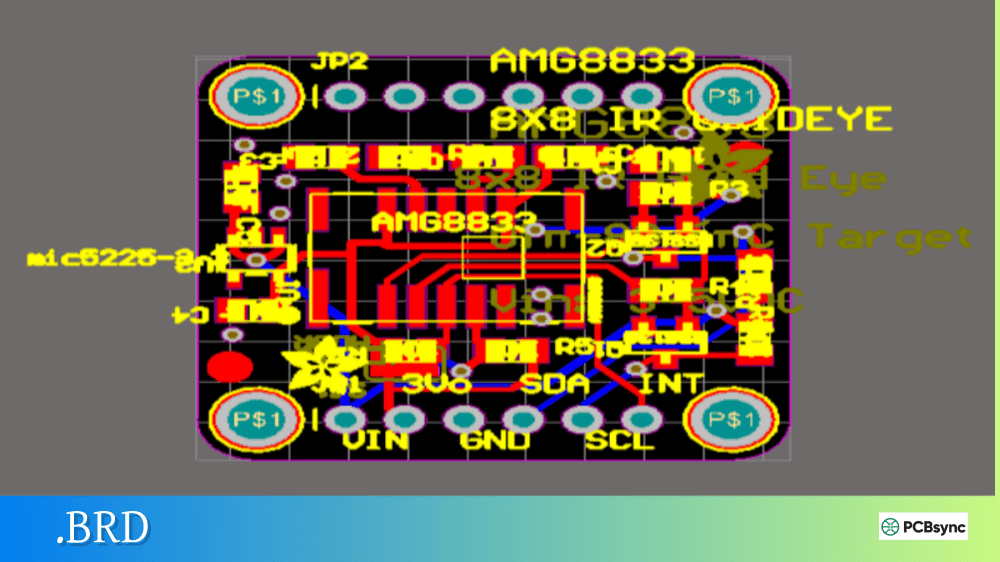
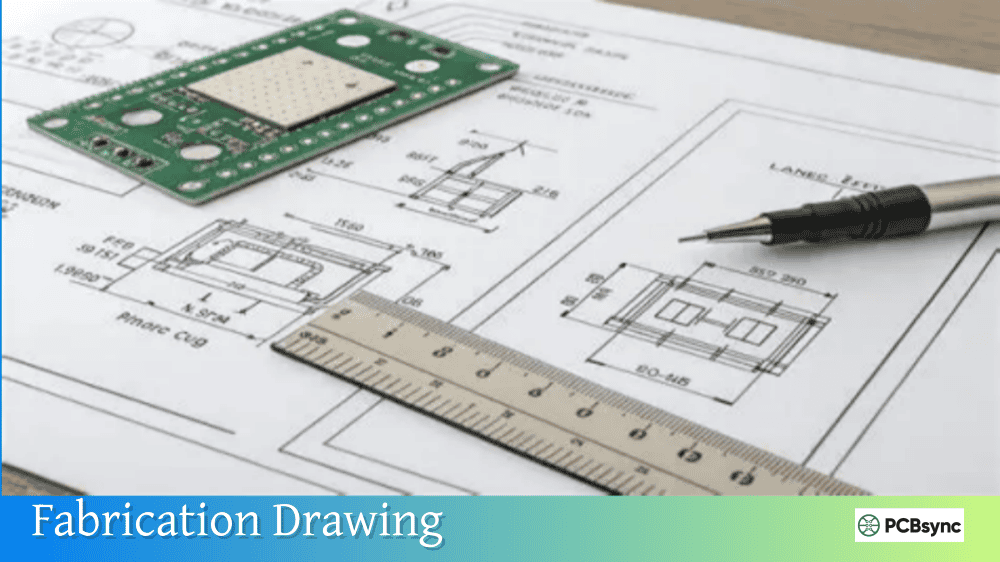
Notes: For PCB fabrication, we require PCB design file in Gerber RS-274X format (most preferred), *.PCB/DDB (Protel, inform your program version) format or *.BRD (Eagle) format. For PCB assembly, we require PCB design file in above mentioned format, drilling file and BOM. Click to download BOM template To avoid file missing, please include all files into one folder and compress it into .zip or .rar format.
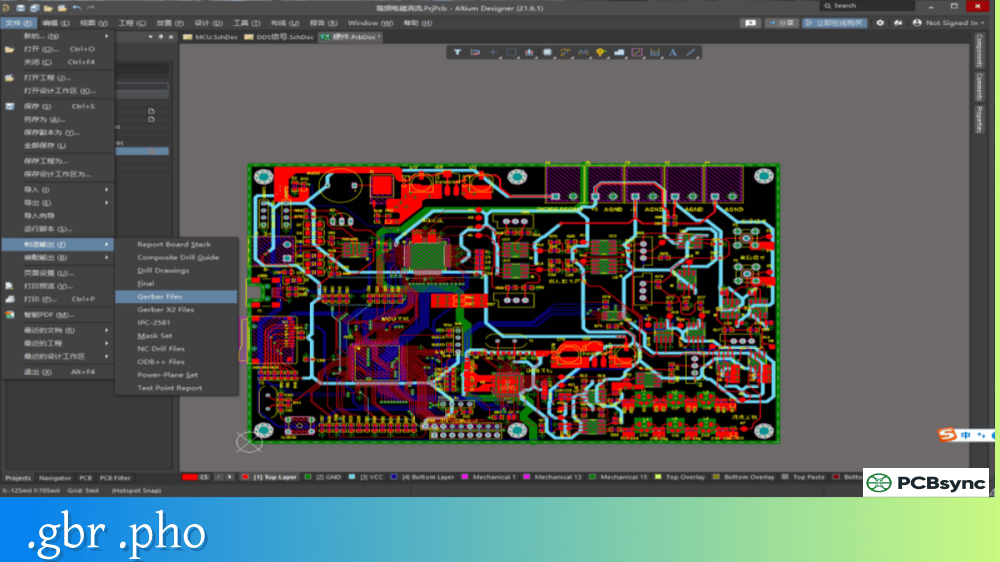
What are .GBR and .PHO Files? Gerber File Extensions Guide
Every PCB engineer has been there: you receive a zip file from a colleague or client, extract it, and find yourself staring at dozens of files with cryptic extensions like .GBR, .PHO, .GTL, .GBS, and more. Understanding these Gerber file extensions isn’t just academic knowledge—it’s essential for getting your boards manufactured correctly and avoiding costly delays.
This guide breaks down everything you need to know about .GBR and .PHO files, along with the complete ecosystem of Gerber extensions used across different PCB design tools. Whether you’re troubleshooting manufacturing issues or just trying to figure out which files to send to your fab house, this comprehensive reference has you covered.
Before diving into specific extensions, let’s establish what Gerber files actually are. Named after Joseph Gerber, founder of Gerber Systems Corp., these files have been the backbone of PCB manufacturing since the 1960s. Originally designed to drive vector photoplotters that created film masks for PCB production, the format has evolved significantly while maintaining backward compatibility.
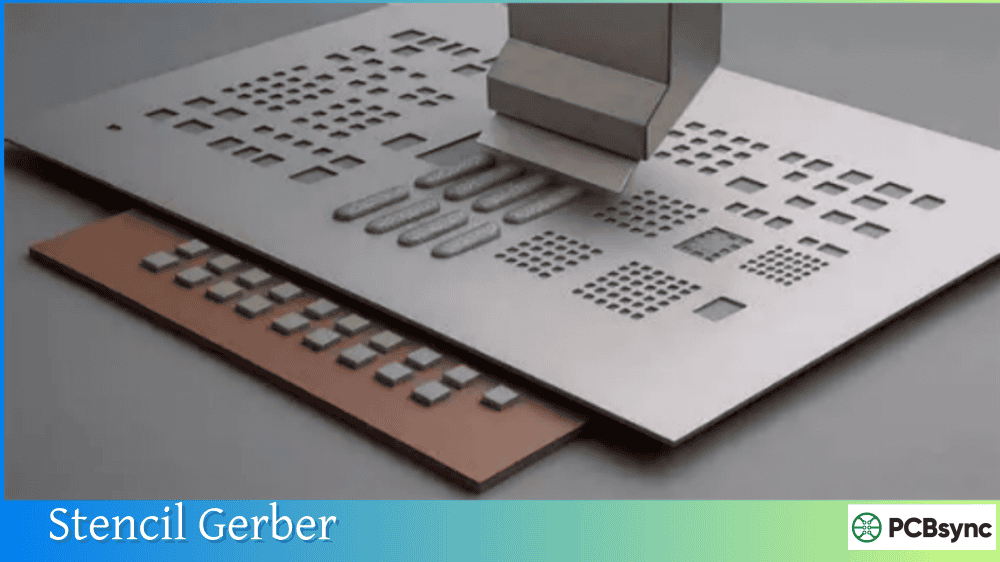
A Gerber file is essentially a set of ASCII instructions that describe 2D images of PCB layers. Think of each file as a single transparency sheet—when you stack all the transparencies together, you see the complete circuit board. Each layer requires its own file: copper traces, solder mask, silkscreen, paste stencil, and so on.
The format stores coordinates, aperture definitions (the shapes used for drawing), and drawing commands. Modern Gerber files use the RS-274X or X2 format, which embeds aperture definitions directly in the file rather than requiring separate aperture lists as the obsolete RS-274-D format did.
Why So Many Different Extensions?
Here’s where confusion typically starts. Unlike PDF or JPEG files that always use consistent extensions, Gerber files have no enforced naming standard. The original format predates modern file systems—it was designed for punched paper tape, which didn’t have file extensions at all.
Different CAD software packages developed their own naming conventions over the decades. Altium uses one set of extensions, OrCAD uses another, PADS uses yet another, and KiCad offers multiple options. All these files contain valid Gerber data—only the extensions differ.
The .GBR File Extension Explained
The .GBR extension is the closest thing to a “standard” Gerber file extension. Ucamco, the current maintainer of the Gerber format specification, officially recommends .GBR (or .gbr) as the preferred extension for all Gerber files.
When you see a .GBR file, you’re looking at a Gerber format file, but you won’t immediately know which layer it represents. The filename itself must indicate the layer function—for example, “TopCopper.gbr” or “BoardOutline.gbr”. This approach requires clear, descriptive naming to avoid manufacturing confusion.
.GBR Naming Conventions
Filename Example
Layer Description
TopCopper.gbr
Top signal/copper layer
BottomCopper.gbr
Bottom signal/copper layer
TopSolderMask.gbr
Top solder mask layer
BottomSolderMask.gbr
Bottom solder mask layer
TopSilkscreen.gbr
Top legend/overlay layer
BottomSilkscreen.gbr
Bottom legend/overlay layer
TopPaste.gbr
Top solder paste stencil
BottomPaste.gbr
Bottom solder paste stencil
BoardOutline.gbr
Mechanical board boundary
Inner1.gbr
Internal copper layer 1
Inner2.gbr
Internal copper layer 2
Software that generates .GBR files with generic extensions includes gEDA/PCB, some versions of KiCad (depending on settings), and various other tools. When using this approach, always verify your filenames clearly communicate layer functions to your manufacturer.
Advantages of the .GBR Extension
Using a uniform .GBR extension offers some benefits:
Simplicity: One extension for all Gerber files keeps things straightforward. No need to remember which extension corresponds to which layer.
Modern X2 Compatibility: Gerber X2 format files embed layer function attributes directly in the file data. With X2, CAM software automatically identifies each layer regardless of filename or extension. Using .GBR for X2 files makes perfect sense since the file itself contains all necessary metadata.
Software Agnostic: The .GBR extension doesn’t tie your files to any specific CAD vendor, making them universally recognizable as Gerber data.
The .PHO File Extension Explained
The .PHO extension stands for “photoplot” and traces its origins to PADS software (now part of Siemens). When PADS generates Gerber output, it traditionally uses .PHO extensions combined with layer-identifying prefixes or suffixes.
A .PHO file contains identical Gerber format data as a .GBR file—the internal structure is the same RS-274X or X2 format. Only the extension differs. However, this difference can cause headaches when submitting files to manufacturers unfamiliar with PADS naming conventions.
Common .PHO File Naming Patterns
PADS typically generates .PHO files with layer codes embedded in the filename:
Filename Pattern
Layer Description
L1.PHO
Top copper layer (Layer 1)
L2.PHO
Inner layer 2 or bottom for 2-layer boards
L3.PHO, L4.PHO
Additional inner layers
ST.PHO
Top silkscreen
SB.PHO
Bottom silkscreen
MT.PHO
Top solder mask
MB.PHO
Bottom solder mask
PT.PHO
Top paste mask
PB.PHO
Bottom paste mask
Some manufacturers, particularly budget overseas fabs, may not automatically recognize .PHO files. In these cases, you’ll either need to rename the files with more recognizable extensions or provide a readme file explaining the naming convention.
When You’ll Encounter .PHO Files
You’re most likely to encounter .PHO files in these situations:
Legacy PADS Designs: Projects created in older versions of PADS Layout often use .PHO extensions exclusively.
Reference Designs: Many semiconductor manufacturers provide reference designs in PADS format. Companies like Analog Devices, Texas Instruments, and others frequently release evaluation board designs with .PHO Gerber files.
Contract Work: When receiving designs from external contractors or clients, .PHO files often indicate PADS was used for layout.
Complete Gerber File Extension Reference
Beyond .GBR and .PHO, the PCB industry uses dozens of layer-specific extensions. Understanding this complete picture helps you work with files from any source.
Protel/Altium Designer Extensions
Altium Designer (and its predecessor Protel) established one of the most widely recognized extension conventions:
Extension
Layer Description
.GTL
Gerber Top Layer (copper)
.GBL
Gerber Bottom Layer (copper)
.GTS
Gerber Top Solder mask
.GBS
Gerber Bottom Solder mask
.GTO
Gerber Top Overlay (silkscreen)
.GBO
Gerber Bottom Overlay (silkscreen)
.GTP
Gerber Top Paste mask
.GBP
Gerber Bottom Paste mask
.GKO
Gerber Keep-Out (board outline)
.GM1, .GM2
Gerber Mechanical layers
.G1, .G2, .G3
Inner signal layers
.GP1, .GP2
Internal plane layers
These extensions are self-documenting—the extension itself tells you the layer function. Most PCB manufacturers immediately recognize Protel/Altium extensions, making them a safe choice for universal compatibility.
OrCAD/Allegro Extensions
Cadence OrCAD and Allegro use a different convention:
Extension
Layer Description
.TOP
Top copper layer
.BOT
Bottom copper layer
.SMT
Solder Mask Top
.SMB
Solder Mask Bottom
.SST
Silk Screen Top
.SSB
Silk Screen Bottom
.SPT
Solder Paste Top
.SPB
Solder Paste Bottom
.FAB
Fabrication/outline layer
.DRL
Drill file
KiCad Extensions
KiCad offers flexibility in Gerber naming. By default, it can generate Protel-style extensions or use its own convention:
Extension
Layer Description
F.Cu
Front (top) copper
B.Cu
Back (bottom) copper
F.Mask
Front solder mask
B.Mask
Back solder mask
F.SilkS
Front silkscreen
B.SilkS
Back silkscreen
F.Paste
Front paste
B.Paste
Back paste
Edge.Cuts
Board outline
KiCad users can also select “Use Protel filename extensions” in the plot settings to generate industry-standard .GTL, .GBL extensions instead.
Extension Comparison Across Software
Layer Function
Altium
OrCAD
KiCad
PADS
Top Copper
.GTL
.TOP
F.Cu
L1.PHO
Bottom Copper
.GBL
.BOT
B.Cu
L2.PHO
Top Solder Mask
.GTS
.SMT
F.Mask
MT.PHO
Bottom Solder Mask
.GBS
.SMB
B.Mask
MB.PHO
Top Silkscreen
.GTO
.SST
F.SilkS
ST.PHO
Bottom Silkscreen
.GBO
.SSB
B.SilkS
SB.PHO
Top Paste
.GTP
.SPT
F.Paste
PT.PHO
Bottom Paste
.GBP
.SPB
B.Paste
PB.PHO
Board Outline
.GKO / .GM1
.FAB
Edge.Cuts
—
Drill Data
.DRL / .TXT
.DRL
.drl
.drl
How to Open and View .GBR and .PHO Files
Working with Gerber files requires appropriate viewer software. Fortunately, excellent free options exist for every platform.
Free Gerber Viewer Software
Software
Platform
Key Features
Gerbv
Windows, Linux, macOS
Open source, lightweight, supports RS-274X
KiCad Gerber Viewer
Windows, Linux, macOS
Part of KiCad suite, X2 support, can convert to PCB
ViewMate
Windows
Free viewer from Pentalogix, professional features
GerberLogix
Windows
Free for non-commercial use, extensive functions
HQDFM Online
Browser-based
Free online viewer with DFM analysis
GerbLook
Browser-based
Quick online viewing, no signup required
Altium 365 Viewer
Browser-based
Free online, supports complete project viewing
Opening .PHO Files Specifically
Since .PHO files are standard Gerber format internally, any Gerber viewer can open them. However, some viewers may not automatically recognize the .PHO extension. Solutions include:
Rename the extension: Change .PHO to .GBR or an appropriate layer extension
Use “All Files” filter: When opening, select “All Files” rather than “Gerber Files” in the file dialog
Drag and drop: Many viewers accept any file dropped onto them regardless of extension
Since .GBR and .PHO files contain identical internal data, “converting” between them is simply a matter of renaming. The Gerber data inside doesn’t change—only the file extension.
Renaming for Manufacturer Compatibility
When your fab house doesn’t recognize .PHO files, batch rename them using this mapping:
On Linux/macOS, use shell commands or a rename script to accomplish the same result.
Best Practices for Gerber File Management
After years of dealing with manufacturing issues, I’ve developed habits that prevent most Gerber-related problems:
Always Include a README File
Create a simple text file listing each Gerber file and its layer function. This removes all ambiguity for your manufacturer:
GERBER FILE MANIFEST====================board.GTL – Top Copper Layerboard.GBL – Bottom Copper Layer board.GTS – Top Solder Maskboard.GBS – Bottom Solder Maskboard.GTO – Top Silkscreenboard.GBO – Bottom Silkscreenboard.DRL – NC Drill File (Plated Through Holes)
Verify Before Sending
Always load your exported Gerbers into a viewer and inspect every layer before sending to manufacturing. Check for:
Missing features or layers
Correct board outline
Proper alignment between layers
Drill holes appearing in expected locations
Solder mask openings over pads
Use Consistent Naming
Pick one naming convention and stick with it across all projects. The Protel/Altium convention (.GTL, .GBL, etc.) offers the widest recognition, but any consistent approach works if documented.
Archive Complete Packages
Store your Gerber outputs alongside the source design files. Include the drill files, aperture reports, and any documentation. Future you will appreciate finding everything in one place.
Useful Resources for Working with Gerber Files
Official Documentation
Resource
URL
Description
Ucamco Gerber Format Specification
ucamco.com
Official format documentation
Gerber Layer Format Specification
ucamco.com/gerber
Complete technical reference
Free Viewer Downloads
Software
URL
Notes
Gerbv
gerbv.github.io
Open source, cross-platform
KiCad
kicad.org
Includes Gerber viewer
ViewMate
pentalogix.com
Free Windows viewer
GerberLogix
easylogix.de
Free for non-commercial use
Online Viewers (No Download Required)
Service
URL
Features
GerbLook
gerblook.org
Quick viewing, mobile-friendly
HQDFM
nextpcb.com/free-online-gerber-viewer
DFM analysis included
Altium 365 Viewer
altium.com/viewer
Supports multiple formats
PCBWay Viewer
pcbway.com
Integrated with ordering
Learning Resources
Resource
URL
Content
Altium Gerber Guide
resources.altium.com
Extension reference and tutorials
PCBWay Help Center
pcbway.com/helpcenter
Extension tables by software
SparkFun Tutorials
learn.sparkfun.com
Beginner-friendly guides
Common Problems and Solutions
Manufacturer Can’t Read Files
Symptom: Fab house reports they cannot open or process your files.
Solutions:
Rename .PHO files to standard extensions
Verify files aren’t corrupted (open in viewer first)
Check you’re sending RS-274X, not obsolete RS-274-D
Include layer mapping documentation
Layers Appear Misaligned
Symptom: When viewing multiple layers, features don’t line up correctly.
Solutions:
Ensure all files use the same coordinate origin
Check units are consistent (imperial vs metric)
Verify the same format settings for all layer exports
Missing Drill Data
Symptom: Manufacturer reports no drill information received.
Solutions:
Drill files are separate from Gerbers—ensure you exported them
Check for .DRL, .TXT, .XLN, or .EXC files in your package
Verify Excellon format export, not just drill drawing Gerbers
Solder Mask Covers Pads
Symptom: Manufactured board has solder mask over component pads.
Solutions:
Check solder mask expansion settings in CAD tool
Verify mask Gerbers show openings (clear areas) over pads
Remember: solder mask Gerbers show where mask IS REMOVED, not applied
Frequently Asked Questions About .GBR and .PHO Files
What is the difference between .GBR and .PHO files?
There is no functional difference between .GBR and .PHO files—both contain identical Gerber format data. The only distinction is the file extension itself. .GBR is the official recommended extension from Ucamco (the Gerber format maintainer), while .PHO is a convention used primarily by PADS software to indicate “photoplot” output. Any Gerber viewer or CAM software can open either extension since the internal format is the same.
Can I simply rename .PHO files to .GBR?
Yes, you can rename .PHO files to .GBR (or any other Gerber extension) without any conversion or data loss. The Gerber data inside the file remains unchanged—only the extension changes. However, when renaming, use extensions that indicate layer function (.GTL for top copper, .GBS for bottom solder mask, etc.) rather than generic .GBR, as this helps manufacturers process your files correctly.
Which Gerber file extensions should I use for manufacturing?
For maximum compatibility with PCB manufacturers worldwide, use the Protel/Altium naming convention: .GTL (top copper), .GBL (bottom copper), .GTS (top solder mask), .GBS (bottom solder mask), .GTO (top silkscreen), .GBO (bottom silkscreen), and .DRL for drill files. These extensions are recognized by virtually every fab house. If your CAD software generates different extensions like .PHO, consider renaming them before submission or including a layer mapping document.
How do I open .GBR or .PHO files without PCB software?
Several free Gerber viewers can open both .GBR and .PHO files without requiring expensive PCB design software. Gerbv is a popular open-source option for Windows, Linux, and macOS. KiCad includes a free Gerber viewer as part of its suite. For quick online viewing without any download, GerbLook.org and NextPCB’s HQDFM viewer work directly in your browser. These tools let you inspect layer contents, measure features, and verify your files before manufacturing.
Why does my PCB software generate .PHO files instead of .GBR?
Your software generates .PHO files because it follows the PADS/Mentor Graphics naming convention rather than the Ucamco-recommended .GBR extension. This is normal behavior for PADS Layout and some other tools. The .PHO extension indicates “photoplot” output and contains standard Gerber format data. While some manufacturers may require you to rename these files or provide documentation explaining your naming convention, the files themselves are fully valid Gerber data that any compliant CAM system can process.
Conclusion
Understanding .GBR and .PHO file extensions—along with the broader ecosystem of Gerber naming conventions—removes a significant source of confusion from the PCB manufacturing process. While the lack of a universal naming standard creates initial complexity, the underlying format remains consistent: all these extensions contain the same RS-274X or X2 Gerber data that manufacturers need to produce your boards.
The key takeaways for working with Gerber files are straightforward: always verify your exports in a viewer before sending to manufacturing, use consistent and descriptive naming conventions, include documentation explaining your file structure, and don’t hesitate to rename files if your manufacturer has trouble with less common extensions like .PHO.
Whether you’re generating Gerbers from Altium, KiCad, PADS, or any other CAD tool, the destination is the same—a set of 2D layer images that guide every step of PCB fabrication. Master these file formats, and you’ll eliminate one of the most common sources of manufacturing delays and miscommunication in the PCB development process.
For ongoing reference, bookmark the free viewer tools and manufacturer resources listed in this guide. They’ll serve you well across countless projects and help ensure your designs make it from screen to physical board exactly as intended.
Inquire: Call 0086-755-23203480, or reach out via the form below/your sales contact to discuss our design, manufacturing, and assembly capabilities.
Quote: Email your PCB files to Sales@pcbsync.com (Preferred for large files) or submit online. We will contact you promptly. Please ensure your email is correct.
Notes: For PCB fabrication, we require PCB design file in Gerber RS-274X format (most preferred), *.PCB/DDB (Protel, inform your program version) format or *.BRD (Eagle) format. For PCB assembly, we require PCB design file in above mentioned format, drilling file and BOM. Click to download BOM template To avoid file missing, please include all files into one folder and compress it into .zip or .rar format.