Inquire: Call 0086-755-23203480, or reach out via the form below/your sales contact to discuss our design, manufacturing, and assembly capabilities.
Quote: Email your PCB files to Sales@pcbsync.com (Preferred for large files) or submit online. We will contact you promptly. Please ensure your email is correct.
Notes: For PCB fabrication, we require PCB design file in Gerber RS-274X format (most preferred), *.PCB/DDB (Protel, inform your program version) format or *.BRD (Eagle) format. For PCB assembly, we require PCB design file in above mentioned format, drilling file and BOM. Click to download BOM template To avoid file missing, please include all files into one folder and compress it into .zip or .rar format.
Force Sensing Resistor (FSR): Working, Construction & Arduino Projects
If you have ever pressed a button on a microwave that felt like a flat sticker, or used a musical drum pad that responded to how hard you hit it, you have likely interacted with a force sensing resistor.
In the world of electronics, detecting “touch” is easy (capacitive touch). But detecting “pressure”—the difference between a gentle caress and a firm squeeze—is harder. This is where the force sensitive resistor (FSR) bridges the gap. It is the electronic equivalent of the human sense of touch.
For a PCB engineer, the FSR is a fascinating component. It is incredibly cheap, paper-thin, and easy to integrate, but it comes with a massive disclaimer: Do not use it as a scale. Unlike the precision load cells found in grocery store scales, FSRs are qualitative, not quantitative. They are designed to tell you if something is being pressed and roughly how hard, but not exactly how many grams it weighs.
This guide explores the internal physics of the FSR, why we choose them for Human-Machine Interfaces (HMI), and how to properly interface them with an Arduino without getting noisy, unreliable data.
A force sensing resistor is a passive component that changes its resistance depending on how much pressure is applied to its active area.
No Pressure: Infinite Resistance (Open Circuit, typically >10MΩ).
Light Pressure: High Resistance (~100kΩ).
Heavy Pressure: Low Resistance (~200Ω to 1kΩ).
It is essentially a variable resistor (like a potentiometer) controlled by squishing rather than turning.
Construction: The Sandwich
To understand how it works, imagine a sandwich made of three high-tech layers:
Top Layer (The Conductor): A flexible substrate coated with a semi-conductive polymer ink. This ink is proprietary (often called “force-sensitive ink”).
Middle Layer (The Spacer): An adhesive ring that creates a tiny air gap. It keeps the top and bottom layers separated when no one is pushing.
Bottom Layer (The Interdigitated Fingers): A printed circuit pattern of two unconnected conductive combs (like interlocking fingers that don’t touch).
Working Principle
When you press down on the sensor:
The top flexible layer deforms into the air gap.
The semi-conductive ink touches the bottom traces.
The ink acts as a bridge, shorting the two conductive fingers together.
The harder you press, the more surface area of the ink touches the fingers, creating more parallel paths for electricity to flow.
More paths = Lower Resistance.
FSR vs. Load Cell: The Engineering Dilemma
This is the most common mistake I see in junior designs. A client asks for a “smart coaster” to weigh a cup of coffee. The junior engineer picks an FSR because it is flat and cheap ($2). The project fails.
Why? Because FSRs drift. If you put 100g on an FSR, it might read 500Ω. Leave it there for an hour, and it might read 450Ω (Creep). Take it off and put it back, and it might read 520Ω (Hysteresis).
Comparison Table: Choosing the Right Sensor
Feature
Force Sensing Resistor (FSR)
Load Cell (Strain Gauge)
Cost
Low ($2 – $10)
Moderate/High ($10 – $100+)
Profile
Paper Thin (<0.5mm)
Bulky (Metal Bar)
Accuracy
Poor (±10% to ±25%)
Excellent (<0.1%)
Drift
High (Resistance changes over time)
Very Low
Interface
Simple (Voltage Divider)
Complex (Wheatstone Bridge + Amplifier)
Best Use
Buttons, Grip detection, Drum pads
Digital Scales, Industrial Weighing
The Verdict: Use a force sensitive resistor for HMI (Human Machine Interface)—detecting interaction. Use a Load Cell for measurement.
Electrical Characteristics & Specifications
When selecting an FSR (like the popular Interlink 402 or Tekscan FlexiForce), you need to look at the datasheets for these key behaviors.
1. Actuation Force
This is the minimum force required to move the FSR from “Open Circuit” to a readable resistance. Typically, this is around 10g to 20g. Below this threshold, the sensor is essentially off.
2. Force-Resistance Curve
The relationship is Inverse Logarithmic.
At low force (0-50g), resistance drops dramatically (e.g., from 10MΩ to 50kΩ).
At high force (1kg to 10kg), the change is subtle (e.g., from 1kΩ to 500Ω).
Engineer’s Insight: This means FSRs are incredibly sensitive to light touches but have poor resolution at high weights.
3. Hysteresis
If you press an FSR hard and then release pressure to a medium level, the resistance will be different than if you started at light pressure and increased to medium level. The sensor “remembers” the history of the stress. This is usually around 10% error.
Interfacing FSR with Arduino
You cannot read resistance directly with an Arduino; you can only read voltage. Therefore, we use the standard Voltage Divider configuration.
The Voltage Divider Circuit
This converts the changing resistance ($R_{FSR}$) into a changing voltage ($V_{out}$).
5V connects to one leg of the FSR.
GND connects to one leg of a fixed resistor ($R_{pulldown}$).
The other legs of the FSR and Fixed Resistor connect together. This junction connects to the Arduino Analog Pin (A0).
Selecting the Pulldown Resistor ($R_m$)
The value of the fixed resistor determines the sensitivity range.
Rule of Thumb: Choose a resistor value that matches the FSR resistance at the force you care about most.
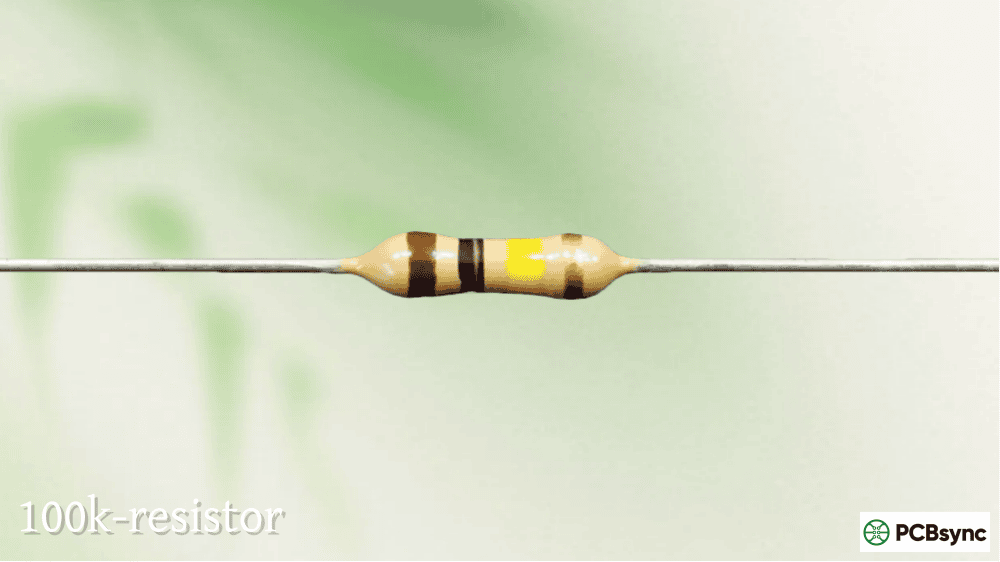
For Light Touch (Sensitive): Use a 100kΩ resistor.
For Heavy Squeeze (Firm): Use a 10kΩ or 4.7kΩ resistor.
If you use a 10kΩ resistor, the output voltage equation is:
This code turns on an LED when the pressure exceeds a certain threshold. It effectively turns the FSR into a “soft button.”
C++
// FSR Simple Switch Exampleconst int fsrPin = A0; // FSR and 10k Pulldown connected to A0const int ledPin = 13; // Built-in LED
void setup() {
Serial.begin(9600);
pinMode(ledPin, OUTPUT);
}
void loop() {
int fsrReading = analogRead(fsrPin);
Serial.print(“Analog reading = “);
Serial.println(fsrReading);
// Threshold: 0 to 1023.
// 10 = Very light touch. 800 = Hard press.
if (fsrReading > 200) {
digitalWrite(ledPin, HIGH);
} else {
digitalWrite(ledPin, LOW);
}
delay(100);
}
Project 2: Mapping Pressure to Brightness (PWM)
This leverages the analog nature of the force sensing resistor. The harder you press, the brighter the LED gets.
C++
// FSR Dimmer Exampleconst int fsrPin = A0;const int ledPin = 9; // Must be a PWM pin
void setup() {
pinMode(ledPin, OUTPUT);
Serial.begin(9600);
}
void loop() {
int fsrReading = analogRead(fsrPin);
// Map the 0-1023 analog input to 0-255 PWM output
// Note: We map from 50 (to ignore noise) to 900 (max typical press)
int brightness = map(fsrReading, 50, 900, 0, 255);
// Constrain ensures we don’t send negative numbers or >255
brightness = constrain(brightness, 0, 255);
analogWrite(ledPin, brightness);
delay(50);
}
Advanced Engineering: Linearizing the Output
As mentioned, the FSR is non-linear. The voltage divider gives you a curve. If you want a linear output (where $2x$ Force = $2x$ Voltage), you need an Op-Amp (Operational Amplifier).
By using an Op-Amp in a Transimpedance (Current-to-Voltage) configuration, you can force a constant voltage across the FSR and measure the current. Since Conductance ($1/R$) is roughly linear to Force, this circuit provides a much more linear response curve. This is how high-end drawing tablets read pen pressure.
Mechanical Integration: The “Puck” Rule
This is the #1 failure point for FSRs in production devices.
FSRs are sensitive to bending. If you bend the tail or the sensor area, the layers separate, and it stops working.
The Golden Rule: The force must be applied via a “Puck” or “Actuator.”
Do not just glue an FSR to a flat surface and press it with a soft finger. The finger spreads out, and the force isn’t concentrated.
Design Tip: Place a small rubber or plastic bumper (smaller than the active area of the FSR) on top of the sensor. When the user presses the device housing, the force is channeled through this puck onto the center of the FSR. This ensures repeatable readings.
Useful Resources
For engineers looking to download CAD models or detailed performance curves, these are the standard databases:
Interlink Electronics: The creators of the standard FSR 400 series. Their “FSR Integration Guide” is the bible of this technology.
Tekscan: Manufacturer of the FlexiForce sensors, which are thinner and slightly more precise than standard carbon FSRs.
DigiKey / Mouser: Search for “Force Sensors” -> “Resistive” to see the full range of shapes (circular, strip, square).
Common Applications
1. Robotic Grippers
Robots are strong but clumsy. An FSR on the fingertip of a robotic gripper allows the robot to “feel” when it has grabbed an object. The feedback loop tells the motors to stop closing before they crush the object.
2. Electronic Musical Instruments
Digital drum pads and piano keyboards use FSR strips (Force Sensing Linear Potentiometers). They detect not just when you hit the key, but how hard (velocity), allowing for expressive playing.
3. Seat Occupancy Sensors
In your car, there is a large FSR mat inside the passenger seat. It detects if someone is sitting there to determine if the airbag should be enabled or if the “Fasten Seatbelt” alarm should chime.
4. Medical Devices
FSRs are used in occlusion detection for infusion pumps (detecting if the tube is blocked) and in “smart insoles” to analyze a patient’s walking gait / foot pressure distribution.
Frequently Asked Questions (FAQ)
1. Can I cut an FSR to change its shape?
Generally, no. The FSR is a sealed air pocket. If you cut into the active area, you break the seal, moisture gets in, and the spacer layer is ruined. However, you can often trim the “tail” (the connector part) if you are careful not to cut the conductive traces, but it is risky. Buy the correct shape (square, circle, strip) to begin with.
2. Are FSRs waterproof?
The standard ones are water-resistant but not waterproof. They are sealed laminates, so a splash is fine. However, the connector tail is open. If you need full submersion, you must pot the connection area with epoxy and ensure the edges of the laminate are perfectly sealed.
3. Why is my FSR reading fluctuating when I’m not touching it?
This is likely electrical noise or a “floating pin.” If your pull-down resistor is disconnected or too high value (e.g., 10MΩ), the Arduino pin acts like an antenna picking up interference. Ensure your ground connection is solid and use a 10kΩ pulldown resistor.
4. Can an FSR measure up to 100kg?
Most standard FSRs (like the FSR 402) saturate (max out) around 10kg (22lbs). Pressing harder won’t lower the resistance any further. For heavy loads (human weight), you need specifically designed heavy-duty sensors or load cells.
5. What is the lifespan of an FSR?
They are rated for millions of actuations (presses). However, they degrade quickly under Shear Force (rubbing across the surface). If your application involves sliding or grinding against the sensor, place a protective film (like Teflon tape) over it to prevent the layers from delaminating.
Conclusion
The force sensing resistor is a cornerstone of modern interactive electronics. It gives our rigid, cold devices a sense of feeling. While they lack the scientific precision of a load cell, their low cost, ease of use, and thin profile make them unbeatable for user interfaces and qualitative feedback.
For the PCB engineer, the secret to success lies not just in the component selection, but in the mechanical integration—using a puck to concentrate force and choosing the right pull-down resistor to tune the sensitivity. Treat the FSR not as a scale, but as a dimmer switch for pressure, and your designs will be robust and responsive.
Inquire: Call 0086-755-23203480, or reach out via the form below/your sales contact to discuss our design, manufacturing, and assembly capabilities.
Quote: Email your PCB files to Sales@pcbsync.com (Preferred for large files) or submit online. We will contact you promptly. Please ensure your email is correct.
Notes: For PCB fabrication, we require PCB design file in Gerber RS-274X format (most preferred), *.PCB/DDB (Protel, inform your program version) format or *.BRD (Eagle) format. For PCB assembly, we require PCB design file in above mentioned format, drilling file and BOM. Click to download BOM template To avoid file missing, please include all files into one folder and compress it into .zip or .rar format.