Inquire: Call 0086-755-23203480, or reach out via the form below/your sales contact to discuss our design, manufacturing, and assembly capabilities.
Quote: Email your PCB files to Sales@pcbsync.com (Preferred for large files) or submit online. We will contact you promptly. Please ensure your email is correct.
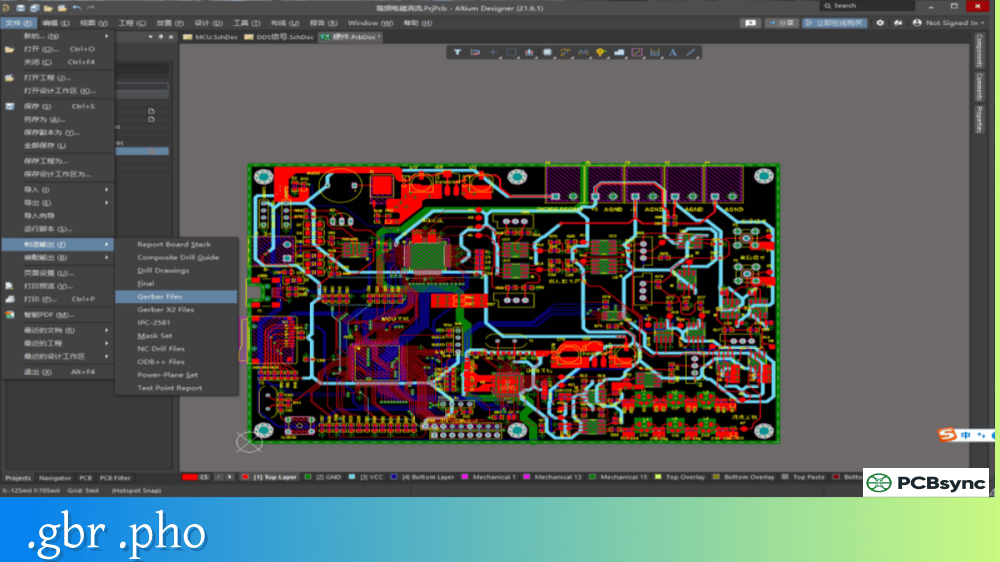
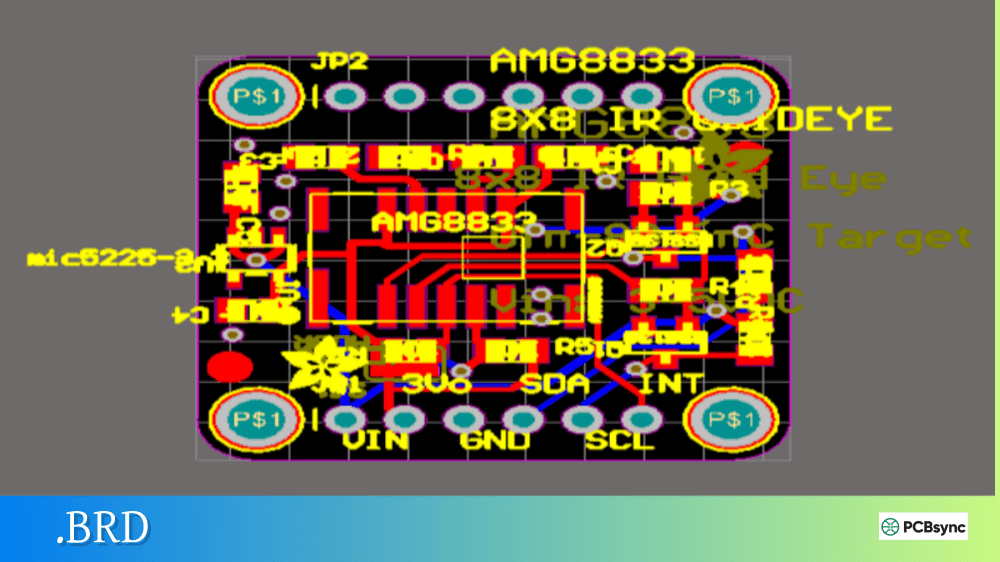
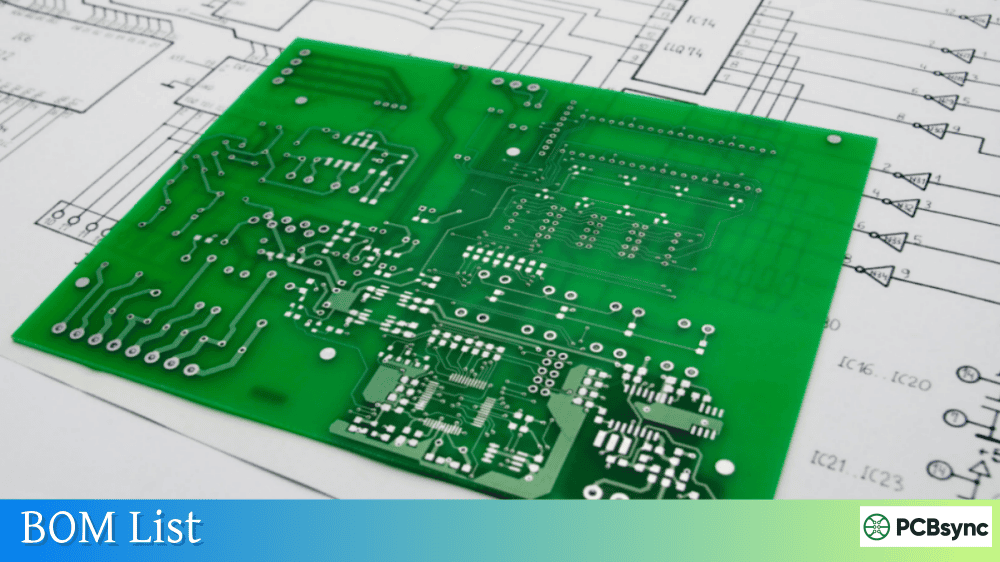
Notes: For PCB fabrication, we require PCB design file in Gerber RS-274X format (most preferred), *.PCB/DDB (Protel, inform your program version) format or *.BRD (Eagle) format. For PCB assembly, we require PCB design file in above mentioned format, drilling file and BOM. Click to download BOM template To avoid file missing, please include all files into one folder and compress it into .zip or .rar format.
What is .DSN File? Specctra Autorouter Format Explained
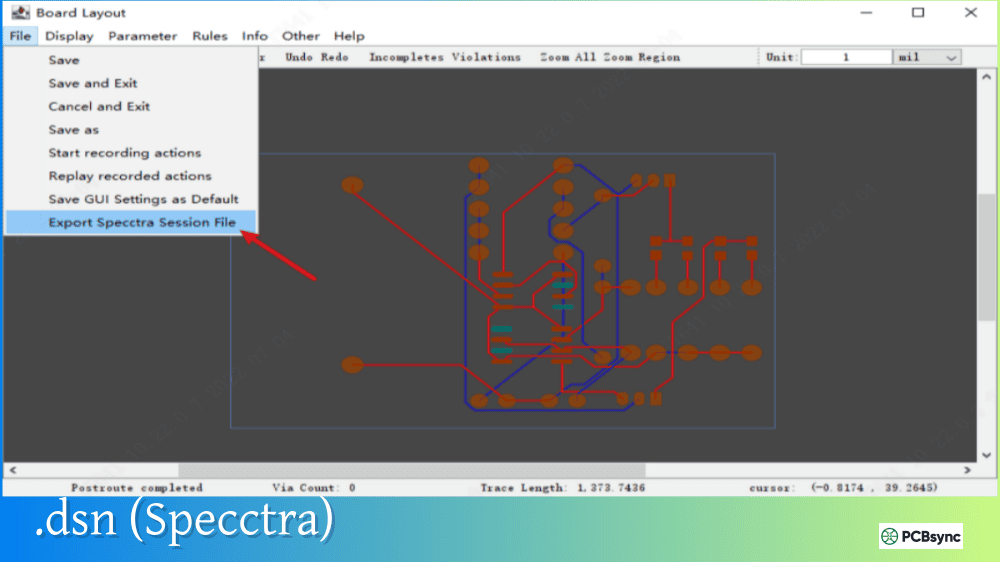
If you’ve tried to use an external autorouter with KiCad, Altium, or other PCB design software, you’ve encountered the .DSN file format. This is the Specctra Design file—an industry-standard interchange format that lets you export your board to external autorouters and import the routing results back into your EDA tool.
Understanding the .DSN (Specctra) format is essential for anyone who wants to leverage powerful autorouting tools like FreeRouting, TopoR, or ELECTRA. This guide explains what Specctra .DSN files contain, how the autorouting workflow works, and how to use this format effectively across different PCB design platforms.
A Specctra .DSN file is a text-based design interchange format originally developed by Cooper & Chyan Technology (CCT) in 1989 for their shape-based PCB autorouter. When Cadence Design Systems acquired CCT in 1997, the format became integrated into Cadence’s Allegro PCB Router (formerly called Specctra).
The .DSN (Specctra) format describes a PCB design in terms that autorouters need: board outline, component placement, pad definitions, netlist connections, and design rules. Unlike native PCB formats that contain everything about a design, Specctra .DSN files focus specifically on the information required for automated trace routing.
Specctra .DSN File Identification
Property
Description
File extension
.dsn
Format type
ASCII text (S-expression syntax)
Primary purpose
PCB autorouter input
Developed by
Cooper & Chyan Technology (1989)
Current owner
Cadence Design Systems
Companion format
.SES (Session file for routing results)
Important: .DSN File Types Are Different
The .DSN extension is used by two completely different file types in electronics design—and confusing them causes significant headaches.
.DSN File Type Comparison
Aspect
Specctra .DSN
OrCAD .DSN
Purpose
Autorouter interchange
Schematic capture
Contains
PCB layout for routing
Circuit schematic
Format
S-expression text
Binary/proprietary
Associated with
Autorouters (FreeRouting, TopoR)
OrCAD Capture
Workflow position
After placement, before routing
Beginning of design
When you receive a .DSN file, check its contents in a text editor. Specctra .DSN files are readable text starting with (pcb and containing S-expression syntax. OrCAD .DSN files are binary and unreadable—these are schematic files, not autorouter files.
History of the Specctra Format
The Specctra autorouter and its .DSN format have a significant history in PCB design automation.
Specctra Timeline
Year
Event
1989
Cooper & Chyan Technology develops Specctra autorouter
1997
Cadence Design Systems acquires CCT
2000s
DSN/SES becomes de-facto autorouter interchange standard
2005
Renamed to Allegro PCB Router within Cadence tools
Present
Format supported by KiCad, Altium, gEDA, DipTrace, and others
The .DSN (Specctra) format succeeded because it solved a real problem: how to let any PCB tool use any autorouter. Before this standardization, autorouters were tightly coupled to specific EDA software. The open nature of the text-based .DSN format enabled tool interoperability that benefits designers to this day.
Inside the Specctra .DSN File Format
Specctra .DSN files use S-expression syntax—nested parenthetical structures similar to Lisp programming language notation. This format is human-readable and relatively straightforward to parse programmatically.
The structure section defines the board’s physical characteristics: copper layers, board outline (boundary), via definitions, and default design rules like trace width and clearance.
The Specctra Autorouting Workflow
Using Specctra .DSN files follows a well-defined workflow that separates PCB design from autorouting.
Standard DSN/SES Workflow
Step
Action
File
1
Complete schematic and placement in EDA tool
Native format
2
Export design for autorouting
.DSN
3
Open in autorouter (FreeRouting, TopoR, etc.)
.DSN
4
Run autorouting algorithm
—
5
Export routing results
.SES
6
Import session back to EDA tool
.SES
7
Verify and refine routing
Native format
The key insight is that .DSN and .SES files work as a pair: the .DSN (Specctra) file describes what needs to be routed, and the .SES (Session) file contains the routing solution.
Related Specctra File Types
Extension
Name
Purpose
.DSN
Design file
Input to autorouter
.SES
Session file
Routing results output
.RTE
Route file
Alternative routing output
.DO
Do-file
Routing strategy commands
.DID
Did-file
Command execution log
Software Supporting Specctra .DSN Format
The .DSN (Specctra) format has become an industry standard supported by most major PCB design tools and several autorouters.
EDA Tools with DSN Export/Import
Software
Export DSN
Import SES
Notes
KiCad
Yes
Yes
File → Export → Specctra DSN
Altium Designer
Yes
Yes
Via Specctra interface
OrCAD PCB Editor
Yes
Yes
Native Cadence support
gEDA PCB
Yes
Yes
Export/Import menu
DipTrace
Yes
Yes
File menu options
TARGET 3001!
Yes
Yes
Full Specctra support
Proteus
Limited
Limited
Via third-party tools
Autorouters Using DSN/SES Format
Autorouter
Developer
Cost
Notes
FreeRouting
Open source
Free
Java-based, excellent results
Allegro PCB Router
Cadence
Commercial
Original Specctra
ELECTRA
Konekt
Commercial
Shape-based router
TopoR
Eremex
Commercial
Topological router
DeepPCB
Research
Experimental
AI/RL-based routing
Exporting .DSN Files from KiCad
KiCad is the most common free tool for working with Specctra .DSN files. Here’s the detailed process.
KiCad DSN Export Steps
Step
Action
1
Open your PCB in KiCad’s PCB Editor
2
Ensure all components are placed
3
Verify footprints have proper pad definitions
4
Select File → Export → Specctra DSN
5
Choose save location and filename
6
Review export messages for errors
Common Export Issues
Problem
Cause
Solution
“Multiple components have identical reference IDs”
Duplicate designators
Fix annotation in schematic
Missing pads in DSN
Footprint issues
Check footprint pad definitions
Board outline not exported
Missing Edge.Cuts
Draw board outline on Edge.Cuts layer
Design rules not transferred
Rule complexity
Simplify or manually set in router
Using FreeRouting with .DSN Files
FreeRouting is the most popular free autorouter that uses the Specctra .DSN format. It’s open-source, Java-based, and produces excellent routing results.
After autorouting, the .SES session file contains all the traces and vias. Importing this file transfers the routing back to your PCB design.
KiCad SES Import
Step
Action
1
Open original PCB in KiCad
2
File → Import → Specctra Session
3
Select the .SES file from autorouter
4
Review import results
5
Run DRC to check for issues
6
Manual cleanup if needed
Import Troubleshooting
Issue
Cause
Solution
“Board may be corrupted”
Empty or malformed SES
Re-export from autorouter
Traces don’t appear
Coordinate mismatch
Check units (mm vs mils)
Net assignment errors
Modified netlist
Use original DSN’s netlist
Via placement issues
Via definition mismatch
Verify via sizes match
.DSN File Best Practices
Working effectively with Specctra .DSN files requires attention to several details.
Pre-Export Checklist
Check
Why It Matters
All components annotated
DSN requires unique designators
Board outline complete
Defines routing boundary
Design rules defined
Transfers clearance/width rules
Pads properly defined
Required for connection points
No overlapping footprints
Causes routing failures
Power planes defined
Autorouter needs plane info
Quality Tips
Clean up placement first: Autorouters work best with well-organized component placement
Pre-route critical nets: Route high-speed or sensitive traces manually before export
Set realistic rules: Overly tight clearances cause routing failures
Use fanout: Let the autorouter fan out BGA/QFN pads before general routing
Iterate: Multiple autoroute passes with different settings often improve results
Specctra .DSN vs Other PCB Interchange Formats
The .DSN (Specctra) format isn’t the only PCB interchange option, but it remains the standard for autorouting specifically.
PCB Interchange Format Comparison
Format
Primary Use
Autorouter Support
Open Spec
Specctra DSN/SES
Autorouting
Excellent
Documented
IPC-2581
Manufacturing
None
Yes
ODB++
Manufacturing
None
Licensed
GenCAD
Testing
None
Yes
EDIF
Design exchange
Limited
Yes
Gerber
Manufacturing
None
Yes
Specctra .DSN remains dominant for autorouting because it was specifically designed for this purpose, unlike manufacturing formats that focus on fabrication data.
Useful Resources for Specctra .DSN Files
Software Downloads
Resource
URL
Description
FreeRouting
freerouting.org
Free open-source autorouter
KiCad
kicad.org
Free EDA suite with DSN support
FreeRouting GitHub
github.com/freerouting/freerouting
Source code and releases
Documentation
Resource
Description
Specctra Design Language Reference
Official Cadence specification (PDF)
KiCad Specctra Documentation
KiCad’s DSN export/import guide
FreeRouting Manual
freerouting.org/freerouting/manual
Community Resources
Resource
URL
Description
KiCad Forum
forum.kicad.info
DSN troubleshooting help
EEVblog Forum
eevblog.com/forum
PCB design discussions
FreeRouting Issues
github.com/freerouting/freerouting/issues
Bug reports and questions
Frequently Asked Questions About .DSN Files
What’s the difference between Specctra .DSN and OrCAD .DSN files?
These are completely different file types sharing the same extension. Specctra .DSN files are ASCII text using S-expression syntax—they’re autorouter interchange files containing PCB layout data for routing. OrCAD .DSN files are binary schematic capture files containing circuit schematics. Open the file in a text editor: if you see readable parenthetical syntax starting with (pcb, it’s Specctra; if it’s binary garbage, it’s OrCAD. The tools that open them are different too—Specctra .DSN opens in FreeRouting or autorouters, while OrCAD .DSN opens in OrCAD Capture.
Why does my .DSN export fail with “duplicate reference IDs”?
This error means multiple components in your design have the same reference designator (like two parts both labeled “R1”). The Specctra .DSN format requires unique identifiers for every component. Return to your schematic, run annotation to assign unique designators, update your PCB, and try the export again. In KiCad, use Tools → Annotate Schematic to fix this automatically.
Can I edit .DSN files manually in a text editor?
Yes, since Specctra .DSN files are plain ASCII text, you can edit them directly. This is occasionally useful for fixing minor issues, adjusting design rules, or understanding the format. However, be careful—incorrect syntax will cause import failures. Always keep a backup before manual editing. The S-expression format requires matched parentheses, so one missing parenthesis breaks the entire file.
Why won’t FreeRouting import my .DSN file?
Common causes include: the file is actually an OrCAD schematic .DSN (not Specctra format), the file was corrupted during export, or there are unsupported features in the design. Check that your file opens in a text editor as readable S-expression syntax. Verify your EDA tool completed the export without errors. Try exporting a simpler test design first to confirm the workflow works. Also ensure you’re using a current version of FreeRouting, as older versions may have compatibility issues.
How do I route specific nets manually while using autorouter for the rest?
Route your critical nets manually in your EDA tool before exporting to .DSN (Specctra) format. The export will include these pre-routed traces in the .DSN file’s wiring section. When the autorouter processes the file, it treats existing traces as fixed and routes only the remaining unconnected nets. This is the standard approach for mixed manual/automatic routing—sensitive signals like clocks, differential pairs, and power get manual attention while bulk routing happens automatically.
Conclusion
The Specctra .DSN format has served as the PCB autorouting interchange standard for over three decades, enabling designers to use specialized routing tools regardless of their primary EDA software. Understanding this format opens access to powerful free tools like FreeRouting that can dramatically speed up PCB layout work.
The key workflow is straightforward: export your placed (but unrouted) design to .DSN, open it in an autorouter, run the routing algorithm, export the .SES session file, and import the results back. This round-trip process preserves your component placement while adding automated trace routing.
For most users, the .DSN (Specctra) format works transparently—you export, route, and import without needing to understand the file internals. But when problems occur, knowing that it’s a text-based S-expression format makes troubleshooting much easier. A quick look in a text editor reveals whether the export succeeded, and you can often spot issues like missing board outlines or duplicate components directly in the file.
As PCB designs grow more complex and autorouting algorithms continue improving, the Specctra interchange format remains relevant. Whether you’re routing a simple two-layer board or a complex multilayer design, the .DSN/.SES workflow provides a reliable path to automated trace routing.
Inquire: Call 0086-755-23203480, or reach out via the form below/your sales contact to discuss our design, manufacturing, and assembly capabilities.
Quote: Email your PCB files to Sales@pcbsync.com (Preferred for large files) or submit online. We will contact you promptly. Please ensure your email is correct.
Notes: For PCB fabrication, we require PCB design file in Gerber RS-274X format (most preferred), *.PCB/DDB (Protel, inform your program version) format or *.BRD (Eagle) format. For PCB assembly, we require PCB design file in above mentioned format, drilling file and BOM. Click to download BOM template To avoid file missing, please include all files into one folder and compress it into .zip or .rar format.