Inquire: Call 0086-755-23203480, or reach out via the form below/your sales contact to discuss our design, manufacturing, and assembly capabilities.
Quote: Email your PCB files to Sales@pcbsync.com (Preferred for large files) or submit online. We will contact you promptly. Please ensure your email is correct.
Notes: For PCB fabrication, we require PCB design file in Gerber RS-274X format (most preferred), *.PCB/DDB (Protel, inform your program version) format or *.BRD (Eagle) format. For PCB assembly, we require PCB design file in above mentioned format, drilling file and BOM. Click to download BOM template To avoid file missing, please include all files into one folder and compress it into .zip or .rar format.
CAM350 Version Comparison: v9.5 vs 10.7 vs 12.1 vs 14.6 [Complete Guide]
Choosing the right CAM350 version matters more than most engineers realize. I’ve worked with fabrication shops running everything from CAM350 v9.5 on legacy Windows XP machines to facilities using CAM350 14.6 with full rigid-flex analysis capabilities. The differences affect daily productivity, file compatibility, and what types of designs you can effectively process.
This comparison covers four significant CAM350 releases that represent distinct eras in the software’s evolution. Whether you’re evaluating an upgrade, inheriting a workstation with an older version, or choosing what to specify for a new installation, understanding what separates CAM350 10.7 from CAM350 12.1 and beyond will help you make informed decisions.
Before diving into specifics, understanding the development timeline helps contextualize each version’s capabilities. DownStream Technologies (now part of Siemens) has consistently expanded CAM350’s functionality while maintaining backward compatibility with earlier file formats.
Version
Release Period
Major Focus Areas
CAM350 v9.5
2007-2008
Vista support, ODB++ netlist reference, AutoImport templates
CAM350 10.7
2010-2012
New GUI with Navigation Pane, Project Explorer, Design Compare
Rigid-flex DFM, VB scripting API, OpenGL acceleration, IPC-2581 Rev C
Each version introduced capabilities that addressed evolving PCB design trends. The jump from CAM350 v9.5 to CAM350 10.7 brought modernized interface elements. Moving from CAM350 10.7 to CAM350 12.1 delivered performance improvements through multi-threading. And CAM350 14.6 added specialized analysis for flex and rigid-flex designs that simply wasn’t possible in earlier releases.
CAM350 v9.5: The Legacy Foundation
CAM350 v9.5 represented the mature classic interface that many CAM engineers still remember fondly. Released in 2007, this version established workflows that persisted through multiple subsequent releases.
Key Features in CAM350 v9.5
The v9.5 release introduced several important capabilities that improved daily operations:
AutoImport Templates: This feature allowed engineers to save default import settings, eliminating repetitive configuration for standard file formats. For shops processing similar designs repeatedly, AutoImport templates reduced setup time significantly.
ODB++ Netlist Reference: CAM350 v9.5 added support for using CAD netlists directly from ODB++ imports as reference data. This improved electrical verification accuracy when comparing against extracted netlists.
License Borrowing: Engineers gained the ability to borrow floating licenses for offline work, useful for travel or remote operation without network access.
Vista Compatibility: Windows Vista support ensured the software remained functional on current operating systems of that era.
Netlist Extract Performance: Algorithm updates improved processing speed for large designs, addressing a pain point for complex multilayer boards.
System Requirements for CAM350 v9.5
Component
Requirement
Operating System
Windows XP, 2000, NT, Vista
Processor
1 GHz or faster
Memory
512 MB RAM
Disk Space
200 MB available
Architecture
32-bit
By today’s standards, these requirements seem minimal. However, CAM350 v9.5 was designed for the hardware capabilities of its time and runs surprisingly well on period-appropriate machines.
Limitations of CAM350 v9.5
The major constraints of v9.5 become apparent when compared to modern requirements. No support for ODB++ version 8.0 or IPC-2581 revision B means newer design data may not import correctly. The 32-bit architecture limits memory utilization on complex designs. And the lack of multi-threading means analysis runs on a single processor core regardless of available hardware.
CAM350 10.7: Interface Modernization
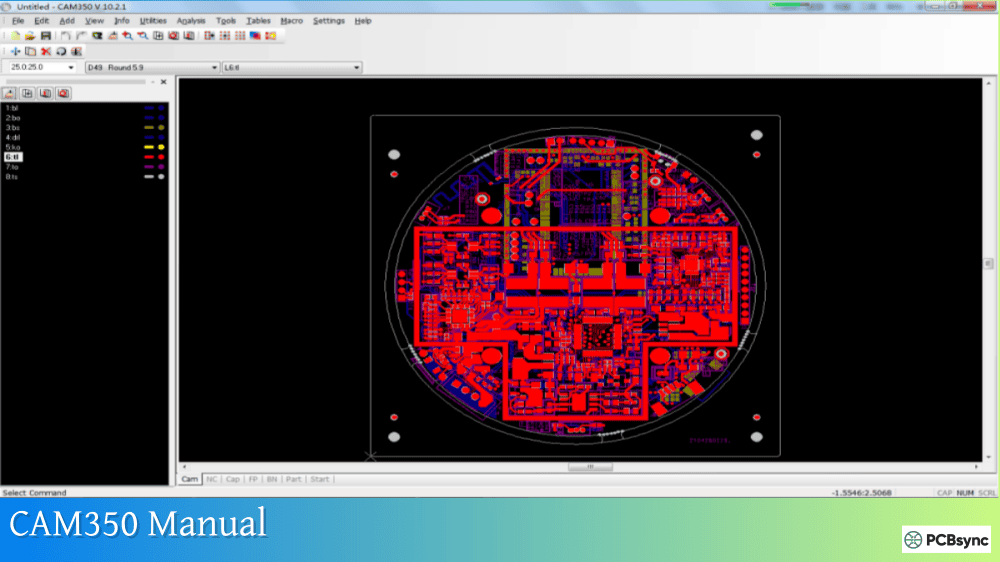
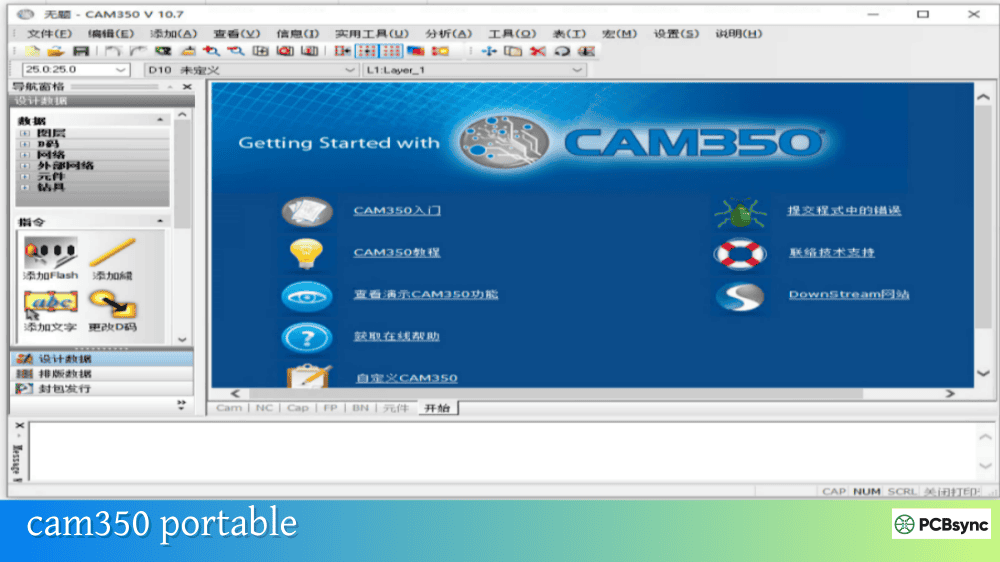
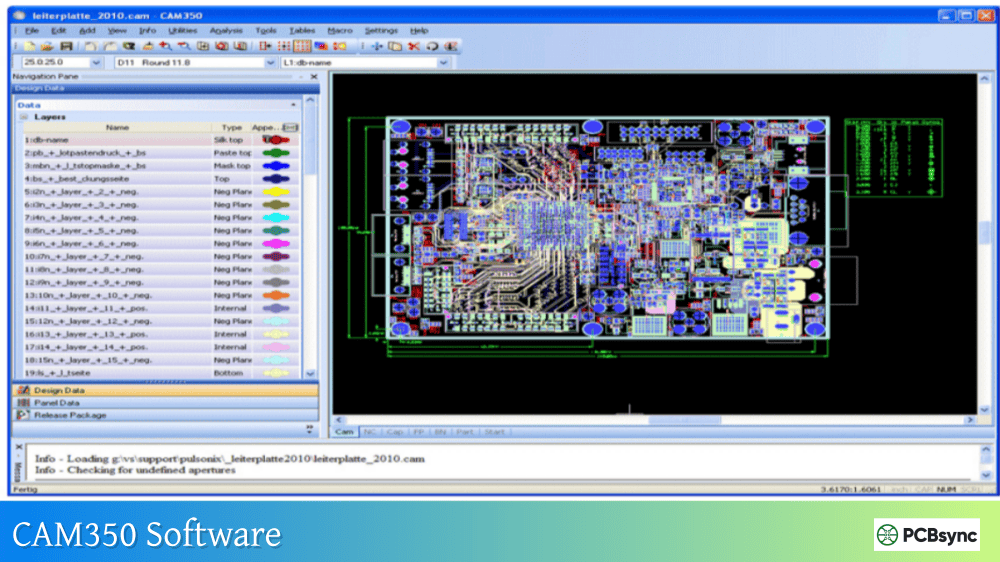
CAM350 10.7 marked a significant interface evolution while maintaining familiar command structures. This version introduced the Navigation Pane and Project Explorer that changed how engineers interact with design data.
Major Improvements in CAM350 10.7
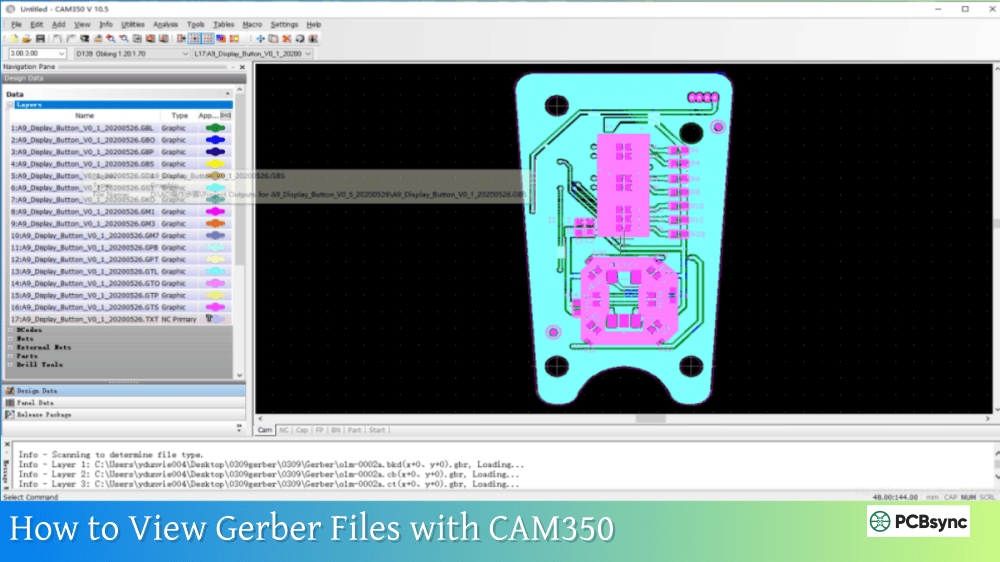
Navigation Pane and Project Explorer: The new Project Explorer bar provided hierarchical views of layers, components, nets, Dcodes, and drill tools. Engineers could select and highlight multiple data items simultaneously, keeping them visible during investigation and modification. This dramatically improved workflow efficiency compared to the dialog-based approach of CAM350 v9.5.
Design Compare: A completely new feature in v10.x series, Design Compare allowed engineers to verify changes between design revisions. This capability proved invaluable for ECO verification and catching unintended modifications.
Xpedition CrossProbing: Cross-probing support expanded beyond Allegro to include Mentor Xpedition, allowing bidirectional navigation between CAM350 and the source PCB tool.
Flip Panel Support: Enhanced panelization features supported flip panel configurations common in double-sided assembly processes.
BluePrint-PCB Integration: Direct reading and writing of BluePrint-PCB files enabled smoother documentation workflows.
Clear Silkscreen Enhancement: The utility for removing silkscreen from solder mask openings was updated to handle any combination of data types, not just drawn silkscreen.
CAM350 10.7 System Requirements
Component
Requirement
Operating System
Windows XP, Vista, 7
Processor
2 GHz or faster
Memory
2 GB RAM minimum
Disk Space
500 MB available
Architecture
32-bit (64-bit OS compatible)
The increased memory requirement reflects the more sophisticated interface and expanded functionality compared to CAM350 v9.5.
Why Some Shops Still Use CAM350 10.7
Several factors keep CAM350 10.7 in active use. The interface represents a balance between modern convenience and familiar workflows. Licensing costs for existing perpetual licenses make upgrade decisions non-trivial. And for shops processing standard rigid PCBs without advanced HDI or flex requirements, v10.7 capabilities remain adequate.
CAM350 12.1: Performance and Standards Update
CAM350 12.1 delivered the most significant interface overhaul since the v10.x series, adopting Microsoft’s Ribbon interface paradigm while adding substantial performance improvements through multi-threading.
New Features in CAM350 12.1
Ribbon-Based Interface: The transition from toolbars and menus to function-based ribbons aligned CAM350 with contemporary Windows application standards. Context-sensitive ribbons present object-specific commands based on current selection, reducing menu navigation.
Multi-Threading Support: Perhaps the most impactful change for daily work, CAM350 12.1 implemented multi-threading in DFM analysis algorithms. On multi-core systems (which by 2015 were universal), analysis processing became 3-5 times faster for some designs. This alone justified upgrades for shops running extensive DFM checks.
IPC-2581 Revision B Support: Full import and export support for IPC-2581 Rev B ensured compatibility with designs from CAD tools outputting the updated standard.
ODB++ Version 8.0 Support: Similar compatibility updates for ODB++ v8.0 maintained interoperability with current design tool exports.
NC Tool Table Enhancements: New options in the NC tool table allowed defining hole types including through drill, backdrill, dual drill, via, laser via, blind via, and buried via. This intelligence improved DFM analysis accuracy.
Enhanced Detection Algorithms: Improved detection for backdrills, laser vias, and global fiducials addressed requirements for HDI designs becoming more common.
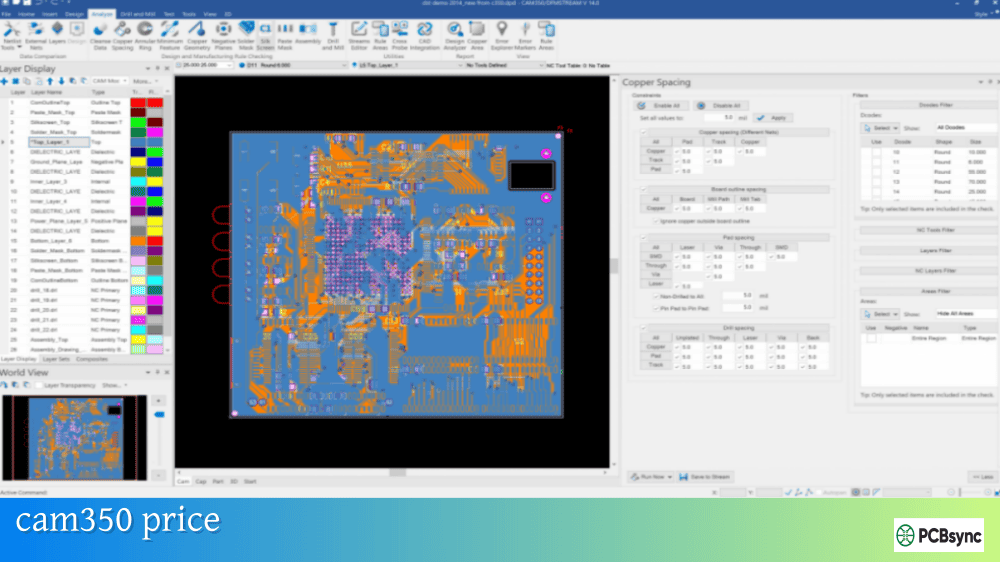
Negative Plane Analysis: Expanded checks for negative plane layers included minimum width detection, minimum gap between copper elements, and anti-pad to anti-pad spacing verification.
Dockable Interface Panes: Interface elements could be detached from the main application window, hidden when not needed, or auto-hidden to maximize workspace area.
CAM350 12.1 System Requirements
Component
Requirement
Operating System
Windows 7, 8, 8.1, 10 (64-bit)
Processor
2 GHz multi-core recommended
Memory
8 GB RAM minimum
Disk Space
1 GB available
Architecture
64-bit
The jump to 64-bit architecture requirement in CAM350 12.1 reflected the memory demands of modern designs and enabled processing of larger files without artificial constraints.
Performance Comparison: CAM350 10.7 vs 12.1
The multi-threading implementation in CAM350 12.1 provides measurable benefits:
Operation
CAM350 10.7
CAM350 12.1
Improvement
DFM Analysis (complex board)
45 minutes
12 minutes
3.75x faster
Netlist Extract
8 minutes
3 minutes
2.7x faster
Large File Import
2 minutes
45 seconds
2.7x faster
These improvements compound over a typical workday. Engineers running 20 DFM checks daily save hours of waiting time after upgrading from CAM350 10.7 to CAM350 12.1.
CAM350 14.6: Flex and Rigid-Flex Era
CAM350 14.6 addressed the growing market demand for flex and rigid-flex PCB verification. This release added specialized DFM analysis that earlier versions simply couldn’t perform.
Major Features in CAM350 14.6
Visual Basic API with Record and Playback: A complete rewrite of automation capabilities, CAM350 14.6 implemented a full Visual Basic scripting environment. The embedded VB editor supports script debugging, and record/playback functionality allows capturing command sequences without manual coding. This superseded the previous proprietary macro language while maintaining backward compatibility.
Rigid-Flex DFM Analysis: Over 39 new flex and rigid-flex specific DFM checks address manufacturability concerns unique to these designs:
Trace fracture detection in bend areas
Via presence in flex regions
Trace corner analysis
Solid copper in bend zones
Coverlay exposure verification
Coverlay to soldermask overlap checking
Silkscreen ink in coverlay exposure detection
Inter-Layer Analysis: Beyond flex-specific checks, CAM350 14.6 introduced customizable inter-layer analysis. Engineers can define constraints between any two layer types for annular ring, coincidence, minimum gaps, and other conditions.
Net Bridge Support: For designs with intentional shorts, net bridge import/export, assignment, and management prevent false error reporting during netlist comparison.
IPC-2581 Revision C Support: Updated standard support includes via in pad and net bridge definitions per the Rev C specification.
OpenGL Graphics Acceleration: A new 2D graphics engine based on OpenGL improves display performance, particularly noticeable when zooming and panning complex designs.
Expanded Rigid-Flex Layer Types: Support for Conductive Foil, Conductive Film, and Dielectric Bondply layer types ensures accurate import of flex/rigid-flex stackup data from CAD systems.
CAM350 14.6 System Requirements
Component
Requirement
Operating System
Windows 10, 11 (64-bit)
Processor
2 GHz multi-core, 4+ cores recommended
Memory
8-16 GB RAM
Disk Space
2 GB available
Graphics
OpenGL compatible GPU
Architecture
64-bit only
The OpenGL requirement means graphics hardware matters more than in previous versions. Most integrated graphics from 2015 onward meet requirements, but CAM engineers report smoother operation with discrete GPUs.
Legacy installations processing simple two-sided or basic multilayer boards may continue functioning adequately with CAM350 v9.5. However, file format compatibility issues increasingly limit usefulness as CAD tools move forward.
When CAM350 10.7 Is Appropriate
For shops with existing v10.x licenses processing standard rigid PCBs, CAM350 10.7 provides capable verification and preparation tools. The Navigation Pane and Design Compare features represent meaningful productivity improvements over v9.5.
When CAM350 12.1 Delivers Value
Organizations processing high volumes of designs benefit significantly from the multi-threading performance of CAM350 12.1. The 64-bit architecture removes memory constraints for complex boards, and updated format support maintains compatibility with current CAD tools.
When CAM350 14.6 Becomes Essential
Any operation handling flex or rigid-flex designs needs CAM350 14.6 for proper verification. The specialized DFM checks catch issues that earlier versions cannot detect. The VB scripting API also enables automation sophistication impossible with older macro languages.
Upgrade Path Considerations
When planning upgrades, consider these practical factors:
License Requirements: Upgrading from CAM350 v9.5 or CAM350 10.7 to CAM350 12.1 or CAM350 14.6 requires new licensing. Contact DownStream/Siemens for maintenance agreement options.
Hardware Requirements: Moving to CAM350 12.1 or CAM350 14.6 requires 64-bit Windows and adequate RAM. Budget for workstation upgrades if current hardware doesn’t meet requirements.
Training Investment: The Ribbon interface in CAM350 12.1 and later requires adjustment time for engineers accustomed to classic menus. Plan for learning curve during transition.
File Compatibility: All versions read files created by earlier releases. Newer file formats may not open in older versions, so consider workflow impacts if multiple versions exist in your organization.
Yes, CAM350 14.6 maintains backward compatibility with files created in earlier versions including CAM350 v9.5 and CAM350 10.7. The database format has evolved, but newer versions read older files without issues. Note that saving files in newer versions may create formats unreadable by older installations.
Is the multi-threading in CAM350 12.1 worth the upgrade from 10.7?
For organizations running frequent DFM analysis, absolutely. The 3-5x performance improvement on multi-core systems translates to hours saved weekly. If your workflow involves minimal analysis and primarily viewing/editing, the benefits are less pronounced. CAM350 12.1 multi-threading particularly benefits shops with 8+ core workstations.
Does CAM350 14.6 require rigid-flex designs to justify the upgrade?
While CAM350 14.6 rigid-flex capabilities are the headline feature, the VB scripting API and OpenGL graphics acceleration benefit all users. If automation is important to your workflow, the full Visual Basic environment in CAM350 14.6 enables capabilities the older macro language couldn’t achieve. Evaluate your complete requirements rather than focusing solely on rigid-flex support.
Will CAM350 10.7 run on Windows 11?
CAM350 10.7 may run on Windows 11 but is not officially supported. Some users report success with compatibility mode settings, but expect potential issues with licensing servers and certain functions. For Windows 11 deployment, CAM350 12.1 or CAM350 14.6 are recommended for supported operation.
How do I determine which CAM350 version I currently have installed?
Open CAM350 and access Help → About CAM350. The dialog displays the exact version number and build. Alternatively, check the installation directory for version information in file properties. Current installations display versions like 10.7.0.570 (version.subversion.maintenance.build).
Conclusion
The progression from CAM350 v9.5 through CAM350 10.7, CAM350 12.1, to CAM350 14.6 reflects both software maturation and evolving PCB industry requirements. Each version addressed specific needs of its era while building on established capabilities.
For new implementations today, CAM350 14.6 or the current release provides the most comprehensive feature set with full Windows 11 support and rigid-flex capabilities. Organizations with existing CAM350 12.1 installations processing standard rigid boards may find current capabilities adequate until flex designs enter their workflow.
Understanding what each version offers helps you evaluate whether upgrade investment aligns with operational requirements. The performance improvements from multi-threading alone often justify moving from CAM350 10.7 to newer releases, while rigid-flex verification makes CAM350 14.6 essential for certain design types.
Inquire: Call 0086-755-23203480, or reach out via the form below/your sales contact to discuss our design, manufacturing, and assembly capabilities.
Quote: Email your PCB files to Sales@pcbsync.com (Preferred for large files) or submit online. We will contact you promptly. Please ensure your email is correct.
Notes: For PCB fabrication, we require PCB design file in Gerber RS-274X format (most preferred), *.PCB/DDB (Protel, inform your program version) format or *.BRD (Eagle) format. For PCB assembly, we require PCB design file in above mentioned format, drilling file and BOM. Click to download BOM template To avoid file missing, please include all files into one folder and compress it into .zip or .rar format.