Inquire: Call 0086-755-23203480, or reach out via the form below/your sales contact to discuss our design, manufacturing, and assembly capabilities.
Quote: Email your PCB files to Sales@pcbsync.com (Preferred for large files) or submit online. We will contact you promptly. Please ensure your email is correct.
Notes: For PCB fabrication, we require PCB design file in Gerber RS-274X format (most preferred), *.PCB/DDB (Protel, inform your program version) format or *.BRD (Eagle) format. For PCB assembly, we require PCB design file in above mentioned format, drilling file and BOM. Click to download BOM template To avoid file missing, please include all files into one folder and compress it into .zip or .rar format.
Blue PCB: Advantages, Cost & When to Choose Blue Boards
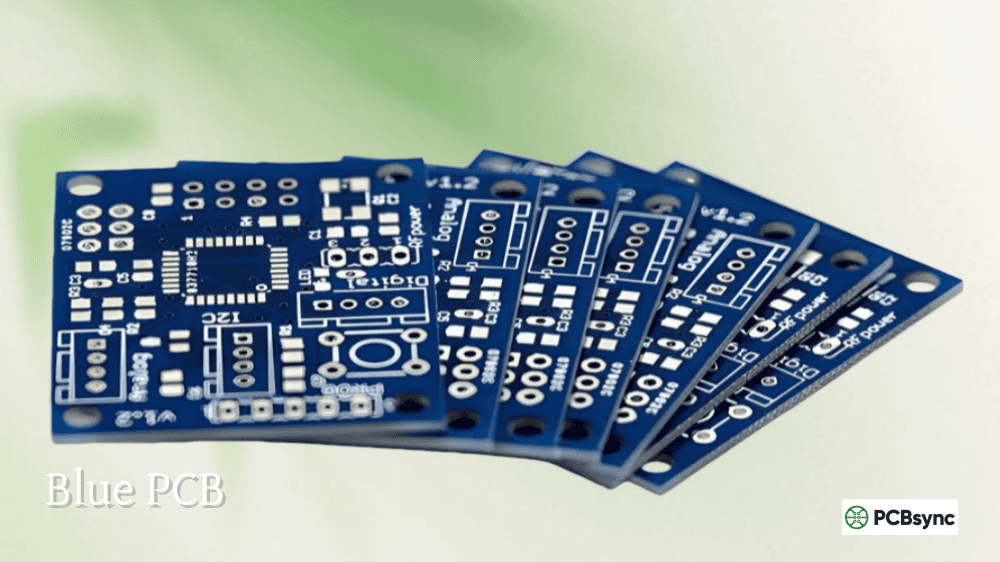
If you’ve ever worked with an Arduino, you’ve handled a blue circuit board. The blue PCB has become iconic in the maker and open-source hardware communities, but its appeal extends far beyond hobbyist projects. As the second most popular solder mask color after green, blue offers a compelling middle ground between the standard industrial look and more exotic alternatives.
A blue PCB uses blue-pigmented solder mask instead of traditional green. The underlying board structure remains identical—FR-4 substrate, copper traces, surface finish—but the blue color transforms both aesthetics and how the board functions in certain applications. Understanding when blue makes sense helps you decide whether it’s the right choice for your project.
The blue color comes entirely from the solder mask layer, which is the thin polymer coating protecting copper traces from oxidation and preventing solder bridges during assembly.
Blue PCB Structure and Composition
Component
Description
Substrate
Standard FR-4 (same as green)
Copper layers
Identical to any PCB
Solder mask
Blue-pigmented LPI epoxy
Silkscreen
Typically white (high contrast)
Surface finish
HASL, ENIG, OSP (same options)
PCB color code
#4990E2 (typical blue)
The blue pigment is added to the same liquid photo-imageable (LPI) epoxy base used for green solder masks. While blue formulations have been refined over years of production, they haven’t received quite the same level of optimization as green—which explains some of the tradeoffs.
Blue Solder Mask Specifications
Property
Typical Specification
Application method
LPI (liquid photo-imageable)
Curing
UV + thermal
Temperature rating
Up to 260°C (reflow compatible)
Solder mask dam
3.5 mil minimum (vs 3 mil for green)
Dielectric properties
Good for standard applications
RF performance
Some formulations optimized for high frequency
Why Blue PCB Became Popular
The blue PCB owes much of its popularity to one product: Arduino. When the Arduino team chose blue for their development boards in the mid-2000s, they created an instant visual association between blue circuit boards and open-source hardware.
The Arduino Effect
Factor
Impact on Blue PCB Adoption
Arduino brand recognition
Blue = maker/hobbyist boards
Visual differentiation
Stands out from industrial green
Community adoption
Thousands of shield designs in blue
Raspberry Pi accessories
Many add-on boards follow blue convention
Educational boards
Blue signals “learning” or “development”
This association means that specifying blue immediately communicates something about your product—it looks approachable, development-friendly, and modern rather than purely industrial.
Advantages of Blue PCB
The blue PCB offers genuine benefits that explain its position as the second most popular color choice.
Excellent Silkscreen Contrast
Silkscreen Color
Contrast on Blue
Readability
White
Excellent
Best choice
Yellow
Very good
Good alternative
Light colors
Good
Acceptable
One of blue’s strongest advantages is the outstanding contrast it provides with white silkscreen. Component labels, reference designators, and assembly markings pop against the blue background, making boards easier to assemble and debug. This high contrast is why Arduino boards look so clean and readable despite their complexity.
Professional Aesthetic Appeal
Application
Why Blue Works
Development boards
Matches Arduino/maker aesthetic
Consumer electronics
Modern, tech-forward appearance
Educational products
Approachable, non-intimidating
Branded hardware
Distinctive without being extreme
Prototype presentation
Professional look for demos
The blue PCB projects a modern, professional image without the aggressive styling of black or red. It’s distinctive enough to stand out but conventional enough for serious applications—a balance that appeals to both consumers and engineers.
LCD and Display Compatibility
Display Application
Blue PCB Benefit
Behind LCD screens
Non-distracting background
Display backlighting
Doesn’t compete with screen
Control panels
Clean appearance
Touchscreen assemblies
Professional look through bezels
Blue solder mask works exceptionally well for boards mounted behind LCD screens or displays. Unlike bright green or white, blue doesn’t create distracting background colors or sharp contrasting edges that could interfere with the visual experience.
Moderate Cost Premium
Color
Relative Cost
Lead Time Impact
Green
Baseline
Standard
Blue
+5-15%
+0-1 day
Red
+10-20%
+1-2 days
Black
+15-25%
+2-3 days
White
+20-30%
+2-3 days
Blue typically costs only 5-15% more than green—significantly less than black, white, or custom colors. Many fabricators stock blue solder mask as a standard option, keeping the premium modest and lead times reasonable.
Good Balance of Properties
Property
Blue PCB Rating
Comparison
Silkscreen contrast
Excellent
Better than green
Trace visibility
Moderate
Less than green, more than black
Manufacturing maturity
Good
Second most common
Cost
Low premium
Lower than most alternatives
AOI compatibility
Good
May need minor adjustments
Aesthetics
Modern
Distinctive but professional
The blue PCB occupies a middle ground across most properties—not the best at any single thing, but offering a good balance that suits many applications.
Drawbacks of Blue PCB
The advantages come with tradeoffs that matter for certain applications.
Lower Trace Visibility Than Green
Inspection Element
Blue PCB Visibility
Green PCB Visibility
Copper traces
Moderate
Excellent
Empty spaces
Moderate
Excellent
Planes
Moderate
Excellent
Solder joints
Good
Good
Manufacturing defects
Harder to spot
Easy to spot
The contrast between copper traces, empty spaces, and solder mask is lower on blue PCB than on green. While not as severe as black, this reduced visibility means magnification is often needed when inspecting for manufacturing defects.
Wider Solder Mask Dam Requirements
Color
Minimum Solder Mask Dam
Green
3 mil (0.076 mm)
Blue
3.5 mil (0.089 mm)
Red
3.5 mil (0.089 mm)
Black
4-6 mil (0.10-0.15 mm)
Blue solder mask requires slightly wider dams between pads than green. For most designs this isn’t a concern, but high-density boards with fine-pitch components may need to account for this constraint.
Flux Residue Visibility
Contamination Type
Visibility on Blue
Flux residue
Highly visible
Fingerprints
Visible
Dirt and dust
Visible
Cleaning marks
May show
Blue solder mask tends to show flux residue more prominently than green. Boards may require more thorough cleaning to achieve acceptable cosmetic appearance, especially for visible consumer applications.
AOI Calibration Requirements
AOI Factor
Blue PCB Consideration
Standard calibration
Optimized for green
Blue calibration
May need adjustment
Lighting settings
Different contrast response
False positive rate
Potentially higher initially
Automated Optical Inspection systems are typically calibrated for green PCBs. While blue works well with AOI, systems may need lighting or contrast adjustments to achieve optimal defect detection rates.
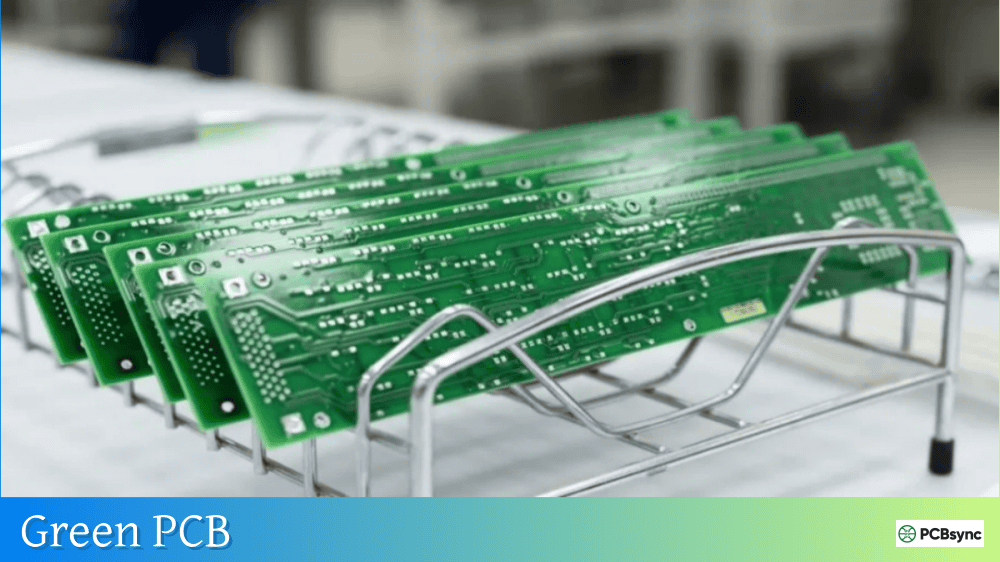
Blue PCB vs Green PCB Comparison
Factor
Blue PCB
Green PCB
Silkscreen contrast
Excellent
Good
Trace visibility
Moderate
Excellent
Cost
+5-15%
Baseline
Lead time
+0-1 day
Standard
Solder mask dam
3.5 mil
3 mil
Manufacturing maturity
Good
Best
AOI optimization
Good
Optimal
Aesthetic appeal
Modern
Industrial
Brand association
Maker/Arduino
Standard/professional
LCD compatibility
Excellent
Good
Blue PCB vs Black PCB Comparison
Factor
Blue PCB
Black PCB
Trace visibility
Moderate
Very poor
Silkscreen contrast
Excellent
Excellent
Cost premium
+5-15%
+15-25%
Heat absorption
Low
High
Inspection ease
Moderate
Difficult
Premium appearance
Modern
High-end
Manufacturing difficulty
Low
Higher
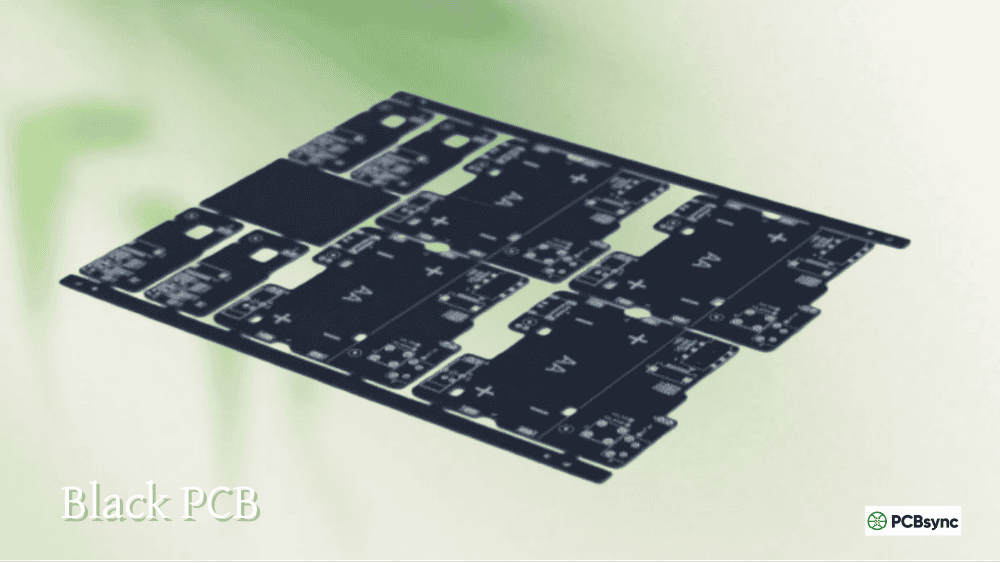
Blue offers better trace visibility and lower cost than black while still providing attractive aesthetics. Choose blue when you want a distinctive look without black’s inspection and thermal challenges.
Given its characteristics, blue PCB excels in specific applications where its advantages deliver value.
Ideal Blue PCB Applications
Application
Primary Benefit
Arduino shields and accessories
Brand consistency
Raspberry Pi HATs
Maker community expectation
Development and evaluation boards
Professional demo appearance
Educational electronics
Approachable, clear labeling
Consumer IoT devices
Modern aesthetic
LCD/display assemblies
Non-distracting background
Branded hardware products
Distinctive without extreme
Open-source hardware
Community association
Prototype demonstrations
Clean presentation
Label-heavy boards
Excellent silkscreen readability
Applications Where Blue Makes Sense
Scenario
Why Blue Works
Boards with many component labels
High silkscreen contrast
Products visible to end users
Attractive, modern look
Maker/hobbyist market products
Arduino association
Behind displays or LCDs
Non-distracting
Moderate budget premium acceptable
Lower cost than black/white
Don’t need to show trace routing
Moderate trace visibility OK
When to Choose Green Instead
Scenario
Why Green Is Better
Prototyping and debugging
Better trace visibility
High-density fine-pitch designs
Smaller solder mask dams
Cost-sensitive production
Lowest cost
Requires extensive inspection
Optimal AOI performance
Industrial/professional image
Standard appearance
Maximum manufacturing margin
Most mature process
Design Considerations for Blue PCB
If blue PCB is right for your project, these practices ensure success.
Design Guidelines
Consideration
Recommendation
Silkscreen color
White strongly recommended
Silkscreen text size
Standard sizes work well
Pad spacing
Minimum 7.5 mil (vs 7 mil for green)
Solder mask dam
3.5 mil minimum
Via treatment
Standard rules apply
Test points
Label clearly
Fabrication Notes for Blue PCB
Specification
Example Note
Solder mask color
“Blue LPI solder mask, both sides”
Finish preference
“Matte blue preferred” or “Gloss acceptable”
Silkscreen
“White epoxy silkscreen”
IPC class
Specify Class 2 or Class 3
Cleanliness
Note if cosmetic appearance is critical
Cost Optimization Tips
Strategy
Benefit
Use fabricators with blue in stock
Reduces premium
Standard blue (not custom shade)
Lower material cost
Combine with other blue orders
Panel efficiency
Avoid rush orders
Standard lead time
Tools and Resources
Industry Standards
Standard
Relevance to Blue PCB
IPC-SM-840
Solder mask qualification and performance
IPC-A-600
PCB acceptability criteria
IPC-6012
Rigid board qualification
J-STD-001
Soldering requirements
Design Resources
Resource
Description
IPC standards
shop.ipc.org
Arduino design guides
arduino.cc
Fabricator DFM guides
Manufacturer-specific rules
EDA tool libraries
Color preview options
Popular Blue PCB Fabricators
Fabricator Type
Blue Availability
Major Asian fabs
Standard option
US quick-turn services
Usually available
European fabricators
Common option
Budget prototype services
Often included at standard price
Frequently Asked Questions About Blue PCB
Why are Arduino boards blue?
Arduino chose blue for their original boards to create a distinctive visual identity separate from the green industrial standard. The blue color helped establish Arduino as something different—approachable, creative, and community-oriented rather than purely industrial. This choice proved so successful that blue became synonymous with maker and open-source hardware. Many shield manufacturers and accessory designers adopted blue to maintain visual consistency with the Arduino ecosystem.
Is blue PCB more expensive than green?
Yes, but the premium is modest—typically 5-15% more than green. Blue is the second most common solder mask color, so most fabricators stock it as a standard option. The cost difference comes from slightly lower production volumes and the need for occasional equipment changeover. For prototype quantities, the absolute dollar difference is often negligible. At high production volumes, evaluate whether the aesthetic benefits justify the ongoing premium.
Can I inspect blue PCBs as easily as green?
Not quite. Blue provides moderate trace visibility—better than black or white, but lower contrast than green or yellow. For routine assembly verification, blue works fine. For detailed debugging where you need to trace connections visually or hunt for subtle defects, the reduced contrast makes the job harder. Magnification helps. If extensive manual inspection or field troubleshooting is important, green may be a better choice.
Is blue PCB suitable for professional products?
Absolutely. While blue has strong associations with Arduino and maker projects, it’s widely used in commercial products including consumer electronics, IoT devices, automotive applications, and industrial equipment. The key is matching the aesthetic to your market. Blue projects a modern, tech-forward image that works well for consumer-facing products. For traditional industrial or medical applications where green signals “standard” and “proven,” you might prefer green instead.
Does blue solder mask affect electrical performance?
No, solder mask color has no meaningful impact on electrical performance for standard applications. The same dielectric properties, insulation resistance, and protective functions apply regardless of color. Some specialized blue formulations are optimized for RF applications with low dielectric losses, but standard blue solder mask performs identically to green for typical digital and analog circuits. Choose color based on aesthetics, inspection needs, and cost rather than electrical concerns.
Making the Right Color Choice
Blue PCB offers an attractive balance of aesthetics, cost, and functionality that makes it the natural second choice after green. The excellent silkscreen contrast, moderate price premium, and modern appearance suit development boards, consumer products, and display applications particularly well.
Choose blue when you want your board to look distinctive and professional without the higher cost and inspection challenges of black or white. The Arduino association can work for or against you depending on your market—it signals “maker-friendly” to some audiences and “hobbyist” to others.
For maximum manufacturing margin, easiest inspection, and lowest cost, green remains the best choice. But when appearance matters and you want something more interesting than industrial green, blue delivers genuine value at a reasonable premium.
Inquire: Call 0086-755-23203480, or reach out via the form below/your sales contact to discuss our design, manufacturing, and assembly capabilities.
Quote: Email your PCB files to Sales@pcbsync.com (Preferred for large files) or submit online. We will contact you promptly. Please ensure your email is correct.
Notes: For PCB fabrication, we require PCB design file in Gerber RS-274X format (most preferred), *.PCB/DDB (Protel, inform your program version) format or *.BRD (Eagle) format. For PCB assembly, we require PCB design file in above mentioned format, drilling file and BOM. Click to download BOM template To avoid file missing, please include all files into one folder and compress it into .zip or .rar format.