Inquire: Call 0086-755-23203480, or reach out via the form below/your sales contact to discuss our design, manufacturing, and assembly capabilities.
Quote: Email your PCB files to Sales@pcbsync.com (Preferred for large files) or submit online. We will contact you promptly. Please ensure your email is correct.
Notes: For PCB fabrication, we require PCB design file in Gerber RS-274X format (most preferred), *.PCB/DDB (Protel, inform your program version) format or *.BRD (Eagle) format. For PCB assembly, we require PCB design file in above mentioned format, drilling file and BOM. Click to download BOM template To avoid file missing, please include all files into one folder and compress it into .zip or .rar format.
Designing a LoRa PCB antenna presents unique challenges that don’t exist with WiFi or Bluetooth. The sub-gigahertz frequencies used by LoRa mean your antenna needs to be significantly larger—we’re talking 80-170mm trace lengths instead of the 15-20mm you’d use for 2.4 GHz. I’ve worked on LoRa projects where the antenna took up more board space than the entire microcontroller section, and getting the dimensions wrong meant losing kilometers of range.
This guide covers everything you need to design working LoRa PCB antennas for all three major frequency bands: 433 MHz, 868 MHz, and 915 MHz. Whether you’re building a Meshtastic node, a LoRaWAN sensor, or a custom LPWAN device, these principles apply. I’ll give you actual dimensions, ground plane requirements, and the layout rules that make the difference between a working antenna and an expensive paperweight.
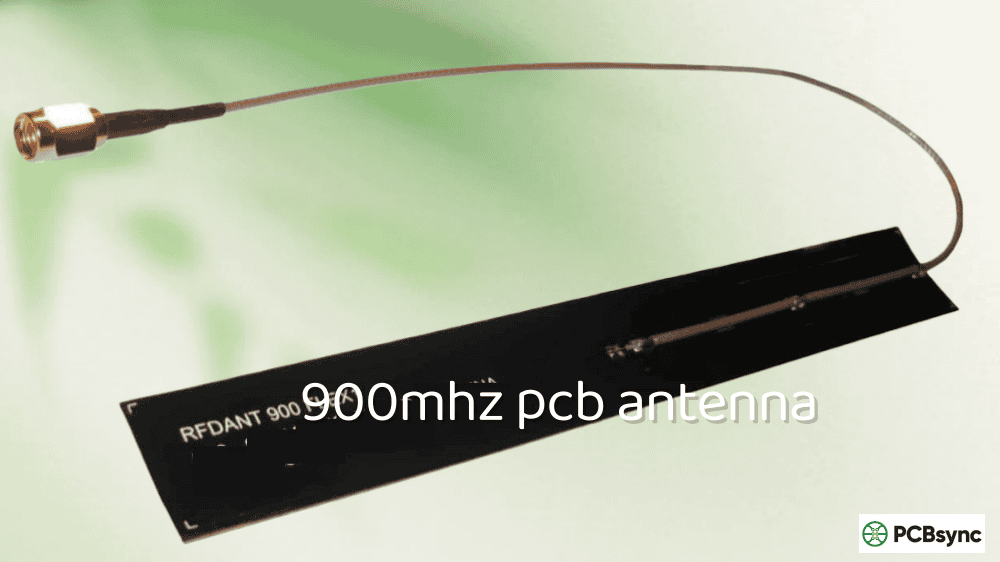
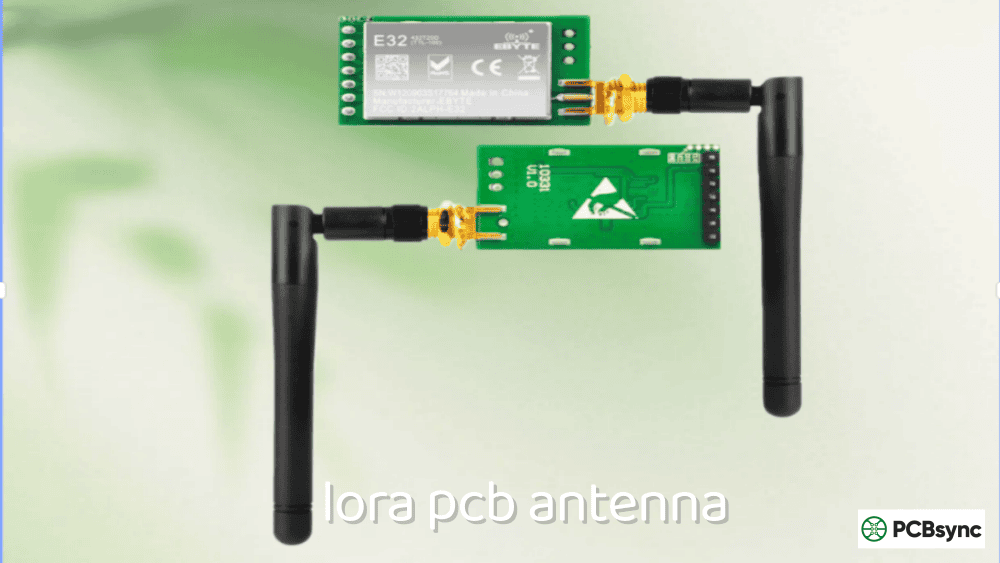
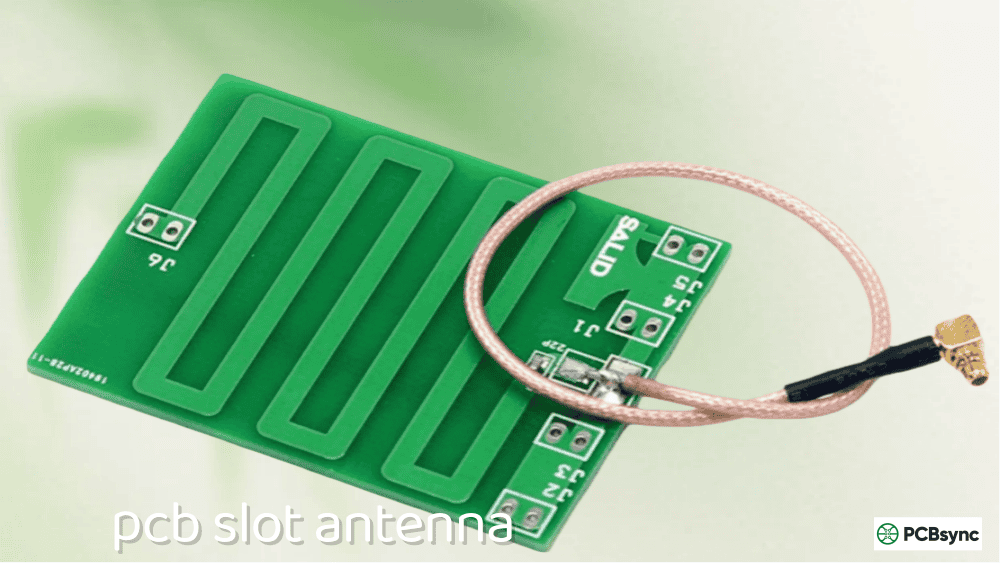
A LoRa PCB antenna is an antenna structure etched directly onto a printed circuit board, designed to operate at the sub-gigahertz frequencies used by LoRa (Long Range) wireless technology. Unlike external whip antennas or helical antennas, a PCB antenna becomes part of your board—just copper traces in a specific pattern.
LoRa technology operates in the ISM (Industrial, Scientific, and Medical) bands, which vary by region:
Region
Frequency Band
Common Name
Europe
863–870 MHz
EU868
North America
902–928 MHz
US915
Australia
915–928 MHz
AU915
Asia
920–925 MHz
AS923
China
470–510 MHz
CN470
Worldwide
433.05–434.79 MHz
433 MHz ISM
The challenge with LoRa PCB antennas is size. At 868 MHz, a quarter-wavelength antenna is about 86mm long. At 433 MHz, it’s 173mm. Compare that to a 2.4 GHz WiFi antenna at just 31mm, and you understand why LoRa antenna design requires careful board planning.
Why Use a PCB Antenna for LoRa?
Antenna Type
Cost
Size
Performance
Best For
PCB Antenna
Free (part of board)
Large
Good
High-volume IoT
Wire/Whip Antenna
Very low
Medium
Excellent
Prototyping
Helical Antenna
Low
Compact
Good
Space-constrained
Chip Antenna
$0.50–$2.00
Small
Moderate
Very tight spaces
External Antenna
$5–$30
Variable
Excellent
Maximum range
PCB antennas make sense for LoRa when you’re building high-volume products where the per-unit cost of an external antenna matters, when you want consistent performance across production runs, or when your enclosure design benefits from an integrated solution. They’re less ideal for prototyping or maximum-range applications where an external antenna with higher gain would serve better.
LoRa Frequency Bands and Regional Requirements
Before designing any LoRa antenna, you must determine which frequency band your product will use. This depends on your target market and regulatory requirements.
EU 868 MHz Band (Europe)
The European LoRa band operates from 863–870 MHz, with the primary LoRaWAN channels at 868.1, 868.3, and 868.5 MHz.
Key specifications:
Center frequency: 868 MHz
Bandwidth: 125 kHz to 500 kHz per channel
Max TX power: 14 dBm (25 mW) ERP for most sub-bands
Duty cycle: 0.1% to 10% depending on sub-band
US 915 MHz Band (North America)
The US band uses 902–928 MHz with frequency hopping across 64 uplink and 8 downlink channels.
Key specifications:
Center frequency: 915 MHz
Bandwidth: 125 kHz or 500 kHz
Max TX power: 30 dBm (1W) conducted, but typically limited to 20–22 dBm
No duty cycle restriction (frequency hopping required)
433 MHz Band (Global)
The 433 MHz band is available in many regions but with varying power limits and restrictions.
Key specifications:
Center frequency: 433.92 MHz
Bandwidth: Typically 125 kHz
Max TX power: 10 dBm (10 mW) in EU, varies elsewhere
Longer range potential due to lower frequency
Regional Frequency Selection Guide
Target Market
Primary Band
Alternative
Notes
Europe
868 MHz
433 MHz
Duty cycle restrictions apply
USA
915 MHz
None
Frequency hopping required
Australia
915 MHz
None
Similar to US915
China
470 MHz
433 MHz
CN470 band common
India
865 MHz
433 MHz
IN865 similar to EU
Japan
920 MHz
None
AS923 variant
Global product
868/915 MHz dual
—
Design for both bands
Wavelength Calculations for LoRa Frequencies
Understanding wavelength is fundamental to antenna design. The quarter-wavelength (λ/4) determines your antenna’s physical size.
Basic Wavelength Formula
λ = c / f
Where:
λ = wavelength (meters)
c = speed of light (3 × 10⁸ m/s)
f = frequency (Hz)
Calculated Wavelengths for LoRa Bands
Frequency
Full Wavelength (λ)
Quarter-Wave (λ/4)
Half-Wave (λ/2)
433 MHz
692 mm
173 mm
346 mm
868 MHz
345 mm
86 mm
173 mm
915 MHz
328 mm
82 mm
164 mm
The FR4 Substrate Effect
On a PCB with FR4 substrate (εr ≈ 4.4), the effective wavelength is shorter due to the dielectric constant. However, for LoRa frequencies, much of the antenna’s electromagnetic field extends into free space above the board, so the substrate effect is less pronounced than at 2.4 GHz.
Approximate effective lengths on FR4:
Frequency
Free Space λ/4
Effective λ/4 on PCB
Reduction
433 MHz
173 mm
150–165 mm
~5–15%
868 MHz
86 mm
75–82 mm
~5–13%
915 MHz
82 mm
70–78 mm
~5–15%
The exact reduction depends on trace geometry, substrate thickness, and ground plane configuration. Always plan for tuning during prototyping.
LoRa PCB Antenna Types
Several antenna topologies work for sub-GHz LoRa applications. Each has tradeoffs between size, performance, and complexity.
Meandered Monopole Antenna
The meandered monopole folds a quarter-wave element back and forth to fit in a smaller linear space. This is the most common PCB antenna for LoRa.
Characteristics:
Reduces linear length by 40–60%
Narrower bandwidth than straight monopole
Requires careful tuning
Good for 868/915 MHz, challenging for 433 MHz
Typical dimensions for 868 MHz:
Total trace length: 75–85 mm
Linear footprint: 35–50 mm × 8–12 mm
Meander spacing: 2–4 mm
Inverted-F Antenna (IFA) for Sub-GHz
The IFA works at sub-GHz frequencies but requires more board space than at 2.4 GHz.
Characteristics:
Inherently matched to 50Ω
Lower profile than monopole
Requires larger ground clearance
Good bandwidth
Typical dimensions for 868 MHz:
Radiating arm: 70–80 mm total length
Height above ground: 8–15 mm
Footprint: 80–100 mm × 15–20 mm
Helical PCB Antenna
A helical antenna winds the radiating element in a coil pattern, dramatically reducing size at the cost of bandwidth and efficiency.
Characteristics:
Most compact option
Narrower bandwidth
Lower efficiency than full-size designs
Often used for 433 MHz where size is critical
Wire Antenna vs PCB Antenna Comparison
Parameter
PCB Antenna
Wire Antenna
Cost at volume
Lower
Higher (assembly)
Performance
Good
Excellent
Repeatability
Excellent
Variable
Size control
Precise
Difficult
Tuning
Board revision
Cut wire
Best for
Production
Prototyping
For prototyping, I often recommend starting with a simple wire antenna (just a piece of wire cut to λ/4 length) to verify your RF chain works, then move to a PCB antenna for production.
LoRa PCB Antenna Dimensions
These dimension tables provide starting points for your designs. All values assume 1.6mm FR4 substrate with 1oz copper.
The 433 MHz band requires the largest antennas. A straight quarter-wave monopole would be 173mm—longer than most PCBs.
Meandered Monopole for 433 MHz:
Parameter
Dimension
Notes
Total trace length
155–170 mm
Quarter-wave equivalent
Linear footprint
60–80 mm × 15–20 mm
With meanders
Trace width
1.5–3.0 mm
Wider = lower loss
Meander spacing
3–5 mm
Affects coupling
Number of meanders
4–8
Depends on available space
Ground clearance
15–25 mm
Minimum
Helical Antenna for 433 MHz:
Parameter
Dimension
Notes
Footprint
25–40 mm × 8–12 mm
Much more compact
Number of turns
8–15
Depends on pitch
Trace width
0.8–1.5 mm
Balance size vs loss
Total trace length
140–165 mm
Similar to meandered
868 MHz Antenna Dimensions
The EU band is the most commonly designed LoRa PCB antenna due to the large European IoT market.
Meandered Monopole for 868 MHz:
Parameter
Dimension
Tolerance
Total trace length
75–82 mm
±2 mm
Linear footprint
35–45 mm × 8–12 mm
—
Trace width
1.5–2.5 mm
±0.1 mm
Meander spacing
2–3 mm
±0.2 mm
Number of meanders
3–5
—
Ground clearance
10–15 mm
Minimum
Keep-out zone
45 × 15 mm
No copper
IFA for 868 MHz:
Parameter
Dimension
Notes
Radiating arm length
72–78 mm
Total length
Radiating arm width
2–4 mm
Not critical
Feed arm length
8–12 mm
Tunes impedance
Shorting arm length
10–15 mm
To ground
Height above ground
10–15 mm
Critical parameter
Total footprint
80–90 mm × 15–20 mm
Including clearance
915 MHz Antenna Dimensions
The US/AU band dimensions are slightly smaller than 868 MHz due to the higher frequency.
Meandered Monopole for 915 MHz:
Parameter
Dimension
Tolerance
Total trace length
70–78 mm
±2 mm
Linear footprint
32–42 mm × 8–10 mm
—
Trace width
1.5–2.5 mm
±0.1 mm
Meander spacing
2–3 mm
±0.2 mm
Number of meanders
3–5
—
Ground clearance
8–12 mm
Minimum
Keep-out zone
42 × 12 mm
No copper
Dual-Band 868/915 MHz Antenna
For products targeting both EU and US markets, a single antenna can cover both bands with careful design.
Parameter
Dimension
Notes
Target center frequency
890 MHz
Between bands
Total trace length
73–80 mm
Compromise length
Required bandwidth
863–928 MHz
65 MHz total
Return loss target
≤ -6 dB
Accept compromise
A dual-band design requires wider bandwidth, which typically means accepting worse return loss at the band edges or using a matching network with switchable components.
Ground Plane Requirements for Sub-GHz LoRa Antennas
The ground plane is critical for LoRa antennas—even more so than at higher frequencies. Sub-GHz antennas need proportionally larger ground planes.
Minimum Ground Plane Dimensions
Frequency
Minimum Size
Recommended Size
Notes
433 MHz
80 × 100 mm
100 × 150 mm
Larger is better
868 MHz
40 × 60 mm
60 × 80 mm
Most common
915 MHz
35 × 55 mm
50 × 70 mm
Similar to 868
Ground Plane Design Rules for LoRa
Rule 1: No copper under the antenna
The entire antenna keep-out zone must be free of copper on ALL layers. For a 868 MHz meandered monopole, this means a 45mm × 15mm (minimum) region with no ground, power, or signal traces.
Rule 2: Ground plane edge position
The edge of the ground plane nearest the antenna significantly affects performance. Keep this edge straight and perpendicular to the antenna feed direction.
Rule 3: Via stitching requirements
At sub-GHz frequencies, via spacing can be more relaxed than at 2.4 GHz, but still important:
Frequency
Maximum Via Spacing
433 MHz
15–20 mm
868 MHz
8–12 mm
915 MHz
8–10 mm
Rule 4: Ground continuity
For multi-layer boards, ensure ground continuity between layers in the antenna region. Avoid routing signals through the antenna ground area on internal layers.
Consider helical or high-gain designs if board space allows
IPEX/U.FL Connector Placement
If including an external antenna option:
Parameter
Recommendation
Distance from module
As short as possible
Connector orientation
Edge-mount preferred
Ground via placement
Within 2mm of connector
Transmission line length
<20mm ideal
Testing Your LoRa PCB Antenna
Proper testing ensures your antenna performs as designed.
S11 (Return Loss) Requirements
S11 Value
Return Loss
Assessment
-6 dB
6 dB
Marginal, needs tuning
-10 dB
10 dB
Acceptable
-15 dB
15 dB
Good
-20 dB
20 dB
Excellent
Target: S11 ≤ -10 dB across your operating band.
Bandwidth Requirements by Band
Band
Frequency Range
Required Bandwidth
EU868
863–870 MHz
7 MHz minimum
US915
902–928 MHz
26 MHz minimum
AU915
915–928 MHz
13 MHz minimum
433 MHz
433–435 MHz
2 MHz minimum
Using a NanoVNA for LoRa Antenna Testing
The NanoVNA is popular for hobbyist antenna testing. For LoRa frequencies:
Calibrate at the antenna feed point using a proper cal kit
Set frequency span to cover your band plus margins (e.g., 800–1000 MHz for 868/915)
Look for resonance dip in S11 at your target frequency
Measure bandwidth where S11 remains below -10 dB
Test in final enclosure for accurate results
Range Testing
After electrical verification, perform practical range tests:
Set up two nodes with known TX power and spreading factor
Measure RSSI and SNR at various distances
Compare against link budget calculations
Test line-of-sight and obstructed scenarios
Document antenna orientation effects
Common LoRa PCB Antenna Design Mistakes
Mistake 1: Undersized Ground Plane
Problem: Ground plane too small for sub-GHz frequency. Result: Severely reduced range, unpredictable radiation pattern. Fix: Follow minimum ground plane sizes for your frequency band.
Mistake 2: Ground Copper Under Antenna
Problem: Ground pour extends into antenna area. Result: Antenna acts as transmission line, not radiator. Fix: Create explicit keep-out zone on ALL layers.
Mistake 3: Wrong Antenna Length for Region
Problem: Designed for 915 MHz but deployed in EU (868 MHz) or vice versa. Result: Antenna is detuned, significantly reduced performance. Fix: Verify target frequency before finalizing dimensions.
Mistake 4: Ignoring Enclosure Effects
Problem: Antenna tuned on bare PCB, then enclosed in plastic. Result: Frequency shifts down 10–30 MHz. Fix: Always tune with final enclosure in place.
Mistake 5: Insufficient Clearance from Components
Problem: Components placed too close to antenna. Result: Detuning, pattern distortion, reduced efficiency. Fix: Maintain 15mm minimum clearance from metal components, 10mm from other components.
Mistake 6: Using 2.4 GHz Design Rules
Problem: Applying WiFi antenna rules to LoRa design. Result: Undersized ground plane, wrong trace widths, insufficient keep-out. Fix: Use sub-GHz specific guidelines—everything is proportionally larger.
Useful Resources for LoRa PCB Antenna Design
Reference Design Documents
Document
Source
Description
AN1200.22
Semtech
LoRa Modem Design Guide
SX1276/77/78/79 Datasheet
Semtech
Reference matching networks
RAK Reference Designs
RAK Wireless
Module integration examples
CC1101 Antenna Guide
Texas Instruments
Sub-GHz antenna fundamentals
Design Tools
Saturn PCB Toolkit – Free impedance calculator
NanoVNA – Affordable antenna analyzer ($50–$150)
4NEC2 – Free antenna modeling software
openEMS – Open-source electromagnetic simulator
MMANA-GAL – Free antenna analyzer
Community Resources
Resource
URL
Description
Meshtastic Docs
meshtastic.org
Antenna resources and schematics
The Things Network Forum
thethingsnetwork.org
LoRaWAN community discussions
RAK Documentation
docs.rakwireless.com
Module integration guides
Where to Find Reference Gerbers
Semtech reference designs (in application notes)
RAK Wireless GitHub repositories
Meshtastic hardware repository
Texas Instruments sub-GHz reference designs
Frequently Asked Questions
What is the best frequency band for maximum LoRa range?
Lower frequencies generally provide better range due to improved propagation characteristics and obstacle penetration. The 433 MHz band theoretically offers the longest range, followed by 868 MHz, then 915 MHz. However, practical range depends heavily on regulatory power limits, antenna efficiency, and environmental factors. In the US, the 915 MHz band allows higher transmit power (up to 1W) than EU 868 MHz (25mW), which can offset the frequency advantage. For most applications, the regional ISM band (868 MHz in EU, 915 MHz in US) provides the best balance of range, legal compliance, and antenna size.
Can I use one PCB antenna for both 868 MHz and 915 MHz?
Yes, a single antenna can cover both bands if designed with sufficient bandwidth. Target the center frequency around 890 MHz and accept slightly degraded return loss at the band edges. You’ll need approximately 65 MHz of bandwidth (863–928 MHz), which is achievable with a well-designed IFA or widened monopole structure. Expect return loss of -6 dB to -10 dB at band edges versus -15 dB or better with a band-specific design. For critical applications requiring maximum range, separate antenna designs for each band may be worth the additional complexity.
Why is my LoRa PCB antenna shorter than the calculated quarter wavelength?
Several factors reduce the physical antenna length below the theoretical quarter-wavelength calculation. The FR4 substrate’s dielectric constant slows the electromagnetic wave slightly, reducing effective wavelength by 5–15%. Meandering the antenna trace introduces inductive loading that further shortens the required length. The ground plane and nearby structures also affect the antenna’s electrical length. Always treat calculated dimensions as starting points and plan for empirical tuning during prototyping. Cutting an antenna shorter is easy; making it longer requires a board revision.
How much does the plastic enclosure affect LoRa antenna performance?
Plastic enclosures typically shift the resonant frequency down by 10–30 MHz at sub-GHz frequencies due to the increased effective dielectric constant around the antenna. The exact shift depends on plastic type, thickness, and proximity to the antenna. ABS and polycarbonate have moderate effects; materials with higher dielectric constants cause larger shifts. Always perform final antenna tuning with the production enclosure in place. You may need to shorten the antenna by 3–8mm or adjust matching component values to compensate. Metal enclosures require external antennas or carefully designed apertures.
Should I use a PCB antenna or external antenna for my LoRa project?
Use a PCB antenna when: cost per unit is critical, you need consistent performance across production, your board has adequate space (60×80mm minimum for 868/915 MHz), and typical LoRa range (2–5km urban, 10–15km rural) is sufficient. Use an external antenna when: maximum range is the priority, you’re prototyping and need flexibility, board space is limited, the enclosure is metal, or you need higher gain. For many projects, including both options—a PCB antenna plus a U.FL connector footprint for external antenna—provides flexibility during development and deployment.
Conclusion
Designing a working LoRa PCB antenna requires respecting the unique challenges of sub-gigahertz frequencies. The antennas are larger than WiFi designs, ground planes need to be proportionally bigger, and regional frequency differences mean you can’t use a one-size-fits-all approach.
The key takeaways: know your target frequency band before starting, use the dimension tables as starting points, build in adequate ground plane, and always plan for tuning. Include matching network footprints in your design—they cost nothing but can save a board revision.
For prototyping, start with a simple wire antenna to validate your RF chain. Once you know everything else works, move to a PCB antenna for production. And if range is critical, don’t hesitate to use an external antenna—sometimes the best PCB antenna design is providing a U.FL connector to something better.
LoRa’s long-range capability depends on having an efficient antenna. Get this right, and you’ll achieve the kilometers of range that make LoRa technology so compelling for IoT applications.
Inquire: Call 0086-755-23203480, or reach out via the form below/your sales contact to discuss our design, manufacturing, and assembly capabilities.
Quote: Email your PCB files to Sales@pcbsync.com (Preferred for large files) or submit online. We will contact you promptly. Please ensure your email is correct.
Notes: For PCB fabrication, we require PCB design file in Gerber RS-274X format (most preferred), *.PCB/DDB (Protel, inform your program version) format or *.BRD (Eagle) format. For PCB assembly, we require PCB design file in above mentioned format, drilling file and BOM. Click to download BOM template To avoid file missing, please include all files into one folder and compress it into .zip or .rar format.