Inquire: Call 0086-755-23203480, or reach out via the form below/your sales contact to discuss our design, manufacturing, and assembly capabilities.
Quote: Email your PCB files to Sales@pcbsync.com (Preferred for large files) or submit online. We will contact you promptly. Please ensure your email is correct.
Notes: For PCB fabrication, we require PCB design file in Gerber RS-274X format (most preferred), *.PCB/DDB (Protel, inform your program version) format or *.BRD (Eagle) format. For PCB assembly, we require PCB design file in above mentioned format, drilling file and BOM. Click to download BOM template To avoid file missing, please include all files into one folder and compress it into .zip or .rar format.
Every electric fan in your home, from the ceiling fan in your bedroom to the exhaust fan in your bathroom, relies on a small but critical component to start and run properly: the fan capacitor. When this component fails, you’re left with a fan that hums without spinning, runs at only one speed, or refuses to start at all.
After years of working with motor control circuits, I’ve seen countless fans diagnosed with “bad motors” when the actual problem was a $5 capacitor. Understanding how fan capacitors work and how to select the right replacement can save significant money and extend the life of your fans.
This comprehensive guide covers fan capacitor selection for ceiling fans, exhaust fans, pedestal fans, HVAC blower motors, and industrial fans, with practical specifications and troubleshooting advice.
A Capacitor in a fan circuit serves a specific electrical purpose: it creates a phase shift in the alternating current that allows single-phase motors to start and run efficiently. Without this phase shift, the motor’s magnetic field cannot rotate, and the fan blades won’t turn.
Single-phase induction motors, which power most residential fans, cannot generate the rotating magnetic field needed for operation on their own. The fan capacitor creates an artificial “second phase” by delaying the current to the motor’s auxiliary (start) winding by approximately 90 degrees relative to the main (run) winding. This phase difference produces the rotating magnetic field that gets the motor spinning.
Once you understand this basic principle, fan capacitor problems become much easier to diagnose. If your fan hums but doesn’t spin, and you can get it running by giving the blades a manual push, the capacitor is almost certainly failing. The motor is receiving power but cannot generate enough starting torque without proper capacitor function.
Types of Fan Capacitors
Fan capacitors come in several configurations designed for different applications and motor types.
CBB61 Motor Run Capacitors
The CBB61 is the most common fan capacitor type found in ceiling fans, table fans, exhaust fans, and range hoods. These capacitors use metallized polypropylene film construction, which provides excellent reliability and self-healing properties. If a minor dielectric breakdown occurs, the metallized film can “heal” itself by vaporizing the thin metal layer around the fault.
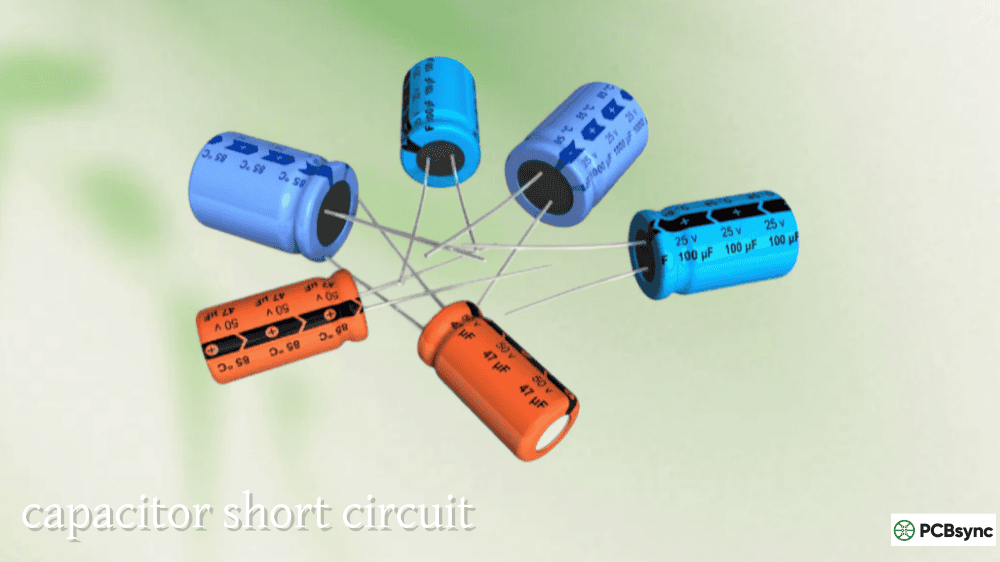
CBB61 capacitors are non-polarized, meaning they can be connected in either direction without damage. They typically come in rectangular plastic cases with flying leads (wires) or quick-connect terminals. Capacitance values range from 0.5 µF to about 20 µF, with voltage ratings of 250V to 450V AC.
The “self-healing” characteristic makes CBB61 capacitors particularly well-suited for fan applications where continuous duty operation is required. They can handle the constant charge/discharge cycles without degrading as quickly as electrolytic types.
Multi-Wire Fan Capacitors (3-in-1, 4-in-1)
Multi-speed ceiling fans require different capacitance values to achieve different speeds. Rather than using multiple separate capacitors, manufacturers often combine several capacitor sections into a single housing with multiple wires.
A 3-wire capacitor typically contains two separate capacitance values sharing a common connection. A typical configuration might be 1.5 µF + 2.5 µF with ratings like 250V AC. The speed switch connects different capacitor sections (or combinations) to the motor to achieve low, medium, and high speeds.
A 5-wire capacitor might contain three separate sections, such as 4.5 µF + 5 µF + 6 µF, allowing for more precise speed control. The wire colors vary by manufacturer, but one wire is always the common connection shared by all capacitor sections.
CBB65 Run Capacitors
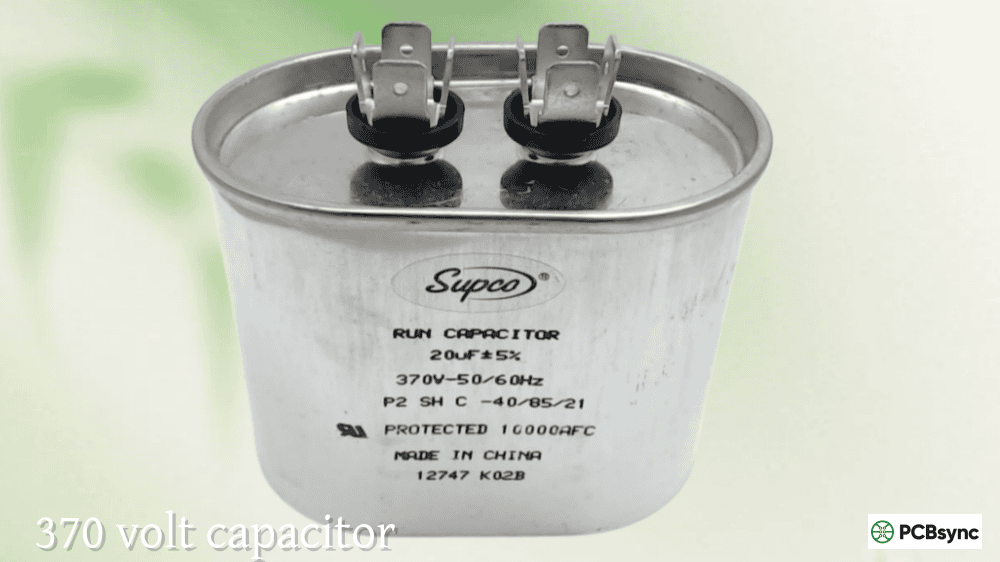
For larger fan motors, particularly in HVAC applications like condenser fan motors and blower motors, CBB65 capacitors are commonly used. These are cylindrical metal-can capacitors with higher capacitance values (typically 5-80 µF) and voltage ratings (370V or 440V AC) designed for heavy-duty continuous operation.
CBB65 capacitors are oil-filled or dry-film types designed to withstand higher temperatures and more demanding operating conditions than typical residential fan capacitors.
Dual Run Capacitors
In HVAC systems, dual run capacitors combine two separate capacitor sections in one cylindrical housing to serve both the compressor and the condenser fan motor. These have three terminals labeled C (Common), HERM (Hermetic compressor), and FAN.
The FAN terminal connects to the condenser fan motor’s start winding, while HERM connects to the compressor’s start winding. Common supplies power to both sections. The larger MFD rating (typically 25-80 µF) serves the compressor, while the smaller rating (typically 3-10 µF) serves the fan motor.
Capacitor Type
Typical Application
Capacitance Range
Voltage Rating
Wire Count
CBB61 (2-wire)
Single-speed fans
0.5-20 µF
250-450V AC
2
CBB61 (3-wire)
2-speed ceiling fans
1.5+2.5 µF typical
250-300V AC
3
CBB61 (5-wire)
3-speed ceiling fans
4+4+2.5 µF typical
250-300V AC
5
CBB65
HVAC fan motors
5-80 µF
370-440V AC
2
Dual Run
AC condenser units
25-80/3-10 µF
370-440V AC
3 terminals
Fan Capacitor Specifications Explained
Understanding capacitor specifications is essential for selecting the correct replacement.
Capacitance (MFD or µF)
Capacitance is measured in microfarads (µF or MFD, both mean the same thing). This value determines how much electrical energy the capacitor can store and release to the motor windings. For fan applications, correct capacitance is critical because it directly affects motor torque and speed.
Using a capacitor with too low a value results in weak starting torque and reduced speed. The fan may struggle to start or run slower than designed. Using a capacitor with too high a value increases current through the motor’s start winding, potentially causing overheating and shortened motor life.
The replacement capacitor’s MFD rating should match the original exactly, or be within ±5-10% of the specified value. Most manufacturers design their motors around specific capacitance values, and deviation outside this range affects performance and longevity.
Voltage Rating
The voltage rating indicates the maximum AC voltage the capacitor can safely handle continuously. Common ratings for fan capacitors include 250V, 300V, 370V, 440V, and 450V AC.
Unlike capacitance, the voltage rating can be higher than the original without problems. A 450V capacitor can safely replace a 250V capacitor in the same application. However, never use a capacitor with a lower voltage rating than specified, as this can lead to capacitor failure, overheating, or fire.
Frequency Rating
Most fan capacitors are rated for 50/60 Hz operation, which covers both North American (60 Hz) and international (50 Hz) power systems. This rating is almost always printed on the capacitor and should match your local power frequency.
Tolerance
Capacitor tolerance indicates how much the actual capacitance may vary from the marked value. Typical tolerances for fan capacitors are ±5% or ±10%. When testing a capacitor, readings within this tolerance range indicate the capacitor is functioning correctly.
Fan Capacitor Selection by Fan Type
Different fan types have different capacitor requirements based on motor size, speed control method, and operating conditions.
Ceiling Fan Capacitors
Ceiling fans typically use CBB61 capacitors with capacitance values ranging from 1.5 µF to 6 µF, depending on the motor size and design. Multi-speed ceiling fans use multi-wire capacitors to achieve different speeds.
Common ceiling fan capacitor configurations include 2.0 µF, 2.25 µF, 2.5 µF, and 3.15 µF for single-speed or regulator-controlled fans. For pull-chain multi-speed fans, 3-wire capacitors (such as 1.5+2.5 µF) or 5-wire capacitors (such as 4.5+5+6 µF or 4+4+2.5 µF) are typical.
The capacitor is usually located inside the fan’s switch housing or motor canopy. When replacing, note the wire colors and connections carefully, as there is no universal color standard among manufacturers.
Ceiling Fan Type
Typical Capacitor
MFD Values
Voltage
Basic single-speed
2-wire CBB61
1.5-3.5 µF
250-450V
With electronic regulator
2-wire CBB61
2.0-4.0 µF
250-450V
Pull-chain 2-speed
3-wire CBB61
1.5+2.5 µF
250-300V
Pull-chain 3-speed
5-wire CBB61
4.5+5+6 µF
250-300V
Large industrial
2-wire CBB61/65
4-8 µF
370-450V
Exhaust Fan Capacitors
Exhaust fans in bathrooms, kitchens, and utility areas typically use simpler 2-wire CBB61 capacitors since they operate at a single speed. Common capacitance values range from 1.0 µF to 4.0 µF depending on motor size, with 450V voltage ratings being common.
The capacitor is usually mounted inside the fan housing near the motor. Kitchen range hood fans may use slightly higher capacitance values (3-6 µF) due to larger motor requirements.
Table Fan and Pedestal Fan Capacitors
Standing fans with speed controls typically use multi-wire capacitors similar to ceiling fans, but with different MFD values matched to their smaller motors. Common configurations include 1.2 µF, 1.5 µF, 1.8 µF, and 2.0 µF values.
Oscillating fans have capacitors that only power the main fan motor; the oscillation mechanism uses a separate small motor or gear system that doesn’t require a capacitor.
HVAC Blower Motor Capacitors
Furnace blower motors and air handler fan motors use run capacitors to maintain efficient operation. These are typically oval or round CBB65-style capacitors with single MFD ratings, commonly 3, 5, 7.5, 10, or 15 µF at 370V or 440V.
The motor nameplate specifies the required capacitor value. Using the wrong capacitance can cause reduced airflow, motor overheating, and premature failure. When replacing a blower motor, it’s good practice to replace the capacitor as well, as an old weak capacitor can damage a new motor.
Condenser Fan Motor Capacitors
Air conditioning and heat pump outdoor units typically use dual run capacitors that serve both the compressor and condenser fan motor. The FAN side of the dual capacitor usually ranges from 3 µF to 10 µF.
If replacing only the fan motor portion while keeping the existing dual capacitor, verify that the new motor’s required MFD matches the capacitor’s FAN rating. Mismatched capacitance can cause the motor to run hot and fail prematurely.
Industrial and Commercial Fan Capacitors
Large industrial fans, warehouse ceiling fans, and commercial ventilation equipment use heavy-duty capacitors matched to their more powerful motors. These may be CBB65 cylindrical capacitors or larger industrial-grade units with capacitance values from 8 µF to 25 µF or higher.
Industrial applications often require capacitors with higher temperature ratings (70°C or 85°C continuous) and enhanced durability for 24/7 operation. Always check the motor nameplate for exact specifications when replacing industrial fan capacitors.
Recognizing capacitor failure symptoms helps with accurate diagnosis.
Common Failure Symptoms
The most obvious sign of a bad fan capacitor is a motor that hums but doesn’t start. The motor receives power (hence the hum) but cannot generate starting torque without the capacitor’s phase shift. You may be able to start the fan by manually spinning the blades, but this indicates the capacitor needs replacement.
Reduced fan speed, particularly at the highest setting, suggests a weak capacitor that’s losing capacitance. The motor doesn’t receive enough energy to reach full speed. Erratic or inconsistent speeds, where the fan speeds up and slows down randomly, also points to capacitor problems.
If a multi-speed ceiling fan only works on one speed regardless of switch position, the capacitor sections may be failing selectively. The speed switch connects different capacitor values, so if one section fails, speeds depending on that section won’t work correctly.
Motor overheating during normal operation can result from a weak capacitor forcing the motor to work harder. Excessive heat shortens motor life and indicates the need for capacitor testing.
Visual Inspection
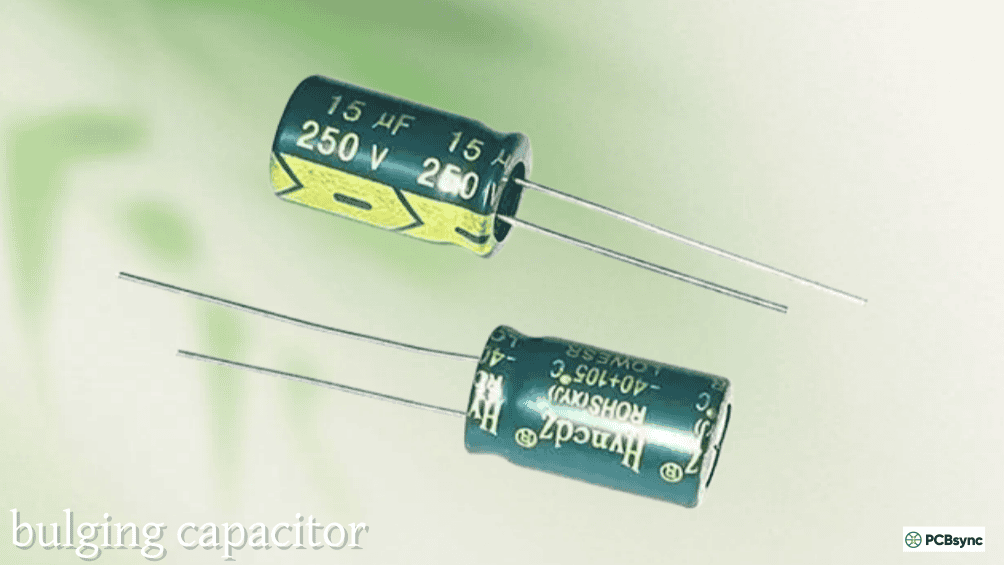
Failed capacitors often show physical signs of damage. Look for bulging or swelling of the capacitor case, which indicates internal pressure from overheating or chemical breakdown. The top of cylindrical capacitors should be flat; any doming or bulging indicates failure.
Oil leakage around terminals or seams suggests the capacitor’s internal dielectric fluid has escaped, rendering it non-functional. Burn marks, discoloration, or melted plastic around terminals indicate severe overheating.
Any visible damage means the capacitor should be replaced immediately, regardless of whether it still tests within specifications.
Testing with a Multimeter
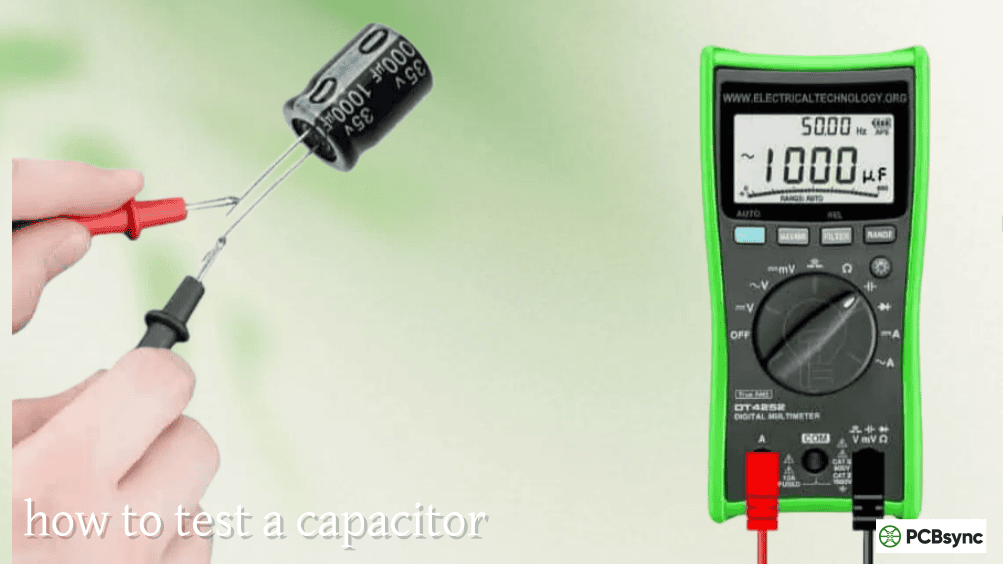
To properly test a fan capacitor, you need a multimeter with a capacitance measurement function (µF setting).
First, disconnect power to the fan completely. Remove the capacitor and discharge it by carefully shorting the terminals with an insulated screwdriver. Set your multimeter to the capacitance range appropriate for the capacitor’s rated value.
Touch the probes to the capacitor terminals and read the measurement. For multi-wire capacitors, test each section separately between the common wire and each individual wire.
A good capacitor should read within ±5-10% of its marked value. A capacitor marked 5 µF should read between approximately 4.5 and 5.5 µF. Readings significantly below the rated value, or readings of zero, indicate a failed capacitor requiring replacement.
Test Result
Interpretation
Action
Within ±5-10% of rating
Capacitor is good
Reinstall
10-20% below rating
Capacitor is weak
Replace soon
More than 20% below
Capacitor has failed
Replace immediately
Zero or very low
Complete failure
Replace immediately
Significantly higher
Unlikely; retest
Verify meter accuracy
How to Replace a Fan Capacitor
Replacing a fan capacitor is straightforward if you follow proper safety procedures.
Safety Precautions
Always turn off power at the circuit breaker before working on any fan. Verify power is off using a non-contact voltage tester. Even after power is disconnected, capacitors can retain a charge that delivers a painful shock. Discharge the capacitor before handling by shorting across its terminals with an insulated screwdriver.
Wear safety glasses when working with capacitors. Although rare, damaged capacitors can rupture when shorted.
Replacement Procedure for Ceiling Fans
Turn off power at the circuit breaker and verify it’s off. Remove the light kit or canopy cover to access the capacitor housing inside the fan. Photograph all wire connections before disconnecting anything, as wire colors vary between manufacturers and there’s no universal standard.
Disconnect the old capacitor’s wires by pulling off the quick-connect terminals or unscrewing wire nuts. Note which wire connects to which capacitor lead. Remove the old capacitor from its mounting.
Install the new capacitor in the same location. Connect wires exactly as they were on the old capacitor, matching colors and positions from your photograph. Secure all connections and replace the housing cover. Restore power and test all fan speeds.
Matching Multi-Wire Capacitors
When replacing a multi-wire ceiling fan capacitor, the total capacitance configuration matters more than exact wire colors. A capacitor marked “4+4+2.5 µF” contains three sections with those values. If your original was “4.5+5+5 µF,” you need a replacement with the same or very similar values.
Different speed settings use different capacitor sections or combinations. The speed switch configuration determines which MFD values correspond to which speeds. Generally, higher capacitance produces higher speed, but the exact relationship depends on the switch wiring.
If you cannot find an exact match, contact the fan manufacturer for specifications or consider replacing both the capacitor and speed switch with a matching set.
Replacing HVAC Fan Capacitors
For furnace blower and condenser fan motor capacitors, the process is similar but involves accessing the equipment’s service panel. Turn off power at the circuit breaker and the equipment’s disconnect switch if present.
Locate the capacitor inside the blower compartment (for furnaces) or the electrical compartment of the outdoor unit (for AC condensers). Photograph wire connections, discharge the capacitor, and replace with a unit matching the original MFD and voltage specifications.
For dual run capacitors in AC units, ensure the FAN side rating matches if you’re only replacing the capacitor. If the motor was also replaced, match the capacitor to the new motor’s specifications.
Fan Capacitor Wiring Configurations
Understanding wiring helps with troubleshooting and replacement.
2-Wire Capacitor Wiring
Two-wire capacitors are the simplest configuration, used in single-speed fans and fans with electronic speed regulators. One wire connects to the motor’s start winding, and the other connects to the run winding or common power supply. Polarity doesn’t matter; the wires can be connected in either direction.
3-Wire Capacitor Wiring
Three-wire capacitors contain two capacitor sections sharing a common connection. Typically, one wire is the common (often red), and the other two wires connect to different capacitor values used for different speeds.
The speed switch selects which capacitor section(s) are connected to the motor. For example, low speed might use only the smaller capacitor section, medium uses only the larger section, and high speed might bypass the capacitor entirely or use both sections in parallel.
5-Wire Capacitor Wiring
Five-wire capacitors contain three separate sections with a shared common. The most common configuration is one common wire plus four separate wires for different capacitance values.
The 3-speed switch connects different combinations of these capacitor sections to achieve low, medium, and high speeds. Because there’s no standardization, always photograph the original wiring before disconnecting, or consult the fan manufacturer’s wiring diagram.
Wire Configuration
Sections
Typical Use
Speed Control
2-wire
1
Single speed, regulator control
External regulator
3-wire
2
2-speed fans
Pull-chain switch
4-wire
2 or 3
2-3 speed fans
Pull-chain switch
5-wire
3
3-speed fans
Pull-chain switch
Troubleshooting Fan Capacitor Problems
When fan problems occur, systematic troubleshooting identifies the root cause.
Fan Hums But Won’t Start
This classic symptom almost always indicates capacitor failure. The motor receives power (hence the hum) but cannot generate starting torque without the capacitor’s phase shift. If you can start the fan by spinning the blades manually and it continues running, the capacitor is definitely the problem.
Test the capacitor with a multimeter. If it reads significantly below its rated value or shows zero capacitance, replace it. If the capacitor tests good, the motor’s starting winding may be damaged.
Fan Runs Slowly on All Speeds
If all speeds seem equally slow, the run capacitor may be weak (reduced capacitance). Test the capacitor and replace if it reads below specifications. Also check that the motor isn’t mechanically bound by dust buildup or bearing problems.
Only One Speed Works
In multi-speed fans with multi-wire capacitors, if only one speed works correctly, a specific capacitor section may have failed. Test each section of the capacitor separately. One section can fail while others remain functional.
Also check the speed switch itself, as worn contacts can prevent certain positions from making proper connection.
New Capacitor Doesn’t Fix Problem
If replacing the capacitor doesn’t restore proper operation, the problem may be elsewhere. Check the motor windings for opens or shorts using a multimeter’s resistance function. Test the speed switch for proper operation. Inspect all wire connections for corrosion or damage.
In some cases, a motor can be damaged by running with a failed capacitor for extended periods. Repeated failed start attempts cause excessive heating that can damage the windings permanently.
Frequently Asked Questions About Fan Capacitors
Can I use a higher voltage capacitor than specified?
Yes, using a higher voltage rating is perfectly acceptable and often recommended for longer life. A 450V capacitor can safely replace a 250V capacitor in the same application. The voltage rating indicates the maximum the capacitor can handle; operating at lower voltage simply provides additional safety margin. However, never use a capacitor with a lower voltage rating than specified.
Can I use a different MFD value than the original?
This is not recommended. The capacitance value is precisely matched to the motor’s design characteristics. Using a lower MFD results in weak starting torque and reduced speed. Using a higher MFD increases current through the start winding, causing overheating that can damage the motor. Stay within ±5-10% of the specified value for reliable operation.
Why does my ceiling fan only work on one speed after replacing the capacitor?
This usually indicates either incorrect wiring or a mismatched capacitor. For multi-speed fans, verify that all wire connections match the original exactly. If you used a capacitor with different MFD values than the original (even if physically similar), the speed characteristics will change. Also check that the speed switch is functioning correctly, as it may have failed simultaneously with the capacitor.
How long do fan capacitors last?
Quality fan capacitors typically last 8-15 years under normal operating conditions. Factors that shorten lifespan include high ambient temperatures, voltage spikes, frequent starting cycles, and poor ventilation around the capacitor. Capacitors in hot environments (near range hoods, in attics) fail faster than those in climate-controlled spaces.
Can I test a capacitor without removing it from the fan?
While you can sometimes get approximate readings with the capacitor still wired, accurate testing requires removing the capacitor and discharging it first. Other components in the circuit can affect multimeter readings. For reliable diagnosis, always disconnect and discharge the capacitor before testing.
Useful Resources for Fan Capacitors
Technical Information:
InspectAPedia (inspectapedia.com) — Comprehensive motor capacitor guides
HVAC Training Shop (hvactrainingshop.com) — HVAC capacitor selection information
Electrical Technology (electricaltechnology.org) — Fan capacitor wiring diagrams
Circuits Gallery (circuitsgallery.com) — Speed control wiring guides
Capacitor Suppliers:
ATO.com — Wide selection of CBB61 fan capacitors
Amazon — Various fan capacitor options with reviews
Repair Clinic (repairclinic.com) — OEM replacement parts
Grainger — Industrial and commercial fan capacitors
Local electrical supply houses
Fan Manufacturer Resources:
Hunter Fan Company Support
Hampton Bay (Home Depot) Parts
Harbor Breeze (Lowe’s) Parts
Emerson Ceiling Fans
Orpat Group (orpatgroup.com) — Ceiling fan capacitor guides
Final Thoughts on Fan Capacitor Selection
Selecting the right fan capacitor comes down to matching specifications correctly. The MFD value must match the original within tight tolerances, while the voltage rating can be equal to or higher than specified. For multi-wire capacitors, all sections must have appropriate values for proper multi-speed operation.
When in doubt, photograph the original capacitor’s label and wire connections before removal. This documentation proves invaluable when shopping for replacements or if wiring questions arise during installation.
A failed fan capacitor is one of the easiest and most cost-effective repairs in home maintenance. Understanding these components helps you diagnose problems accurately, select correct replacements, and keep your fans running efficiently for years to come. The few dollars spent on a replacement capacitor is far better than replacing an entire fan or, worse, running a motor until it burns out completely from operating with a failed capacitor.
Inquire: Call 0086-755-23203480, or reach out via the form below/your sales contact to discuss our design, manufacturing, and assembly capabilities.
Quote: Email your PCB files to Sales@pcbsync.com (Preferred for large files) or submit online. We will contact you promptly. Please ensure your email is correct.
Notes: For PCB fabrication, we require PCB design file in Gerber RS-274X format (most preferred), *.PCB/DDB (Protel, inform your program version) format or *.BRD (Eagle) format. For PCB assembly, we require PCB design file in above mentioned format, drilling file and BOM. Click to download BOM template To avoid file missing, please include all files into one folder and compress it into .zip or .rar format.