Inquire: Call 0086-755-23203480, or reach out via the form below/your sales contact to discuss our design, manufacturing, and assembly capabilities.
Quote: Email your PCB files to Sales@pcbsync.com (Preferred for large files) or submit online. We will contact you promptly. Please ensure your email is correct.
Notes: For PCB fabrication, we require PCB design file in Gerber RS-274X format (most preferred), *.PCB/DDB (Protel, inform your program version) format or *.BRD (Eagle) format. For PCB assembly, we require PCB design file in above mentioned format, drilling file and BOM. Click to download BOM template To avoid file missing, please include all files into one folder and compress it into .zip or .rar format.
Thermistor Arduino: The Engineer’s Guide to NTC Temperature Sensing
In the world of embedded systems, there are a dozen ways to measure temperature—from digital $I^2C$ sensors like the DS18B20 to high-precision thermocouples. However, if you are looking for the best balance between cost, ruggedness, and simplicity, the thermistor arduino setup is the industry standard.
As a PCB engineer, I’ve integrated thermistors into everything from battery management systems (BMS) to 3D printer hotends. They are essentially resistors that change their resistance significantly with temperature. While they are “simple” components, getting an accurate, stable reading on an Arduino requires a solid understanding of voltage dividers, the Steinhart-Hart equation, and analog noise mitigation.
In this guide, we will move beyond the basic “it works” tutorials and look at how to implement an arduino ntc thermistor circuit with professional-grade accuracy.
A thermistor is a “thermal resistor.” There are two main flavors you will encounter:
NTC (Negative Temperature Coefficient): The most common type for temperature measurement. As temperature increases, resistance decreases. Most thermistor arduino tutorials assume you are using a 10k NTC.
PTC (Positive Temperature Coefficient): Resistance increases as temperature increases. These are typically used as self-resetting fuses (polyswitches) rather than sensors.
Why the 10k NTC is King
The “10k” label refers to the thermistor’s resistance at a standard room temperature of 25°C. We use 10k because it provides a wide dynamic range for the Arduino’s 10-bit ADC without drawing excessive current, which could lead to “self-heating”—a phenomenon where the sensor heats itself up, ruining your data.
The Voltage Divider: Converting Resistance to Voltage
The Arduino cannot measure resistance directly; it measures voltage via its Analog-to-Digital Converter (ADC). To bridge this gap, we must place the arduino ntc thermistor in a voltage divider circuit.
The Circuit Logic
By placing a fixed resistor (usually 10k) in series with the thermistor, we create a voltage that changes as the thermistor’s resistance shifts.
Fixed Resistor (R1): Connected to 5V.
NTC Thermistor (Rt): Connected to Ground.
The Tap: The point between them goes to Arduino Pin A0.
As the temperature rises, $R_t$ drops. According to the voltage divider formula, the voltage at A0 will also drop.
Connect one leg of the thermistor to the GND pin of the Arduino.
Connect the other leg of the thermistor to Analog Pin A0.
Connect a 10k Ohm fixed resistor from Analog Pin A0 to the 5V pin.
Pro Tip: If your sensor is more than 10cm away from the board, twist your wires to reduce EMI interference.
The Math: From Raw Data to Degrees Celsius
This is where many beginners get stuck. The Arduino gives you a value between 0 and 1023. This is not a temperature. To get Celsius, we need two steps of math.
1. Calculate the Thermistor Resistance
First, we use the raw ADC value to find the current resistance of the thermistor ($R_{th}$):
Thermistors are non-linear. To get an accurate temperature, we use the Steinhart-Hart equation. For most hobbyist projects, a simplified version called the B-parameter equation is sufficient:
This code doesn’t just read the sensor; it takes multiple samples and averages them to eliminate “jitter” from the analog signal—a must for any real PCB-level project.
C++
// Thermistor Arduino Tutorial – Professional Average Filter#include <math.h>
const int thermistorPin = A0;const int nominalResistance = 10000;const int nominalTemperature = 25;const int betaCoefficient = 3950; // Check your datasheet!const int seriesResistor = 10000;const int samplesCount = 10;
If your thermistor arduino project is reading 2-3 degrees off, it’s usually due to one of these three engineering oversights:
1. Use a 1% Precision Resistor
The fixed resistor in your divider is the “reference.” If you use a standard 5% tolerance resistor, your temperature calculation will inherit that 5% error. Always use metal film 1% resistors for sensing.
2. Measure your VCC
The Arduino assumes your 5V rail is exactly 5.000V. If you are powering via USB, it might actually be 4.7V. This shifts the ADC math. For high precision, measure your 5V pin with a multimeter and update the math in your code.
3. Handle Self-Heating
If you leave the thermistor powered constantly, the small current passing through it creates heat ($P = I^2R$). For battery-operated or high-precision devices, consider connecting the top of the voltage divider to a Digital Pin instead of 5V. Turn the pin HIGH only when you need to take a reading, then turn it LOW to let the sensor cool.
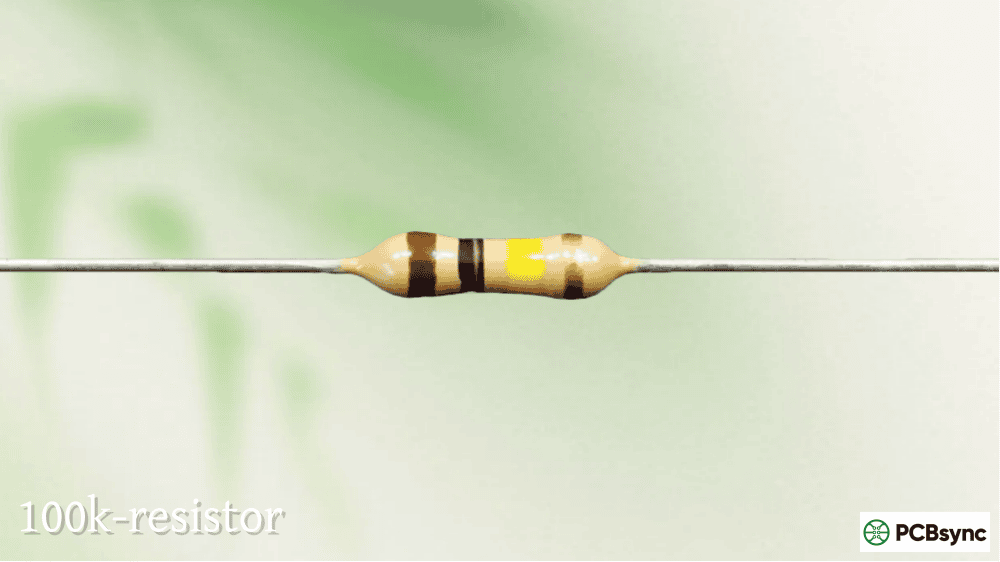
Almost every 3D printer on the market uses a 100k NTC thermistor. They are chosen because they can withstand the 250°C temperatures of the nozzle while remaining extremely cheap.
Battery Protection (BMS)
Lithium batteries are dangerous if charged while too hot or too cold. A thermistor arduino setup is often used to monitor the cell temperature and “cut off” the charger if limits are exceeded.
HVAC and Weather Stations
Because thermistors can be potted in waterproof stainless steel probes, they are ideal for measuring water temperature in tanks or outdoor ambient air.
Useful Resources for Engineers
Steinhart-Hart Calculator: Use online tools to find your A, B, and C coefficients if you have a mystery thermistor.
Vishay NTC Datasheet Database: Excellent for looking up Beta values for professional-grade sensors.
TDK/Epcos Thermistor Tools: Advanced simulation software for NTC characteristics.
Arduino AnalogReference Documentation: Learn how to use the INTERNAL 1.1V reference for even higher precision.
Frequently Asked Questions (FAQs)
1. Why is my thermistor reading “jumping” around?
This is usually electrical noise. Analog pins are sensitive to EMI. Try adding a 0.1μF capacitor between A0 and GND to act as a low-pass filter.
2. Can I use a 100k thermistor with the same code?
Yes, but you should also change your fixed resistor to 100k. The voltage divider works best when the two resistors are roughly equal in the middle of your target temperature range.
3. What is the “Beta” (B) value?
The Beta value defines the shape of the resistance-temperature curve. Most hobbyist 10k NTCs use 3950. If your readings are way off at high temperatures, your Beta value in the code is likely wrong.
4. How long can the wires be for a thermistor?
Because the resistance is relatively high (10k), you can run wires up to 5-10 meters. However, at long distances, the resistance of the wire itself and picked-up noise will start to affect accuracy.
5. Is a thermistor better than a DHT11/DHT22?
A thermistor is much more rugged and can measure higher temperatures. However, a DHT sensor is digital and also measures humidity. Use a thermistor for liquids or high-heat environments.
Summary: Integrating the Arduino NTC Thermistor
The thermistor arduino combination remains a powerhouse for temperature sensing because of its simplicity and reliability. By utilizing a 10k NTC with a precision fixed resistor and applying the B-parameter equation, you can achieve results that rival expensive digital sensors.
When designing your next project, remember to average your samples and keep an eye on your Beta coefficients. A well-calibrated arduino ntc thermistor is a robust solution for everything from home automation to industrial monitoring.
Inquire: Call 0086-755-23203480, or reach out via the form below/your sales contact to discuss our design, manufacturing, and assembly capabilities.
Quote: Email your PCB files to Sales@pcbsync.com (Preferred for large files) or submit online. We will contact you promptly. Please ensure your email is correct.
Notes: For PCB fabrication, we require PCB design file in Gerber RS-274X format (most preferred), *.PCB/DDB (Protel, inform your program version) format or *.BRD (Eagle) format. For PCB assembly, we require PCB design file in above mentioned format, drilling file and BOM. Click to download BOM template To avoid file missing, please include all files into one folder and compress it into .zip or .rar format.