Inquire: Call 0086-755-23203480, or reach out via the form below/your sales contact to discuss our design, manufacturing, and assembly capabilities.
Quote: Email your PCB files to Sales@pcbsync.com (Preferred for large files) or submit online. We will contact you promptly. Please ensure your email is correct.
Notes: For PCB fabrication, we require PCB design file in Gerber RS-274X format (most preferred), *.PCB/DDB (Protel, inform your program version) format or *.BRD (Eagle) format. For PCB assembly, we require PCB design file in above mentioned format, drilling file and BOM. Click to download BOM template To avoid file missing, please include all files into one folder and compress it into .zip or .rar format.
Photoresistor Arduino Tutorial: LDR Circuit Design & Professional Code Implementation
In the world of embedded systems and PCB design, we rarely need a complex CMOS image sensor just to tell if the sun is up or if a box has been opened. For these “light-presence” tasks, the photoresistor—or Light Dependent Resistor (LDR)—is the engineer’s most cost-effective tool.
From a hardware perspective, a photoresistor is a passive component whose resistance decreases as the incident light intensity increases. This tutorial isn’t just about making an LED blink; it’s about understanding the voltage divider physics, handling analog noise, and writing “production-ready” photoresistor Arduino code that won’t flicker at the slightest shadow.
The LDR arduino projects rely on the principle of photoconductivity. Most photoresistors are made from Cadmium Sulfide (CdS). When photons hit the semiconductor material, electrons are bumped into the conduction band, lowering the material’s resistance.
The Resistance-Light Curve
It is critical to understand that an LDR is non-linear. In total darkness, an LDR might have a resistance of several Mega-ohms ($M\Omega$). In bright sunlight, that resistance can drop to a few hundred Ohms ($\Omega$).
As an engineer, you must account for this logarithmic behavior. If you are designing a precision light meter, you will need to linearize this data in your software or use a look-up table (LUT) based on calibrated Lux values.
The Voltage Divider: Why You Can’t Connect an LDR Directly
The most common mistake beginners make is trying to connect a photoresistor arduino pin directly to 5V and GND. The Arduino’s Analog-to-Digital Converter (ADC) reads voltage, not resistance.
To measure a change in resistance, we must convert it into a voltage change using a fixed “pull-down” or “pull-up” resistor. This creates a standard voltage divider circuit.
Calculating the Output Voltage
The formula for the voltage ($V_{out}$) sent to the Arduino Analog pin is:
When laying out your circuit, keep the leads of the photoresistor as short as possible to minimize EMI (Electromagnetic Interference) which can cause “jitter” in your analog readings.
Power: Connect the 5V pin of the Arduino to the positive rail of the breadboard and GND to the negative rail.
The LDR: Place the photoresistor on the breadboard. Connect one leg to 5V.
The Divider: Connect the other leg of the LDR to an empty row. From this same row, connect a $10k\Omega$ resistor to GND.
The Signal: From the junction where the LDR and $10k\Omega$ resistor meet, run a wire to Arduino Analog Pin A0.
The Output: Connect an LED (with a $220\Omega$ resistor) to Digital Pin 13.
Writing Professional Photoresistor Arduino Code
Many tutorials use a simple “if/else” statement. However, in a real-world PCB application, this causes “chatter”—where the LED flickers rapidly if the light level is right at the threshold. We will implement Hysteresis to prevent this.
Basic Sensor Reading Script
This script allows you to calibrate your specific LDR by viewing the raw ADC values (0-1023) in the Serial Monitor.
C++
// LDR Arduino Calibration Scriptconst int ldrPin = A0;
void setup() {
Serial.begin(9600);
}
void loop() {
int ldrRaw = analogRead(ldrPin);
Serial.print(“Current Light Level: “);
Serial.println(ldrRaw);
delay(200);
}
Advanced Code with Hysteresis and Filtering
This code implements a simple moving average to filter noise and a dual-threshold (Hysteresis) to prevent flickering.
C++
const int ldrPin = A0;const int ledPin = 13;
// Thresholds for Hysteresisconst int darkThreshold = 300; // Turn on LED if below thisconst int lightThreshold = 450; // Turn off LED if above this
void setup() {
pinMode(ledPin, OUTPUT);
Serial.begin(9600);
}
void loop() {
// Simple Noise Filtering: Average of 5 readings
long sum = 0;
for(int i=0; i<5; i++){
sum += analogRead(ldrPin);
delay(10);
}
int ldrValue = sum / 5;
// Hysteresis Logic
if (ldrValue < darkThreshold) {
digitalWrite(ledPin, HIGH); // It’s dark, turn on light
}
else if (ldrValue > lightThreshold) {
digitalWrite(ledPin, LOW); // It’s bright, turn off light
Standard $10k\Omega$ pull-down resistors work for general indoor lighting. However, depending on your environment, you may need to swap the fixed resistor:
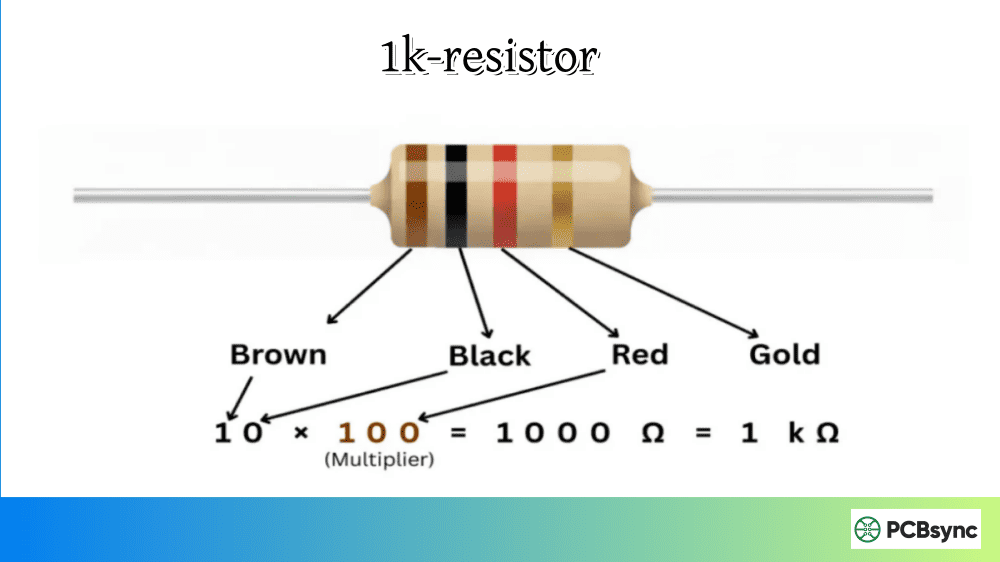
For very bright environments: Use a lower fixed resistor (e.g., $1k\Omega$ or $4.7k\Omega$) to prevent the ADC from saturating at 1023 too early.
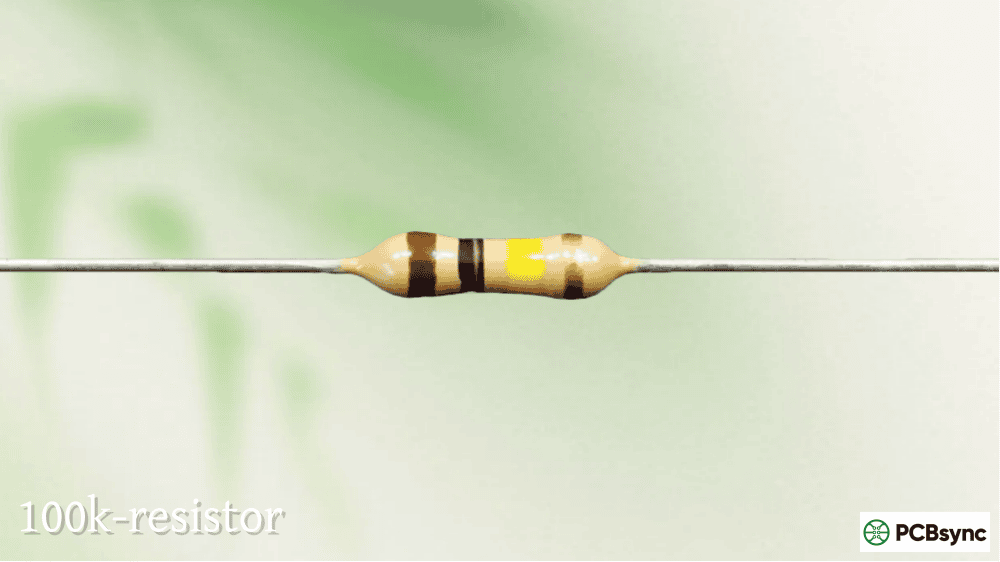
For very dark environments: Use a higher fixed resistor (e.g., $47k\Omega$ or $100k\Omega$) to increase sensitivity in low light.
Common Applications of LDRs
1. Street Light Controllers
LDRs are the heart of “Dusk-to-Dawn” sensors. By adding a time delay in the code, you can ensure that a passing car’s headlights don’t accidentally turn off the street light.
2. Solar Trackers
By placing two LDRs on either side of a divider (forming a “shadow box”), an Arduino can compare the two values. If the left LDR is darker, the Arduino moves a servo motor to the right to find the sun.
3. Laser Tripwires
Because LDRs have a fast enough response time for human-scale movement, they are often used in security systems. A laser points directly at the LDR; if the resistance suddenly spikes (meaning the beam was broken), an alarm is triggered.
Troubleshooting Your LDR Arduino Circuit
As an engineer, if your circuit isn’t working, follow this logical signal path:
Check Voltages: Use a multimeter to ensure there is 5V across the divider.
Isolate the Sensor: Measure the resistance of the LDR with your meter while covering it with your hand. It should jump significantly.
Serial Debugging: If the LED won’t turn on, look at the Serial Monitor. Are your thresholds correct for your room’s ambient light?
The “Floating Pin” Issue: If your readings are jumping randomly between 0 and 1023, your jumper wire to A0 is likely loose or disconnected.
Useful Resources for Makers
Arduino Language Reference: Documentation for analogRead().
Adafruit LDR Guide: Excellent teardown of different LDR sizes (5mm vs 12mm).
DigiKey Component Database: For sourcing CdS-free (RoHS compliant) light sensors.
SnapEDA: For finding the correct LDR symbols and footprints for PCB layout.
Frequently Asked Questions (FAQs)
1. Are LDRs polarized?
No. Like all resistors, photoresistors can be connected in either direction within your circuit.
2. Can I use a 3.3V Arduino (like the Nano Every or ESP32)?
Yes, but you must remember that the ADC range and reference voltage change. For an ESP32, the analogRead() value goes up to 4095 instead of 1023.
3. Why is my LDR reading not consistent?
LDRs are sensitive to temperature and age. For scientific-grade light measurement, you should upgrade to a photodiode or an I2C light sensor like the TSL2561.
4. What is the difference between a photoresistor and a phototransistor?
A photoresistor is a variable resistor. A phototransistor acts like a switch or amplifier that opens based on light. Phototransistors are much faster but less “linear” for simple voltage-divider use.
5. Is it safe to use LDRs in commercial products?
Standard Cadmium Sulfide (CdS) LDRs are restricted in some regions due to RoHS compliance (cadmium is a heavy metal). For commercial PCBs, look for “CdS-free” or “Ambient Light Sensor” ICs.
Summary
The photoresistor arduino combination is the most accessible way to teach a machine how to “see” its environment. By utilizing a simple voltage divider and implementing hysteresis in your code, you create a robust sensor system capable of everything from automated nightlights to complex solar tracking.
Always remember: hardware is only half the battle. Use the Serial Monitor to characterize your environment, and adjust your fixed resistor to maximize the dynamic range of your ADC.
Inquire: Call 0086-755-23203480, or reach out via the form below/your sales contact to discuss our design, manufacturing, and assembly capabilities.
Quote: Email your PCB files to Sales@pcbsync.com (Preferred for large files) or submit online. We will contact you promptly. Please ensure your email is correct.
Notes: For PCB fabrication, we require PCB design file in Gerber RS-274X format (most preferred), *.PCB/DDB (Protel, inform your program version) format or *.BRD (Eagle) format. For PCB assembly, we require PCB design file in above mentioned format, drilling file and BOM. Click to download BOM template To avoid file missing, please include all files into one folder and compress it into .zip or .rar format.