Inquire: Call 0086-755-23203480, or reach out via the form below/your sales contact to discuss our design, manufacturing, and assembly capabilities.
Quote: Email your PCB files to Sales@pcbsync.com (Preferred for large files) or submit online. We will contact you promptly. Please ensure your email is correct.
Notes: For PCB fabrication, we require PCB design file in Gerber RS-274X format (most preferred), *.PCB/DDB (Protel, inform your program version) format or *.BRD (Eagle) format. For PCB assembly, we require PCB design file in above mentioned format, drilling file and BOM. Click to download BOM template To avoid file missing, please include all files into one folder and compress it into .zip or .rar format.
If you’ve ever opened an Arduino starter kit or followed a beginner electronics tutorial, chances are you’ve encountered the 220 ohm resistor. It’s practically the default choice for LED circuits, and for good reason. After years of designing PCBs and prototyping circuits, I can tell you this humble component earns its place in every engineer’s toolkit.
In this guide, I’ll walk you through everything you need to know about the 220 ohm resistor, from reading its color bands to understanding why it’s the go-to choice for LED current limiting in microcontroller projects.
A 220 ohm resistor is a passive electronic component that provides exactly 220 ohms (Ω) of electrical resistance. Its job is simple but critical: limit current flow to protect sensitive components like LEDs from burning out.
The value 220Ω sits in a sweet spot for many common applications. When you apply Ohm’s Law (V = I × R), you’ll find that a 220 ohm resistor with 5V across it limits current to about 22.7mA. This happens to be perfect for driving standard LEDs at good brightness without exceeding their maximum ratings.
Reading the color bands on a resistor is a fundamental skill every electronics enthusiast needs. The 220 ohm resistor color code follows the international standard defined in IEC 60062, and once you understand the pattern, identification becomes second nature.
4-Band 220 Ohm Resistor Color Code
The 4-band configuration is what you’ll find in most starter kits and general-purpose applications. For a standard 220 ohm resistor with 5% tolerance, look for these bands:
Band Position
Color
Meaning
1st Band
Red
2 (first digit)
2nd Band
Red
2 (second digit)
3rd Band
Brown
×10 (multiplier)
4th Band
Gold
±5% tolerance
How to read it: Red (2) + Red (2) = 22, multiplied by Brown (×10) = 220Ω
The complete color sequence is Red-Red-Brown-Gold. That’s the signature pattern you should memorize for quick identification.
For a 220 ohm resistor with 10% tolerance, the fourth band becomes Silver instead of Gold, giving you Red-Red-Brown-Silver.
5-Band 220 Ohm Resistor Color Code
When you need tighter tolerances for precision applications, you’ll encounter 5-band resistors. These add an extra significant digit for better accuracy.
Band Position
Color
Meaning
1st Band
Red
2 (first digit)
2nd Band
Red
2 (second digit)
3rd Band
Black
0 (third digit)
4th Band
Black
×1 (multiplier)
5th Band
Brown
±1% tolerance
How to read it: Red (2) + Red (2) + Black (0) = 220, multiplied by Black (×1) = 220Ω
For precision work, the 5-band 220 ohm resistor color sequence is Red-Red-Black-Black-Brown (for 1% tolerance) or Red-Red-Black-Black-Gold (for 5% tolerance).
6-Band 220 Ohm Resistor Color Code
High-precision applications that require temperature stability use 6-band resistors. The additional band indicates the temperature coefficient.
Band Position
Color
Meaning
1st Band
Red
2 (first digit)
2nd Band
Red
2 (second digit)
3rd Band
Black
0 (third digit)
4th Band
Black
×1 (multiplier)
5th Band
Brown
±1% tolerance
6th Band
Brown
100 ppm/°C
This configuration is Red-Red-Black-Black-Brown-Brown and you’ll typically find it in instrumentation, medical devices, and aerospace applications.
SMD 220 Ohm Resistor Marking Codes
Surface mount resistors use numeric codes instead of color bands. Here’s where things get tricky, and I’ve seen plenty of engineers confused by this.
SMD Code Format
Marking
Calculation
Result
3-digit (5% tolerance)
221
22 × 10¹
220Ω
4-digit (1% tolerance)
2200
220 × 10⁰
220Ω
EIA-96 (1% tolerance)
51A
Code 51 = 220, A = ×1
220Ω
Important warning: Don’t confuse “220” with “221” on SMD resistors. The code “220” actually means 22 × 10⁰ = 22Ω, not 220Ω. For a 220 ohm SMD resistor, look for the marking “221” (3-digit) or “2200” (4-digit).
Complete Color Code Reference Chart
Color
Digit Value
Multiplier
Tolerance
Black
0
×1
—
Brown
1
×10
±1%
Red
2
×100
±2%
Orange
3
×1,000
—
Yellow
4
×10,000
—
Green
5
×100,000
±0.5%
Blue
6
×1,000,000
±0.25%
Violet
7
×10,000,000
±0.1%
Gray
8
—
±0.05%
White
9
—
—
Gold
—
×0.1
±5%
Silver
—
×0.01
±10%
Why 220 Ohm Resistors Are Perfect for LED Circuits
This is where the 220 ohm resistor really shines. If you’ve ever wondered why every Arduino tutorial uses this specific value with LEDs, here’s the engineering behind it.
The LED Current Limiting Problem
LEDs are current-driven devices with a peculiar characteristic: once you exceed their forward voltage (typically 1.8V to 3.5V depending on color), their internal resistance drops dramatically. Without a current-limiting resistor, the LED would draw excessive current and destroy itself almost instantly.
The formula for calculating the required resistance is:
R = (Vsupply – VLED) / ILED
Where:
Vsupply = Power supply voltage
VLED = LED forward voltage drop
ILED = Desired LED current (typically 10-20mA)
220 Ohm Resistor with 5V Supply (Arduino/Raspberry Pi)
Let’s calculate why 220Ω works so well with Arduino’s 5V output:
LED Color
Forward Voltage (Vf)
Current Calculation
Actual Current
Red
2.0V
(5V – 2V) / 220Ω
13.6mA
Yellow
2.1V
(5V – 2.1V) / 220Ω
13.2mA
Green
2.2V
(5V – 2.2V) / 220Ω
12.7mA
Blue
3.2V
(5V – 3.2V) / 220Ω
8.2mA
White
3.4V
(5V – 3.4V) / 220Ω
7.3mA
As you can see, a 220 ohm resistor keeps current in the safe 7-15mA range for all common LED colors. This provides good brightness while staying well under the 20-25mA maximum rating of most standard LEDs.
220 Ohm Resistor with 3.3V Supply (ESP32/Raspberry Pi Pico)
Modern microcontrollers like the ESP32 and Raspberry Pi Pico use 3.3V logic. Here’s how the 220 ohm resistor performs:
LED Color
Forward Voltage (Vf)
Current Calculation
Actual Current
Red
2.0V
(3.3V – 2V) / 220Ω
5.9mA
Yellow
2.1V
(3.3V – 2.1V) / 220Ω
5.5mA
Green
2.2V
(3.3V – 2.2V) / 220Ω
5.0mA
Blue
3.2V
(3.3V – 3.2V) / 220Ω
0.5mA
White
3.4V
Insufficient voltage
Won’t light
With 3.3V systems, the 220 ohm resistor works well for red, yellow, and green LEDs (though dimmer than 5V). For blue and white LEDs, you’ll need a lower resistance value or a higher voltage source.
Practical LED Circuit Examples with 220 Ohm Resistors
Let me walk you through some real-world applications where the 220 ohm resistor is the component of choice.
Arduino LED Blink Circuit
This is the “Hello World” of electronics. Every Arduino starter kit includes this project:
Components needed:
Arduino Uno (or any Arduino board)
1× Red LED (5mm)
1× 220 ohm resistor
Breadboard and jumper wires
Circuit connection:
Connect Arduino digital pin 13 to one leg of the 220Ω resistor
Connect the other resistor leg to the LED anode (longer leg)
Connect the LED cathode (shorter leg) to Arduino GND
Why it works: The 220 ohm resistor limits current to approximately 13.6mA with a red LED, providing bright illumination without risking damage to either the LED or the Arduino’s GPIO pin (which has a 40mA maximum output).
ESP32 LED Control Circuit
ESP32 projects use 3.3V GPIO, which changes the calculation slightly:
Circuit connection:
Connect ESP32 GPIO (e.g., GPIO22) to 220Ω resistor
Connect resistor to LED anode
Connect LED cathode to GND
With 3.3V and a red LED (2V forward voltage), the current is about 5.9mA. The LED will be slightly dimmer than with 5V, but still clearly visible. If you need brighter output, consider using a 100Ω or 150Ω resistor instead.
Raspberry Pi GPIO LED Circuit
The Raspberry Pi’s GPIO pins also operate at 3.3V with a maximum output current of 16mA per pin:
Safe configuration:
Use a 220 ohm resistor with red, yellow, or green LEDs
Current will stay well under the 16mA pin limit
For blue/white LEDs, consider a transistor driver circuit
Multiple LEDs in Series
You can drive multiple LEDs with a single resistor if they’re wired in series:
Example: Two red LEDs in series with a 9V supply
Total forward voltage: 2V + 2V = 4V
Voltage across resistor: 9V – 4V = 5V
Current: 5V / 220Ω = 22.7mA (within spec)
Just ensure the total forward voltage doesn’t exceed your supply voltage, and the resulting current stays under the LED’s maximum rating.
Choosing the correct power rating prevents overheating and potential failure. Here’s how to select the right wattage for your 220 ohm resistor.
Power Dissipation Calculation
Power dissipated by a resistor follows these formulas:
P = I² × R (when you know current)
P = V² / R (when you know voltage across resistor)
For a typical Arduino LED circuit with 3V across the 220Ω resistor: P = (3V)² / 220Ω = 0.041W = 41mW
A standard 1/4W (250mW) resistor handles this with plenty of margin.
Power Rating Selection Guide
Power Rating
Max Voltage at 220Ω
Max Current
Best Applications
1/8W (0.125W)
5.2V
24mA
Low-power signal circuits
1/4W (0.25W)
7.4V
34mA
General LED circuits, Arduino projects
1/2W (0.5W)
10.5V
48mA
Multiple LEDs, higher voltage circuits
1W
14.8V
67mA
Power applications, motor drivers
2W
21V
95mA
Industrial equipment, high-power loads
Rule of thumb: Always select a power rating at least 2× your calculated power dissipation. For most hobbyist LED projects, a 1/4W resistor is more than adequate.
Types of 220 Ohm Resistors
Different applications call for different resistor technologies. Here’s what’s available:
Carbon Film Resistors
Characteristic
Value
Tolerance
±5% typical
Power Range
1/8W to 2W
Temperature Coefficient
±200 to ±500 ppm/°C
Cost
Very low
Best For
Hobbyist projects, general-purpose circuits
Carbon film 220 ohm resistors are what you’ll find in most starter kits. They’re inexpensive, readily available, and perfectly adequate for LED circuits.
When I’m working on audio projects or precision analog circuits, I always reach for metal film resistors. The lower noise and tighter tolerance make a noticeable difference.
SMD Chip Resistors
Package Size
Dimensions (mm)
Typical Power Rating
0402
1.0 × 0.5
1/16W
0603
1.6 × 0.8
1/10W
0805
2.0 × 1.25
1/8W
1206
3.2 × 1.6
1/4W
2010
5.0 × 2.5
1/2W
For production PCBs, SMD resistors dominate. The 0805 package is my go-to for most designs. It’s small enough for dense layouts but large enough to hand-solder during prototyping.
Resistor Networks
Some applications benefit from resistor arrays, which pack multiple 220Ω resistors in a single package (like DIP-8 with 8× 220Ω). These are excellent for LED arrays or digital logic pull-up/pull-down configurations.
Other Applications Beyond LED Circuits
While LED current limiting is the most common use, the 220 ohm resistor serves many other purposes:
Pull-Up and Pull-Down Resistors
In digital circuits, 220Ω can function as a strong pull-up or pull-down resistor. The lower resistance provides faster rise/fall times and better noise immunity compared to higher values like 10kΩ, though it draws more current.
Voltage Dividers
Two 220 ohm resistors in series create a simple 2:1 voltage divider. This configuration works well for:
Reducing voltage levels for ADC inputs
Creating reference voltages
Simple signal attenuation
Signal Line Protection
In some designs, 220Ω resistors are placed in series with data lines to limit current during ESD events or to dampen ringing on high-speed signals.
Basic RC Filters
Combined with capacitors, 220 ohm resistors form simple RC low-pass filters. A 220Ω resistor with a 1µF capacitor creates a filter with a cutoff frequency of approximately 723Hz.
How to Test a 220 Ohm Resistor
Always verify resistor values before installation, especially when troubleshooting circuits:
Set your multimeter to resistance mode (Ω)
Select an appropriate range (2000Ω or auto-range)
Connect probes to resistor leads (polarity doesn’t matter)
Read the measurement
For a 220 ohm resistor with 5% tolerance, acceptable readings fall between 209Ω and 231Ω. Readings outside this range indicate the resistor may be damaged or you’ve misidentified the color code.
Pro tip: Zero your multimeter first by touching the probes together and noting any offset resistance.
Common Mistakes to Avoid
After years of helping beginners with their circuits, here are the most frequent errors I see with 220 ohm resistors:
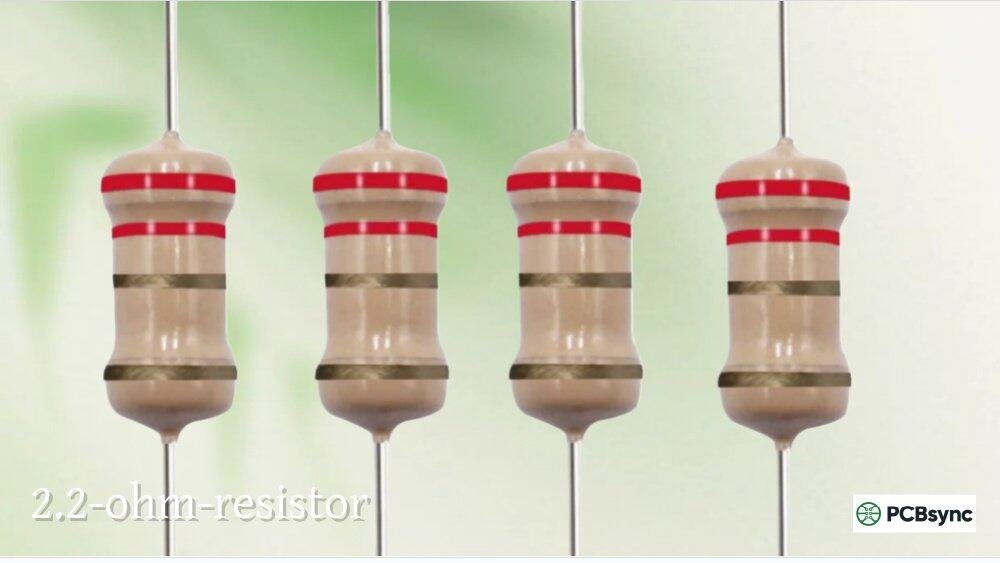
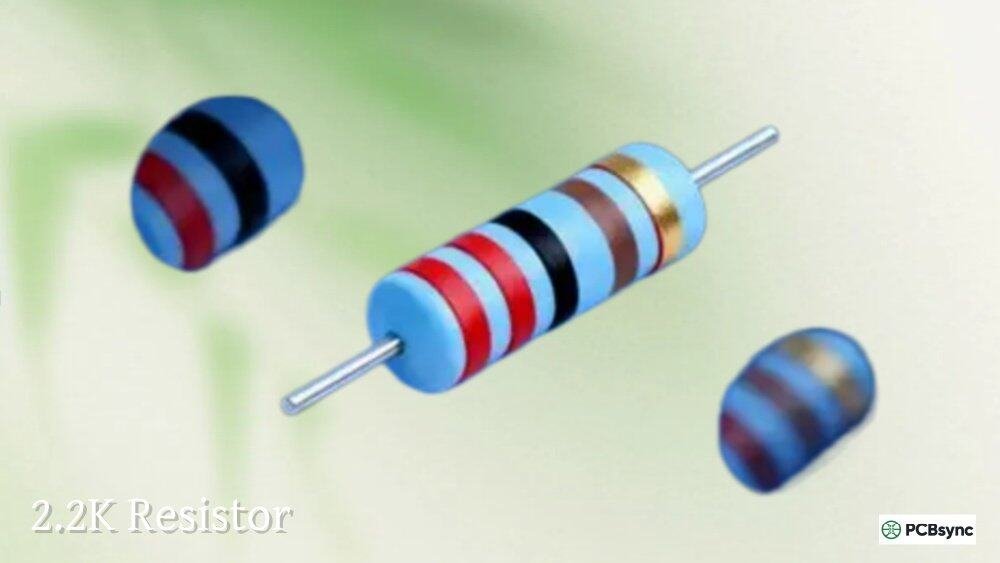
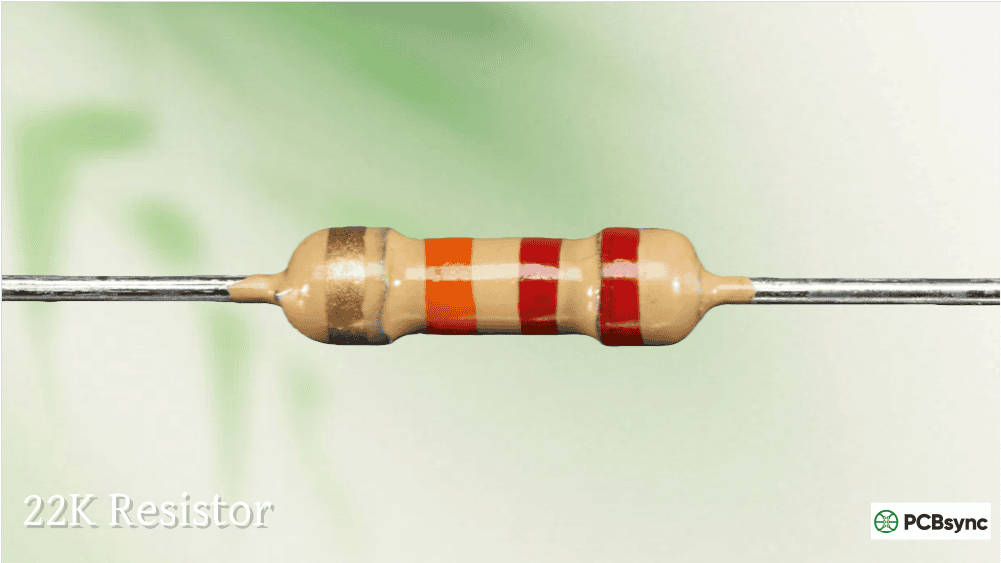
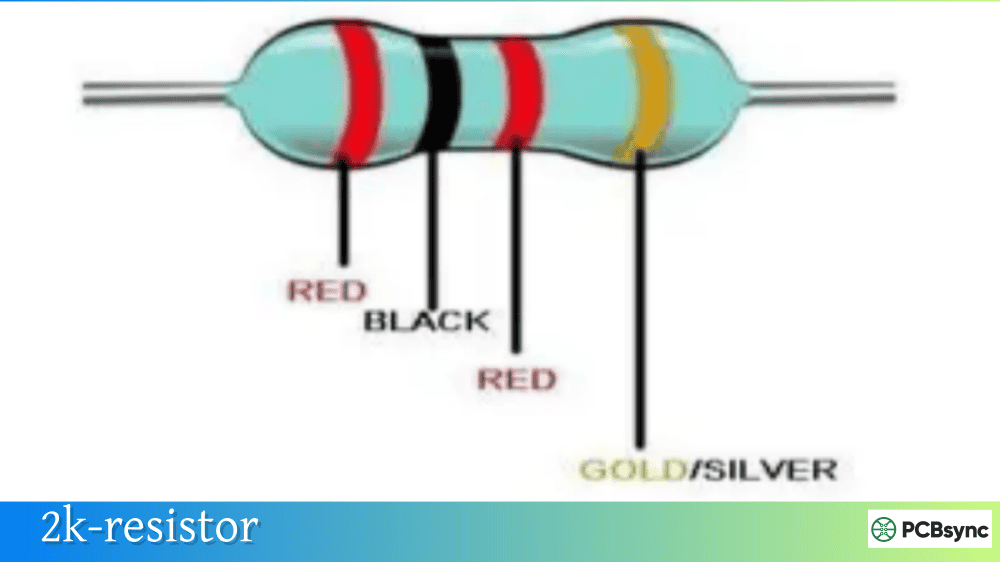
Mistake 1: Confusing 220Ω with 22Ω or 2.2kΩ
The color codes are similar:
220Ω = Red-Red-Brown
22Ω = Red-Red-Black
2.2kΩ = Red-Red-Red
Always double-check the multiplier band!
Mistake 2: Wrong SMD Code Reading
Remember: SMD code “220” = 22Ω, NOT 220Ω. For 220Ω, look for “221” (3-digit) or “2200” (4-digit).
Mistake 3: Ignoring Tolerance in Critical Circuits
A ±5% 220Ω resistor can actually measure anywhere from 209Ω to 231Ω. For precision applications, specify ±1% tolerance.
Mistake 4: Undersizing Power Rating
Calculate your actual power dissipation and choose a resistor rated for at least 2× that value.
Frequently Asked Questions
What is the color code for a 220 ohm resistor?
The standard 4-band 220 ohm resistor color code is Red-Red-Brown-Gold (for ±5% tolerance). The first red band represents the digit 2, the second red band represents 2, the brown band is the ×10 multiplier, and gold indicates ±5% tolerance. For 5-band precision resistors, the code is Red-Red-Black-Black-Brown (±1% tolerance).
Why do Arduino tutorials always use 220 ohm resistors with LEDs?
The 220 ohm resistor limits current to approximately 10-15mA when used with common LEDs on a 5V supply. This provides good brightness while staying safely under the 20-25mA maximum rating of most LEDs and the 40mA maximum output of Arduino GPIO pins. It’s become the de facto standard because it works safely with all LED colors.
Can I use a 220 ohm resistor with 3.3V microcontrollers like ESP32?
Yes, a 220 ohm resistor works with 3.3V systems for red, yellow, and green LEDs, producing currents of 5-6mA. The LEDs will be dimmer than with 5V but still visible. For blue and white LEDs (which have higher forward voltages around 3.2-3.4V), you may need a lower resistance value like 47Ω or 68Ω, or use a higher voltage source.
What does SMD code “221” mean on a surface mount resistor?
The SMD code “221” indicates a 220 ohm resistor. In the 3-digit SMD coding system, the first two digits (22) are the significant figures, and the third digit (1) is the multiplier exponent. So 22 × 10¹ = 220Ω. Don’t confuse this with “220” which would be 22 × 10⁰ = 22Ω.
What power rating do I need for a 220 ohm resistor in an LED circuit?
For most LED circuits with 5V or 3.3V supplies, a standard 1/4W (0.25W) 220 ohm resistor is more than sufficient. The typical power dissipation in these circuits is only 30-50mW. However, always calculate P = V²/R to verify, and choose a resistor rated at least 2× your calculated value for reliable operation.
Useful Resources
Here are some helpful tools and references for working with 220 ohm resistors:
All About Circuits: Engineering-level references and calculators
Conclusion
The 220 ohm resistor is one of those components that earns its place through sheer versatility. Whether you’re building your first LED blink circuit on an Arduino, designing a professional PCB for production, or prototyping an IoT project with ESP32, this component delivers reliable performance at minimal cost.
Key takeaways to remember:
The 4-band color code is Red-Red-Brown-Gold (5% tolerance)
SMD marking is “221” (not “220” which equals 22Ω)
Perfect for LED current limiting with 5V supplies (10-15mA)
Works with 3.3V systems for red/yellow/green LEDs
Standard 1/4W power rating handles most hobbyist applications
With this knowledge in hand, you’re well-equipped to confidently use 220 ohm resistors in your projects. Now go build something!
Inquire: Call 0086-755-23203480, or reach out via the form below/your sales contact to discuss our design, manufacturing, and assembly capabilities.
Quote: Email your PCB files to Sales@pcbsync.com (Preferred for large files) or submit online. We will contact you promptly. Please ensure your email is correct.
Notes: For PCB fabrication, we require PCB design file in Gerber RS-274X format (most preferred), *.PCB/DDB (Protel, inform your program version) format or *.BRD (Eagle) format. For PCB assembly, we require PCB design file in above mentioned format, drilling file and BOM. Click to download BOM template To avoid file missing, please include all files into one folder and compress it into .zip or .rar format.