Inquire: Call 0086-755-23203480, or reach out via the form below/your sales contact to discuss our design, manufacturing, and assembly capabilities.
Quote: Email your PCB files to Sales@pcbsync.com (Preferred for large files) or submit online. We will contact you promptly. Please ensure your email is correct.
Notes: For PCB fabrication, we require PCB design file in Gerber RS-274X format (most preferred), *.PCB/DDB (Protel, inform your program version) format or *.BRD (Eagle) format. For PCB assembly, we require PCB design file in above mentioned format, drilling file and BOM. Click to download BOM template To avoid file missing, please include all files into one folder and compress it into .zip or .rar format.
CAM350 Price & Licensing: Cost Breakdown & Where to Buy [2026 Guide]
If you’re shopping for PCB CAM software, figuring out the CAM350 price can feel like trying to decode a secret language. Unlike consumer software with straightforward pricing pages, professional CAM tools like CAM350 use custom quotes based on configuration, licensing type, and volume. After years of dealing with CAM software procurement, I’ve learned that understanding the pricing structure upfront saves significant time and helps you budget accurately.
This guide breaks down everything you need to know about CAM350 price ranges, licensing options, configuration tiers, and where to actually purchase the software. Whether you’re a small fab shop buying your first seat or a large manufacturer expanding your CAM department, this information will help you navigate the purchasing process.
The first thing to know about CAM350 price is that DownStream Technologies (now part of Siemens) doesn’t publish a fixed price list. The cost depends on several factors that vary by customer:
Factors Affecting CAM350 Price:
Factor
Impact on Price
Configuration tier (070 through FabFactory)
Primary cost driver
License type (perpetual vs. subscription)
Affects upfront vs. ongoing costs
Node-locked vs. floating license
Floating licenses cost more
Number of seats
Volume discounts available
Geographic region
Prices vary by market
Maintenance agreement
15-20% of license cost annually
Based on available market data and user reports, CAM350 price starts around $500 USD for entry-level configurations and can exceed $10,000+ for full DFM capability with advanced features. The exact quote depends on your specific requirements.
CAM350 Configuration Tiers and Estimated Costs
CAM350 comes in multiple configurations, each building on the previous tier’s capabilities. Understanding what each tier includes helps you select the right level without overpaying for features you don’t need.
Advanced NC/panel editors for full factory operations
$12,000 – $20,000+
Important note: These are estimated ranges based on market research and user reports. Actual CAM350 price quotes will vary based on your specific situation. Always request a formal quote from DownStream or an authorized reseller.
What Each Configuration Includes
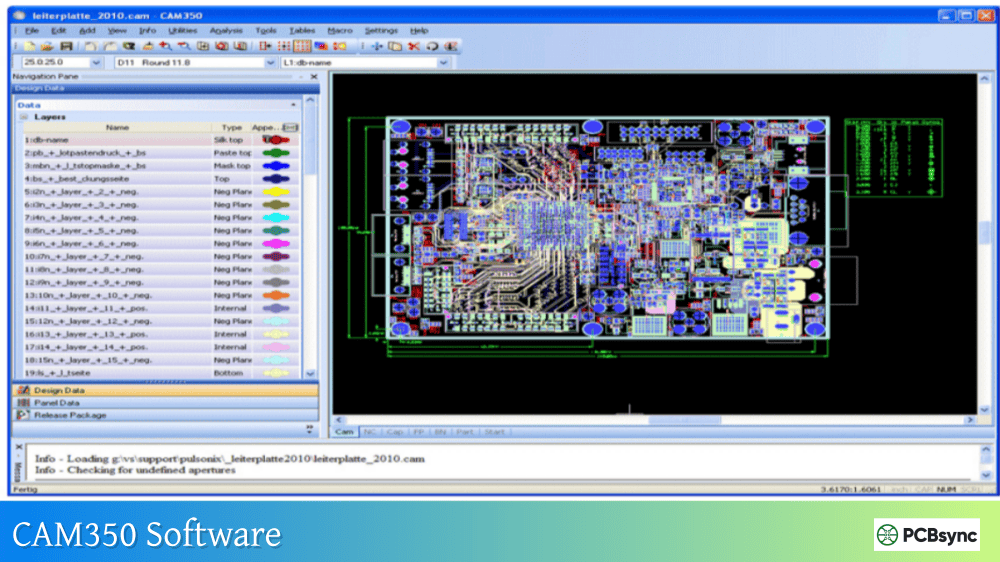
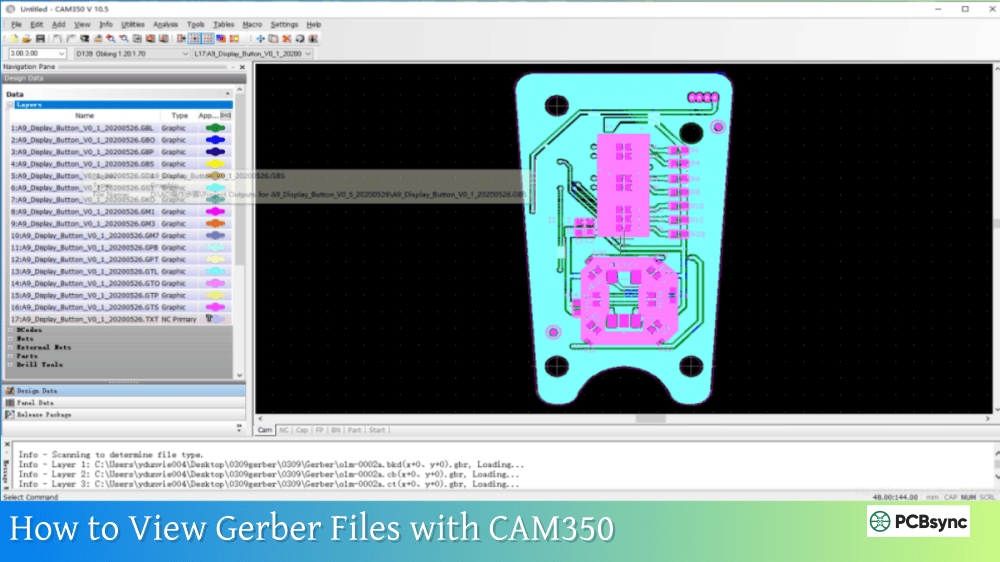
CAM350-070 (Gerber Viewer Bundle): This entry-level configuration handles basic viewing and verification tasks. It imports Gerber (274D, 274X, Fire9000, Barco DPF), NC drill and mill data (Excellon, Sieb & Meyer), and IPC netlists. Includes stackup definition and 3D visualization, plus query, report, and measurement tools. Best for engineers who need to verify Gerber output without editing.
CAM350-095 (Entry Level Design Analysis): Adds export capability, data editing, optimization functions, and Streams-based design rule checking. Includes ODB++ and IPC-2581 import support. Good for design engineers performing basic verification before sending files to fabrication.
CAM350-160 (Advanced Design Analysis): Includes everything in 095 plus basic NC editing, basic panel design, bi-directional DXF interface, crossprobing with Cadence Allegro and PADS, ODB++/IPC-2581 export, and VB scripting for automation. This is the sweet spot for most production environments.
CAM350-195 (Design For Manufacturing): The full DFM configuration adds comprehensive manufacturability analysis for Gerber and intelligent CAD formats, rigid-flex support, Design Analyzer for fabrication quoting, and the new Stencil Designer tool. Essential for fab shops that need to validate incoming designs against production capabilities.
FabFactory: The top tier adds advanced NC editing with tool feed tables, advanced panel editing, and complete factory workflow support. Designed for high-volume PCB manufacturers.
Perpetual vs. Subscription Licensing
Starting with Version 15, DownStream introduced subscription licensing alongside traditional perpetual options. Understanding the difference significantly impacts your total cost of ownership.
Perpetual License Model
With a perpetual license, you pay once and own the software indefinitely. However, you’ll need annual maintenance to receive updates and support.
Perpetual License Cost Structure:
One-time license purchase (full CAM350 price)
Annual maintenance: typically 15-20% of license cost
Maintenance includes all updates during the year
Maintenance can be dropped and resumed (with back-payment)
Example for CAM350-160:
License: ~$5,000 (one-time)
Annual maintenance: ~$750-1,000/year
5-year total: ~$8,750-$9,000
Subscription License Model
Subscription pricing lowers the upfront barrier and includes all updates during your subscription period.
Subscription License Cost Structure:
Monthly or annual payment
No large upfront investment
All updates included
Must maintain subscription to use software
Key Consideration: Subscription pricing was introduced specifically to “make Design for Manufacturing (DFM) accessible to more engineers and designers,” according to DownStream’s announcement. This suggests subscription costs are positioned to be more accessible than perpetual license pricing.
Which License Type Makes Sense?
Scenario
Recommended License
Reason
Long-term stable use (5+ years)
Perpetual
Lower total cost over time
Uncertain future needs
Subscription
Flexibility to cancel
Cash flow constraints
Subscription
Lower upfront cost
Multiple seats with turnover
Subscription
Easier to scale up/down
Need latest features always
Either (with maintenance)
Both include updates
Node-Locked vs. Floating Licenses
CAM350 offers two deployment options that affect both price and operational flexibility.
Node-Locked License
A node-locked license ties to a specific computer. Only that machine can run the software.
Advantages:
Lower cost than floating
Simpler administration
No network dependency
Disadvantages:
Can’t move between machines easily
Need separate license per workstation
Machine failure means downtime
Floating (Network) License
Floating licenses allow concurrent use across multiple machines up to your seat count. A license server manages access.
Advantages:
Share licenses across team members
Better utilization in shift environments
Flexibility for remote work
Disadvantages:
Higher per-seat cost
Requires license server setup
Network dependency
Pricing Impact: Floating licenses typically cost 20-50% more than equivalent node-locked licenses. For a team with variable CAM needs, floating often provides better value despite higher per-seat cost.
Where to Buy CAM350
Purchasing CAM350 involves either direct contact with DownStream/Siemens or working through authorized resellers. Here are your options:
Direct from DownStream Technologies/Siemens
Since Siemens acquired DownStream Technologies, the official purchase channel is through Siemens EDA.
Authorized Resellers and Value-Added Resellers (VARs)
DownStream works with regional VARs who can provide local support, training, and sometimes different pricing structures.
Finding Authorized Resellers:
Contact DownStream directly for VAR referrals in your region
Regional electronics/EDA distributors may carry CAM350
Some PCB-focused distributors offer CAM software
Benefits of Working with VARs:
Local language support
Regional pricing
Combined deals with other EDA tools
Implementation assistance
Regional Distributors
Notable Distributors by Region:
Region
Potential Sources
North America
Direct from DownStream/Siemens, PROLIM
Europe
C.B. Distribution (Netherlands), regional Siemens partners
Asia
Siemens regional offices, local EDA distributors
Always verify that any reseller is actually authorized. Unauthorized sellers may offer pirated software or versions without valid support.
Getting the Best CAM350 Price
Based on industry experience, here are strategies for getting the best possible CAM350 price:
Request Quotes from Multiple Sources
Even though DownStream controls pricing, different resellers may have different incentive structures. Get quotes from both direct and VAR channels.
Consider Bundle Deals
If you need other DownStream products (BluePrint-PCB, DFMStream), bundling can reduce per-product cost. Similarly, if you’re buying other Siemens EDA tools, ask about package pricing.
Negotiate Multi-Seat Discounts
Volume purchasing typically yields 10-20% discounts. Even 3-5 seats may qualify for better pricing than single-seat purchases.
Timing Your Purchase
End of quarter and end of fiscal year often bring better deals as sales teams work to meet targets. Ask about promotional pricing or upcoming discounts.
Evaluate Subscription vs. Perpetual Total Cost
Calculate total cost of ownership over your expected usage period. For short-term projects, subscription may save money even at higher annual cost.
Start with the Right Configuration
Don’t overbuy features you won’t use, but don’t underbuy either. Moving up configurations later often costs more than starting at the right level.
Beyond the initial CAM350 price, ongoing costs include:
Annual Maintenance Agreement
Service
What’s Included
Software Updates
All version updates during maintenance period
Technical Support
Phone and email support from DownStream
Knowledge Base
Access to documentation and FAQs
Remote Assistance
Help resolving technical issues
Typical Cost: 15-20% of original license price annually
Training Costs
Training Type
Estimated Cost
Online self-paced
Often included with purchase
Live webinars
Free from DownStream
On-site training
$1,000-3,000/day plus travel
Customized workshops
Varies by scope
Free Trial and Evaluation Options
Before committing to the full CAM350 price, you can evaluate the software:
Free Trial: DownStream offers evaluation licenses through their website. The trial provides full functionality for a limited period, letting you test workflows with actual production data.
Prepare test cases representing your typical workload
Include complex boards to stress-test capabilities
Test the specific features you need (DFM, panelization, etc.)
Evaluate integration with your existing tools
Frequently Asked Questions
What is the starting price for CAM350?
The entry-level CAM350 price starts around $500 USD for the basic viewer configuration (CAM350-070). However, most production environments require at least the CAM350-160 configuration, which runs approximately $4,000-$7,000. Full DFM capability (CAM350-195) typically costs $7,000-$12,000+. These are estimates; actual pricing requires a custom quote from DownStream or an authorized reseller.
Does CAM350 offer a free version?
CAM350 does not offer a permanent free version. However, DownStream provides free evaluation licenses for prospective customers. The trial includes full functionality for a limited period, allowing you to thoroughly test the software before purchasing. Contact DownStream through their website to request an evaluation.
Is CAM350 worth the price compared to free alternatives?
For professional PCB fabrication, CAM350 justifies its cost through comprehensive DFM analysis, netlist verification, and production optimization that free tools can’t match. Free Gerber viewers work for basic file inspection, but they lack the manufacturability checking, panelization automation, and NC editing that production environments require. The time saved catching issues before fabrication typically pays for the software within a few projects.
Can I purchase CAM350 online with a credit card?
CAM350 isn’t typically sold through online e-commerce. The custom pricing model requires working with sales representatives who can configure the right solution for your needs. You’ll receive a formal quote and purchase through standard business procurement processes. Some resellers may accommodate credit card payment for smaller orders.
What happens if I stop paying maintenance?
If you have a perpetual license and discontinue maintenance, you can continue using your current version indefinitely. However, you won’t receive software updates or technical support. To resume maintenance later, you’ll typically need to pay back-maintenance fees covering the lapsed period. Subscription licenses require continuous payment to use the software.
Conclusion
Understanding CAM350 price and licensing options requires looking beyond a simple number to consider your specific needs, usage patterns, and total cost of ownership. The software’s custom pricing model can seem opaque initially, but it allows DownStream to match solutions to actual requirements rather than forcing one-size-fits-all packages.
For most PCB fabrication shops and engineering teams, the investment in CAM350 pays back through reduced scrap, faster turnaround, and fewer manufacturing issues. The introduction of subscription pricing in Version 15 makes the software accessible to smaller organizations that couldn’t justify large perpetual license costs.
Start by requesting a free trial to confirm CAM350 meets your workflow needs, then work with DownStream or an authorized reseller to get quotes for the configurations that fit your requirements. Don’t hesitate to negotiate, especially for multi-seat purchases or bundle deals with other DownStream/Siemens products.
Inquire: Call 0086-755-23203480, or reach out via the form below/your sales contact to discuss our design, manufacturing, and assembly capabilities.
Quote: Email your PCB files to Sales@pcbsync.com (Preferred for large files) or submit online. We will contact you promptly. Please ensure your email is correct.
Notes: For PCB fabrication, we require PCB design file in Gerber RS-274X format (most preferred), *.PCB/DDB (Protel, inform your program version) format or *.BRD (Eagle) format. For PCB assembly, we require PCB design file in above mentioned format, drilling file and BOM. Click to download BOM template To avoid file missing, please include all files into one folder and compress it into .zip or .rar format.