Inquire: Call 0086-755-23203480, or reach out via the form below/your sales contact to discuss our design, manufacturing, and assembly capabilities.
Quote: Email your PCB files to Sales@pcbsync.com (Preferred for large files) or submit online. We will contact you promptly. Please ensure your email is correct.
Notes: For PCB fabrication, we require PCB design file in Gerber RS-274X format (most preferred), *.PCB/DDB (Protel, inform your program version) format or *.BRD (Eagle) format. For PCB assembly, we require PCB design file in above mentioned format, drilling file and BOM. Click to download BOM template To avoid file missing, please include all files into one folder and compress it into .zip or .rar format.
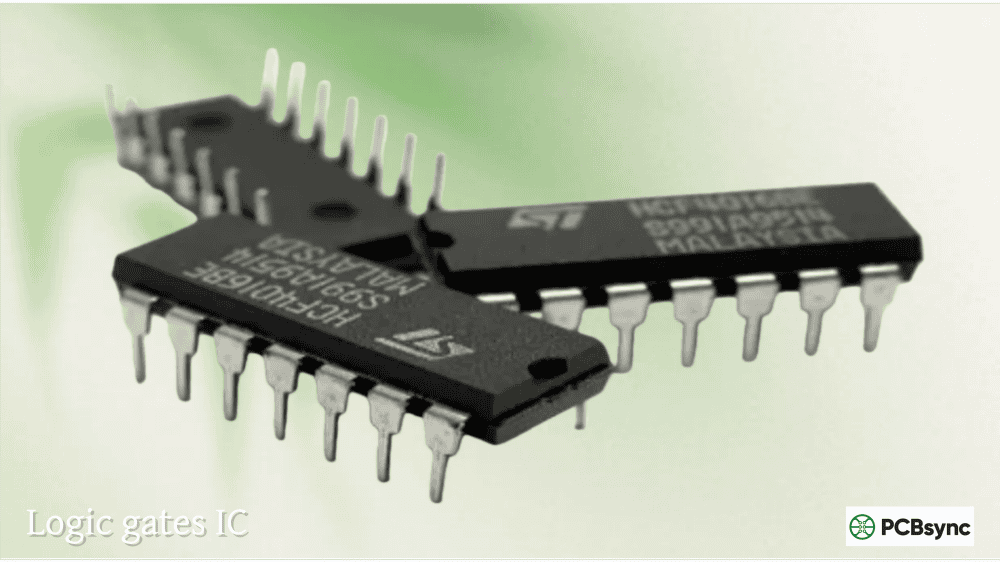
If you’ve ever wondered what makes digital electronics tick, the answer lies in logic gates IC devices—the fundamental building blocks that power everything from simple calculators to complex computer processors. After years of designing PCBs with these components, I can tell you that understanding digital logic IC fundamentals is essential for anyone working in electronics.
This guide covers everything you need to know about logic IC types, from basic AND, OR, and NOT gates to flip-flops that form the foundation of memory and sequential circuits. Whether you’re a hobbyist building your first project or an engineer refreshing your knowledge, this practical resource will serve you well.
A digital logic IC (integrated circuit) is a semiconductor device that performs logical operations on digital input signals to produce digital output signals. Unlike analog circuits that handle continuous signals, digital logic ICs work exclusively with discrete binary states—typically represented as HIGH (1) and LOW (0), or voltage levels around 5V and 0V respectively.
These logic gates IC components implement Boolean algebra in physical form. Each gate type performs a specific logical function: combining inputs, inverting signals, or making decisions based on input combinations. By connecting multiple gates together, you can build circuits that perform complex operations—everything from simple alarm systems to arithmetic processors.
Why Digital Logic ICs Matter
Digital logic forms the foundation of modern electronics. Every microcontroller, computer processor, and digital device internally uses logic gates and flip-flops to process information. Understanding these fundamentals helps you:
Design efficient digital circuits
Troubleshoot existing systems effectively
Interface with microcontrollers and digital systems
Appreciate how complex digital systems actually work
Understanding Logic IC Families
Before diving into specific gate types, you need to understand the IC families available. The two dominant families are TTL (Transistor-Transistor Logic) and CMOS (Complementary Metal-Oxide-Semiconductor).
74xx Series Logic IC Families
Family
Technology
Supply Voltage
Propagation Delay
Power Consumption
74LS
Low-power Schottky TTL
5V
9-15ns
2mW per gate
74HC
High-speed CMOS
2-6V
8-10ns
~1µW static
74HCT
CMOS (TTL-compatible inputs)
5V
10-18ns
~1µW static
74AC
Advanced CMOS
2-6V
5-7ns
~1µW static
74LVC
Low-voltage CMOS
1.65-3.6V
3-5ns
Ultra-low
For most new projects, 74HC provides the best balance of speed, power consumption, and voltage flexibility. If you’re interfacing with older TTL systems, use 74HCT for input compatibility.
4000 Series CMOS
The CD4000 series offers another popular logic IC types family, known for extremely low power consumption and wide voltage range (3-18V). Common equivalents include CD4011 (NAND), CD4001 (NOR), and CD4069 (inverter).
Basic Logic Gates: AND, OR, NOT
The three fundamental logic operations form the basis of all digital logic. Every complex function can ultimately be broken down into combinations of these basic gates.
NOT Gate (Inverter)
The NOT gate is the simplest logic gates IC—it inverts the input signal. When input is HIGH, output goes LOW, and vice versa.
Truth Table:
Input A
Output Y
0
1
1
0
Common NOT Gate ICs:
Part Number
Description
Package
74HC04
Hex inverter (6 gates)
14-pin DIP
74LS04
Hex inverter (TTL)
14-pin DIP
CD4069
Hex inverter (CMOS)
14-pin DIP
AND Gate
The AND gate outputs HIGH only when ALL inputs are HIGH. It implements logical multiplication (A·B).
Truth Table (2-Input AND):
Input A
Input B
Output Y
0
0
0
0
1
0
1
0
0
1
1
1
Common AND Gate ICs:
Part Number
Description
Package
74HC08
Quad 2-input AND
14-pin DIP
74LS08
Quad 2-input AND (TTL)
14-pin DIP
74HC11
Triple 3-input AND
14-pin DIP
CD4081
Quad 2-input AND (CMOS)
14-pin DIP
OR Gate
The OR gate outputs HIGH when ANY input is HIGH. It implements logical addition (A+B).
Truth Table (2-Input OR):
Input A
Input B
Output Y
0
0
0
0
1
1
1
0
1
1
1
1
Common OR Gate ICs:
Part Number
Description
Package
74HC32
Quad 2-input OR
14-pin DIP
74LS32
Quad 2-input OR (TTL)
14-pin DIP
CD4071
Quad 2-input OR (CMOS)
14-pin DIP
Universal Gates: NAND and NOR
NAND and NOR gates are called “universal” because you can build any other logic function using only one type. This makes them particularly important in digital logic IC design.
NAND Gate
The NAND gate combines AND with NOT—output goes LOW only when ALL inputs are HIGH.
Truth Table (2-Input NAND):
Input A
Input B
Output Y
0
0
1
0
1
1
1
0
1
1
1
0
Common NAND Gate ICs:
Part Number
Description
Features
74HC00
Quad 2-input NAND
Most common logic IC
74LS00
Quad 2-input NAND (TTL)
Industry standard
74HC132
Quad 2-input NAND
Schmitt trigger inputs
CD4011
Quad 2-input NAND (CMOS)
Wide voltage range
The 74HC00/74LS00 is often the first logic gates IC engineers encounter—it’s the foundational chip of the 7400 series.
NOR Gate
The NOR gate combines OR with NOT—output goes HIGH only when ALL inputs are LOW.
Truth Table (2-Input NOR):
Input A
Input B
Output Y
0
0
1
0
1
0
1
0
0
1
1
0
Common NOR Gate ICs:
Part Number
Description
Package
74HC02
Quad 2-input NOR
14-pin DIP
74LS02
Quad 2-input NOR (TTL)
14-pin DIP
CD4001
Quad 2-input NOR (CMOS)
14-pin DIP
Exclusive Gates: XOR and XNOR
Exclusive gates compare inputs and respond to differences rather than combinations.
XOR (Exclusive OR) Gate
The XOR gate outputs HIGH when inputs are DIFFERENT—useful for comparison, parity checking, and arithmetic circuits.
Truth Table:
Input A
Input B
Output Y
0
0
0
0
1
1
1
0
1
1
1
0
Common XOR Gate ICs:
Part Number
Description
74HC86
Quad 2-input XOR
74LS86
Quad 2-input XOR (TTL)
CD4070
Quad 2-input XOR (CMOS)
Flip-Flops: Sequential Logic ICs
While gates are combinational (output depends only on current inputs), flip-flops add memory—they can store and remember states. This makes them essential for counters, registers, and memory circuits.
SR (Set-Reset) Flip-Flop
The simplest flip-flop type uses two inputs: SET (forces output HIGH) and RESET (forces output LOW). You can build an SR flip-flop from two cross-coupled NAND or NOR gates.
D (Data) Flip-Flop
The D flip-flop captures the input value on the clock edge and holds it until the next clock. It’s the foundation of data registers and synchronous circuits.
Truth Table:
Clock
D Input
Q Output
↑ (rising edge)
0
0
↑ (rising edge)
1
1
No edge
X
No change
Common D Flip-Flop ICs:
Part Number
Description
Features
74HC74
Dual D flip-flop
Preset and Clear inputs
74LS74
Dual D flip-flop (TTL)
Industry standard
CD4013
Dual D flip-flop (CMOS)
Wide voltage range
JK Flip-Flop
The JK flip-flop is the most versatile type—it can SET, RESET, HOLD, or TOGGLE based on its J and K inputs.
Truth Table:
J
K
Q (next)
Function
0
0
Q
Hold (no change)
0
1
0
Reset
1
0
1
Set
1
1
Q̄
Toggle
Common JK Flip-Flop ICs:
Part Number
Description
Features
74HC73
Dual JK flip-flop
With Clear
74LS76
Dual JK flip-flop (TTL)
Preset and Clear
74HC112
Dual JK flip-flop
Negative-edge triggered
CD4027
Dual JK flip-flop (CMOS)
Master-slave type
T (Toggle) Flip-Flop
The T flip-flop toggles its output on each clock pulse when the T input is HIGH—perfect for frequency dividers and counters.
From years of working with digital logic IC components, here are essential tips for reliable circuits:
Power Supply Considerations
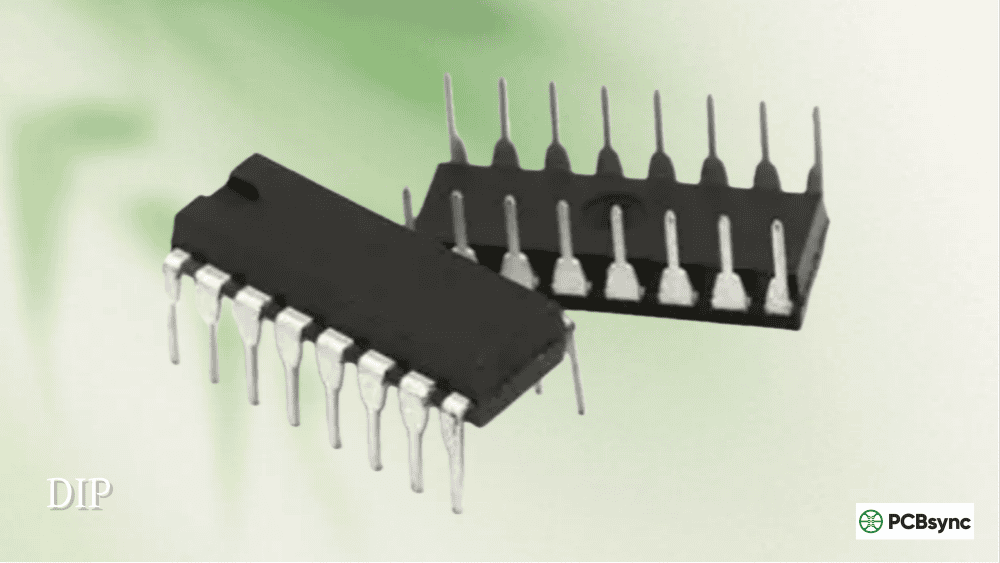
Always connect VCC (pin 14 on most 14-pin DIPs) and GND (pin 7) properly. Add a 100nF bypass capacitor close to each IC’s power pins to filter switching noise.
Family
VCC Tolerance
Recommended Practice
74LS
4.75-5.25V
Use regulated 5V supply
74HC
2-6V
100nF bypass per IC
74HCT
4.5-5.5V
Compatible with 74LS
Unused Input Handling
Never leave unused inputs floating—they pick up noise and cause unpredictable behavior. Tie unused inputs to VCC or GND depending on the gate type:
Unused AND/NAND inputs: Connect to VCC (logic HIGH)
Unused OR/NOR inputs: Connect to GND (logic LOW)
Unused inverter inputs: Connect to VCC or GND
Logic Level Compatibility
When mixing IC families, ensure logic levels are compatible:
74HC outputs may not reliably drive 74LS inputs
Use 74HCT when interfacing CMOS with TTL
Check VIH, VIL, VOH, VOL specifications in datasheets
Common Logic IC Applications
Understanding where logic gates IC devices are actually used helps solidify your knowledge and inspires project ideas.
Switch Debouncing
Mechanical switches bounce when pressed, causing multiple false triggers that can confuse digital circuits. A simple SR flip-flop built from two NAND gates (74HC00) provides clean debouncing. When the switch moves to one position, the flip-flop sets; when it moves to the other, it resets. The cross-coupled gate structure ignores intermediate bounces, outputting clean transitions.
Frequency Division
Connect JK flip-flop J and K inputs to HIGH, and the output toggles on each clock edge—dividing frequency by 2. Chain multiple flip-flops for division by 4, 8, 16, etc. This technique is fundamental to digital clock generation and timer circuits.
Simple Counters
The 74HC93 (4-bit binary counter) and 74HC90 (decade counter) integrate multiple flip-flops with internal connections for counting applications. These ICs count input pulses and output the count in binary form—useful for event counting, frequency measurement, and display driving.
Data Latching
D flip-flops capture data on clock edges—use 74HC74 to latch sensor readings or hold output states in control systems. This prevents output glitches when input data changes, ensuring stable signals for downstream circuits.
Combinational Logic Circuits
By combining basic gates, you can implement any Boolean function. Common applications include:
Multiplexers: Select between multiple inputs using control signals
Decoders: Convert binary codes to individual output lines
Arithmetic circuits: Adders, subtractors using XOR and AND gates
Comparators: Determine if two binary numbers are equal, greater, or less
Troubleshooting Logic IC Circuits
When your digital logic IC circuit misbehaves, follow this systematic approach:
Step 1: Verify Power Supply
Check that VCC and GND are connected correctly and within specification. Use a multimeter to confirm voltage at the IC power pins—not just at the power supply. A 100nF bypass capacitor should be within 1cm of the IC.
Step 2: Check for Floating Inputs
Unused inputs are the most common cause of erratic behavior. Verify every input pin is connected to a defined logic level—either driven by another gate, pulled to VCC, or pulled to GND.
Step 3: Verify Logic Levels
Use an oscilloscope or logic probe to confirm signals meet the required logic thresholds. Signals in the “forbidden zone” (neither clearly HIGH nor LOW) cause unpredictable operation.
Step 4: Check Timing
For sequential circuits, verify clock signals are clean with fast edges. Slow rise/fall times can cause multiple triggering on edge-sensitive inputs.
What is the difference between TTL and CMOS logic ICs?
TTL (74LS series) uses bipolar transistors and typically requires 5V power with higher current consumption. CMOS (74HC series) uses MOSFETs, operates across wider voltage ranges (2-6V for 74HC), and consumes much less power—especially at low frequencies. For new designs, CMOS is generally preferred unless you need TTL compatibility, in which case use 74HCT.
Which logic IC should I use for a beginner project?
Start with the 74HC00 (quad NAND gate)—it’s inexpensive, widely available, and can create any other logic function since NAND is a universal gate. Add a 74HC74 (dual D flip-flop) for sequential circuits. These two ICs let you build countless projects from LED controllers to simple counters.
Can I mix different logic IC families in the same circuit?
Yes, but with caution. The main concern is logic level compatibility. 74HC outputs may not reliably drive 74LS inputs because their output-high voltage doesn’t meet TTL input requirements. Use 74HCT (CMOS with TTL-compatible inputs) as a bridge, or use level shifters when necessary. ICs within the same family (all 74HC, or all 74LS) work together without issues.
Why won’t my logic IC circuit work correctly?
Common issues include: forgotten power connections (VCC and GND), floating unused inputs picking up noise, inadequate bypass capacitors causing power supply noise, incorrect logic family mixing, and damaged ICs from static discharge (especially CMOS). Always verify power first, then check inputs aren’t floating, and finally examine signal levels with an oscilloscope or logic analyzer.
What’s the difference between flip-flops and latches?
Latches are level-sensitive—they pass input to output whenever the enable signal is active. Flip-flops are edge-sensitive—they only capture input values on clock transitions (rising or falling edge). Flip-flops provide better timing control in synchronous circuits because data changes only at defined clock moments, preventing race conditions and timing hazards.
Conclusion
Understanding digital logic IC components opens the door to designing and troubleshooting countless electronic systems. From the basic logic gates IC (AND, OR, NOT) through universal gates (NAND, NOR) to sequential flip-flops, these building blocks combine to create everything from simple alarm circuits to complex computer processors.
The 74HC series provides excellent logic IC types for most modern projects—combining CMOS efficiency with speeds suitable for MHz-range applications. When you need TTL compatibility, the 74HCT family bridges the gap. For battery-powered or high-voltage applications, the CD4000 series remains valuable.
Start with simple gate combinations, progress to flip-flop-based sequential circuits, and you’ll develop intuition for digital design that transfers to more complex systems including microcontrollers and FPGAs. The fundamentals covered here form the foundation that every digital electronics engineer builds upon.
Inquire: Call 0086-755-23203480, or reach out via the form below/your sales contact to discuss our design, manufacturing, and assembly capabilities.
Quote: Email your PCB files to Sales@pcbsync.com (Preferred for large files) or submit online. We will contact you promptly. Please ensure your email is correct.
Notes: For PCB fabrication, we require PCB design file in Gerber RS-274X format (most preferred), *.PCB/DDB (Protel, inform your program version) format or *.BRD (Eagle) format. For PCB assembly, we require PCB design file in above mentioned format, drilling file and BOM. Click to download BOM template To avoid file missing, please include all files into one folder and compress it into .zip or .rar format.