Inquire: Call 0086-755-23203480, or reach out via the form below/your sales contact to discuss our design, manufacturing, and assembly capabilities.
Quote: Email your PCB files to Sales@pcbsync.com (Preferred for large files) or submit online. We will contact you promptly. Please ensure your email is correct.
Notes: For PCB fabrication, we require PCB design file in Gerber RS-274X format (most preferred), *.PCB/DDB (Protel, inform your program version) format or *.BRD (Eagle) format. For PCB assembly, we require PCB design file in above mentioned format, drilling file and BOM. Click to download BOM template To avoid file missing, please include all files into one folder and compress it into .zip or .rar format.
Every few months, someone in my engineering team asks about running Altium Designer on Mac. The short answer is that Altium Designer doesn’t have a native macOS version, and Altium has shown no indication they’re developing one. The longer answer, which I’ll cover in detail here, is that there are several proven workarounds that thousands of engineers use daily to run Altium Designer on Mac hardware.
I’ve personally tested Altium Designer on Mac using multiple approaches over the past several years, from Boot Camp on Intel Macs to Parallels on Apple Silicon machines. This guide covers all your options, the real-world performance you can expect, and when it might make sense to consider alternatives.
No. Altium Designer is Windows-only software. Altium’s official documentation states that the software is validated exclusively for Windows 11 (64-bit) and Windows 10 (64-bit). There is no macOS version, no Linux version, and no plans announced for cross-platform support.
This Windows exclusivity stems from Altium’s decision to build their graphics engine on DirectX rather than OpenGL. DirectX integration provides excellent performance with gaming-class graphics cards, but it ties the software firmly to the Windows ecosystem.
Official Altium Statement on Mac Support
According to Altium’s Knowledge Base, running Altium Designer on Mac requires using Windows through either dual booting (on Intel-based Macs) or virtualization software like Parallels. Altium acknowledges that a percentage of their users run the software on Mac hardware using these methods, but they don’t officially support or validate these configurations.
This means if you encounter bugs or performance issues while running Altium Designer on Mac through virtualization, Altium’s technical support may be limited in their ability to help.
Solutions for Running Altium Designer on Mac
Despite the lack of native support, Mac users have several viable options for running Altium Designer. The best choice depends on your Mac hardware (Intel vs Apple Silicon), your performance requirements, and how often you switch between macOS and Windows applications.
Option 1: Parallels Desktop (Best for Apple Silicon Macs)
Parallels Desktop is the most popular solution for running Altium Designer on Mac, especially on newer Apple Silicon machines (M1, M2, M3, M4 chips). Parallels runs Windows as a virtual machine alongside macOS, allowing you to switch between operating systems without restarting.
How Parallels Works with Altium Designer:
Parallels creates a Windows virtual machine that runs within macOS. On Apple Silicon Macs, this means running Windows 11 for ARM, which includes x86 emulation for applications like Altium Designer that weren’t compiled for ARM processors.
Feature
Parallels Desktop Standard
Parallels Desktop Pro
Price
$99.99/year
$119.99/year
Max RAM for VM
8 GB
Up to 62 GB (Apple Silicon)
Max vCPUs
8
Up to 18 (Apple Silicon)
DirectX 11 Support
Yes
Yes
Coherence Mode
Yes
Yes
Best For
Light to medium designs
Complex multi-layer designs
Real-World Performance on Apple Silicon:
Based on user reports from engineering forums, Altium Designer runs surprisingly well on M1/M2/M3 Macs through Parallels. Many users report that Altium Designer 23 and later versions work smoothly for typical PCB design tasks including schematic capture, component placement, and routing.
The performance varies by task:
Schematic capture: Excellent performance, no noticeable lag
PCB layout and routing: Good performance for small to medium boards
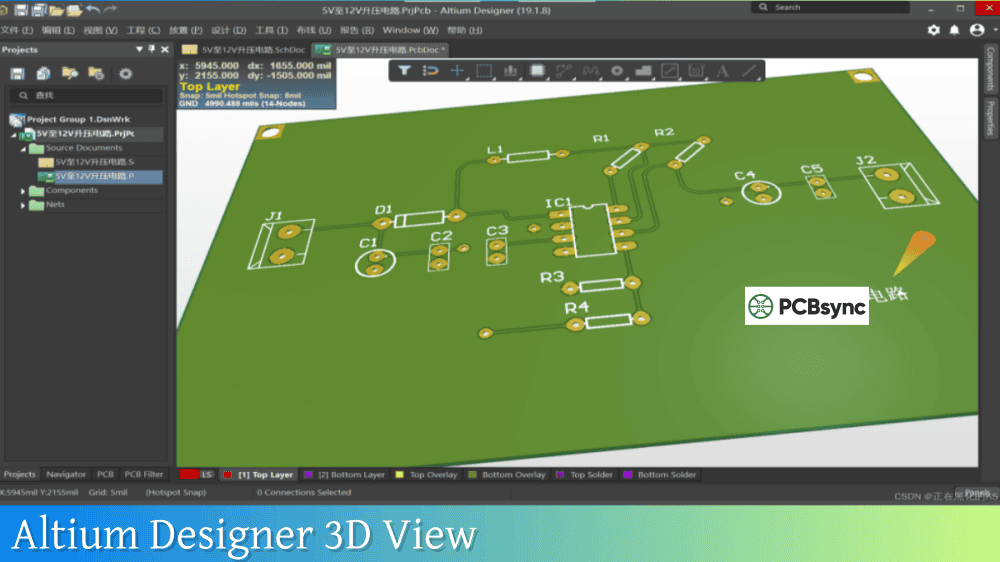
3D viewer: Reduced performance, some users report 0.5-15 FPS depending on board complexity
Polygon repours on complex boards: Slower than native Windows machines
Setup Steps for Parallels:
Download and install Parallels Desktop for Mac
Create a new Windows 11 ARM virtual machine (Parallels can download this automatically)
Allocate at least 8 GB RAM and 4+ CPU cores to the VM
Install Altium Designer through the standard Windows installer
Activate your Altium license within the Windows VM
Option 2: Boot Camp (Intel Macs Only)
Boot Camp was the gold standard for running Altium Designer on Mac when Intel Macs were current. It allows you to install Windows directly on a partition of your Mac’s drive, providing native Windows performance without virtualization overhead.
Important Limitation: Boot Camp only works on Intel-based Macs. Apple Silicon Macs (M1, M2, M3, M4) cannot use Boot Camp because these chips have a different processor architecture.
Advantages of Boot Camp:
Native Windows performance (no virtualization overhead)
Full access to your Mac’s GPU for 3D rendering
No additional software cost beyond Windows license
Maximum compatibility with Altium Designer
Disadvantages of Boot Camp:
Requires restarting to switch between macOS and Windows
Only available on older Intel Macs
Consumes dedicated disk space for Windows partition
No longer an option if you upgrade to Apple Silicon
Boot Camp Setup Requirements:
Requirement
Specification
Mac Type
Intel-based Mac only
Minimum Storage
64 GB free (128 GB recommended)
Windows Version
Windows 10 64-bit
macOS Version
macOS Big Sur or earlier recommended
Option 3: VMware Fusion
VMware Fusion is an alternative to Parallels for running Windows virtual machines on Mac. It offers similar functionality but with different pricing and feature sets.
VMware Fusion for Altium Designer:
VMware Fusion supports both Intel and Apple Silicon Macs, though the experience differs between architectures. On Apple Silicon, VMware Fusion also runs Windows 11 for ARM with x86 emulation.
Feature
VMware Fusion Player
VMware Fusion Pro
Price
Free for personal use
$199 (perpetual)
Apple Silicon Support
Yes
Yes
DirectX 11
Yes
Yes
Snapshots
Limited
Unlimited
Best For
Budget-conscious users
Professional use
Some users report that Parallels provides slightly better performance for graphics-intensive applications like Altium Designer’s 3D viewer, but both solutions are viable.
Option 4: VirtualBox (Free but Limited)
VirtualBox is Oracle’s free, open-source virtualization software. While it technically can run Windows on Mac, it has significant limitations for running Altium Designer.
VirtualBox Limitations:
No support for Apple Silicon Macs
Limited 3D acceleration
DirectX support is incomplete
Performance significantly worse than Parallels or VMware
I don’t recommend VirtualBox for running Altium Designer unless you’re on an extremely tight budget and have an Intel Mac. The performance compromises make professional PCB design work frustrating.
Option 5: Remote Desktop to a Windows Machine
If you have access to a Windows PC (either physical or cloud-based), you can use remote desktop software to access Altium Designer from your Mac.
Remote Desktop Options:
Microsoft Remote Desktop (free)
Parsec (low-latency, good for graphics)
Chrome Remote Desktop (free, browser-based)
Amazon WorkSpaces or Azure Virtual Desktop (cloud Windows instances)
This approach works well if you need Altium Designer occasionally or if your organization provides Windows workstations. The main limitation is network latency, which can make detailed PCB work feel sluggish.
Performance Comparison: Altium Designer on Mac Solutions
Understanding the performance trade-offs helps you choose the right approach for your workflow.
Solution
Schematic Performance
PCB Layout
3D Viewer
Ease of Use
Boot Camp (Intel Mac)
Excellent
Excellent
Excellent
Requires restart
Parallels (Apple Silicon)
Good
Good
Fair
Seamless switching
Parallels (Intel Mac)
Very Good
Very Good
Good
Seamless switching
VMware Fusion
Good
Good
Fair
Seamless switching
VirtualBox
Fair
Fair
Poor
Free but limited
Remote Desktop
Depends on network
Depends on network
Depends on network
Location flexible
Optimizing Altium Designer Performance on Mac
If you’re running Altium Designer on Mac through virtualization, these settings help maximize performance.
Virtual Machine Settings
RAM Allocation: Assign at least 8 GB RAM to your Windows VM. For complex designs, 16 GB provides a smoother experience. Remember that this RAM comes from your Mac’s total memory, so ensure your Mac has enough physical RAM (16 GB minimum recommended, 32 GB ideal).
CPU Cores: Assign at least 4 CPU cores to the VM. On Apple Silicon Macs with Parallels Pro, you can assign up to 18 virtual CPUs.
Graphics Settings: Enable 3D acceleration in your virtualization software. In Parallels, set the graphics memory to the maximum available and ensure DirectX 11 mode is enabled.
Storage: Use an SSD (all modern Macs have SSDs). Place the Windows VM on your internal drive rather than external storage for best performance.
Altium Designer Settings
Within Altium Designer, these settings improve performance on virtualized systems:
Reduce 3D quality: In Preferences > PCB Editor > Display, reduce the 3D surface detail level
Disable unnecessary extensions: Remove add-ons you don’t use
Use simplified component models: Complex 3D models consume more graphics resources
Close unused panels: Each open panel consumes memory and GPU resources
Native macOS Alternatives to Altium Designer
If the complexity of running Altium Designer on Mac seems excessive for your needs, several PCB design tools run natively on macOS.
KiCad
KiCad is the most capable free, open-source PCB design tool available. It runs natively on macOS, Windows, and Linux.
KiCad Strengths:
Completely free and open source
No board size or layer limitations
Active community with extensive component libraries
Professional-grade features for most designs
Native Apple Silicon support
KiCad Limitations:
Steeper learning curve than some alternatives
No built-in cloud collaboration (use Git instead)
Fewer advanced features than Altium (e.g., no integrated SPICE simulation)
EasyEDA
EasyEDA is a cloud-based PCB design tool that works in any web browser, making it fully compatible with macOS.
EasyEDA Strengths:
No installation required
Free for most use cases
Direct integration with JLCPCB for manufacturing
Large community component library
EasyEDA Limitations:
Cloud-dependent (requires internet)
Less suitable for complex, sensitive designs
Limited offline capabilities
Autodesk Fusion 360 (with EAGLE)
Fusion 360 includes EAGLE PCB design capabilities and runs natively on macOS.
Fusion 360/EAGLE Strengths:
Native macOS application
Integration with mechanical CAD
Established tool with large user base
Fusion 360/EAGLE Limitations:
Free version has board size restrictions
EAGLE’s interface feels dated
Autodesk has shifted focus away from standalone EAGLE
Frequently Asked Questions About Altium Designer on Mac
Can I run Altium Designer natively on macOS?
No, Altium Designer does not have a native macOS version and Altium has not announced plans to develop one. The software is built on DirectX, which is Windows-exclusive technology. To use Altium Designer on Mac hardware, you must run Windows through virtualization software like Parallels Desktop or VMware Fusion, or through Boot Camp on Intel-based Macs. Many engineers successfully use these workarounds for professional PCB design work.
Does Altium Designer work on Apple Silicon Macs (M1, M2, M3, M4)?
Yes, Altium Designer can run on Apple Silicon Macs using Parallels Desktop or VMware Fusion. These virtualization applications run Windows 11 for ARM, which includes x86 emulation that allows Altium Designer to function. Users report good performance for schematic capture and PCB layout, though 3D visualization may be slower than on native Windows machines. Boot Camp is not available on Apple Silicon Macs, so virtualization is your only option.
What is the best way to run Altium Designer on a Mac?
The best approach depends on your Mac hardware. For Apple Silicon Macs (M1/M2/M3/M4), Parallels Desktop provides the best experience with good performance and seamless switching between macOS and Windows. For Intel-based Macs, Boot Camp delivers native Windows performance but requires restarting to switch operating systems. If you need both convenience and maximum performance on an Intel Mac, you can use Boot Camp for dedicated work sessions and Parallels to access the same Boot Camp partition when you need quick access without restarting.
How much does it cost to run Altium Designer on Mac?
Beyond your Altium Designer license, running Altium on Mac requires additional software costs. Parallels Desktop costs $99.99/year for the Standard edition or $119.99/year for Pro. VMware Fusion Player is free for personal use, while Fusion Pro costs $199 as a one-time purchase. Boot Camp is free but requires a Windows license (approximately $139 for Windows 11 Home or $199 for Pro). You also need a Mac with sufficient specifications: minimum 16 GB RAM recommended, though 32 GB provides a better experience for virtualization.
Should I use Altium Designer on Mac or switch to KiCad?
This depends on your requirements. If your employer or clients require Altium Designer files, or if you need Altium’s advanced features like integrated supply chain data, MCAD collaboration, or enterprise team features, then running Altium on Mac through virtualization is worthwhile. If you have flexibility in tool choice, KiCad is a capable free alternative that runs natively on macOS with no virtualization complexity. KiCad handles most PCB design tasks professionally, though it lacks some of Altium’s advanced collaboration and analysis features.
Final Thoughts on Altium Designer on Mac
Running Altium Designer on Mac is entirely possible, though it requires either virtualization or dual-booting. Thousands of engineers use this setup daily for professional PCB design work. The key is choosing the right approach for your specific hardware and workflow requirements.
For most Mac users today, especially those with Apple Silicon machines, Parallels Desktop provides the best balance of performance and convenience. The experience isn’t identical to running Altium on native Windows hardware, but it’s good enough for the majority of PCB design tasks.
If you’re evaluating whether to invest in this setup, I’d recommend downloading Parallels’ free trial and testing Altium Designer with your actual design files. This gives you realistic expectations about performance before committing to the software purchase.
This guide reflects methods and software versions current as of early 2026. Virtualization software and Altium Designer receive regular updates that may affect compatibility and performance.
Inquire: Call 0086-755-23203480, or reach out via the form below/your sales contact to discuss our design, manufacturing, and assembly capabilities.
Quote: Email your PCB files to Sales@pcbsync.com (Preferred for large files) or submit online. We will contact you promptly. Please ensure your email is correct.
Notes: For PCB fabrication, we require PCB design file in Gerber RS-274X format (most preferred), *.PCB/DDB (Protel, inform your program version) format or *.BRD (Eagle) format. For PCB assembly, we require PCB design file in above mentioned format, drilling file and BOM. Click to download BOM template To avoid file missing, please include all files into one folder and compress it into .zip or .rar format.