Inquire: Call 0086-755-23203480, or reach out via the form below/your sales contact to discuss our design, manufacturing, and assembly capabilities.
Quote: Email your PCB files to Sales@pcbsync.com (Preferred for large files) or submit online. We will contact you promptly. Please ensure your email is correct.
Notes: For PCB fabrication, we require PCB design file in Gerber RS-274X format (most preferred), *.PCB/DDB (Protel, inform your program version) format or *.BRD (Eagle) format. For PCB assembly, we require PCB design file in above mentioned format, drilling file and BOM. Click to download BOM template To avoid file missing, please include all files into one folder and compress it into .zip or .rar format.
Choosing between Altium CircuitStudio vs Altium Designer is a decision many PCB designers face when selecting their primary design tool. Both products come from the same company and share DNA, but they target different audiences with vastly different budgets and project requirements.
I’ve spent considerable time working with both platforms, and the choice isn’t always straightforward. CircuitStudio offers professional-grade capabilities at a fraction of the cost, while Altium Designer delivers the full arsenal of features that enterprise teams demand. This comparison breaks down exactly what you get with each tool so you can make the right decision for your specific situation.
Before diving into the Altium CircuitStudio vs Altium Designer comparison, it helps to understand where each product fits in Altium’s ecosystem.
Altium Designer represents the company’s flagship professional PCB design suite, developed over 35 years and trusted by engineers worldwide for complex, high-stakes projects. It commands a premium price but delivers capabilities that justify the investment for professional design teams.
CircuitStudio emerged in 2015 as a mid-tier option, built on the same core engine as Altium Designer but with a streamlined feature set and significantly lower price point. Altium positioned it for occasional designers, small businesses, and professionals who need capable tools without the full Designer feature set.
Both applications share fundamental architecture, meaning skills transfer between them and project files maintain compatibility to a large degree.
Altium CircuitStudio Overview
What is CircuitStudio?
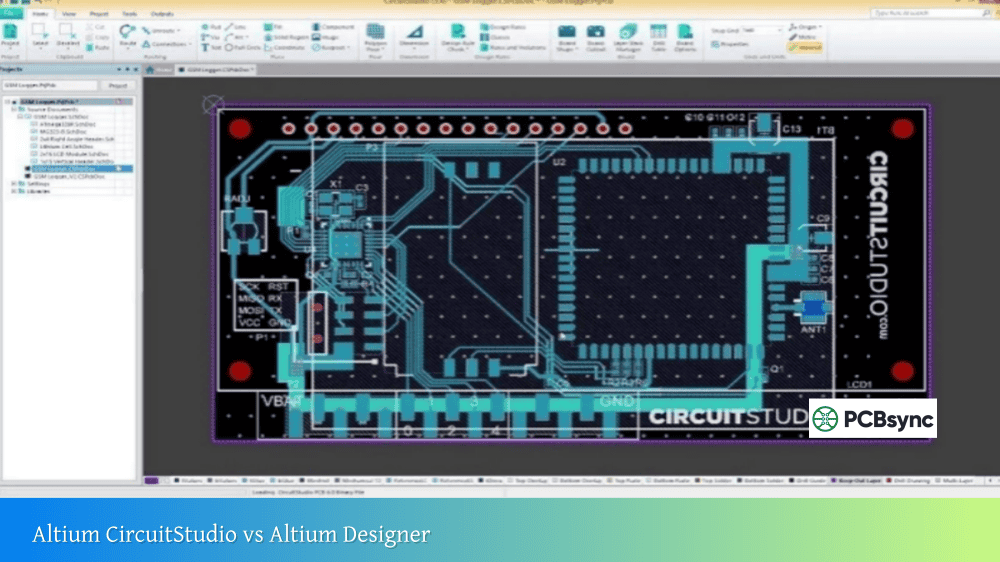
Altium CircuitStudio is an affordable, professional PCB design tool that provides schematic capture, PCB layout, and 3D visualization capabilities. It runs on the same design engine as Altium Designer, offering a familiar workflow for anyone already in the Altium ecosystem.
The software targets engineers who design boards occasionally rather than full-time, small businesses watching their software budgets, and professionals transitioning from tools like EAGLE or OrCAD who want Altium’s workflow without the premium price tag.
Key Features of CircuitStudio
CircuitStudio delivers a solid feature set for its price point:
Schematic Editor: The same schematic capture environment found in Altium Designer, supporting multi-sheet designs and hierarchical blocks. You can create professional documentation with SmartPDF outputs.
PCB Layout Engine: Constraint-driven PCB layout with interactive routing capabilities. The Situs autorouter handles automatic routing while you retain full manual control for critical traces.
Native 3D Visualization: Real-time 3D PCB viewing with STEP file export for mechanical CAD integration. This feature alone sets CircuitStudio apart from many competitors at its price point.
XSPICE Simulation: Integrated analog and digital simulation for circuit verification before layout.
Component Library Access: Over 350,000 components available through the CircuitStudio Content Library, with real-time supplier data for pricing and availability.
File Compatibility: Import capability for EAGLE, OrCAD, and legacy layout files, making migration from other tools straightforward.
Altium Designer Overview
What is Altium Designer?
Altium Designer is the flagship PCB design software from Altium, offering a unified design environment that covers everything from schematic capture through manufacturing output. It’s the tool of choice for professional design teams working on complex, high-speed, and mission-critical electronics.
The software has evolved over three decades, incorporating advanced features like signal integrity analysis, multi-board design, rigid-flex support, and deep integration with Altium 365 for cloud-based collaboration.
Key Features of Altium Designer
Altium Designer’s feature set extends far beyond CircuitStudio:
Advanced Schematic Capture: Full hierarchical design support with design variants, object classes, and comprehensive parameter management.
Professional PCB Layout: Complete control over layer stacks, advanced routing modes including length tuning and differential pairs, and support for complex board shapes including rigid-flex designs.
Signal Integrity Analysis: Pre-layout and post-layout signal integrity simulation with impedance analysis, reflection simulation, and crosstalk analysis built into the design environment.
Multi-Board Design: System-level design capabilities for managing interconnected PCBs within a single project, including 3D assembly visualization and connection verification.
Rigid-Flex Support: Native tools for designing rigid-flex PCBs with multiple layer stacks, bend regions, and 3D fold simulation.
Altium 365 Integration: Cloud-based collaboration, version control, and project sharing through the Altium 365 platform.
Advanced Manufacturing Outputs: Comprehensive output generation including Gerber, ODB++, IPC-2581, and detailed assembly documentation.
Altium CircuitStudio vs Altium Designer: Feature Comparison
The following table highlights the key differences between these two platforms:
Both tools use fundamentally similar schematic editors, but the depth of functionality differs significantly.
CircuitStudio Schematic Features
CircuitStudio’s schematic editor handles most common design tasks competently. You get multi-sheet schematics, basic hierarchical design blocks, and standard annotation tools. The interface mirrors Altium Designer’s ribbon-based layout, making it immediately familiar to anyone with Altium experience.
Component placement works through library search and the Content Library, with drag-and-drop placement from search results. Creating custom schematic symbols is straightforward using the built-in component wizard.
Where CircuitStudio falls short is in advanced schematic management. You won’t find design variants for managing multiple board configurations from a single schematic, and the parameter management tools are more limited than Designer’s parametric editor.
Altium Designer Schematic Features
Altium Designer’s schematic capabilities extend into territory that CircuitStudio simply doesn’t cover. Design variants let you manage multiple product configurations—different component populations for different regions or feature sets—from a single schematic set.
The parameter management system allows bulk editing of component properties, and the “Find Similar Objects” feature dramatically speeds up repetitive tasks. Object classes let you group components logically for design rule application.
Hierarchical design goes deeper in Designer, with full support for complex multi-channel designs where you define a channel once and instantiate it multiple times with automatic net naming.
PCB Layout and Routing Comparison
CircuitStudio PCB Layout
CircuitStudio’s PCB editor provides professional-quality layout capabilities sufficient for most moderately complex designs. The interactive router supports obstacle avoidance and push-and-shove modes, and the Situs autorouter can handle automatic routing when appropriate.
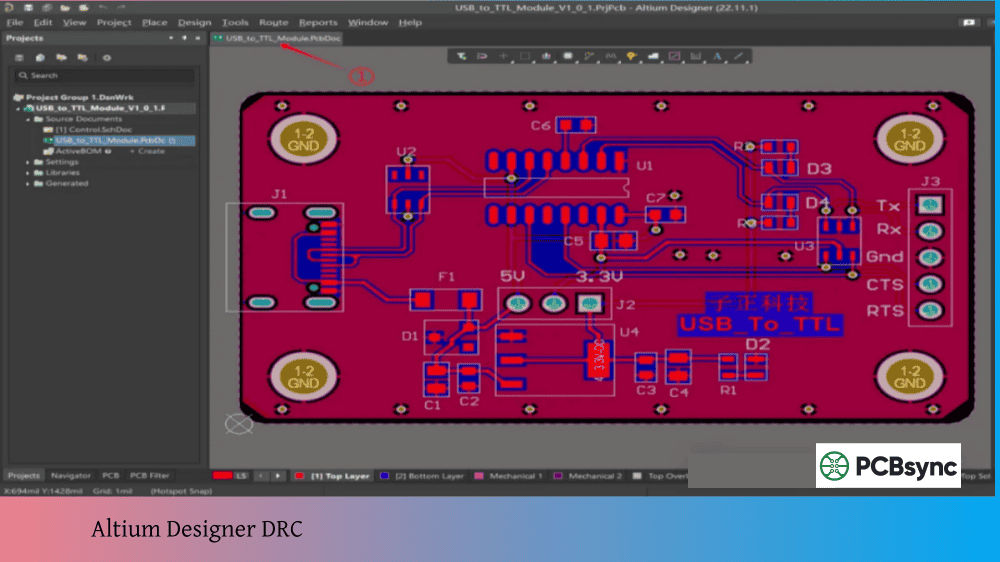
Design rules drive the layout process, though the rule system is simplified compared to Designer. You can define clearance rules, width rules, and via styles, but the advanced rule scoping available in Designer isn’t fully implemented.
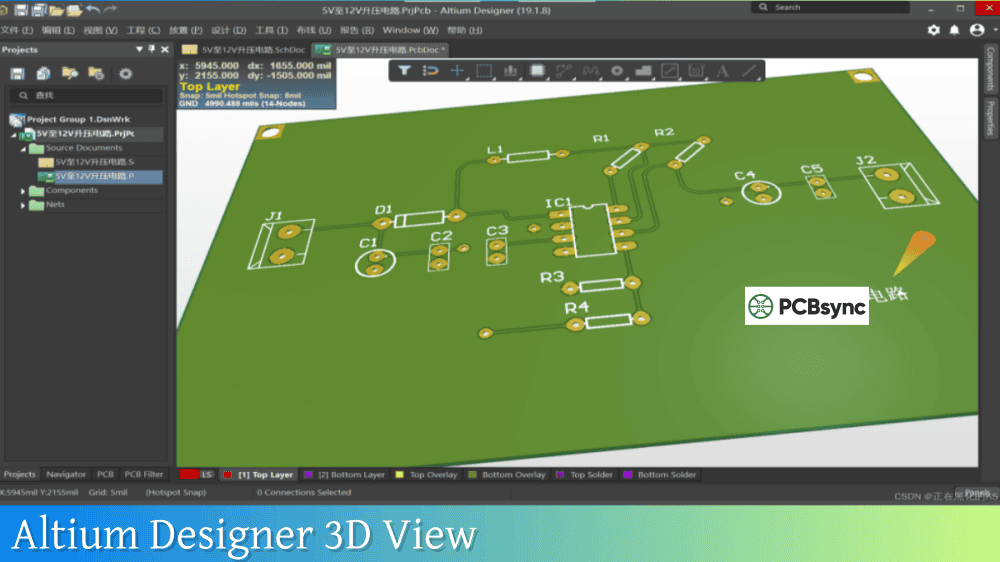
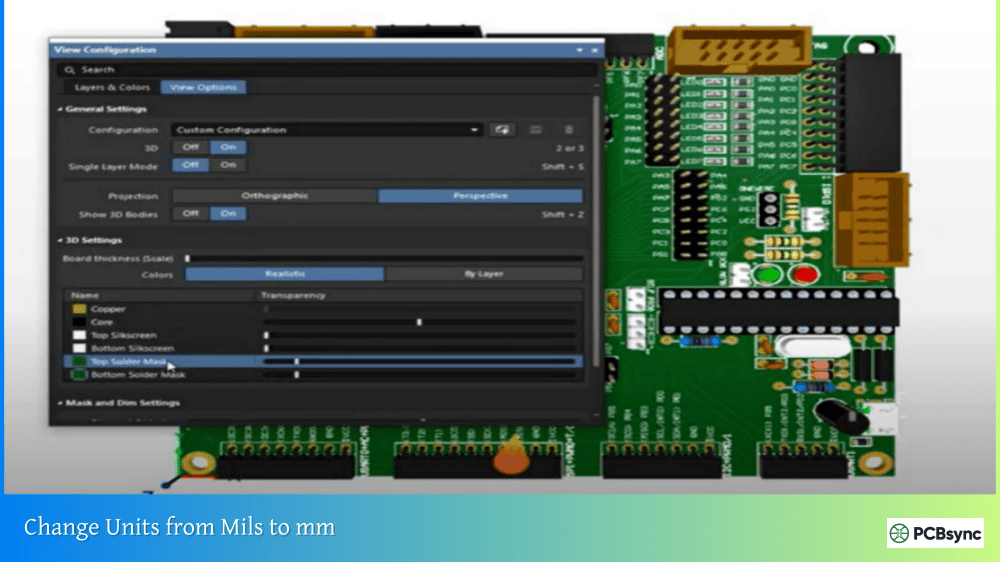
3D visualization is genuinely impressive for the price point. Pressing “3” switches to a full 3D view where you can inspect component placement, check clearances, and verify mechanical fit. STEP export lets you bring your board into mechanical CAD for enclosure design.
The layer stack editor handles standard rigid board designs well. However, complex stackups with multiple regions or rigid-flex transitions aren’t supported.
Altium Designer PCB Layout
Altium Designer’s PCB editor is where the professional-grade capabilities really shine. The routing engine supports advanced techniques like interactive length tuning for high-speed signals, proper differential pair routing with controlled spacing, and sophisticated via stitching.
The design rule system is comprehensive. Rules can be scoped to specific nets, net classes, components, or board regions, and rule priorities resolve conflicts predictably. This flexibility becomes essential for complex designs with multiple signal domains.
Multi-board design support lets you manage system-level projects where multiple PCBs connect together. You can verify board-to-board connections and visualize the complete assembly in 3D.
Rigid-flex design is native to Altium Designer. You can define multiple layer stacks for rigid and flex regions, create bend areas, and simulate the folded board in 3D to verify mechanical fit. This capability alone justifies Designer for many applications.
High-Speed Design Support
This category represents one of the starkest differences in the Altium CircuitStudio vs Altium Designer comparison.
CircuitStudio High-Speed Capabilities
CircuitStudio provides basic differential pair routing, but lacks the advanced high-speed design tools that complex digital designs require. There’s no signal integrity analysis, no impedance planning tools beyond manual calculations, and limited length matching capabilities.
For straightforward designs operating at modest speeds—microcontroller boards, sensor interfaces, basic communications—CircuitStudio handles the job adequately. But once you’re routing DDR memory, high-speed serial interfaces, or RF circuits, you’ll hit limitations quickly.
Altium Designer High-Speed Capabilities
Altium Designer addresses high-speed design comprehensively. The signal integrity analyzer performs reflection and crosstalk simulations using actual board geometry and component models. You can run pre-layout analysis on schematics to catch problems early, then verify post-layout performance.
xSignals let you define signal paths that span multiple nets through series components (termination resistors, AC coupling capacitors), ensuring proper length matching across the entire signal path rather than just individual nets.
The PDN Analyzer extension (purchased separately) adds power integrity analysis, simulating DC voltage drops and identifying potential power delivery problems before fabrication.
Layer stack planning tools help you design controlled-impedance stackups with proper reference planes, calculating trace widths for target impedances based on your fabricator’s materials.
Pricing and Licensing Models
Understanding the cost structure is crucial when comparing Altium CircuitStudio vs Altium Designer.
CircuitStudio Pricing
CircuitStudio uses a perpetual licensing model, meaning you pay once and own the software indefinitely. The current price sits around $695 for a perpetual license, with annual subscription/maintenance available at approximately $150/year for continued updates and vault access.
This pricing makes CircuitStudio accessible to freelancers, small businesses, and hobbyists who need professional capabilities without ongoing subscription costs. The perpetual license works offline after initial activation—no constant internet connection required.
Altium Designer Pricing
Altium Designer has transitioned to a subscription-based model, with annual costs typically exceeding $7,000 depending on your subscription tier and any add-on extensions. Pricing can vary significantly based on promotions, multi-seat licenses, and whether you’re upgrading from another product.
The subscription includes Altium 365 access, regular software updates, and technical support. Some features like PDN Analyzer require additional licensing fees.
For organizations, the subscription model provides predictable costs and ensures access to the latest features. For individuals or small teams, the annual expense represents a significant commitment.
Cost Comparison
CircuitStudio
Altium Designer
Initial License
~$695
~$7,000+/year
Annual Maintenance
~$150
Included in subscription
5-Year Total Cost
~$1,295
~$35,000+
License Type
Perpetual
Subscription
Offline Operation
Yes
Limited
Who Should Choose CircuitStudio?
CircuitStudio makes sense for several user profiles:
Occasional Designers: Engineers who design PCBs as part of a broader role, perhaps a few boards per year, benefit from CircuitStudio’s lower cost without sacrificing professional output quality.
Small Businesses and Startups: When budget constraints are real and designs don’t require advanced high-speed features, CircuitStudio delivers excellent value.
EAGLE Refugees: With Autodesk’s changes to EAGLE licensing, many designers sought alternatives. CircuitStudio imports EAGLE files and offers a familiar workflow at a reasonable price.
Learning and Transition: For students or professionals building Altium skills, CircuitStudio provides an affordable entry point. Skills transfer directly to Altium Designer if you later upgrade.
Simple to Moderate Complexity Designs: Boards without DDR memory, high-speed serial interfaces, or rigid-flex requirements fall well within CircuitStudio’s capabilities.
High-Speed Design is Required: DDR3/DDR4 memory interfaces, multi-gigabit serial links, and RF circuits demand the signal integrity and routing tools only Designer provides.
Complex Board Architectures: Rigid-flex designs, HDI boards with microvias, and designs requiring multiple layer stacks need Designer’s advanced capabilities.
Team Collaboration is Critical: Organizations with multiple designers benefit from Altium 365’s collaboration features, version control integration, and centralized library management.
Production Efficiency Matters: Professional teams working on tight schedules leverage Designer’s productivity features—scripting, batch processing, and advanced search—to meet deadlines.
Multi-Board Systems: Products involving multiple interconnected PCBs need Designer’s system-level design tools for connection management and assembly verification.
Regulatory and Quality Requirements: Industries with strict documentation requirements (medical, automotive, aerospace) benefit from Designer’s comprehensive output generation and traceability features.
Migration Path: CircuitStudio to Altium Designer
One advantage of starting with CircuitStudio is the relatively smooth upgrade path to Altium Designer. Project files maintain reasonable compatibility—Designer can open CircuitStudio PCB files, though they convert to Designer’s format.
Schematic files share the same .SchDoc format and open directly. Project files (.PrjPCB) are also compatible. The main consideration is that CircuitStudio PCB files (.PcbDoc) convert on opening in Designer and may require some cleanup depending on complexity.
Altium frequently offers upgrade promotions for CircuitStudio users transitioning to Designer, sometimes with significant discounts. If you anticipate needing Designer’s capabilities eventually, starting with CircuitStudio lets you build skills and evaluate your actual requirements before committing to the higher-cost platform.
Useful Resources
Official Documentation and Downloads
Resource
URL
CircuitStudio Official Page
altium.com/circuitstudio
CircuitStudio Documentation
documentation.circuitstudio.com
CircuitStudio Download/Trial
altium.com/circuitstudio (30-day trial)
Altium Designer Official Page
altium.com/altium-designer
Altium Designer Documentation
altium.com/documentation/altium-designer
Altium 365 Viewer
altium365.com/viewer
Community and Support
Resource
Description
Element14 CircuitStudio Community
User forums and technical discussions
Altium Designer Forum
Official Altium community forums
Altium Resources Blog
Technical articles and tutorials
Fedevel Academy
Video tutorials for Altium products
Component Libraries
Resource
Description
CircuitStudio Content Library
350,000+ components included
Altium Content Vault
Managed components for Designer
Octopart
Component search with CAD models
SnapEDA
Free schematic symbols and footprints
Ultra Librarian
CAD model downloads
Frequently Asked Questions
Can I open Altium Designer files in CircuitStudio?
CircuitStudio can open Altium Designer schematic files (.SchDoc) directly since they share the same format. However, PCB files from Designer may not open in CircuitStudio if they use features not supported by CircuitStudio. The reverse works better—Designer can open and convert CircuitStudio PCB files.
Is CircuitStudio still being developed?
CircuitStudio development has slowed compared to Altium Designer. The last major release (1.5) focused on EAGLE import improvements. While Altium continues to sell and support the product, the pace of new features doesn’t match Designer’s regular updates. For long-term investment, consider this when making your decision.
Can I use CircuitStudio commercially?
Yes, CircuitStudio has no restrictions on commercial use. You can design products for sale without additional licensing requirements. The perpetual license covers all use cases.
What’s the learning curve difference between CircuitStudio and Altium Designer?
Both tools share the same fundamental interface paradigm, so skills transfer readily. CircuitStudio’s simpler feature set actually makes initial learning faster—you’re not overwhelmed by advanced options you don’t need yet. Moving from CircuitStudio to Designer typically involves learning additional features rather than relearning basics.
Should I start with CircuitStudio and upgrade later, or go straight to Altium Designer?
This depends on your immediate needs and budget. If your current projects fit within CircuitStudio’s capabilities and budget is a concern, starting with CircuitStudio makes sense. You’ll build transferable skills while keeping costs manageable. If you already know you’ll need Designer’s advanced features (high-speed design, rigid-flex, multi-board), starting with Designer avoids the transition later and ensures you’re learning the full toolset from the beginning.
Final Verdict: Making Your Choice
The Altium CircuitStudio vs Altium Designer decision ultimately comes down to matching your requirements and budget to the right tool.
Choose CircuitStudio if: You design boards occasionally, work on moderate-complexity projects without high-speed requirements, operate with a limited software budget, or want to build Altium skills before committing to the full platform.
Choose Altium Designer if: You design professionally and frequently, work on complex high-speed or rigid-flex designs, collaborate with team members on shared projects, or require advanced analysis and simulation capabilities.
Both tools produce professional-quality outputs suitable for manufacturing. CircuitStudio isn’t a hobbyist tool—it’s a capable professional platform with a narrower feature set. Altium Designer isn’t just “more features”—it’s a comprehensive ecosystem for professional product development.
For many designers, CircuitStudio represents genuine value. It delivers 80% of what most projects need at roughly 10% of the cost. For engineers pushing the boundaries of board complexity, speed, and density, Altium Designer’s premium features justify the investment.
Evaluate your actual project requirements honestly, consider your growth trajectory, and choose the tool that serves your needs today while positioning you for tomorrow’s challenges.
Inquire: Call 0086-755-23203480, or reach out via the form below/your sales contact to discuss our design, manufacturing, and assembly capabilities.
Quote: Email your PCB files to Sales@pcbsync.com (Preferred for large files) or submit online. We will contact you promptly. Please ensure your email is correct.
Notes: For PCB fabrication, we require PCB design file in Gerber RS-274X format (most preferred), *.PCB/DDB (Protel, inform your program version) format or *.BRD (Eagle) format. For PCB assembly, we require PCB design file in above mentioned format, drilling file and BOM. Click to download BOM template To avoid file missing, please include all files into one folder and compress it into .zip or .rar format.