Inquire: Call 0086-755-23203480, or reach out via the form below/your sales contact to discuss our design, manufacturing, and assembly capabilities.
Quote: Email your PCB files to Sales@pcbsync.com (Preferred for large files) or submit online. We will contact you promptly. Please ensure your email is correct.
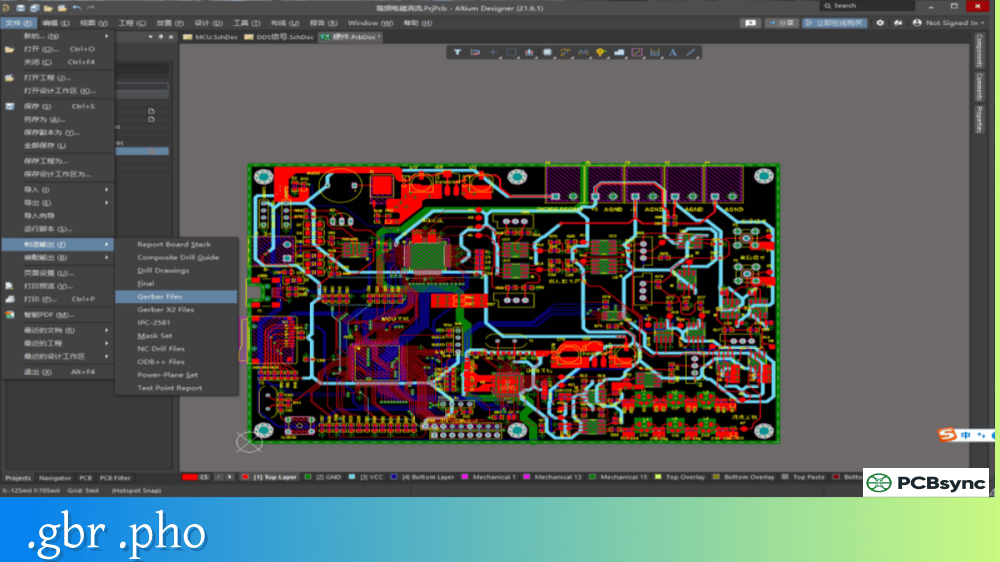
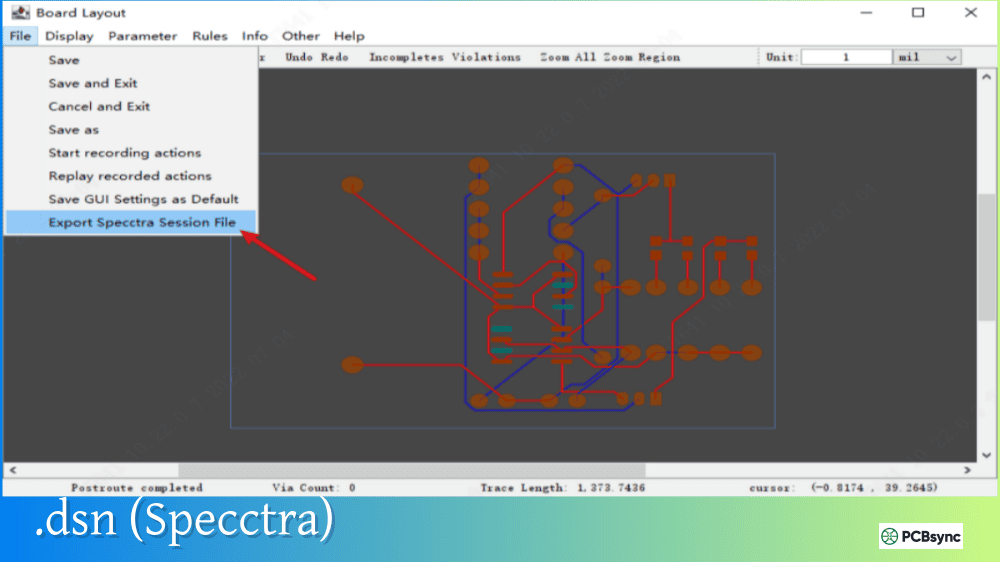
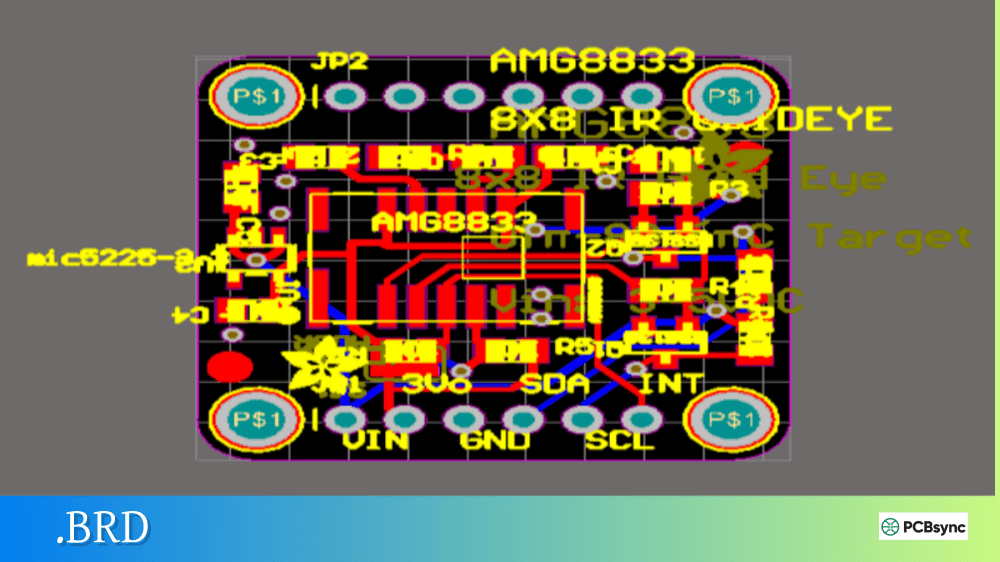
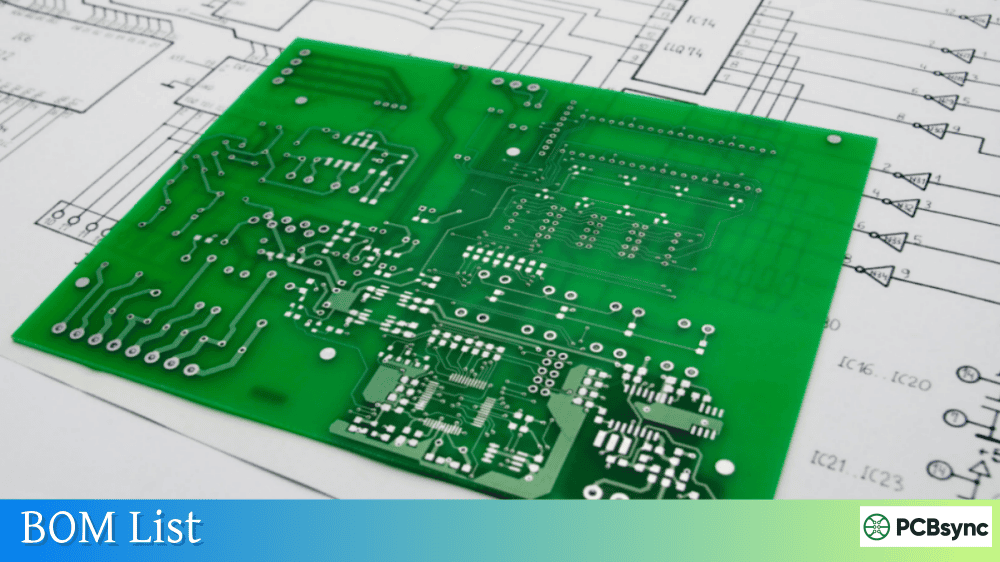
Notes: For PCB fabrication, we require PCB design file in Gerber RS-274X format (most preferred), *.PCB/DDB (Protel, inform your program version) format or *.BRD (Eagle) format. For PCB assembly, we require PCB design file in above mentioned format, drilling file and BOM. Click to download BOM template To avoid file missing, please include all files into one folder and compress it into .zip or .rar format.
What is .PcbDoc? Altium Designer PCB Format Explained
After years of designing PCBs professionally, I’ve worked with just about every file format the industry has to offer. But when clients or colleagues ask me to recommend a PCB design platform, Altium Designer consistently comes up—and with it, the .PcbDoc file format. If you’ve ever received design files from another engineer, collaborated on a project, or tried to convert between different EDA tools, understanding .PcbDoc is essential knowledge.
This comprehensive guide covers everything you need to know about .PcbDoc files: what they contain, how they work, how to open and convert them, and why they’ve become the professional standard for serious PCB design work.
The .PcbDoc extension identifies a PCB Document file native to Altium Designer, the professional-grade electronic design automation (EDA) software developed by Altium Limited. This file format serves as the primary container for printed circuit board layout data within the Altium Designer environment.
Unlike manufacturing output formats such as Gerber files that only contain layer images, a .PcbDoc file stores the complete, editable PCB design including all the intelligence that makes modification and analysis possible. Think of Gerber files as photographs of your design—they show what it looks like but you can’t change them. A .PcbDoc file is the actual design itself, with every object, connection, and constraint preserved and editable.
The format has evolved continuously since Altium Designer 6.0 launched in 2005, building on the legacy of Protel software that dominated PCB design in the 1990s and early 2000s. Today’s .PcbDoc files support advanced features that weren’t conceivable two decades ago: embedded 3D component models, rigid-flex definitions, advanced design rules, and direct integration with cloud collaboration platforms.
What Data Does a .PcbDoc File Contain?
A .PcbDoc file stores comprehensive PCB design information organized into logical sections:
Data Category
Description
Board Outline
Physical board shape, dimensions, cutouts, and slots
Layer Stackup
Complete layer definition including copper, dielectric, solder mask
Component Data
Footprints, designators, parameters, and 3D models
Copper Features
Traces, pads, vias, polygons, and planes
Net Connectivity
Electrical connections between component pins
Design Rules
Manufacturing constraints, clearances, and electrical rules
Mechanical Objects
Assembly drawings, dimensions, keep-out areas
Drill Information
Hole sizes, plating specifications, layer pairs
Embedded Models
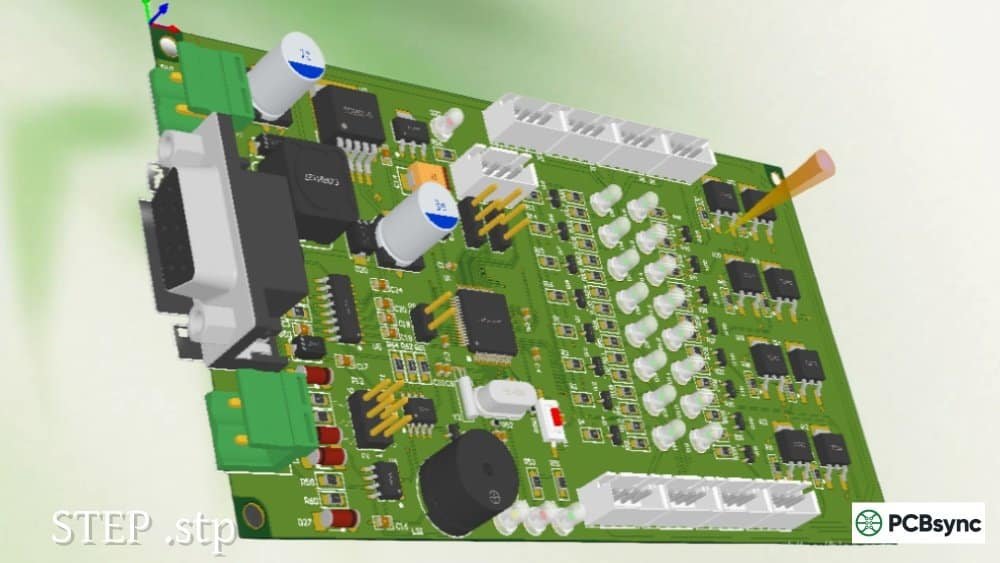
STEP and other 3D model data for components
The format uses a proprietary binary structure, though Altium Designer can also save files in ASCII format for improved compatibility with third-party import tools. The binary format offers faster load times and smaller file sizes, while ASCII format provides better interoperability when sharing designs with users of other EDA platforms.
.PcbDoc vs .PCB: Understanding the Difference
Engineers transitioning from legacy systems often confuse .PcbDoc with the older .PCB format. While both contain PCB design data, they represent different eras of the same software lineage.
Feature
.PCB (Legacy)
.PcbDoc (Current)
Software Era
Protel 99 SE and earlier
Altium Designer 6.0+
3D Model Support
None
Full STEP/WRL integration
Layer Count
Limited (16-32 typical)
Virtually unlimited
Design Rules
Basic constraints
Advanced rule system
Cloud Integration
None
Altium 365 compatible
File Structure
Older binary format
Modern binary/ASCII
Active Development
Discontinued
Ongoing updates
When Altium Designer opens a legacy .PCB file, the Import Wizard automatically handles conversion to the modern .PcbDoc format. However, this conversion may lose some legacy features while gaining access to all modern capabilities. For archival purposes, keeping both the original .PCB and converted .PcbDoc is wise practice.
Inside the .PcbDoc File Structure
Understanding the internal organization of .PcbDoc files helps when troubleshooting issues or working with conversion tools. The file uses a compound document format similar to Microsoft’s OLE structure, containing multiple embedded streams of data.
Binary vs ASCII .PcbDoc Formats
Altium Designer supports saving .PcbDoc files in two internal formats:
Binary Format (Default) The standard binary format packages all design data into a compact, efficient structure optimized for Altium Designer’s internal operations. Binary files load faster and consume less disk space but require Altium software to interpret.
ASCII Format The ASCII version saves the same data in a text-based format that other tools can parse. While larger in file size, ASCII .PcbDoc files enable:
Import into KiCad, EasyEDA Pro, and other EDA tools
Version control systems to show meaningful diffs
Third-party converter scripts to process the data
Manual inspection and repair of corrupted files
To save as ASCII in Altium Designer, use File > Save Copy As and select “PCB ASCII File (*.PcbDoc)” from the format dropdown. This creates a duplicate file while preserving your original binary version.
Key Internal Components
A .PcbDoc file contains several major data sections:
Component
Purpose
Board
Physical outline and layer stack definition
Nets
Electrical connectivity database
Components
Placed footprints with parameters
Primitives
Tracks, arcs, vias, pads, fills
Rules
Design rule definitions and scope queries
Polygons
Copper pours with connection settings
Regions
Keep-out and special area definitions
Models
Embedded 3D geometry data
How to Open .PcbDoc Files
Opening .PcbDoc files requires appropriate software, though options exist beyond the official Altium Designer application.
Primary Software Options
Software
Capability
Cost
Altium Designer
Full editing
Subscription ($500+/month)
Altium 365 Viewer
View/share only
Free (browser-based)
CircuitMaker
Limited editing
Free with restrictions
CircuitStudio
Full editing
One-time purchase
KiCad 7+
Import only
Free open source
EasyEDA Pro
Import with conversion
Free/subscription
Opening .PcbDoc in Altium Designer
For users with Altium Designer access, opening .PcbDoc files is straightforward:
Launch Altium Designer
Select File > Open from the main menu
Navigate to the .PcbDoc file location
Select the file and click Open
The PCB Editor workspace activates automatically, displaying your design with full editing capabilities. If the file belongs to a project, Altium prompts you to open the associated .PrjPcb project file for complete design context.
Using the Free Altium 365 Viewer
For viewing without editing, Altium provides a free browser-based solution at altium.com/viewer. This tool supports:
Direct upload of .PcbDoc and .SchDoc files
Interactive 2D layer viewing
Full 3D board visualization
BOM extraction and review
Design sharing via temporary links
The viewer accepts files up to certain size limits and doesn’t require account creation for basic viewing, making it ideal for quick reviews or sharing designs with clients who don’t have Altium installed.
Opening .PcbDoc in KiCad
Since KiCad 7, the open-source EDA tool has supported direct import of Altium .PcbDoc files. The process works as follows:
Launch KiCad and create a new project
Open the PCB Editor (Pcbnew)
Select File > Import Non-KiCad Board File
Choose Altium Designer PCB as the file type
Navigate to and select your .PcbDoc file
Complete the layer mapping dialog
KiCad preserves most design elements during conversion, though complex features like embedded 3D models may require manual adjustment. For best results, use KiCad 9 or later, which includes significant improvements to Altium import fidelity.
Converting .PcbDoc Files to Other Formats
Converting .PcbDoc files enables collaboration with engineers using different tools and prepares designs for manufacturing.
.PcbDoc to Gerber Conversion
For PCB fabrication, manufacturers need Gerber files—the universal manufacturing format. In Altium Designer:
Open your .PcbDoc file
Navigate to File > Fabrication Outputs > Gerber Files
Configure layer selection and format options
Click OK to generate the files
Repeat for NC Drill Files under the same menu
A complete manufacturing package includes:
File Type
Extension
Purpose
Top Copper
.GTL
Top layer copper pattern
Bottom Copper
.GBL
Bottom layer copper pattern
Top Solder Mask
.GTS
Solder mask openings – top
Bottom Solder Mask
.GBS
Solder mask openings – bottom
Top Silkscreen
.GTO
Legend/marking – top
Bottom Silkscreen
.GBO
Legend/marking – bottom
Board Outline
.GKO or .GM1
Mechanical boundary
NC Drill
.DRL or .XLN
Drill hole data
.PcbDoc to ODB++ Conversion
The ODB++ format bundles all manufacturing data into a single intelligent package. In Altium Designer:
Open your .PcbDoc file
Select File > Fabrication Outputs > ODB++
Configure layer and option settings
Choose output directory
Click OK to generate
ODB++ advantages over Gerber include embedded net information, component data, and stackup definitions—reducing the chance of manufacturing errors from misinterpreted files.
.PcbDoc to KiCad Conversion
Beyond direct import, dedicated converters exist for Altium-to-KiCad conversion:
altium2kicad (Open Source) A Perl-based converter available at github.com/thesourcerer8/altium2kicad that processes .PcbDoc files (must be saved in ASCII format) and outputs KiCad-compatible files.
Futureware Online Converter A web-based conversion service at www2.futureware.at/KiCad that accepts zipped .PcbDoc and .SchDoc files and returns converted KiCad projects.
Both approaches require ASCII format .PcbDoc files for best results, so always save an ASCII copy before attempting conversion.
Creating and Working with .PcbDoc Files
For engineers designing in Altium, understanding .PcbDoc file management improves workflow efficiency.
Creating a New .PcbDoc File
In Altium Designer, new PCB documents are created within project context:
Right-click on your project (.PrjPcb) in the Projects panel
Select Add New to Project > PCB
A blank PCB document opens as “PCB1.PcbDoc”
Right-click the document entry and select Save As
Enter your desired filename and save
The new .PcbDoc file automatically links to your project, enabling schematic-to-PCB synchronization through Engineering Change Orders (ECOs).
Transferring Schematic Data to .PcbDoc
The connection between schematic (.SchDoc) and PCB (.PcbDoc) files distinguishes Altium from simpler tools. To transfer design data:
Complete your schematic design
Open the .PcbDoc file (or create one)
From the schematic, select Design > Update PCB Document [filename]
Review the Engineering Change Order list
Click Validate Changes then Execute Changes
Altium transfers component footprints, net connectivity, and design parameters—no intermediate netlist files required.
Version Control Considerations
For teams using version control systems like Git, .PcbDoc file management requires thought:
Format
Version Control Behavior
Binary .PcbDoc
Works but diffs are meaningless
ASCII .PcbDoc
Readable diffs, larger storage
Altium 365
Built-in version history
Many teams maintain binary files for daily work and generate ASCII snapshots at major milestones for meaningful version tracking.
Protect valuable design work with multiple backup layers:
Method
Frequency
Purpose
Local save
During work
Immediate recovery
Project archive
Daily
Point-in-time restore
Cloud backup
Real-time
Disaster recovery
Release snapshots
Per release
Version history
Sharing .PcbDoc Files
When sharing .PcbDoc files externally:
With Altium users: Share the native .PcbDoc directly
With other EDA users: Save ASCII copy plus Gerber output
With manufacturers: Export Gerber/ODB++ (not .PcbDoc)
For review only: Use Altium 365 Viewer sharing links
Never send .PcbDoc files directly to PCB manufacturers unless they specifically request native Altium files—always provide standard manufacturing outputs.
Frequently Asked Questions About .PcbDoc Files
What software can open .PcbDoc files for free?
The Altium 365 Viewer provides free browser-based viewing of .PcbDoc files without requiring software installation or account creation. For editing capabilities, KiCad (free, open-source) can import .PcbDoc files starting from version 7, though some conversion artifacts may require cleanup. CircuitMaker, Altium’s free community tool, also opens .PcbDoc files with certain limitations.
How do I convert .PcbDoc to Gerber files?
In Altium Designer, open your .PcbDoc file and navigate to File > Fabrication Outputs > Gerber Files. Configure the layers, units, and format settings in the dialog, then click OK. Repeat the process for NC Drill Files to generate complete manufacturing data. Always verify generated Gerbers in a viewer (like the built-in CAMtastic or external tools) before sending to fabrication.
Can KiCad open Altium .PcbDoc files directly?
Yes, starting with KiCad 7 (released 2023), direct import of .PcbDoc files is supported through File > Import Non-KiCad Board File > Altium Designer PCB. KiCad 9 and later versions provide improved import fidelity. For best results, save your Altium design as ASCII format .PcbDoc before importing, as this improves conversion accuracy for complex designs.
What’s the difference between .PcbDoc and .SchDoc files?
The .PcbDoc extension identifies PCB layout files containing the physical board design—copper traces, component footprints, drill holes, and manufacturing data. The .SchDoc extension identifies schematic files containing the circuit design—component symbols, wire connections, and electrical relationships. Both file types work together within an Altium project, with the schematic driving the PCB layout through synchronization.
Should I send .PcbDoc files to my PCB manufacturer?
Generally, no. Most PCB manufacturers expect Gerber files (RS-274X format) or ODB++ packages, which are universal manufacturing formats that any fabrication house can process. Sending .PcbDoc files requires your manufacturer to have Altium Designer, limits their ability to use standard CAM processes, and potentially exposes your design IP. Always generate and send appropriate manufacturing outputs unless your manufacturer specifically requests native files.
Conclusion
The .PcbDoc file format represents the current state of professional PCB design storage, offering comprehensive data management that goes far beyond simple layer imaging. Whether you’re working natively in Altium Designer, converting designs from other platforms, or preparing files for manufacturing, understanding .PcbDoc files is fundamental knowledge for modern PCB engineers.
The format’s continued evolution—with additions like enhanced 3D integration, cloud collaboration through Altium 365, and improved import/export capabilities—ensures .PcbDoc will remain central to professional PCB design workflows for the foreseeable future.
For engineers using other tools, the growing ecosystem of converters and the native import support in KiCad means .PcbDoc files are more accessible than ever, even without an Altium license. And for manufacturing output, Altium’s robust export capabilities ensure your .PcbDoc designs translate cleanly to whatever format your fabricator requires.
Whatever your workflow, investing time in understanding .PcbDoc file management pays dividends in efficiency, collaboration, and design quality throughout every project.
Inquire: Call 0086-755-23203480, or reach out via the form below/your sales contact to discuss our design, manufacturing, and assembly capabilities.
Quote: Email your PCB files to Sales@pcbsync.com (Preferred for large files) or submit online. We will contact you promptly. Please ensure your email is correct.
Notes: For PCB fabrication, we require PCB design file in Gerber RS-274X format (most preferred), *.PCB/DDB (Protel, inform your program version) format or *.BRD (Eagle) format. For PCB assembly, we require PCB design file in above mentioned format, drilling file and BOM. Click to download BOM template To avoid file missing, please include all files into one folder and compress it into .zip or .rar format.